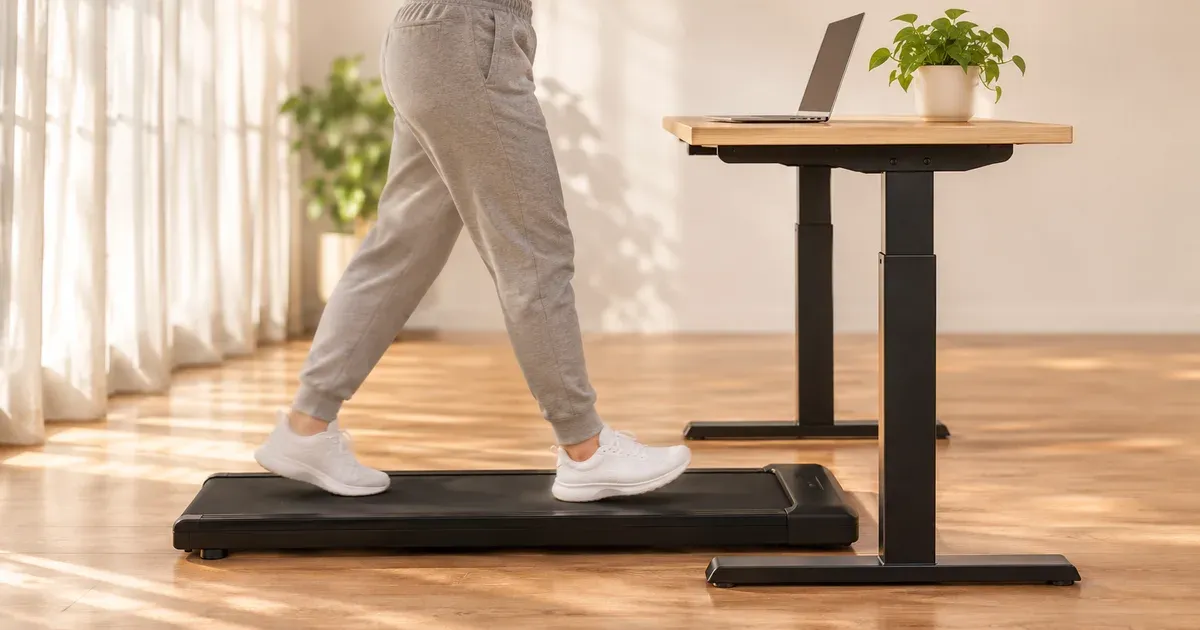
The best standing desk to use with a walking pad is one that rises 4 to 8 inches above your normal standing desk height and stays steady at the top of its range. For most people that’s the UPLIFT V3, which reaches 48.7 inches with a 1-inch top. If you’re taller than about 5’11” or use a thick incline pad, get more height: the FlexiSpot E7 Pro frame goes to 50.6 inches before you add a top. If wobble bothers you, the four-column UPLIFT V3 4-Leg is the steadiest.
I walk on an UPLIFT Inclining Walking Pad at my UPLIFT V3 L-Shaped desk during calls and after lunch, and the desk stays rock solid while I walk. I also own the straight UPLIFT V3 and the V3 4-Leg, so the UPLIFT picks below come from my own desks. The FlexiSpot picks are based on FlexiSpot’s specs and our FlexiSpot E6 review.
Our Picks at a Glance
| Desk | Best for | Max height | Legs | Lift capacity | Price |
|---|---|---|---|---|---|
| UPLIFT V3 | Most people | 48.7 in. | 2 | 355 lb | From about $600 |
| UPLIFT V3 4-Leg | Least wobble | 48.7 in. | 4 | 535 lb | More than the V3 |
| UPLIFT V3 L-Shaped | All-day work, corners | 48.7 in. (49.5 with a 1.75-in. top) | 3 | 535 lb | From about $1,149 |
| FlexiSpot E7 Pro | Tall walkers, thick pads | About 51.6 in. | 2 | 396 lb | About $470 |
| FlexiSpot E6 | Tight budgets | About 49.4 in. | 2 | 220 lb | Under $300 |
Max heights are to the desktop surface with a 1-inch top unless noted. FlexiSpot lists frame-only heights, so I added an inch.
What a Walking Pad Changes About Your Desk
A walking pad changes three things about the desk you need:
- You stand higher. The belt lifts you about 4 inches on a slim flat pad and 8 to 9 inches on a tall pad at a steep incline. Your keyboard has to go up by the same amount, so you need a desk with a higher maximum height than you’d need standing on the floor.
- You work at the top of the range. Two-leg desks wobble most when they’re fully raised. That’s where a walking pad puts you all the time, and your steps give the desk a steady rhythm to pick up.
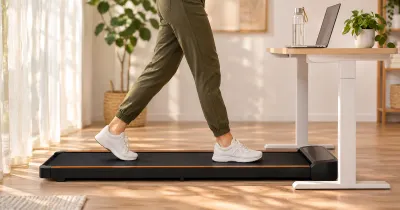
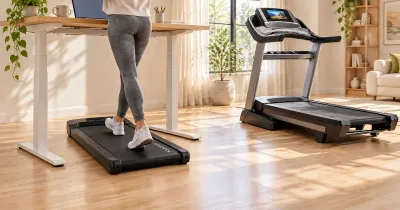
- The pad has to fit under the desk. A walking pad is about 20 inches wide and 48 inches long, and its front end slides under the desktop. Desk feet, low crossbars, keyboard trays and cables can all get in its way.
Best Overall: UPLIFT V3
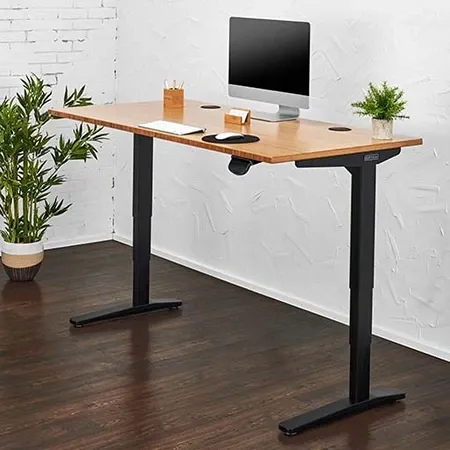
Best overall desk for a walking pad
UPLIFT V3 Standing Desk
A smooth dual-motor desk that rises to 48.7 inches, with deep customization and a 15-year warranty.
The UPLIFT V3 is the desk I’d point most walking pad buyers to. It adjusts from 22.6 to 48.7 inches with a 1-inch top, which covers a walking pad for most people up to about 5’11” on a slim pad. The low end goes down far enough for shorter people to sit at it, too, so one desk handles sitting, standing and walking.
My V3 is a 48-by-30-inch walnut laminate desk. The lift is smooth and quiet, and the Advanced Keypad stores memory presets, so I can save a walking height next to my sitting and standing heights and get to it with one press. UPLIFT also lets you set a maximum height limit, which keeps a preset from driving the desk into a shelf or window ledge.
The V3 has no lower crossbar, so nothing runs across the floor between the legs for the pad to bump into. The current V3 ships as a C-frame with 27.5-inch feet. It’s rated to lift 355 pounds and covered for 15 years, desktop included.
The honest catch for walking: the V3 isn’t the stiffest desk at full height. Around 40 inches and above, mine shows a little front-to-back movement if I type hard or lean on it. For normal typing it has never interrupted my work, but a walking pad keeps you at those heights, so if you notice monitor movement easily, step up to the 4-Leg.
A 48-by-30-inch V3 with a laminate top starts at about $600. Our FlexiSpot vs. UPLIFT comparison goes deeper on how it compares with FlexiSpot’s frames.
Buy it if you want one desk for sitting, standing and walking, and you’re under about 5’11” or use a slim pad.
Most Stable: UPLIFT V3 4-Leg
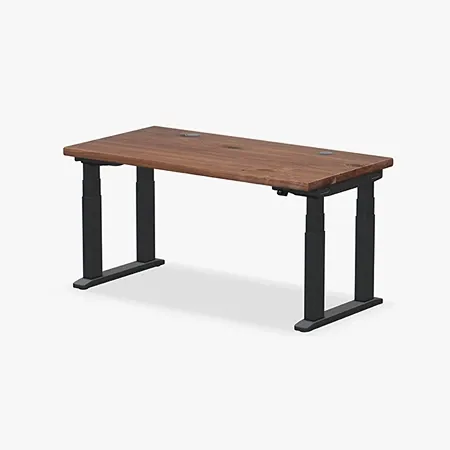
Most stable desk for a walking pad
UPLIFT V3 4-Leg Standing Desk
Four synchronized lifting columns and a 535-pound rating keep a raised desk planted at standing height.
Stability is why I own the UPLIFT V3 4-Leg. It has a lifting column at each corner, and long steel feet connect the front and rear columns on each side. A two-leg desk has to control the whole desktop from two central columns, and that leverage is easiest to feel at standing height. The 4-Leg spreads the load across four, and at standing height my keyboard and display stay composed while I type or shift my weight against the front edge.
That’s the problem a walking pad creates, so the 4-Leg is the pick if you’re sensitive to wobble, use a wide desktop, or have a monitor on an arm. Arms can magnify small vibrations, and the four-column frame gives them a much steadier base.
It has the same 22.6- to 48.7-inch range as the regular V3, four synchronized motors, a 535-pound rating and a 15-year warranty. Like the V3, it has no low crossbar between the legs. The Advanced Keypad holds four presets, which is enough for a low seat, a typing height, standing and walking.
The trade-offs are cost, weight and space. The frame is heavy, it costs considerably more than the two-leg V3, and four columns take up more room under the desktop. The pad has to fit between the left and right feet, so a 4-Leg makes the most sense on a wider top, toward the 60- to 80-inch end of UPLIFT’s 42- to 80-inch range.
Buy it if you want the least desk movement while you walk and have room for a wide desk.
Best for All-Day Work: UPLIFT V3 L-Shaped
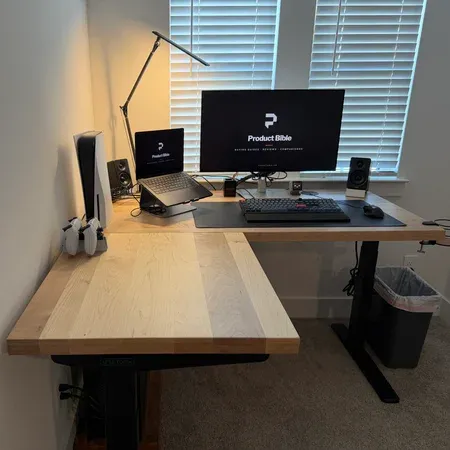
The desk I walk at
UPLIFT V3 L-Shaped Standing Desk
A rock-solid three-leg corner desk that stays steady with a walking pad under it, with room for real work zones.
The UPLIFT V3 L-Shaped is my full-time work desk and the one I walk at. Mine is 60 by 60 inches with a 1.75-inch maple top. It holds steady when I’m sitting, when it’s raised, and when I’m on my walking pad under it. Rock solid is how I’d describe it.
The three-leg, three-motor frame is rated for 535 pounds. A thicker top raises the ceiling, too: with my 1.75-inch top, the range is about 23.4 to 49.5 inches, almost an inch higher than with a stock 1-inch top. The main side is 30 inches deep and the return is 27.5 inches, and the L shape gives me real work zones instead of one crowded strip of desk.
It’s big and expensive. The stock version starts at about $1,149, my custom maple configuration is about $3,749, and it’s harder to assemble than a straight desk. It also needs a corner with room behind the pad.
Buy it if you work at your desk all day, want separate work zones, and have a corner to spare.
Most Height: FlexiSpot E7 Pro
If you’re tall or your pad is thick, the FlexiSpot E7 Pro gives you the most height of the desks here. FlexiSpot lists its frame at 25 to 50.6 inches without a top, so with a 1-inch top it reaches about 51.6 inches. That’s almost 3 inches more than the UPLIFT V3, enough for a 6-foot walker on a 6-inch pad.
FlexiSpot calls it a semi-C frame: the legs sit toward the back of the desk to free up leg room in front. It’s a dual-motor frame rated to lift 396 pounds, for desktops 47.2 to 80 inches wide, with a 15-year warranty on the frame, motor and electronics. It costs about $470.
The catch is the other end of the range. A desk that starts at about 26 inches with a top is too tall for many people to sit at comfortably; by the math in our desk height calculator, it suits seated users from about 5’6” up. Shorter people who want to walk and sit at the same desk should look at the UPLIFT V3.
Buy it if you’re over about 5’11”, use a tall or steep incline pad, or both.
Best Budget: FlexiSpot E6
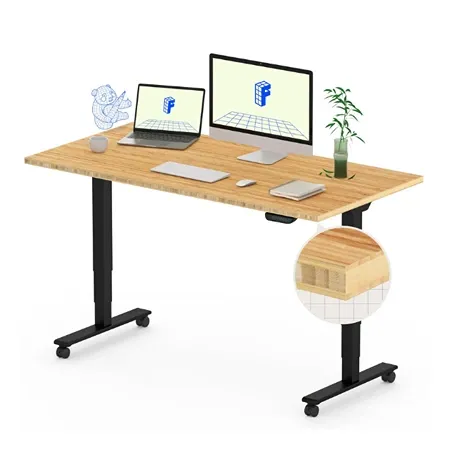
Best budget desk for a walking pad
FlexiSpot E6
A dual-motor standing desk with memory presets and a frame that rises to 48.4 inches, for under $300 with a top.
The FlexiSpot E6 is the cheapest desk here that still has the height for a walking pad. FlexiSpot lists the frame at 23.6 to 48.4 inches, or about 49.4 inches with a 1-inch top, slightly more than the UPLIFT V3. It’s a dual-motor desk with a memory keypad, so you can save a walking height, and it sells for under $300 with a top.
Where it gives ground is stability and coverage. The Amazon E6 is rated for 220 pounds, and its lighter-duty frame tends to show more movement when raised high, which is where a walking pad keeps you. The warranty is 5 years on the frame and motor and 2 years on the electronics.
Buy it if you want a walking setup on a budget and don’t mind a little movement at full height.
How Tall Does a Standing Desk Need to Be for a Walking Pad?
Take the desk height you’d use standing on the floor and add your pad’s height. The keyboard should sit at your elbows, with your upper arms hanging relaxed.
Here are the numbers by height, in 1-inch shoes, using the same body-proportion data as our desk height calculator:
| Your height | Standing desk, no pad | Slim flat pad (+4 in.) | Thicker or inclined pad (+6 in.) | Tall pad, steep incline (+8 in.) |
|---|---|---|---|---|
| 5’0” | 37.5 in. | 41.5 in. | 43.5 in. | 45.5 in. |
| 5’2” | 39 in. | 43 in. | 45 in. | 47 in. |
| 5’4” | 40 in. | 44 in. | 46 in. | 48 in. |
| 5’6” | 41.5 in. | 45.5 in. | 47.5 in. | 49.5 in. |
| 5’8” | 42.5 in. | 46.5 in. | 48.5 in. | 50.5 in. |
| 5’10” | 44 in. | 48 in. | 50 in. | 52 in. |
| 6’0” | 45 in. | 49 in. | 51 in. | 53 in. |
| 6’2” | 46.5 in. | 50.5 in. | 52.5 in. | 54.5 in. |
| 6’4” | 47.5 in. | 51.5 in. | 53.5 in. | 55.5 in. |
And here’s the tallest person each desk puts at elbow height:
| Desk | Max height | No pad | Slim pad (+4 in.) | Thicker pad (+6 in.) | Tall pad (+8 in.) |
|---|---|---|---|---|---|
| Branch Duo | 47.3 in. | 6’3” | 5’9” | 5’5” | 5’2” |
| UPLIFT V3 and V3 4-Leg | 48.7 in. | 6’5” | 5’11” | 5’8” | 5’4” |
| FlexiSpot E6 or E7 | About 49.4 in. | 6’7” | 6’0” | 5’9” | 5’6” |
| UPLIFT V3 L-Shaped, 1.75-in. top | About 49.5 in. | 6’7” | 6’0” | 5’9” | 5’6” |
| Vari Electric | 50.5 in. | 6’8” | 6’2” | 5’11” | 5’7” |
| FlexiSpot E7 Pro | About 51.6 in. | 6’10” | 6’4” | 6’0” | 5’9” |
Two things give you a little slack. A desk slightly below your elbows is fine, since a comfortable typing posture has the elbows bent anywhere from 90 to 120 degrees; a desk above them is not. If you’re happy with the keyboard an inch below your elbows, add about 1.5 inches of body height to each number in the second table. Arm length varies, too, so for the most accurate number, stand on your pad in your walking shoes and measure from the floor to the underside of your forearm with your elbows bent at 90 degrees.
Don’t buy a desk that only just reaches your number. Shoes, a mat under the pad, and an incline all add height, and a desk at its limit is also at its wobbliest.
How Much Does a Walking Pad Raise You?
Less than the pad’s listed height, but more than you’d guess once you add incline. Listed heights are to the top of the frame, and the belt you stand on sits a bit lower.
- My UPLIFT Inclining Walking Pad is 5.25 inches at its tallest fixed point, and the belt is about 3.75 inches off the floor when flat.
- Slim flat pads like the Akluer stand about 3.9 inches tall.
- Sturdier incline pads like the UREVO CyberPad for Office are about 6.3 inches tall, and the UREVO CyberPad for Home is 8.7 inches.
An incline lifts the front of the deck further. A 7% grade raises the front of a 40-inch belt by nearly 3 inches, and a 14% grade on a 43-inch belt raises it about 6 inches. You stand toward the front, so expect to rise roughly 2 inches at 7% and 3 to 4 inches at 12% to 14%. That’s why steep incline pads need the tallest desks. Our guide to the best walking pads with incline lists each pad’s incline range.
Does a Standing Desk Wobble With a Walking Pad?
A little, and more on two-leg desks at full height. A desk raised near its maximum puts the most leverage on its columns, and walking adds a steady rhythm through your hands, forearms and the floor. Here’s how my desks compare:
- UPLIFT V3 (two legs): planted for typing, with a little front-to-back movement around 40 inches and above if I type hard or lean on it.
- UPLIFT V3 4-Leg: the most stable rectangular desk I’ve used. My keyboard and display stay composed when I type or shift my weight against the front edge.
- UPLIFT V3 L-Shaped: rock solid with my walking pad under it.
A few things cut wobble on any desk:
- Don’t lean on the desk while you walk. Start flat and slow, and add incline only once you can walk without leaning on the desktop. A desk isn’t a handrail.
- Walk slowly while you type. Most desk walking happens around 1.5 to 2.5 mph. Faster walking means more bounce and harder typing.
- Level the feet. Adjust the leveling glides so every leg sits firmly on the floor. This matters most on four-leg frames.
- Check your monitor mount. A screen on an arm can magnify small vibrations, so tighten the clamp and keep the arm’s reach short, or use a four-leg frame.
How Much Room Does a Walking Pad Need Under a Desk?
More than the pad’s footprint. My UPLIFT pad is 48 by 20.25 inches, and UPLIFT’s manual calls for at least 3 feet of clear space behind it and 1 foot on each side.
- Width: the pad has to fit between the desk’s feet with room to spare. A 48-inch desk is a practical minimum, and 60 inches gives you room for the pad plus space on either side. Measure between the feet, not the desktop edges.
- Depth: a 30-inch-deep top leaves room for the front of the pad under the desk and still keeps your monitor a comfortable distance away.
- Room length: desk, pad and the 3 feet behind it add up to roughly 8 feet from the wall.
- Crossbars: check for a low crossbar between the legs. The UPLIFT V3, V3 4-Leg and V3 L-Shaped don’t have one, so the floor between the feet is clear.
- Cables: leave enough slack for the desk’s full height range and keep every cord out of the walking path. UPLIFT says to plug its pad into a grounded 120-volt outlet with no adapter or extension cord, so plan the pad’s spot around a wall outlet.
Two Legs, Four Legs, or C-Frame?
| Frame | Pros with a walking pad | Cons |
|---|---|---|
| Two legs (T-frame) | Cheapest, lightest, most widely sold | Most movement at full height |
| Two legs (C-frame) | Legs set back, more leg room at the front | Can wobble front to back at full height |
| Three legs (L-shaped) | Very stable, separate work zones | Expensive, needs a corner |
| Four legs | Least wobble, best with monitor arms and wide tops | Heaviest, costliest, pad must fit between the feet |
For a walking pad, the order of priority is height first, then stability. A tall two-leg desk you can reach your elbows with beats a four-leg desk that tops out too low.
Should You Use a Keyboard Tray With a Walking Pad?
Usually not. A keyboard tray hangs below the desktop, so it lowers your keyboard, which is the opposite of what a walking pad needs. Every inch of tray drop is an inch more desk height you need. If you want a tray because the pad’s front housing keeps you farther from the desk, choose one that sits level with or above the desktop, or add the tray’s drop to the height you need from the chart above.
Which Walking Pad Should You Pair With It?
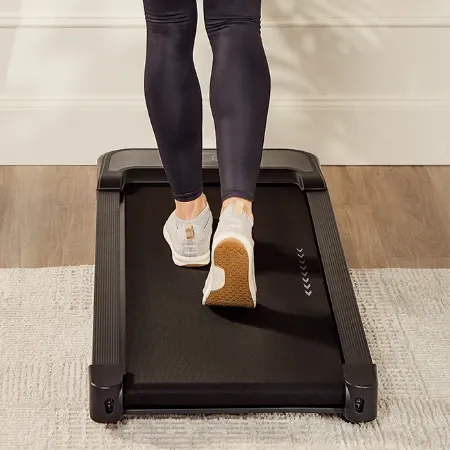
The pad I use at my desk
UPLIFT Inclining Walking Pad
A compact under-desk treadmill with remote-controlled 7% incline, speeds up to 4 mph, and built-in transport wheels.
I use the UPLIFT Inclining Walking Pad. It has no console or handrail to hit the desk, a remote with a wristband and magnetic storage, a smooth 7% incline, and front wheels that make it easy to roll out of the way when I want to sit. Its belt sits only about 3.75 inches off the floor when flat. The limits are a 39.4-by-15.4-inch belt, a 243-pound rating and a 4 mph top speed.
For a steeper incline or a higher weight rating, see the best walking pads with incline and the best walking pads for heavy people. For calls, the quietest walking pads guide covers noise. And for every type, see our best walking pads and under-desk treadmills.
Best Standing Desk for a Walking Pad FAQ
What is the best standing desk to use with a walking pad?
The UPLIFT V3 for most people. It rises to 48.7 inches, has memory presets for a walking height, and has no low crossbar. Taller walkers should get the FlexiSpot E7 Pro, which reaches about 51.6 inches with a top, and anyone bothered by wobble should get the UPLIFT V3 4-Leg.
How tall should a standing desk be for a walking pad?
At your standing elbow height plus the pad’s height, usually 4 to 8 inches above your normal standing desk height. A 5’8” person in sneakers needs about 46.5 inches on a slim pad and 48.5 inches on a thicker or inclined pad. Our desk height calculator gives your standing number.
Can any standing desk work with a walking pad?
No. Many desks top out around 47 to 48.7 inches, which only covers a walking pad for people up to about 5’9” to 5’11” on a slim pad. Desk converters that sit on a fixed desk may not go high enough at all.
Do standing desks wobble when you walk on a treadmill?
Two-leg desks can show some front-to-back movement near full height, which is where a walking pad puts you. Four-leg and L-shaped desks move much less. My UPLIFT V3 L-Shaped stays rock solid with a pad under it.
How wide should a desk be for a walking pad?
At least 48 inches, and 60 inches is more comfortable. Most walking pads are about 20 inches wide, and UPLIFT recommends a foot of clear space on each side of its pad.
Is a four-leg standing desk better for a walking pad?
It’s steadier, which helps at walking height, but it costs more and the pad has to fit between the feet. Height matters more, so pick a four-leg desk only if it still reaches your walking height.
Can you put a walking pad under an L-shaped desk?
Yes. That’s how I use my UPLIFT V3 L-Shaped, and it stays rock solid. Check that the pad fits between the legs on the side you’ll walk at, and remember the whole desk rises together.
Does UPLIFT make a walking pad?
Yes. The UPLIFT Inclining Walking Pad has a 7% motorized incline, a 4 mph top speed and a 243-pound rating, and it’s the pad I use at my desk.