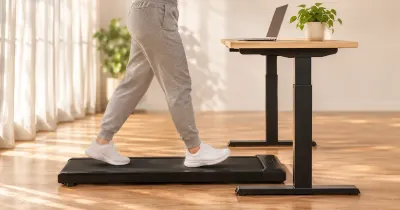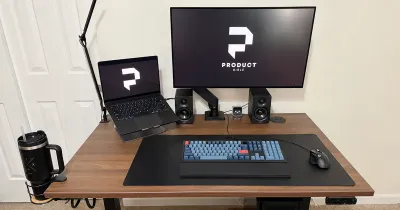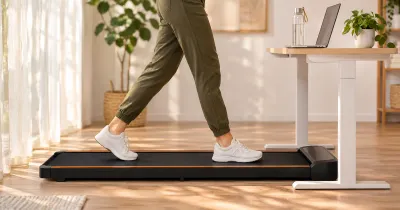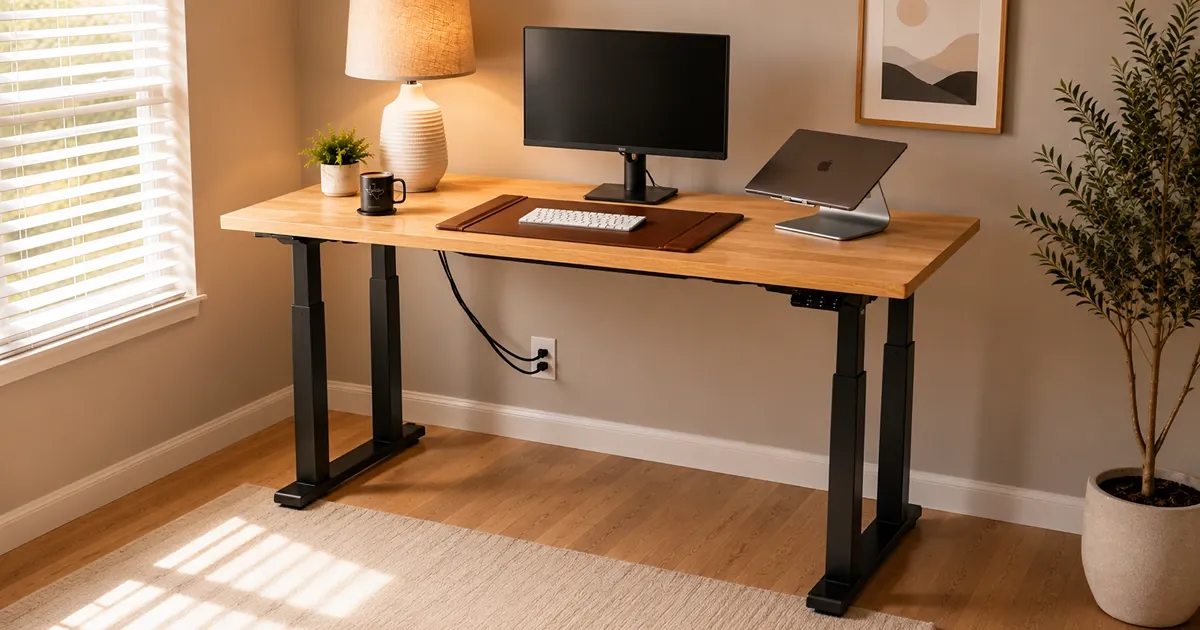
The UPLIFT V3 4-Leg Standing Desk has become my main office desk and the foundation for the workstation I use every day. Four lifting columns give it the stance of a fixed table, but it still moves from a low seated position to a tall standing height with the push of a button.
That extra structure is the entire point. This is not the V3 to buy simply because four legs sound better than two. It is the version for someone who notices monitor movement, uses a wide or equipment-heavy desktop, or wants the frame to feel as planted as possible at standing height. It earns the Most Stable Option designation in our guide to the best standing desks, though the regular V3 remains the more sensible choice for many offices.
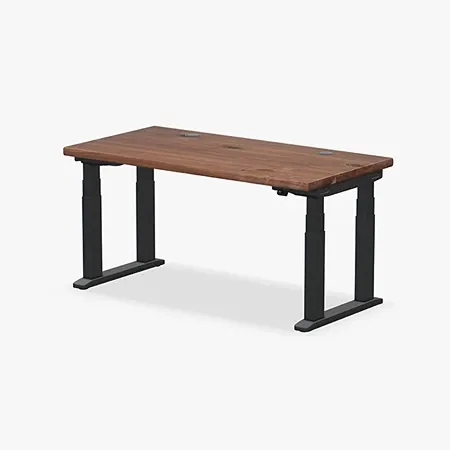
UPLIFT's most stable rectangular standing desk
UPLIFT V3 4-Leg Standing Desk
Four synchronized lifting columns, a 535-pound rating, and deep customization for a planted workstation.
UPLIFT V3 4-Leg Standing Desk Review: Quick Verdict
My short version: the V3 4-Leg is the desk I would choose when stability matters more than saving money, floor space, or assembly effort. It feels substantial during normal typing and when I lean into the desktop, and its four-column frame gives a large workstation support at every corner. The desk moves smoothly between saved heights without making that structure feel cumbersome during daily use.
The tradeoff is that you pay for and physically handle all that steel. The frame is heavy, the completed desk is awkward to flip, and four motor cables add more routing work beneath the surface. Its current 535-pound lifting rating is impressive, but most home offices do not need anything close to it. Buy this desk for its stable platform and room to grow, not because the larger capacity number looks good on a specification sheet.
UPLIFT V3 4-Leg specs at a glance
| Spec | Value | Note |
|---|---|---|
| Height range | 22.6 to 48.7 inches | Broad seated-to-standing adjustment |
| Lifting capacity | 535 pounds | Current manufacturer rating |
| Lifting system | Four synchronized motors | One motor in each three-stage leg |
| Desktop sizes | 42 to 80 inches wide; 30 inches deep | Availability depends on surface selection |
| Cable management | FlexMount manager and ten cable wraps | Included with the current desk |
| Safety | Adjustable anti-collision sensitivity | Minimum and maximum heights can also be limited |
| Standards | ANSI/BIFMA X5.5-2021 and G1-2013 | Commercial desk and ergonomic height standards |
| Warranty | 15 years | Covers the frame, motors, electronics, and desktop |
What the UPLIFT V3 4-Leg Specs Mean
The frame uses four three-stage lifting columns, with a synchronized motor in each leg. UPLIFT currently rates the desk to lift 535 pounds, which is 180 pounds more than the regular two-leg V3. I have not tried to recreate that maximum load, and most office equipment will never approach it. The practical value is the amount of headroom it gives a large desktop carrying several monitors, heavy arms, speakers, a desktop computer, and whatever else the workstation collects over time.
Its 22.6- to 48.7-inch height range matches the regular V3 and covers a wider span than many electric desks. The lower end is important for shorter users and anyone trying to keep elbows level while seated. The upper end leaves room for tall standing positions, walking pads, and tasks that benefit from bringing the surface closer to chest height.
Desktop compatibility runs from 42 to 80 inches wide at a 30-inch depth, depending on the chosen material. The frame makes the most sense toward the larger end of that range. A compact laptop desk does not place enough demand on the structure to justify four lifting columns, while a wide multi-monitor layout gives the frame a real job to do.
Key Benefits of the UPLIFT V3 4-Leg Standing Desk
The Most Stable Option in My Office
Stability is why I own this version. Two-leg desks can be perfectly comfortable for everyday work, but raising a wide surface on two telescoping columns creates leverage that becomes easier to notice at taller settings. The V3 4-Leg spreads that load across four columns connected by long steel feet and a rigid frame beneath the desktop.
The difference is most useful at standing height. My keyboard, display, and the rest of the setup stay composed while I type or shift my weight against the front edge. No adjustable desk becomes physically immovable, but this one does a better job than most of keeping the frame out of my attention while I work.
That planted feel also makes monitor arms less frustrating. A screen mounted above the desktop can magnify small vibrations, especially on a wide arm or a tall column. The four-leg frame cannot fix a loose monitor mount, but it gives the arm a much steadier foundation.
Four-Motor Height Adjustment
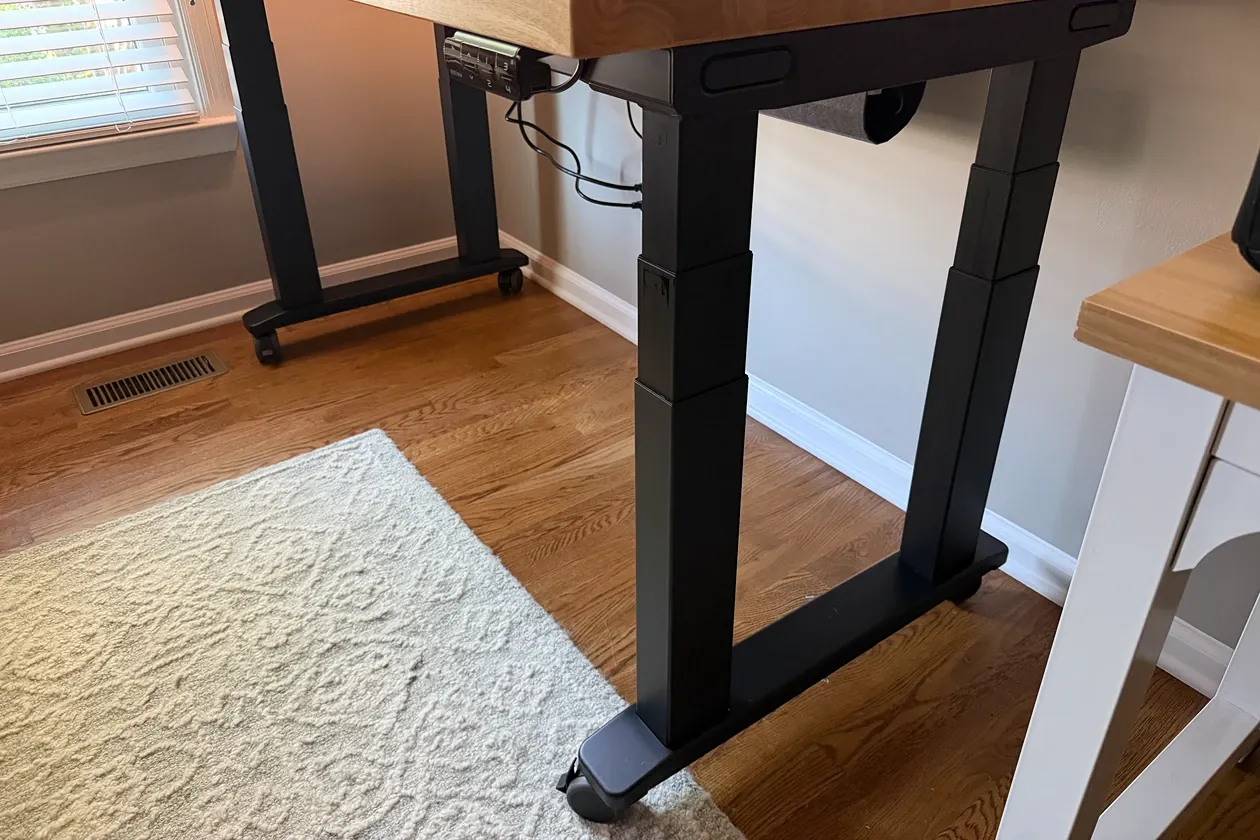
Four legs could make an adjustable desk feel slow or poorly coordinated if the control system allowed the columns to fight one another. In regular use, the V3 4-Leg moves as one desk. The motors start together, carry the surface evenly, and settle into the chosen height without one corner visibly lagging behind.
The motion is useful because I actually want to change positions during the day. A stable desk that feels reluctant to move would defeat much of the point. Here, the four-motor system preserves the reason to buy a standing desk while adding the structure of a more conventional table.
UPLIFT requires a reset when the desk is first connected and after certain power interruptions. The process lowers the frame, synchronizes the four legs, and gives the control box a common starting point. It is a small ownership detail, but it matters more on a system coordinating four independent motors.
Practical Keypad Controls
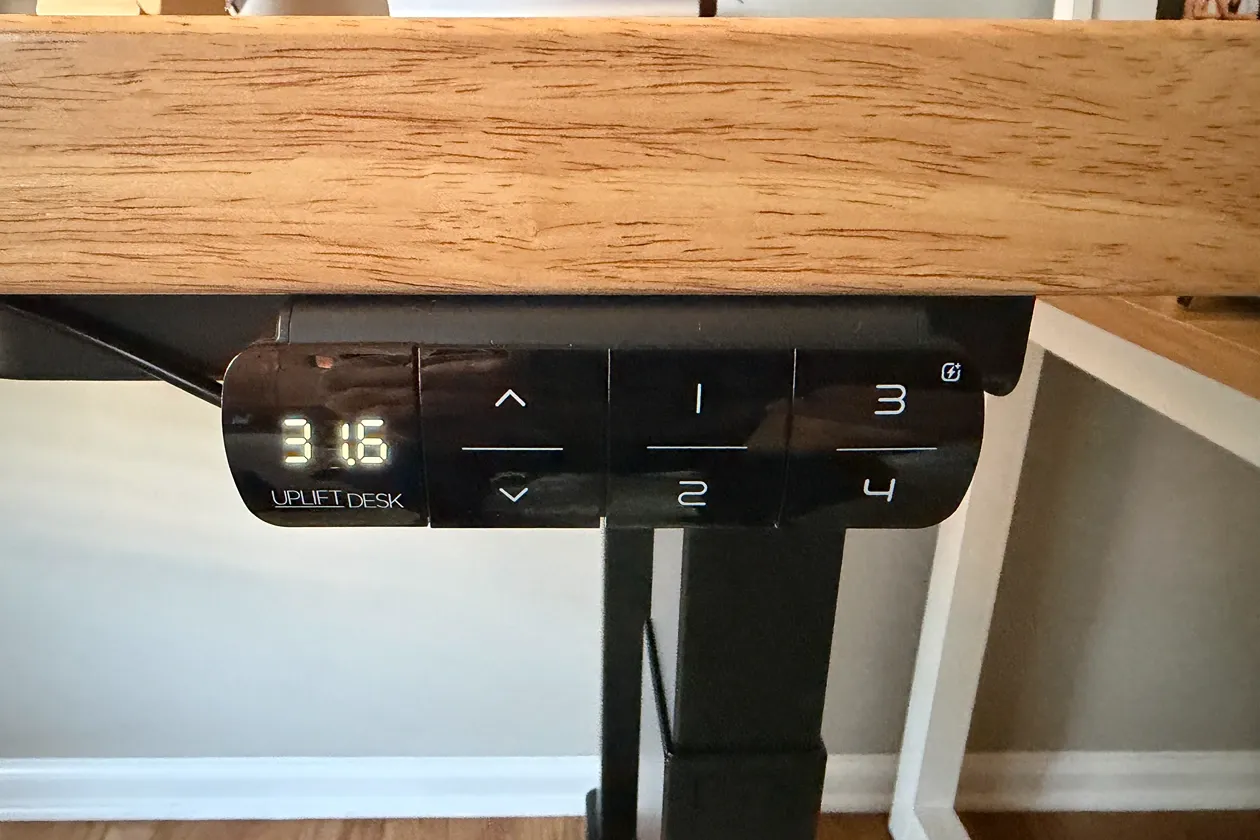
The Advanced Keypad is the option I would pair with this desk because it supports four memory positions and one-touch movement. Saved heights take the guesswork out of switching between seated and standing work. I can return to the same ergonomic position instead of tapping the controls and trying to remember whether yesterday’s setting felt right.
Four presets are also useful if the desk supports more than one routine. A lower seated height, standard typing height, standing position, and a taller setting for calls or a walking pad can all live on the keypad at once. The control can be locked, which is useful around children or when an accidental press could send the surface toward a shelf.
Minimum and maximum height limits add another layer of protection. If the desk sits beneath a window ledge, shelf, or other fixed object, setting an upper limit keeps a saved preset from becoming an expensive collision. Anti-collision sensitivity is adjustable as well, though it should be treated as a backup rather than a reason to stop checking the area before the desk moves.
Customization Without Giving Up the Frame
The V3 4-Leg shares the broad UPLIFT desktop catalog that makes the regular V3 so appealing. Laminate, bamboo, butcher block, and solid-wood choices let the same steel frame become anything from a practical work surface to the visual centerpiece of an office. Frame colors, grommets, keypads, and accessories add another layer of control.
That flexibility matters more on an expensive desk because the surface should fit the room and equipment rather than forcing the workstation into one preset style. It also makes the configurator dangerous. A premium desktop, powered grommets, monitor arms, drawers, a surge protector, and casters can raise the final price quickly.
My advice is to build from the workload outward. Choose the desktop size needed for the equipment, pick a surface that suits the way the desk will be used, and plan power and cable routes before adding decorative extras. The four-leg frame is already the expensive structural upgrade, so every accessory should solve a problem.
Better Included Cable Management
The current desk includes UPLIFT’s FlexMount Cable Manager and ten hook-and-loop cable wraps. The wide pouch gives power bricks, excess cable, and a surge protector somewhere to live beneath the desktop, while the individual wraps keep lines from hanging into the frame’s moving parts.
There is more to route than on the regular V3. Four motor connections run to the control box, with extension cables reaching the legs farthest away. Those essential connections should be organized first, followed by the keypad, power, displays, chargers, and accessories. Trying to bundle everything at once makes troubleshooting much harder.
The manual sensibly recommends installing under-desk accessories before flipping the desk upright. That is the best opportunity to decide where the surge protector, cable manager, and signal cables belong. Leave enough slack for the full height range, but keep cords away from the telescoping columns and the places where the frame folds into itself.
Design, Build Quality, and Workspace Fit
The V3 4-Leg looks more like a height-adjustable worktable than a typical standing desk. Each long foot connects a front and rear column, giving the frame a rectangular stance without adding a low crossbar that blocks legroom. The design is visually heavier than the two-leg V3, but that appearance honestly reflects what is beneath the desktop.
Four columns inevitably occupy more under-desk space. Drawer placement, CPU holders, keyboard trays, and storage accessories need to work around the front and rear legs rather than two columns near the center. Planning those attachments in the configurator is easier than discovering after assembly that two accessories want the same mounting area.
The frame is best suited to a permanent office location with enough space for a 30-inch-deep surface. Casters can make repositioning easier, but they are optional and alter the final height slightly. On uneven flooring, the standard leveling glides should be adjusted carefully because a four-leg frame needs all four corners supported evenly.
Assembly and Setup
The assembly sequence is easier to understand than the size of the frame suggests. UPLIFT ships the crossbar components substantially prepared, the legs slide into defined receivers, and the primary fasteners are already positioned in the frame. The included Allen wrench handles the main structural connections, with a Phillips screwdriver needed for the desktop, keypad, and cable-management hardware.
It is still a substantial furniture project. The completed frame combines four steel columns, two long feet, the desktop, motors, and any accessories attached underneath. UPLIFT recommends two people for the final flip and positioning, and this is one instruction worth following. The challenge is not understanding what to do, but safely controlling a wide and heavy object without twisting the frame or damaging the keypad.
Plan the underside before the flip. Attach the keypad, route all four motor cables, install the FlexMount brackets, and add any compatible power or storage accessories while the desktop is still upside down. Once upright, perform the reset procedure so the control box can synchronize every leg before the desk begins normal operation.
UPLIFT V3 4-Leg vs. UPLIFT V3 2-Leg
The regular UPLIFT V3 Standing Desk remains the better starting point for most people. Its two-motor frame has a 355-pound listed capacity, uses fewer heavy components, costs less, and is easier to move. It still provides the same broad height range, desktop choices, keypad options, cable manager, and 15-year warranty.
The four-leg version makes sense when the frame itself is a priority. Wide desktops, several monitors, long monitor arms, audio or production equipment, a desktop computer, and frequent work at taller heights all give the added structure a reason to exist. The current 535-pound rating also leaves more room for a workstation that may become heavier over time.
Choosing between them is less about finding a universal winner than deciding how much stability your setup needs. The two-leg V3 offers the better balance of performance, customization, and practicality for a broad audience. The V3 4-Leg is the specialist choice for buyers willing to accept more weight and cost to get the most planted rectangular UPLIFT frame.
Who Should Buy the UPLIFT V3 4-Leg?
Buy this desk if monitor movement distracts you, your workstation is wide or heavy, or you regularly work at a tall standing height where frame movement becomes easier to notice. It is particularly well suited to multi-monitor offices, audio and video workstations, engineering or creative setups, and anyone building around heavy arms or equipment.
It also makes sense if this is meant to be a long-term office foundation. The capacity leaves room to change the equipment without changing the desk, while the desktop and accessory catalog makes it easier to configure the workstation around the room. The 15-year warranty supports that kind of ownership horizon.
A light laptop setup does not need four motors or a 535-pound rating. For a smaller room, occasional use, or a workstation that will need to move frequently, the regular V3 is easier to justify. Stability is valuable, but only when the rest of the setup benefits from it.
What to Consider Before Buying
Weight is the first practical concern. Delivery can involve several large packages, and the finished desk is not something to casually drag across a room. Make room for the boxes, assemble it where it will live, and arrange help before reaching the final flip.
Price is the second. The four-leg frame begins above many complete two-leg desks, and UPLIFT’s customization system makes it easy to keep adding cost. A large solid-wood top can look beautiful, but it also adds more money and mass to a desk that is already expensive and heavy.
The frame also asks for more planning beneath the desktop. Four motor cables must reach the control box, and accessories need to avoid the legs, feet, and moving parts. The included cable hardware is capable, but a clean result comes from deciding the route before the workstation is covered with equipment.
Finally, the listed capacity should not be confused with a promise that every imaginable load is sensible. UPLIFT currently rates the model at 535 pounds, but desktop material, weight distribution, floor conditions, and accessory mounting still matter. I treat the rating as generous operating headroom, not a target.
Final Verdict: Is the UPLIFT V3 4-Leg Worth It?
The UPLIFT V3 4-Leg Standing Desk is worth it when the reason for upgrading is clear. I wanted my main workstation to remain composed at both seated and standing heights, and the four-column frame delivers the substantial feel I was looking for. Smooth adjustment, useful memory controls, broad customization, and included cable management keep it from being a one-feature desk.
It is heavier, more expensive, and more involved to assemble than the regular V3, and most people do not need its full lifting capacity. Those are reasonable reasons to choose the two-leg model instead. For a wide, equipment-heavy office where stability is the feature that cannot be compromised, however, this is the UPLIFT desk I would choose.