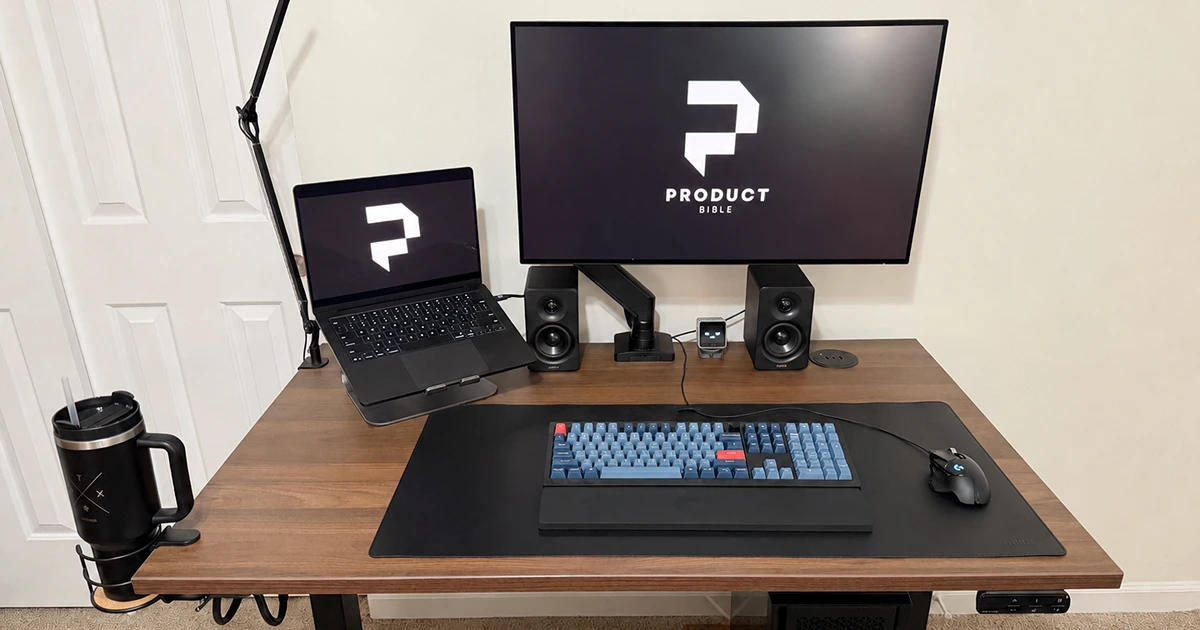

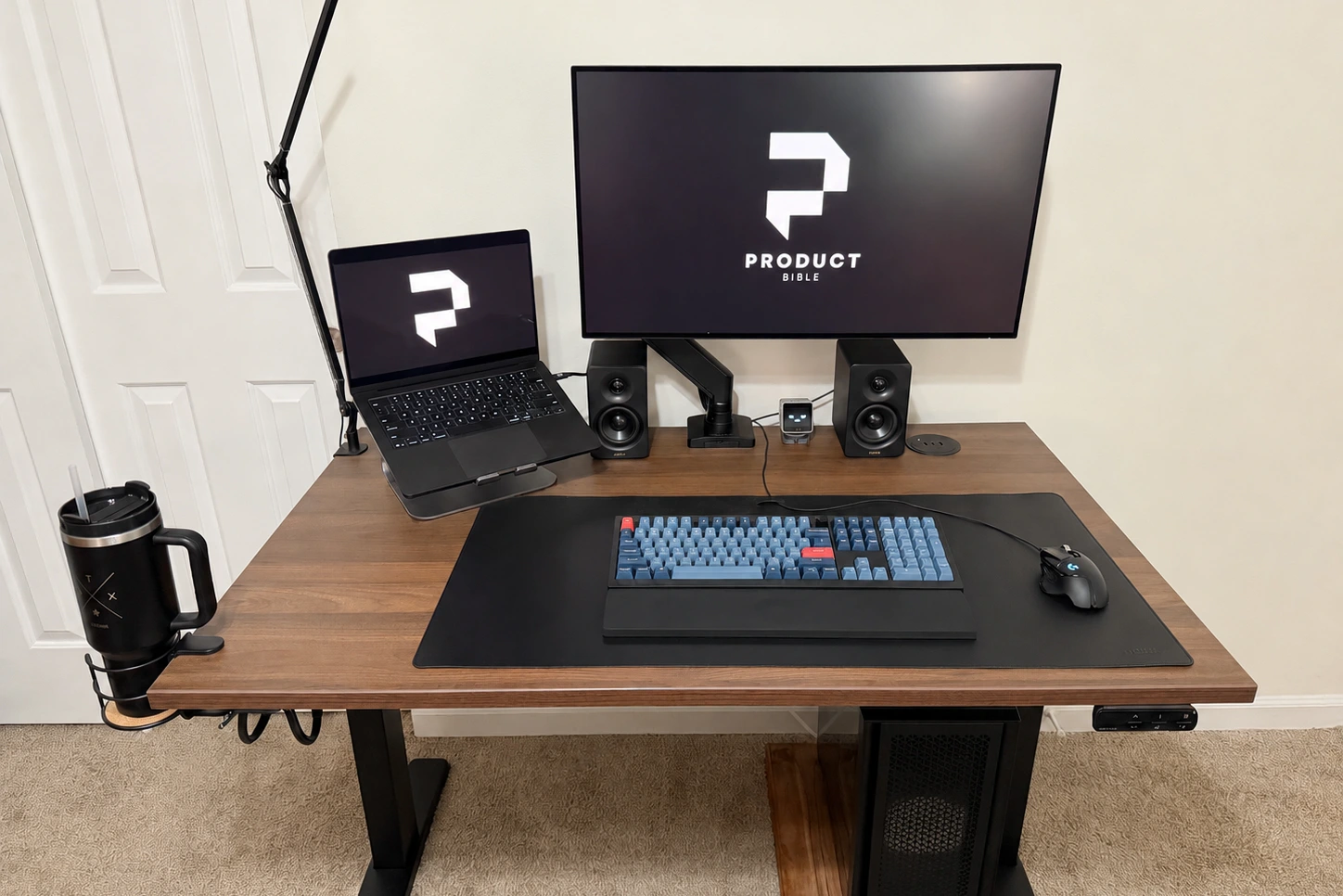
The UPLIFT V3 Standing Desk is the desk at the center of my home-office setup. I got the 48-by-30-inch version with a 1-inch walnut laminate top, then leaned into the accessory catalog: powered grommets, an under-desk surge protector, and a cup holder. It is not a bargain desk, but it has been one of those upgrades that makes the whole room work better.
It has rightfully earned the top spot in our guide to the best standing desks. The lift is smooth, the frame feels steady with a real workstation on it, and UPLIFT lets you tailor so many details that the finished desk feels like your desk rather than a generic piece of office furniture.
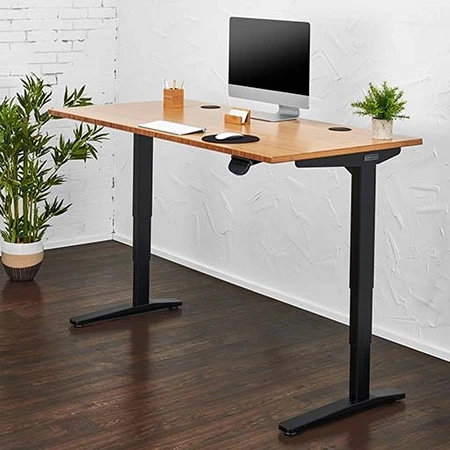
UPLIFT V3 Standing Desk
Best Overall Standing Desk
Smooth, quiet height adjustment paired with deep customization and dependable stability.
UPLIFT V3 Standing Desk Review: Quick Verdict
My short version: the UPLIFT V3 is the premium standing desk I will happily keep using as my daily driver. It costs more than a basic sit-stand desk, and you can absolutely spend too much in the configurator, but the base experience is excellent. It moves quietly, feels solid with my monitor and speakers in place, and gives you a genuinely unusual amount of control over the finished setup.
That last point is the real draw. My 48-by-30-inch desk is one of the smaller configurations, yet it comfortably fits my MacBook on a stand, a 32-inch 4K Dell UltraSharp U3225QE, and my Edifier MR3 speakers. It gives me plenty of working room without swallowing the room.
UPLIFT V3 specs at a glance
| Spec | Value | Note |
|---|---|---|
| Height range | 22.6 to 48.7 inches | Fits most seated and standing setups |
| Weight capacity | 355 pounds | Enough for multi-monitor workstations |
| Desktop sizes | 42 to 80 inches wide; 24 or 30 inches deep | Compact to wide office configurations |
| Motors | Dual motor | Smooth electric height adjustment |
| Cable management | FlexMount Cable Manager | Adjustable tray with multiple positions |
| Warranty | 15 years | Strong long-term coverage |
What the UPLIFT V3 Specs Mean
The V3 uses a dual-motor frame and adjusts from 22.6 to 48.7 inches, with a listed capacity of 355 pounds. In day-to-day use, that mostly means I do not have to think about it. My monitor, laptop stand, speakers, chargers, and usual desk clutter all feel well within what the desk is built to handle.
UPLIFT lists V3 desktops from 42 to 80 inches wide, with 24- or 30-inch depths depending on configuration. The 48-by-30-inch top I chose is a sweet spot for a compact office, while the larger sizes make more sense for a wide multi-monitor or creative setup. The 15-year warranty also makes the premium price easier to stomach if you plan to keep the desk through a few setup changes.
Key Benefits of the UPLIFT V3 Standing Desk
Smooth and Quiet Electric Height Adjustment
The first thing I noticed in everyday use is how smooth the lift is. It glides up from my seated position to standing height, and the motor is quiet enough that I do not think twice about using it during the day or while someone else is nearby. There is a slightly higher-pitched whir than on some desks, but it has never felt harsh or distracting.
It is also easy to fine-tune. That sounds minor until you are switching positions regularly and trying to return to the exact height that feels right for typing or a video call. The V3 does not feel jumpy or fussy when I make small adjustments.
Subscribe to Product Bible
Stay updated with the latest product reviews, buying guides, and expert recommendations. Fresh advice on the best things we've researched, tested, and reviewed, sent to your inbox weekly.
Want to know more about how we handle your data or opt out of marketing emails? Check out our Privacy Policy. If you have any questions, we're always here to help.
The motion also feels deliberate rather than jumpy. When moving to a saved preset, the desk starts cleanly, travels at a controlled pace, and settles into position without the clumsy stop-start behavior cheaper standing desks can have. That makes the V3 feel more like a piece of office equipment built for daily use than a novelty upgrade you only adjust occasionally.
I also added UPLIFT’s Bluetooth Adapter accessory, which lets the desk connect to the free UPLIFT Desk app on iOS or Android. After pairing it, I set my usual sitting and standing heights in the app, so I can move between them without fiddling with the keypad every time. The app is not essential, since the keypad presets already do the important work, but it is a nice layer of convenience if you like having your setup dialed in from your phone. It also gives you access to app-based reminders and usage tracking, which can be helpful if you bought a standing desk with good intentions and then, like a normal person, occasionally forget to stand.
Strong Everyday Stability
With my laptop, 32-inch display, speakers, and assorted accessories on it, the desk feels planted for normal typing, browsing, and writing. That is the kind of stability I want from an expensive desk: I do not have to baby the setup or notice the frame while I am trying to work.
At taller standing heights, the V3 can show a little more front-to-back movement than the most rigid desks in the category, especially around 40 inches and above. For most users, that difference will be subtle. Unless you type unusually hard, lean heavily into the desktop, or work in a vibration-prone room, the desk remains stable enough not to interrupt focus.
I am nowhere near the 355-pound limit, but the headroom is reassuring if your desk tends to collect a monitor arm, desktop PC, dock, speakers, lamp, and power gear. It is built for a proper workstation, not just a laptop and a notebook.
Excellent Customization Options
Customization is where the V3 stops feeling like a commodity desk. You can choose the size, finish, frame color, keypad, grommets, and accessories, which is almost comically flexible at first. I found it helpful to start with the desktop and work outward from the problems I wanted the desk to solve.
I went with the 1-inch walnut laminate, and it looks and feels much better than I expected from laminate. It gives the setup some warmth without making it precious, and it has held up nicely in daily use. I keep catching myself looking at UPLIFT’s larger butcher-block tops, though. They are beautiful if you want the desk to make more of a statement.
The downside is choice overload. The configurator makes it very easy to keep adding things and watching the price climb. My advice is to pick the size and surface first, then add the pieces that will solve a daily annoyance for you. For me, that was power, cable management, and a safe place for coffee.
Better Keypad Options Than Most Standing Desks
The basic UPLIFT keypad handles up and down movement, but the Advanced Keypad is the option I would choose if you plan to switch heights often. It supports memory presets and one-touch adjustment, so the desk can return to a saved height without you holding the button the whole way.
Those presets are more than a convenience feature. They make good ergonomics easier to repeat. Instead of guessing your ideal sitting and standing positions every time, you can save them once and return to them with a single press. I actually find myself using them quite a lot. Once you have a feel for where your most comfortable heights are for each part of the workday, you can simply press the memory button, pick a number to save it as, and never have to think about it again.
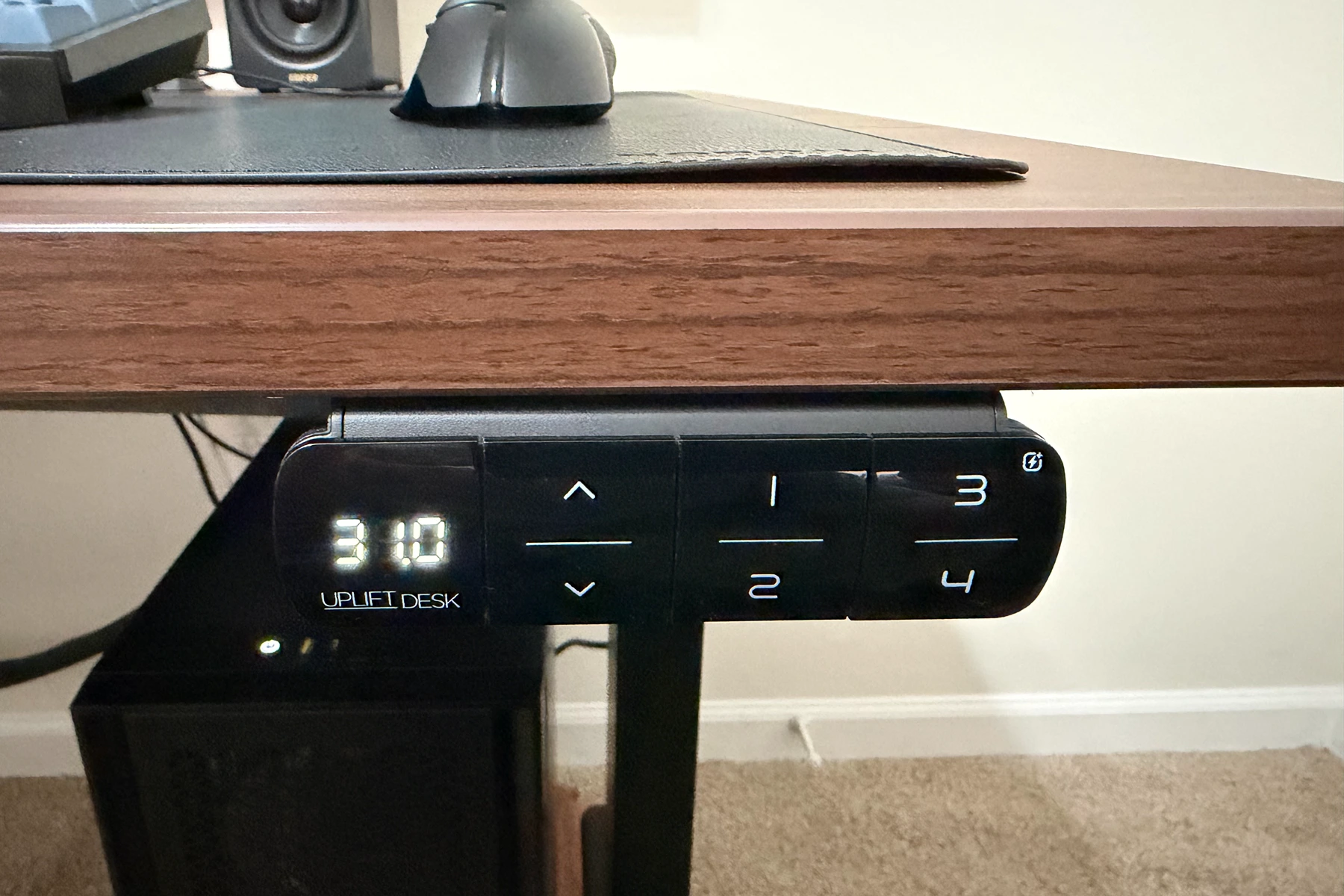
That matters most if the desk is shared or used for different tasks. You might want one seated height for focused typing, another slightly higher seated height for drawing or writing, a standard standing height, and a taller standing height for video calls or treadmill use. Memory presets give the V3 enough flexibility for that kind of routine.
Improved Cable Management
The included FlexMount Cable Manager is more useful than the thin, awkward trays I have seen on other desks. It is wide and adjustable, and UPLIFT also includes mounted cable wraps to help route cords, so there is room for my power strip, laptop charger, monitor power brick, and cables without cramming everything into one unhappy little bundle.
I also added UPLIFT’s 8-outlet mounted surge protector underneath the desk, and it has been incredibly useful. If you have a gadget-heavy setup like mine, having all those outlets right where the cables live is far nicer than crawling under the desk or stretching cords toward the wall. The tray’s adjustable mounting positions leave more room to work around monitor-arm clamps, too.
UPLIFT’s Crestview Single Monitor Arm completes the setup for me. Its gas spring supports displays from 2.2 to 33 pounds through a 13-inch vertical range, and the quick-release plate works with standard 75 mm and 100 mm VESA mounts. Both clamp and bolt-through hardware are included. Those specs make it a good match for my 32-inch monitor, but the integrated cable routing is just as important: the display, power, and USB cables follow the arm instead of hanging loose behind it.
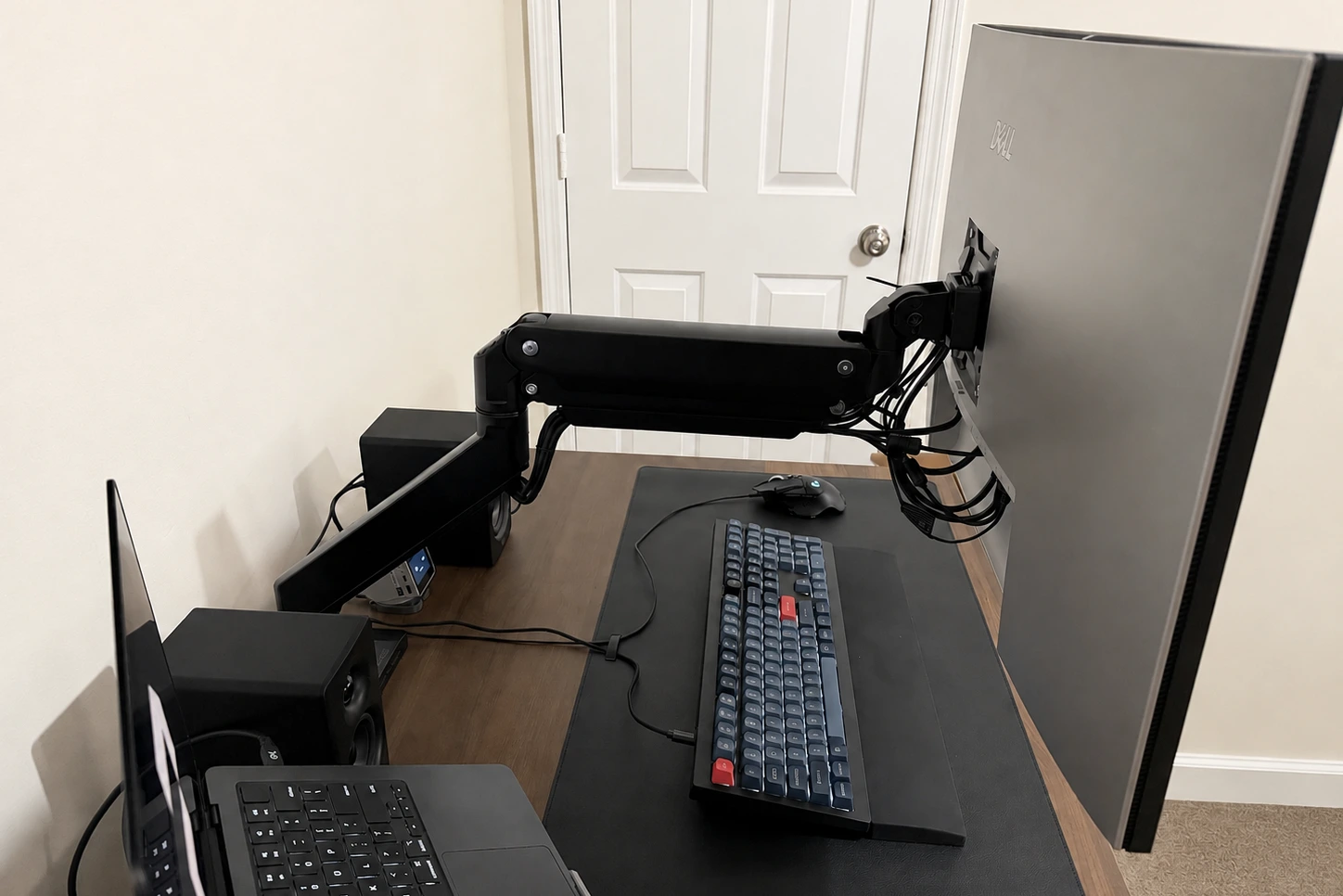
The optional Crestview Monitor Arm Wiring Kit installs in the arm’s base and adds two USB 3.0 ports plus separate microphone and headset jacks. Each connection has a six-foot lead back to the computer, so the ports stay within easy reach without another hub sitting on the desktop. It is a clever add-on if you regularly connect drives, peripherals, or audio gear, although the insert only comes in black even when the arm is gray or white.
My own cable load pushed the system close to its comfortable limit. I was still able to neatly organize the connections for two computers, a pair of speakers, and several USB cables running to the KVM built into the back of my monitor, but it was a tight fit. A few well-placed zip ties helped tremendously by bundling the extra slack before it reached the tray and monitor arm. Once everything was cinched into sensible groups, the underside stayed tidy and the cables had enough room to travel when I raised the desk.
Design, Build Quality, and Workspace Fit
The V3 can look very different depending on how you configure it. Mine lands on the warm, practical side with its walnut top, but the same frame could go minimalist, more technical, or full executive-office with a different surface and accessories.
The accessories are not just a long list for the sake of it. I was pleasantly surprised by the grommet options: I picked one with power and USB connections, plus another USB grommet that pops up to reveal extra outlets. They make temporary charging and plugging things in much less annoying. The mounted cup holder is my favorite quality-of-life upgrade, though. It is where my morning coffee lives, safely out of elbow range, so I no longer worry that I will bump it and spill coffee all over the desktop.
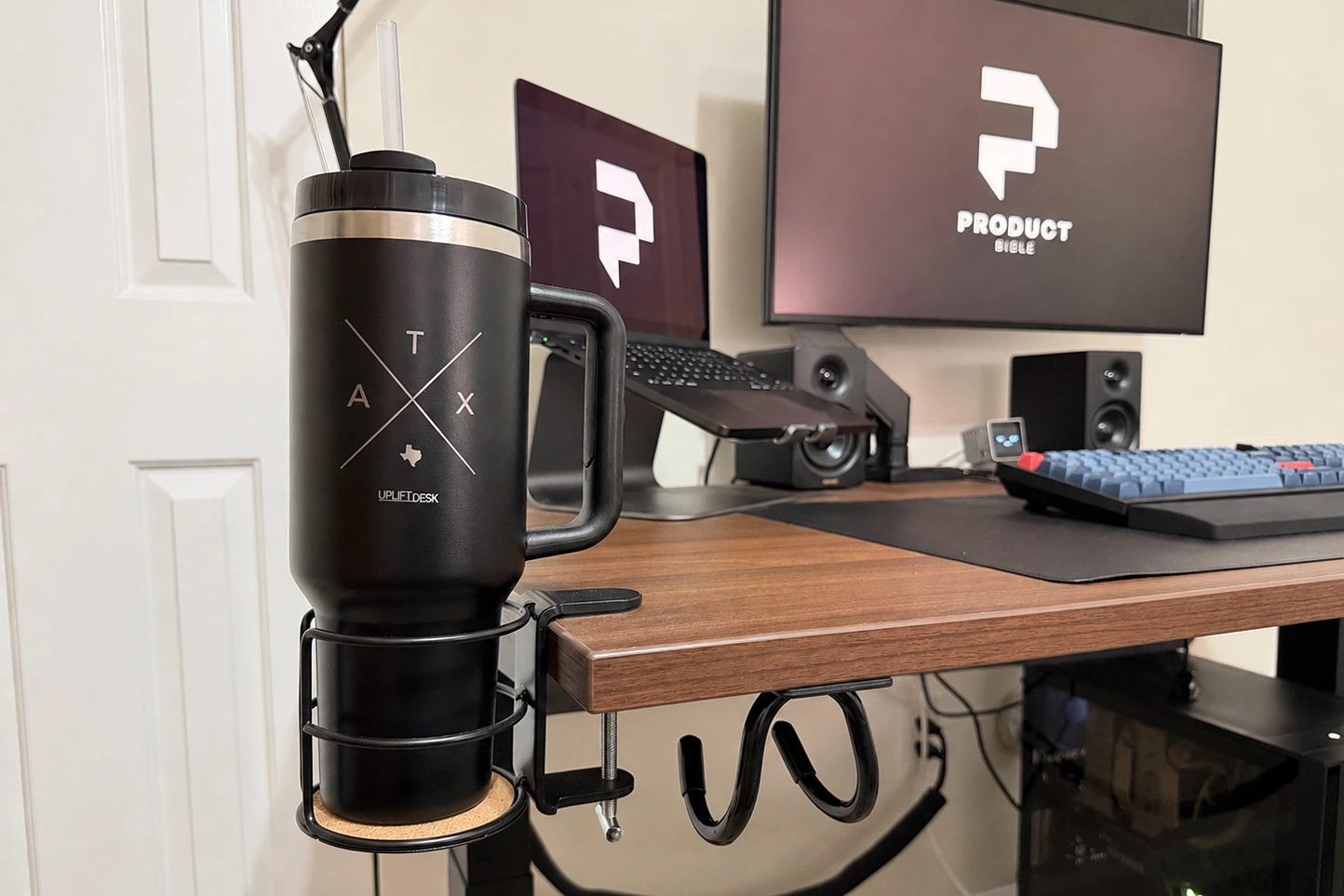
There are plenty of other options, including desk mats, keyboard trays, monitor arms, casters, foot hammocks, rocking boards, and organization kits, but I would start with the practical stuff. Figure out your power, cables, and desktop size first; add the whimsical things later.
The smallest 42-inch configurations are best for laptop-first setups, single-monitor workstations, bedrooms, and apartments. The 60-inch and 72-inch sizes are the sweet spot for most serious home offices because they leave enough room for a monitor arm, laptop stand, keyboard, mouse, lamp, and a few desk accessories without feeling oversized. The 80-inch tops are better for wide multi-monitor setups, shared work surfaces, or users who want separate zones for work and creative gear.
Assembly and Setup
Putting the desk together took me a few hours, but it was straightforward from start to finish. The instructions were clear and easy to follow, and I never ran into a moment where I felt like I had to guess what UPLIFT intended. UPLIFT says the V3 is designed for faster assembly, with components that click into place or fasten with one included tool, and that matched my experience. The process felt meaningfully less fiddly than it could have been.
Still, plan a real block of time for it. The desktop is heavy, alignment matters, and larger tops are definitely a two-person job. I would also decide where your power strip, grommets, keypad, and cable tray will go before you flip the desk upright. That little bit of planning makes the final setup much cleaner.
UPLIFT V3 vs UPLIFT V2: What Changed?
The UPLIFT V3 Standing Desk is not a ground-up reinvention of the V2. It is more of a refinement pass on the parts of the older desk that already worked well. The main upgrades are practical rather than flashy: a revised frame, easier assembly, better cable management, and a smoother daily-use feel.
The biggest practical change is assembly. UPLIFT describes the V3 as easier to put together than before, with parts that click into place or fasten with one included tool. That matters because one of the knocks against the V2 was not that it was hard to build, exactly, but that it involved more parts, more alignment, and more time than simpler competitors. The V3 is designed to get from box to working desk faster.
Cable management is another real upgrade. The older V2 included a cable tray, which was useful but fairly basic. The V3 moves to UPLIFT’s FlexMount Cable Manager, a wider and more adjustable tray that can be positioned in multiple mounting and height locations. That extra flexibility helps if you use monitor arms, docking stations, power bricks, or a surge protector under the desk.
The frame itself has also been revised for more refinement. The V2 was already a strong standing desk, but the V3 feels smoother in motion and more polished in daily use. In practical terms, it keeps the familiar UPLIFT feel while improving the setup process, frame design, and under-desk organization.
The practical takeaway is simple: if you already own and like a V2, the V3 is not an urgent upgrade. But if you are buying new today, the UPLIFT V3 is the better current choice because it keeps the V2’s customization strengths while improving the setup process, under-desk organization, and overall polish.
Who Should Buy the UPLIFT V3 Standing Desk?
The UPLIFT V3 is a strong fit if you want a premium standing desk for daily work and care about both ergonomics and appearance. It makes the most sense for people who switch between sitting and standing often, use a multi-monitor setup, want a specific desktop finish, or plan to keep the desk for years.
It is especially compelling for remote workers, software developers, designers, writers, students with serious desk setups, and anyone upgrading from a basic fixed-height desk. The V3 gives you room to build a more comfortable workstation without locking you into a generic office look.
What to Consider Before Buying
The main drawback is price. The UPLIFT V3 sits in the premium standing desk category, and the final cost can rise quickly once you add larger tops, upgraded surfaces, keypad upgrades, powered grommets, monitor arms, and accessories. The base desk is compelling, but the configurator makes it easy to build something much more expensive than you originally planned.
Customization can also slow down the buying process. The V3 offers enough desktop materials, sizes, frame colors, keypads, and accessory options that first-time buyers may need to spend extra time sorting what actually matters. For most setups, the best value is a practical laminate or bamboo surface, the Advanced Keypad if you want memory presets, and a clean cable management plan. Add-ons should come after that, not before.
Assembly is manageable rather than instant. The process is more streamlined than the V2, but larger desktops and heavier configurations still take time and are easier with two people. You should also plan your cable management before final placement, especially if you use monitors, docking stations, chargers, speakers, or under-desk accessories.
Final Verdict: Is the UPLIFT V3 Worth It?
I think the UPLIFT V3 Standing Desk is definitely worth the investment. The smooth lift and steady frame are excellent, but the things I keep appreciating are the details: the power where I need it, a tidy underside, enough room for a serious setup on a compact desk, and a cup holder that has prevented more than one potential coffee disaster.
It is not the cheapest route to a standing desk, but if you want an attractive, highly configurable desk that you can make your own and keep adapting over time, the V3 has been a fantastic long-term upgrade. The 15-year warranty, broad size range, improved assembly, and flexible cable management help it feel like a real foundation for a home office rather than another temporary piece of furniture that you’d have to replace in a few years.