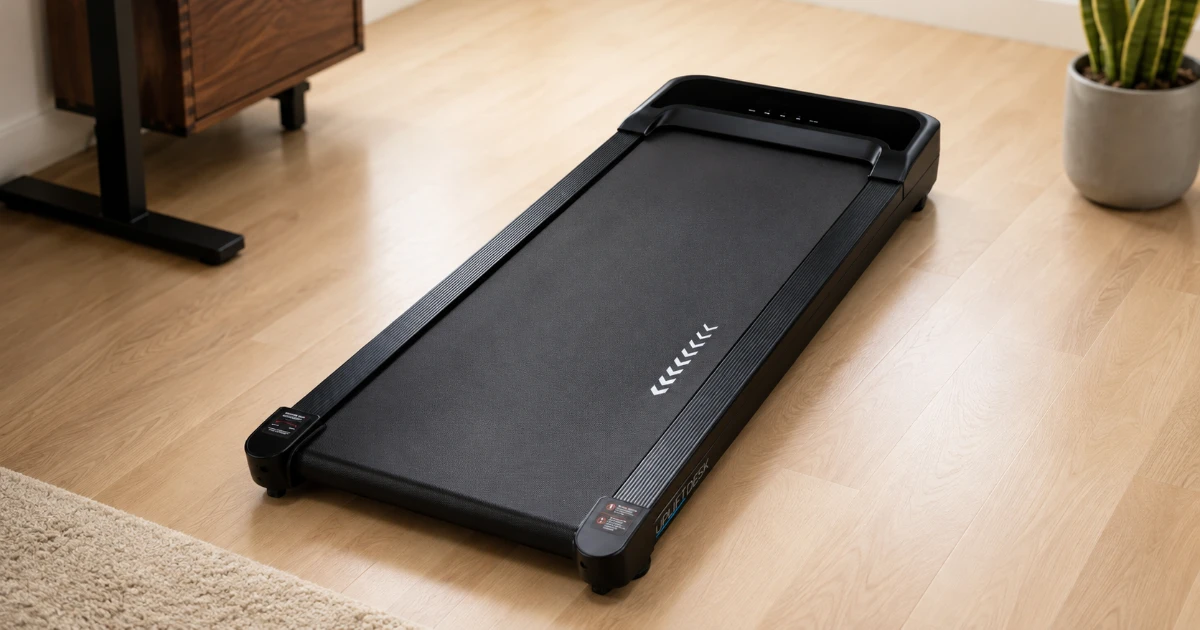

The UPLIFT Inclining Walking Pad is designed to add a third position to a sit-stand workspace. Instead of spending the entire day in a chair or shifting only between sitting and standing, you can roll the pad beneath the desk for calls, email, reading, and other work that leaves some attention available for walking.
Its defining feature is a motorized incline that reaches a 7% grade. Most compact walking pads stay flat, so increasing the effort also means increasing the speed. UPLIFT lets you make a slow walk more demanding without pushing the belt past a pace that works at a desk. The machine still has the usual compromises of the category, including a compact walking surface and no handrail, but the incline gives it a useful identity beyond simply being another flat treadmill.
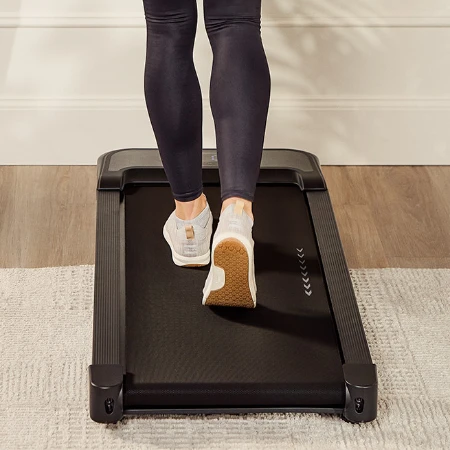
UPLIFT Inclining Walking Pad
Compact motorized-incline walking pad
A compact under-desk treadmill with remote-controlled incline, speeds up to 4 mph, and built-in transport wheels.
UPLIFT Inclining Walking Pad Review: Quick Verdict
The UPLIFT Inclining Walking Pad has fit easily into my workday because it removes many of the small annoyances that can keep a walking pad in storage. It arrived fully assembled, took only minutes to get running after I removed it from the box, and has been easy to roll into position. At a slow pace, I have also been able to use it during calls without the sound becoming an issue.
This is not a compact running treadmill or a machine for every body and stride. Its belt measures 39.4 by 15.4 inches, its speed tops out at 4 mph, and UPLIFT rates it for users up to 243 pounds. It makes the most sense if the incline, UPLIFT support, and fit with a standing-desk routine matter more to you than getting the longest deck or lowest price.
UPLIFT Inclining Walking Pad specs at a glance
| Spec | Value | Note |
|---|---|---|
| Speed range | 0.6 to 4 mph | Slow desk walking through brisk walking |
| Incline | 10 levels; up to 7% grade | Remote-controlled motorized adjustment |
| Walking surface | 39.4 x 15.4 inches | Compact rather than spacious |
| Dimensions | 48 x 20.25 x 5.25 inches | Check desk height and floor clearance |
| Machine weight | 47.4 pounds | Front casters help with repositioning |
| Maximum user weight | 243 pounds | Current specification-sheet rating |
| Motor | 0.75 hp | Designed for walking rather than running |
| Display | Speed, time, distance, calories, incline | Cycles through the active metrics |
| Warranty | 1 year | Shorter than UPLIFT desk coverage |
What the UPLIFT Walking Pad Specs Mean
The 0.6 to 4 mph range covers the speeds that make sense on a walking pad. The low end allows a cautious start and gives new users room to find a rhythm before combining walking with work. The upper end is fast enough for a brisk standalone walk, but the lack of a handrail and the short deck make it clear that this machine is not intended for running.
UPLIFT fits the entire machine into a 48-by-20.25-inch footprint, with a walking surface that measures 39.4 inches long and 15.4 inches wide. That compact size helps it slide beneath a standing desk and take up less room when parked, but there is less space for an uneven stride than on a full-size treadmill. Taller users and anyone who naturally walks near the edges should pay particular attention to the belt dimensions.
The deck sits 5.25 inches high at its tallest fixed point, with the belt itself about 3.75 inches above the floor when flat. Your desk needs enough upward adjustment to compensate. The UPLIFT V3 Standing Desk reaches a listed maximum height of 48.7 inches, but whether that leaves enough room depends on your normal standing position. Compare that position plus the belt height with any desk’s maximum setting before ordering.
Key Benefits of the UPLIFT Inclining Walking Pad
Motorized Incline Makes Slow Walking More Useful
The incline is the clearest reason to choose this model over a less expensive flat pad. Ten adjustment levels raise the deck to a maximum 7% grade, and the remote can change the slope while the belt is moving. That makes it possible to vary the effort without interrupting a session or crouching beside the machine.
Increasing incline instead of speed is particularly useful at a desk. Typing, mouse control, and reading usually become more difficult as pace rises, while a moderate slope can make a slower walk feel more purposeful. The incline mechanism has been impressively smooth in my use, both when raising and lowering the deck, without an abrupt transition that breaks my walking rhythm.
Incline is not automatically better for every task. Raising the deck changes posture and can make balance more demanding, especially without a rail. New users should begin flat and slow, then add grade after they can walk comfortably without leaning on the desktop.
Remote Controls Are Built Around Desk Use
All normal operation happens through a small wireless remote. It starts and pauses the belt, changes speed in 0.2 mph increments, adjusts the incline, switches tracking modes, and resets a session. Those controls matter more under a desk than they would on a treadmill with a full console because the front of the machine is inconvenient to reach while standing.
The remote attaches magnetically near the front-right side of the pad when it is not being used. It also came with a useful wristband attached, so I can keep the controls close while walking without having to hold the remote or leave it loose on the desk. Those two storage options address one of the more irritating weaknesses of remote-controlled walking pads: if the remote disappears, the treadmill is effectively unavailable until it is found or replaced.
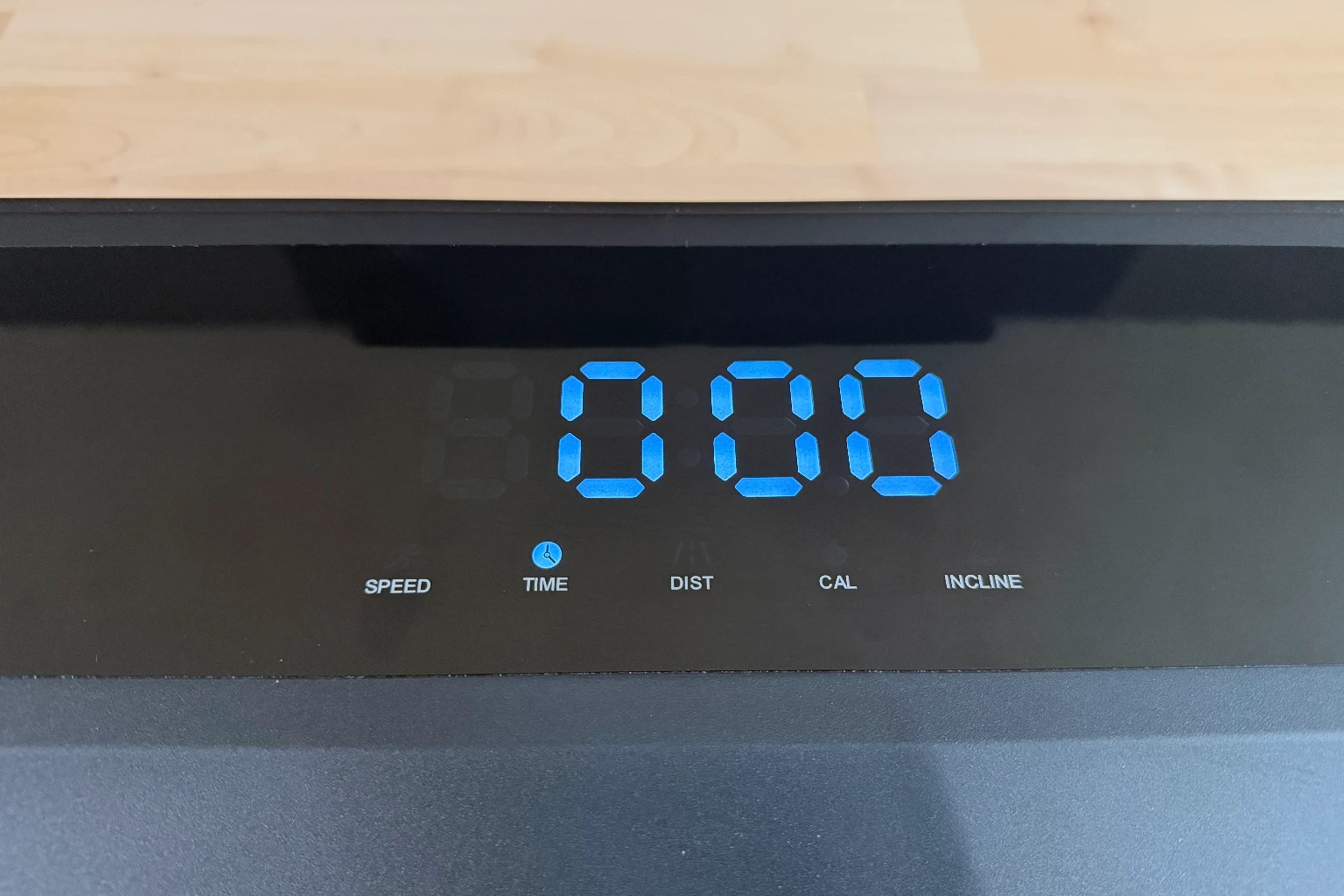
UPLIFT includes standard tracking plus countdown modes for time, distance, and estimated calories. The front display cycles through speed, duration, distance, calories, and incline, which keeps the machine visually simple. It cannot be locked to a preferred metric, so someone watching elapsed time has to wait for it to cycle back around.
Stable Enough to Support a Work Routine
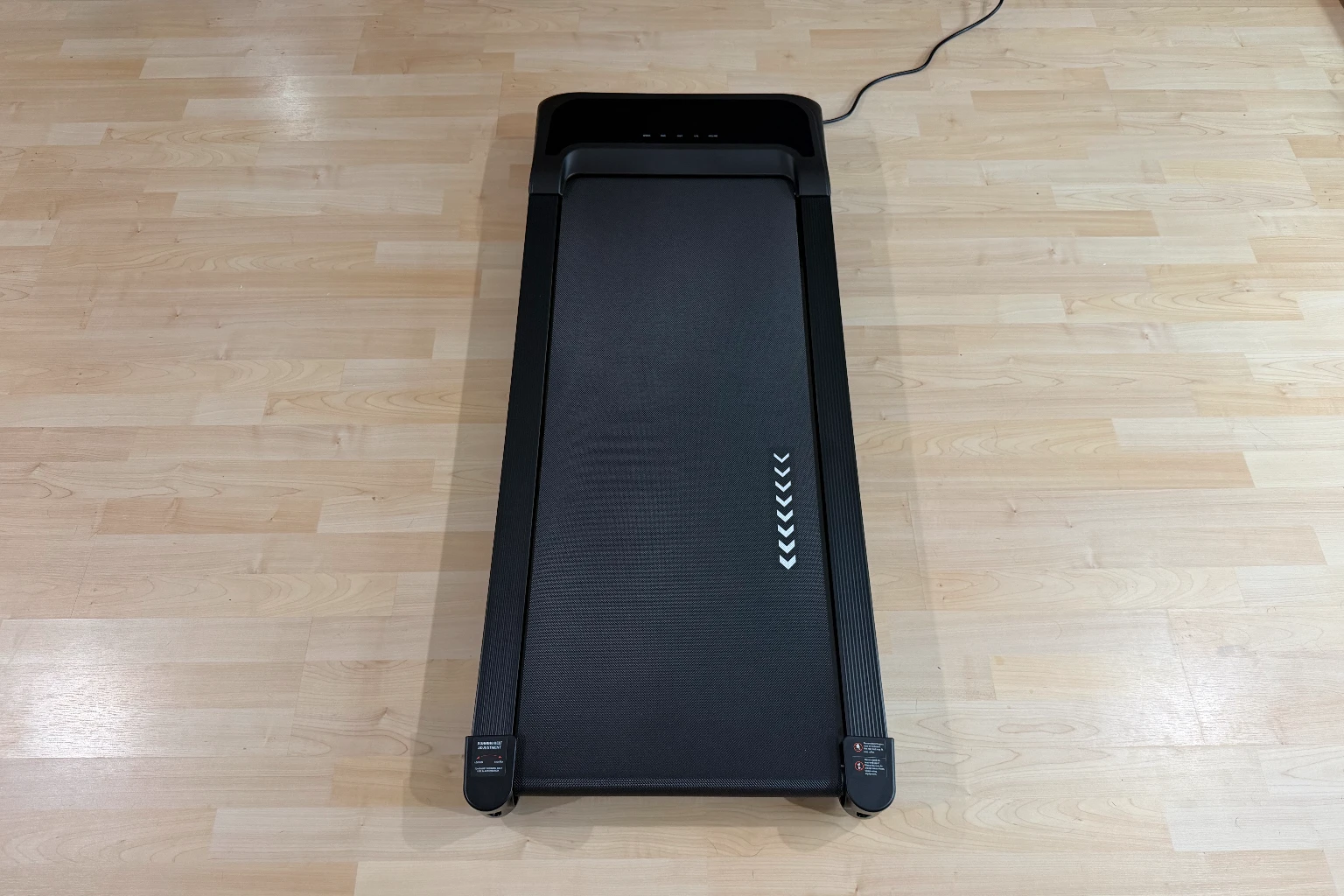
At the slow speeds I use for calls, the belt movement has been easy to settle into, and the directional markings make it possible to catch the motion in my peripheral vision without staring at my feet.
No treadmill is silent, but noise has not interfered with my ordinary use. I can walk slowly during calls without the motor becoming a problem, and it is unobtrusive enough that I enjoy using the pad while watching television after lunch. That short walk has become a pleasant way to settle lunch and ease back into the workday. Footfalls, flooring, shoes, speed, and microphone settings can still change the result in another room.
Subscribe to Product Bible
Stay updated with the latest product reviews, buying guides, and expert recommendations. Fresh advice on the best things we've researched, tested, and reviewed, sent to your inbox weekly.
Want to know more about how we handle your data or opt out of marketing emails? Check out our Privacy Policy. If you have any questions, we're always here to help.
Walking on camera creates a separate issue from sound. Even if coworkers cannot hear the motor, they may see the gentle vertical motion in your video feed. Calls where you are mostly listening are a natural fit. Client presentations and other situations where a still frame matters may not be.
Compact Enough to Move Instead of Leaving Permanently Installed
The listed 47.4-pound weight sounds substantial, but the pad has not felt too heavy for me to reposition. Lifting the rear engages the front transport wheels, and they make it simple to move the machine around the room or roll it to and from storage when a chair needs the same floor space.
Hard flooring is the easiest case. Carpet adds resistance to the small wheels, and the manual advises against operating the treadmill on thick carpet because it can affect airflow and stability. A suitable treadmill mat can protect the floor and help manage vibration, but it adds another layer to move or store.
Design, Build Quality, and Workspace Fit
The walking pad has a simple matte-black frame, a dark belt, white directional graphics, and a display integrated into the front housing. It visually matches UPLIFT’s black desk frames without calling much attention to itself. More importantly, the low housing has no upright console or handlebar to interfere with a desktop.
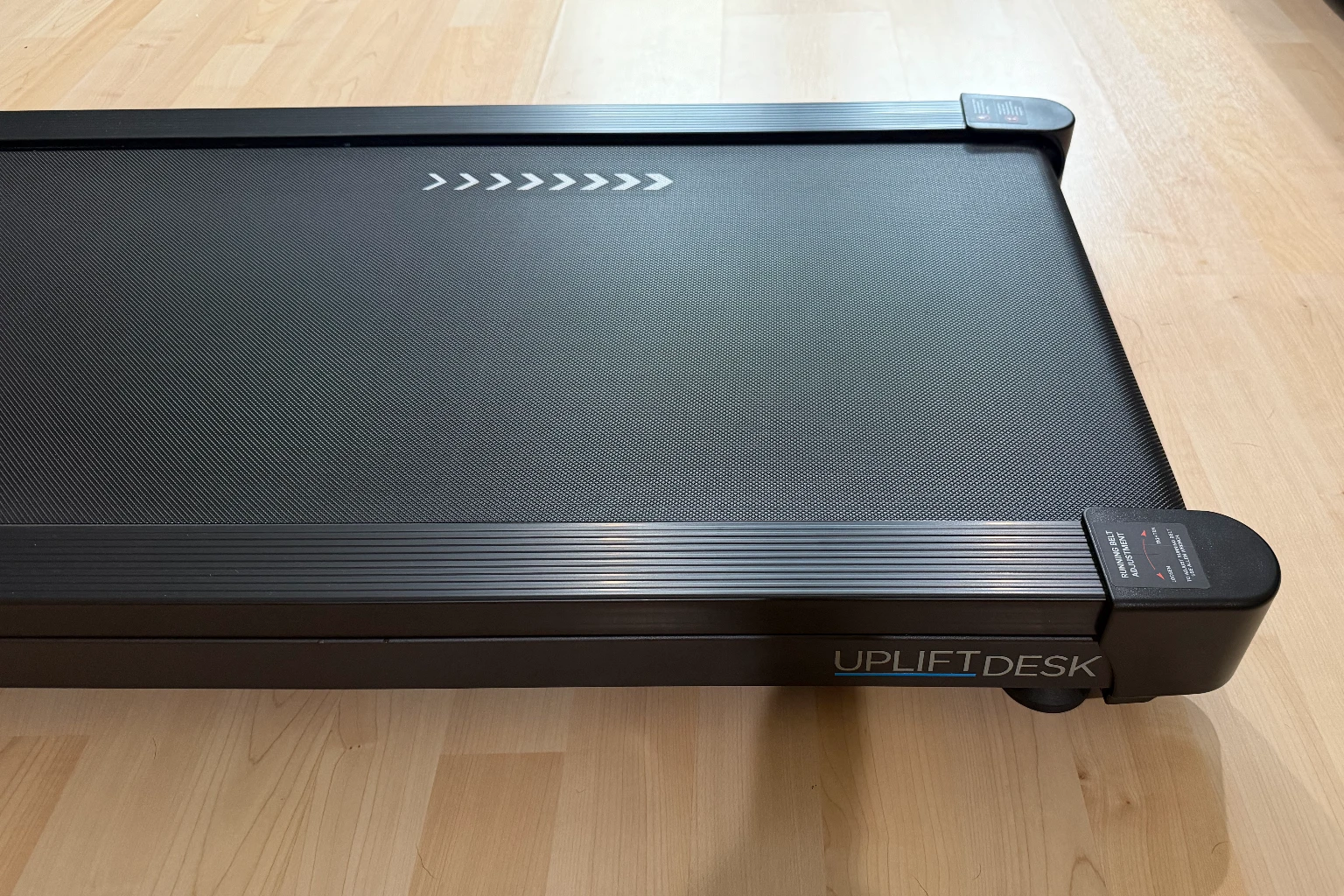
Fit depends on more than the space between the desk legs. The manual calls for at least three feet of clear space behind the machine and one foot on either side. Power and computer cables also need to stay out of the walking path, with enough slack for the standing desk to move without letting cords fall near the belt.
The 243-pound rating is lower than the capacities advertised by some larger walking pads. UPLIFT’s current instruction manual rounds the limit down to 240 pounds, while the model-specific specification sheet lists 243 pounds, or 110 kilograms. The article uses the more precise specification-sheet figure, but buyers close to either number should choose a model with more operating headroom.
Setup, Operation, and Maintenance
Unboxing was straightforward. The pad arrived fully assembled, so after removing the packaging, positioning it, and connecting the power cord, I had it ready to use within minutes. The box also includes the wristband-equipped magnetic remote, an Allen wrench, and silicone lubricant.
The electrical requirements deserve attention. UPLIFT calls for a grounded 120-volt outlet and says not to use an adapter or extension cord. That makes outlet placement part of the workspace plan, especially because the pad may move between a working position and a storage position during the day.
Like any belt-driven treadmill, this one requires periodic care. UPLIFT recommends removing dust, cleaning the belt with a lightly soapy damp cloth, checking belt alignment and tension, and applying one ounce of 100% silicone lubricant between the belt and deck. The suggested lubrication interval ranges from once a year for less than three hours of weekly use to every three months for more than five hours per week.
UPLIFT Inclining Walking Pad vs. Cheaper Walking Pads
Less expensive walking pads can handle the same basic job. If all you need is a flat belt for occasional slow walks, paying extra for the UPLIFT model may not improve the parts of the experience you care about. The short warranty also weakens the argument that the higher price automatically buys much stronger long-term protection.
UPLIFT earns the premium through a more complete desk-oriented design. The motorized incline, magnetic remote, useful transport wheels, no-assembly setup, straightforward documentation, and established support channel address common daily annoyances. Buying the pad with an UPLIFT desk can also simplify fit and height planning.
The deciding question is how often you expect to use the incline. If it becomes a regular way to add effort while keeping speed low, it gives this model a real advantage. If you leave the deck flat every day, a wider or less expensive walking pad may be the smarter purchase. Our guide to the best walking pads and under-desk treadmills compares flat, incline, and foldable alternatives.
Who Should Buy the UPLIFT Inclining Walking Pad?
This model makes the most sense for someone who already has a compatible standing desk and wants to walk during calls, email, reading, videos, or other light computer work. It is also a good match for people who prefer indoor walking when heat, cold, rain, darkness, or a packed schedule makes an outdoor walk less appealing.
The incline expands its usefulness beyond work. At the end of the day, the same machine can support a more deliberate brisk or uphill walk without requiring the room for a traditional treadmill. Buyers who want one compact device for gentle desk movement and moderately harder walking sessions will get more from the feature set.
Choose something else if you want to run, need a handrail, exceed or sit close to the user-weight rating, take a long stride, or cannot spare a flat storage area. It is also a questionable fit if your work demands constant precision typing or mouse control. Walking pads work best when they complement a workday rather than forcing every task into motion.
What to Consider Before Buying
Start with the walking surface. A 39.4-by-15.4-inch belt is appropriately compact for an office, but it gives you less margin than a full treadmill deck. If possible, compare those dimensions with a machine you already use or mark the rectangle on the floor to understand the available stride space.
Then check desk height. The treadmill raises your entire body, so the desktop must move higher to keep your elbows and wrists in a comfortable position. Taller users may need nearly all of a desk’s adjustment range, while some fixed standing converters may not reach a suitable height at all.
The remote is both a strength and a dependency. It is convenient in use and has a magnetic home, but the pad does not provide a complete set of controls on its housing. UPLIFT publishes pairing instructions for a replacement remote, yet keeping track of the original remains the easier answer.
Finally, weigh the price against the warranty. UPLIFT’s desks carry unusually long coverage, but this walking pad has a one-year warranty. It’s typical for walking pads, and definitely something to be aware of before buying.
Final Verdict: Is the UPLIFT Inclining Walking Pad Worth It?
The UPLIFT Inclining Walking Pad has been a worthwhile addition to my home office. It was ready within minutes of unboxing, the wristband keeps the remote close, and the incline moves smoothly in both directions. Just as importantly, the wheels make storage easy enough that moving the pad has not become a reason to leave it unused.
Its limitations are equally clear. The belt is compact, the 243-pound rating narrows the audience, and the machine isn’t for running or jogging. Still, it has given me a genuinely useful third mode between sitting and standing. I can walk slowly through a call or put on a Netflix show after lunch, get some movement, and return to work without turning the break into a full workout.