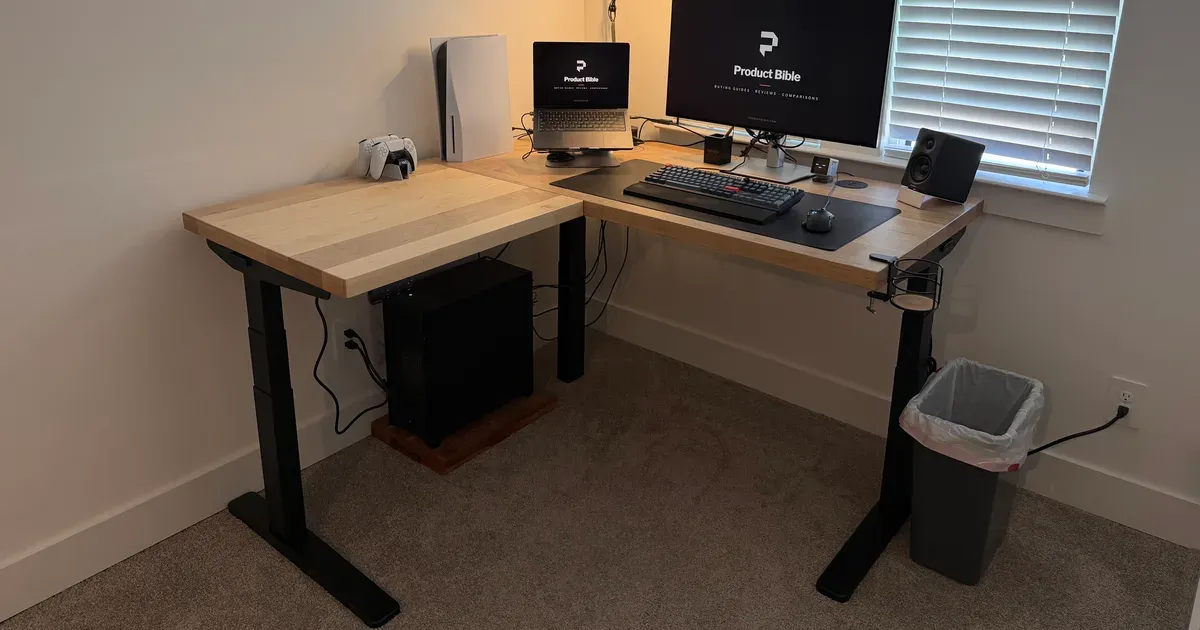
The UPLIFT V3 L-Shaped Standing Desk is my full-time work desk. I got the 60-by-60-inch size with a 1.75-inch maple butcher block top, and I sit, stand, and use a walking pad at it. It feels rock solid, the L shape gives me real work zones, and the maple top is a highlight. Setup is harder than it is with a straight desk, but I have no complaints, and it’s the desk I’d choose again.
The short answer: this is a big, expensive desk, and if you have the room and work at your desk all day, it’s excellent. With my custom maple top and the V3 frame, it costs about $3,749 before accessories. The same frame with a stock top starts at about $1,149.
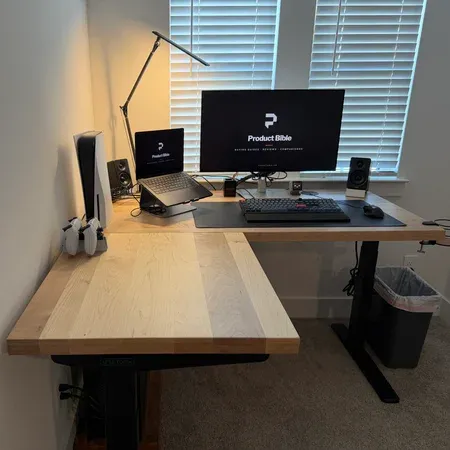
Best L-Shaped standing desk for All-Day work
UPLIFT V3 L-Shaped Standing Desk
A rock-solid corner standing desk with enough room for real work zones, available with a custom maple top.
UPLIFT V3 L-Shaped Desk Review: Quick Verdict
I’ve used this desk as my main workstation for the past couple of months, for full days of work, sitting and standing, and with a walking pad under it. The stability is what impresses me most. A desk this size has a lot of surface to keep steady, and mine doesn’t feel like it’s moving, even at standing height with my monitor, laptop, speakers, and a game console on it.
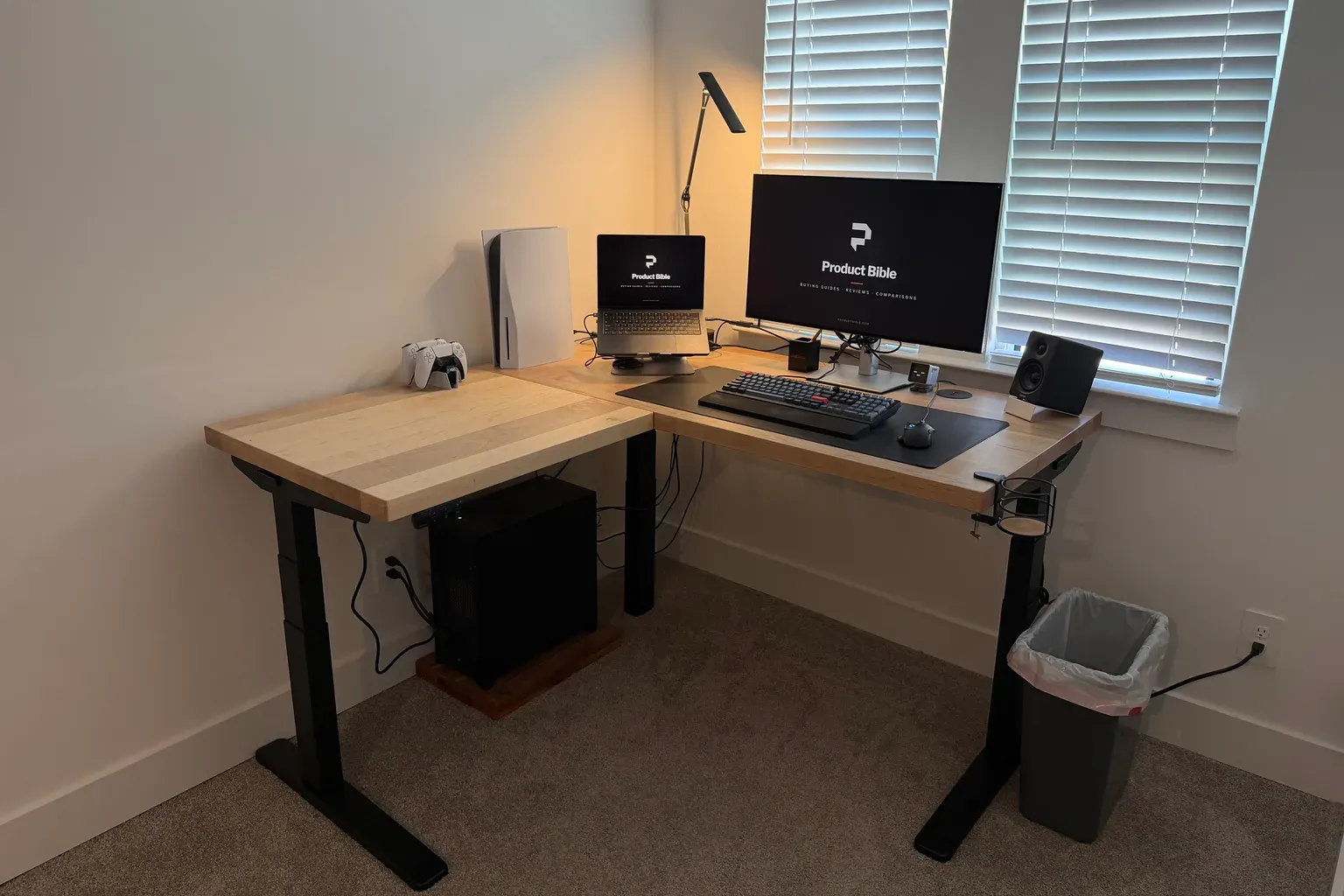
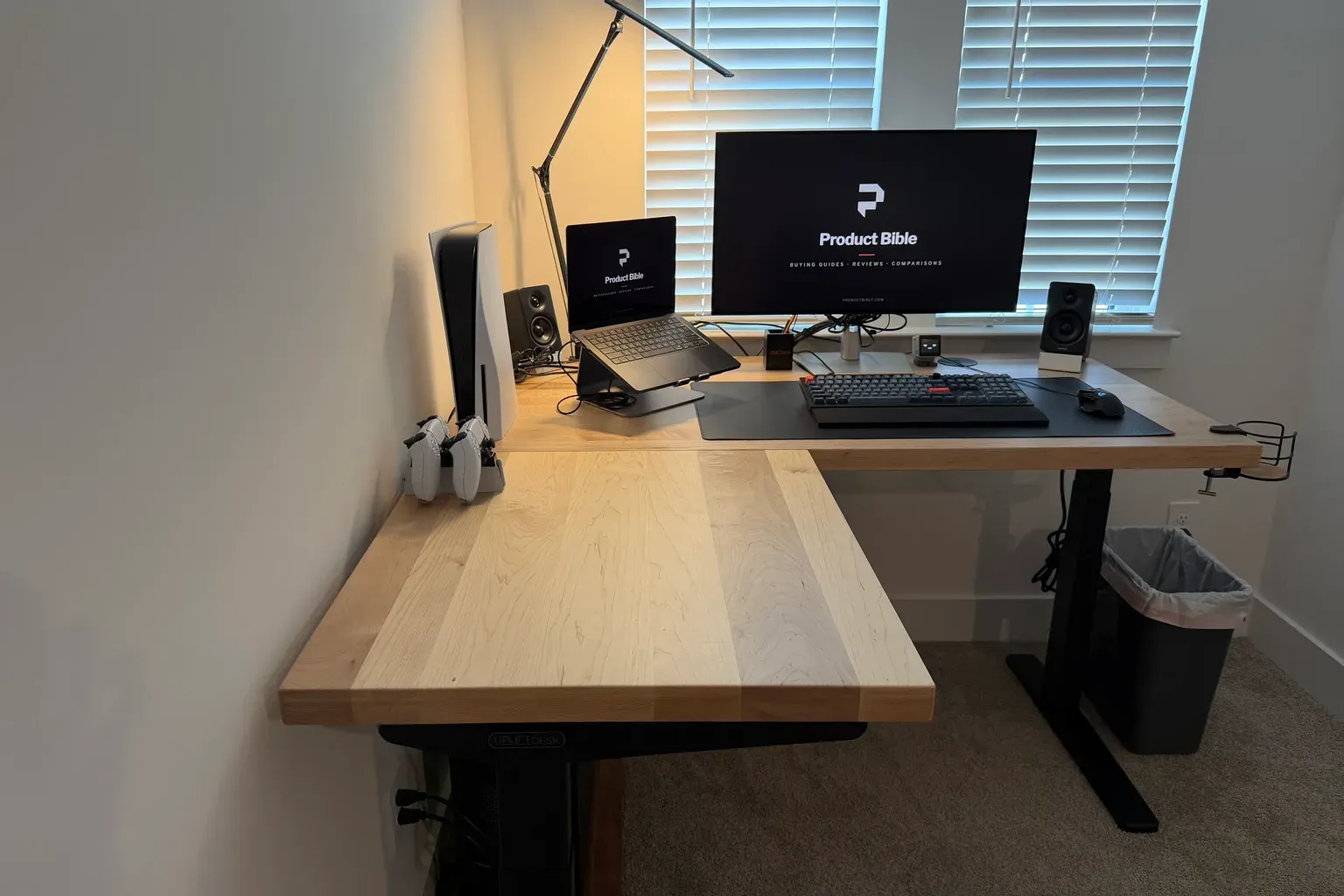
The other thing I didn’t fully expect is how much the shape changes the way I use the room. The main side is for work. The return is where my PlayStation and controllers live. Each has its own place, so neither setup has to make room for the other.
UPLIFT V3 L-Shaped Standing Desk specs
| Spec | Value | Note |
|---|---|---|
| My configuration | 60-by-60 inches, 1.75-inch custom maple | |
| Price as configured | About $3,749 | Includes the $100 V3 frame upgrade, before accessories or promo codes |
| Stock version | From about $1,149 | With the V3 frame and a 1-inch top |
| Depth | 30 inches main, 27.5 inches return | |
| Frame | V3, 3 legs with 3 motors | |
| Lift capacity | 535 pounds | |
| Height range | 22.6 to 48.7 inches | With a 1-inch top. About 23.4 to 49.5 inches with a 1.75-inch top |
| Speed and noise | About 2 inches per second, under 48 dB | |
| Included | FlexMount Cable Manager and 10 cable wraps | |
| Warranty | 15 years |
What the UPLIFT V3 L-Shaped Specs Mean
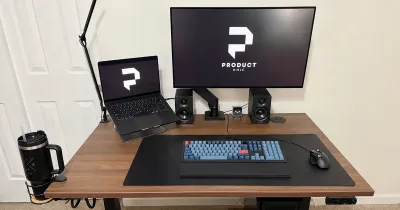
The headline number is the 535-pound lift capacity from the three-motor frame. Each leg has its own motor, so the corner leg lifts with the other two instead of being dragged along. In practice, I’ve never come close to that limit. My setup includes a large monitor, a laptop on a stand, two speakers, a desk lamp, and a PlayStation 5, and the desk lifts all of it without trouble.
The height range depends on the top. UPLIFT lists 22.6 to 48.7 inches with a 1-inch desktop, and my 1.75-inch maple top adds about three-quarters of an inch to both ends. That still leaves room for most people to sit and stand comfortably, and it leaves extra room at the top when I’m on a walking pad.
The depths are the specs I’d measure for. The main side is 30 inches deep and the return is 27.5 inches deep. That’s enough for a monitor at a comfortable distance on the main side, and the return is still deep enough for a console, a laptop, or paperwork.
How Stable Is It?
Rock solid is how I’d describe mine. It holds steady when I’m sitting, when it’s raised to standing height, and when I’m on a walking pad under it. For a desk I use all day, that matters more than any other feature.
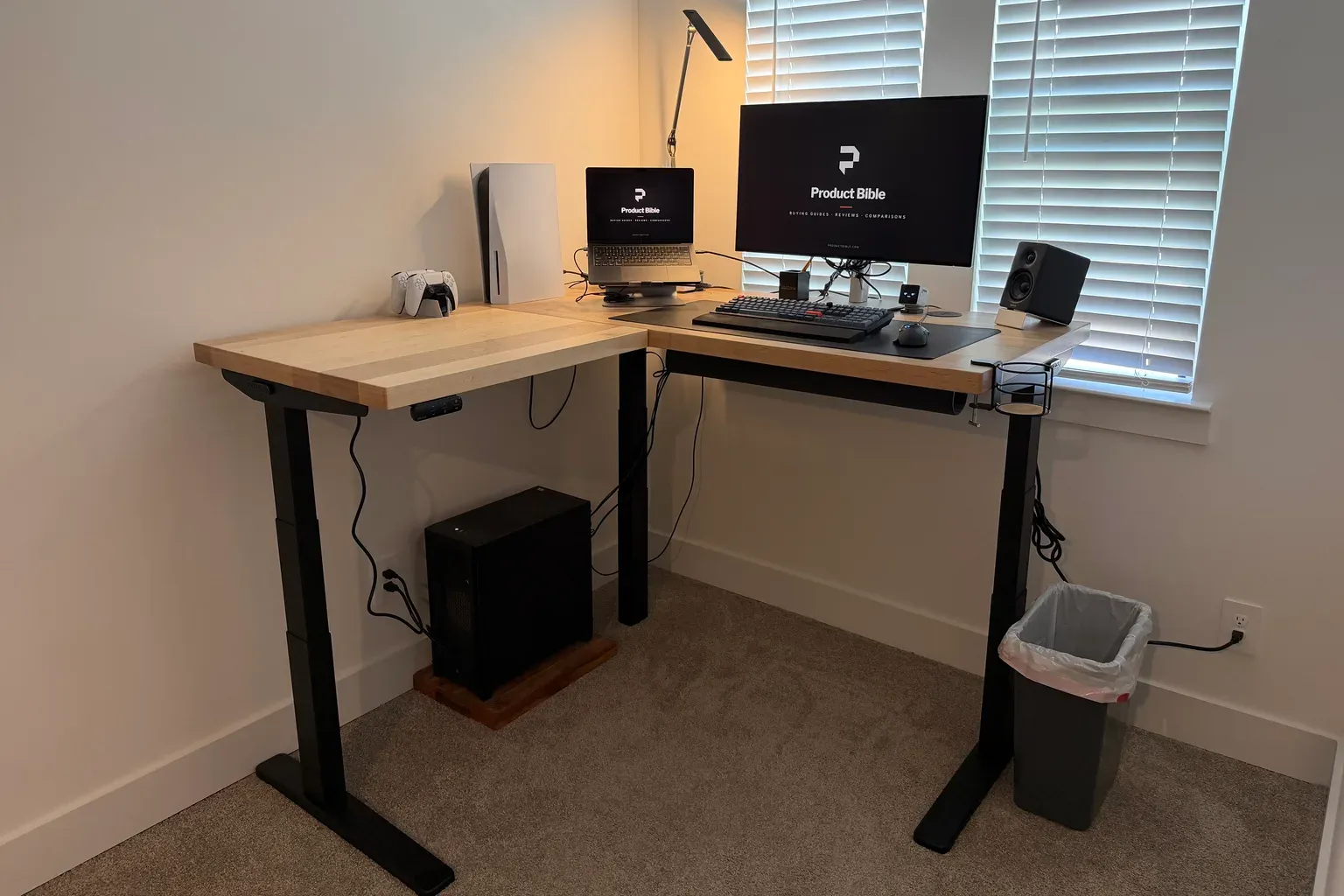
UPLIFT says the V3 frame uses a steel foot and stability plate under each leg, larger legs, and I-beam crossbar rails. It also says the desk passes ANSI/BIFMA X5.5-2021 testing and doesn’t need a lower crossbar. Whatever the reason, it hasn’t given me anything to worry about.
The comparison I can make is with my own straight UPLIFT V3 Standing Desk. That two-leg desk is steady for normal work, but at taller heights it can show a little front-to-back movement. I haven’t noticed that on the L-shaped desk. The third leg and the corner give the frame a much wider base.
What the L Shape Actually Changes
The L shape isn’t only about having more surface. It gives you real work zones. Instead of everything competing for one strip of desk, different kinds of work can have their own side.
A Work Side and a Gaming Side
My main side sits under the windows with the monitor, laptop stand, keyboard, mouse, and speakers. The return on the left is my gaming area, with the PlayStation and its controllers. That split sounds simple, but it’s the best thing about owning an L-shaped desk. Work stuff stays put, gaming stuff stays put, and neither one gets in the way of the other.
On a straight desk, I’d be shuffling things around or stacking gear behind the monitor. Here, each zone has room of its own.
Planning the Corner
At 60 by 60 inches, you need to plan the corner of the room carefully. You can choose a left- or right-side return when you order, and UPLIFT recommends putting it on the side of your dominant hand. It also says you can switch sides during assembly, which is useful if you move or rearrange later.
Think about where your chair goes, too. With the main side and the return both 60 inches long, you sit in the inside corner of the L, and you need clearance behind you to roll back. Measure the room with the desk’s footprint taped on the floor before you order, especially if there’s a door or window nearby.
UPLIFT V3 L-Shaped and V3 specs
| Spec | V3 L-Shaped | V3 straight |
|---|---|---|
| My top | 60-by-60-inch maple | 48-by-30-inch walnut laminate |
| Thickness | 1.75 inches | 1 inch |
| Legs | 3 | 2 |
| Best for | Separate work zones | Smaller rooms and simpler setups |
| Setup | Harder | Easier |
Daily Use: Sitting, Standing, and the App
I switch between sitting and standing a few times a day. A desk that’s annoying to move doesn’t get moved, so how easy the transition is matters.
I added UPLIFT’s Bluetooth adapter, which connects the desk to the free UPLIFT Desk app. I saved my usual heights in the app, so I can switch between them from my phone as well as the keypad. The keypad presets do the same job, so the adapter isn’t essential, but it’s convenient to have heights saved in one place.
The frame moves at about 2 inches per second and stays quiet. It’s steady from start to stop, without the lurch some cheaper desks have when they start or reach a preset. Because the whole L moves together, I don’t have to think about whether the return is level with the main side. It always is.
Accessories I Added
The V3 L-Shaped comes with UPLIFT’s FlexMount Cable Manager and cable wraps, and I added a few extras:
- Power and USB grommet: a grommet with outlets and USB ports built into the desktop. It’s the accessory I’d recommend first, because it makes charging a phone or plugging in a laptop easy without reaching under the desk.
- Cup holder: it clamps to the front right corner and keeps my coffee off the desktop and out of elbow range. That matters even more on a solid wood top, where a spill could leave a mark.
- Bluetooth adapter: for the app presets described above.
With a big desk, cable management takes more planning, since the monitor, speakers, and console all need power from different spots. The included FlexMount Cable Manager mounts under the desktop to hold a power strip and extra cable, and UPLIFT says you can rearrange it without tools, which helps when you add gear later.
The Maple Butcher Block Top
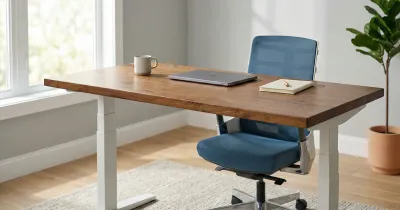
The maple top looks and feels great, and it’s a big part of why this feels like a piece of furniture and not just office equipment. The 1.75-inch thickness also gives the edge a solid, substantial look.
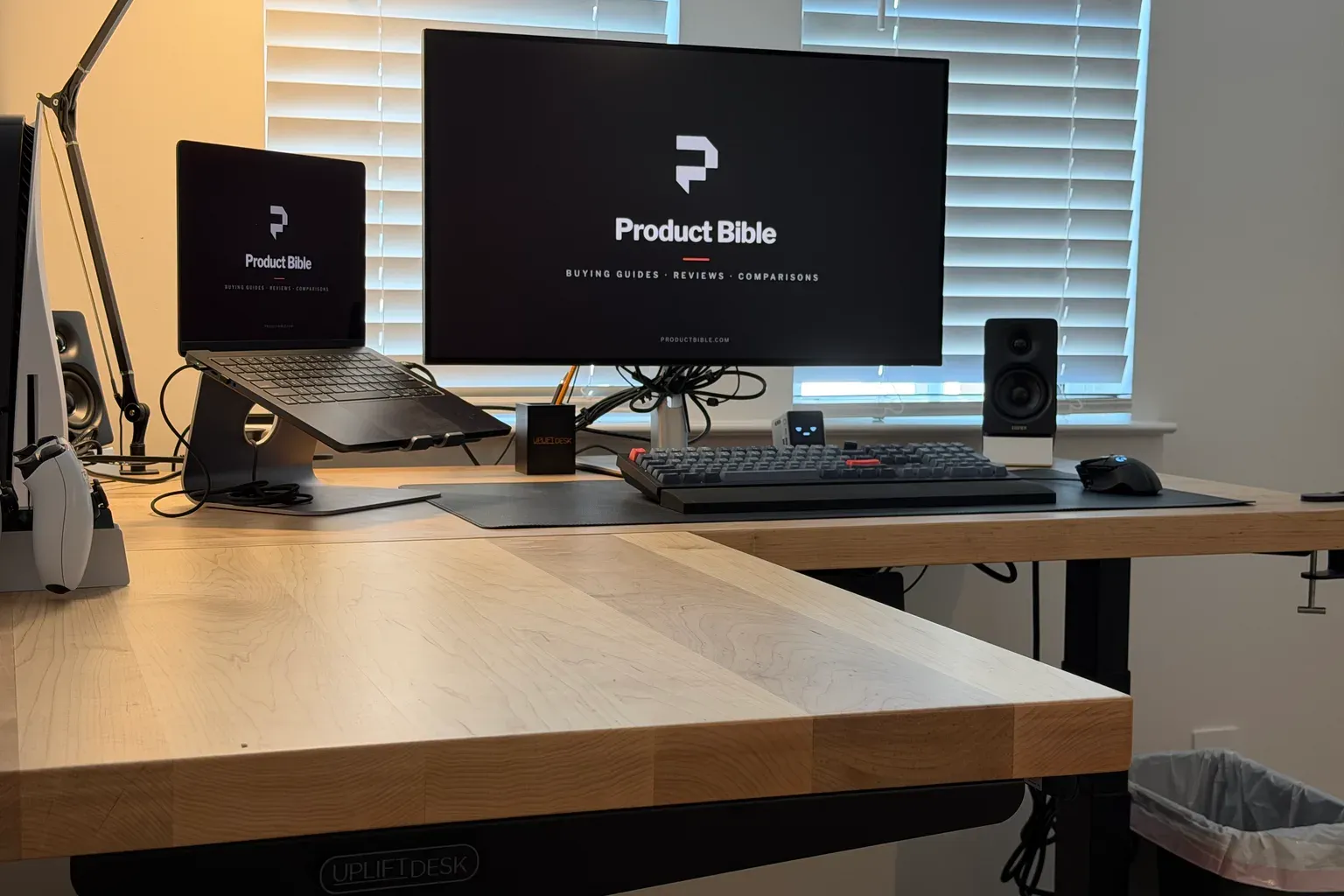
It’s also where most of the cost goes. On UPLIFT’s custom solid wood page, a 60-by-60-inch maple top adds about $2,600 compared with the stock desk. If you like the look of wood but want to keep the price down, a laminate top gets you the same frame and the same stability for far less.
If you’re ordering solid wood, know that it isn’t a quick purchase. UPLIFT lists 7 to 8 weeks for this configuration. Its care guide also recommends controlling humidity and keeping solid wood away from direct sunlight and heating vents.
Assembly and Setup
This is the one part I’d warn you about. It’s harder to set up than a straight desk, because you’re dealing with a bigger frame and two large desktop sections. I put mine together alone in about two to three hours. That included unboxing, attaching the frame to both sections of the top, wiring the motors, and setting up the cable tray.
I got it done, but I wouldn’t recommend assembling it alone. The frame parts and the maple butcher block sections are very heavy, and moving and flipping them by yourself is hard work. Two people is the most comfortable way to do it, especially for turning the finished desk upright. Clear plenty of floor space first, since you assemble the desk upside down and the L takes up a lot of room.
Once it was together, I didn’t have a complaint.
Using It With a Walking Pad
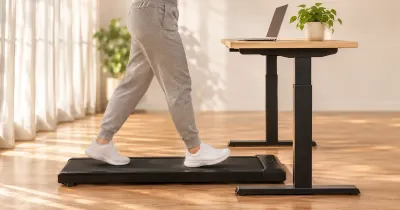
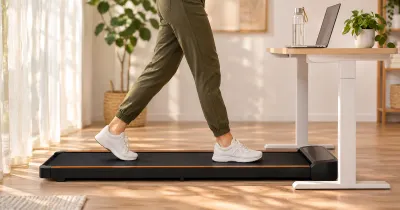
I use mine with the UPLIFT Inclining Walking Pad a few times a week, and the desk stays solid the whole time. A wobbly desk on a walking pad turns typing into a chore, and that’s never been an issue here.
If you want to do the same, check that the pad fits in the space you plan to use. The UPLIFT pad takes up a 48-by-20.25-inch footprint. Remember that you’ll be standing higher on the pad than on the floor. Its deck sits about 5 inches high, so it’s worth saving a separate walking preset above your normal standing height. The desk’s height range has room for that.
UPLIFT V3 L-Shaped vs. a Straight V3
If you’re deciding between this and a straight V3, the question is whether you’ll actually use the second side. A straight desk is cheaper, easier to assemble, and fits more rooms. My 48-by-30-inch V3 is a good desk, and it’s all many people need.
The L-shaped desk makes sense when you have two kinds of work, or work and something else, that you’d rather not mix. It also makes sense if you want a steadier frame at standing height, since the three-leg design is more planted than the two-leg V3. If you only have one monitor and a laptop, a wide straight desk is probably the better buy.
Who Should Buy the UPLIFT V3 L-Shaped?
Buy it if you work at your desk all day, you want separate work zones, you use a walking pad, or you want a solid wood top. It’s especially good for people who keep a second setup, such as a console, a drawing tablet, or a second computer, next to their main one.
Skip it if your room can’t spare the corner, you don’t need more than a straight desk offers, or you need a desk in the next few days and want a custom top. Stock-top configurations ship faster, so those are worth a look if timing matters.
What to Consider Before Buying
- Measure the corner. Tape out both sides of the L, and leave room behind the inside corner for your chair.
- Pick the return side. UPLIFT recommends your dominant hand’s side, but windows, doors, and outlets may decide for you.
- Decide on the top. Solid wood looks great but costs much more and takes weeks to arrive. Laminate tops cost far less on the same frame.
- Plan power. A power grommet is the most useful add-on on a desk this big.
- Use the trial if you need it. UPLIFT offers a 30-day trial with free returns from the contiguous U.S. for like-new products in their original packaging. Keep the boxes until you’re sure.
Is the UPLIFT V3 L-Shaped Desk Worth It?
For me, yes. I have no complaints, and I’d buy it again. If you sit at your desk for a living and have the room, a steady desk with separate work zones is worth a lot.
You don’t have to buy my configuration to get most of that. The stock tops cost far less and use the same frame. The custom maple top is about how it looks and feels, and for a desk I sit at all day, that was worth it to me.
UPLIFT V3 L-Shaped Desk FAQ
How much does the UPLIFT V3 L-Shaped Desk cost?
The stock version starts at about $1,149 with the V3 frame. My 60-by-60-inch custom maple configuration is about $3,749 before accessories.
Is the UPLIFT L-shaped desk stable?
Mine is rock solid, including at standing height and with a walking pad under it. It’s steadier at standing height than my two-leg V3.
Can you use a walking pad with an L-shaped standing desk?
Yes. That’s how I use mine. Check that the pad fits your layout, and set the desk height with the pad’s extra height in mind.
Is the UPLIFT L-shaped desk hard to assemble?
It’s harder than a straight desk, since the frame and desktop are bigger. I assembled mine alone in about two to three hours, but I wouldn’t recommend doing it that way. The frame parts and butcher block top are very heavy, so two people is the most comfortable way to put it together.
How thick is the UPLIFT maple top?
Mine is 1.75 inches thick. Stock desktops are 1 inch thick.
How much weight can the UPLIFT L-shaped desk lift?
UPLIFT rates the three-motor frame at 535 pounds.
Which side should the return go on?
UPLIFT recommends the side of your dominant hand, but your room layout may decide it for you.
Does the UPLIFT L-shaped desk have a warranty?
Yes. UPLIFT covers nearly everything it sells with a 15-year warranty, and it offers a 30-day trial with free returns from the contiguous U.S.