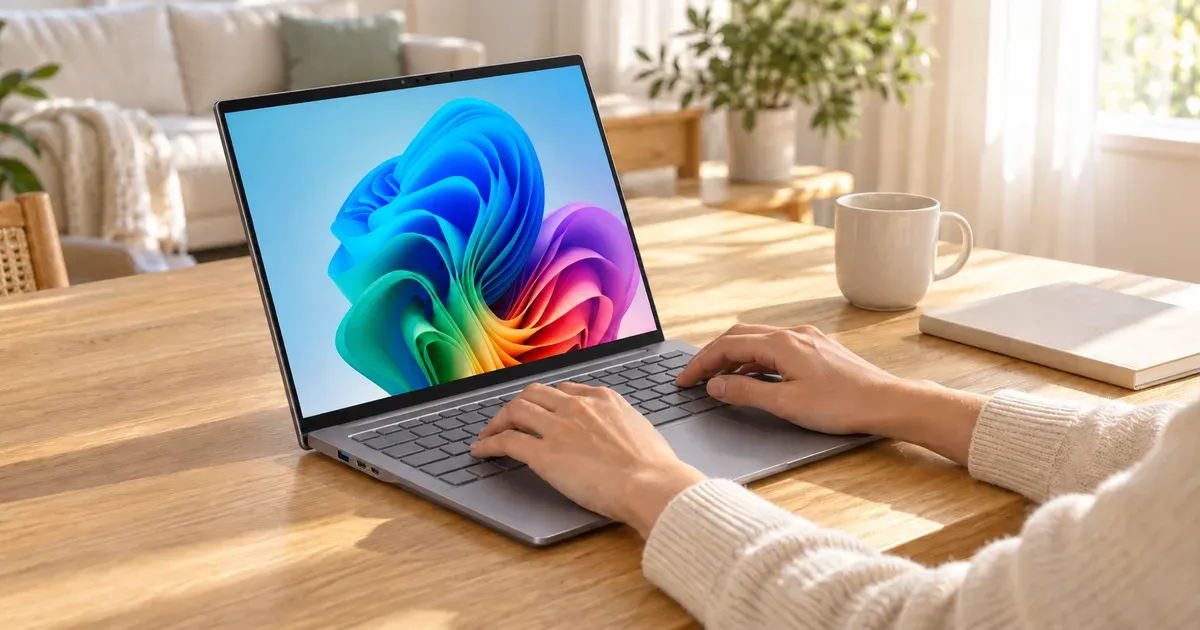
The Acer Swift 14 AI is Acer’s thin-and-light 14-inch laptop built on Qualcomm’s Snapdragon X Plus. It pairs a sharp 14.5-inch 2560 x 1600, 120Hz screen with 16GB of memory, a 1TB SSD, a 1440p webcam, Wi-Fi 7, and the long battery life that Snapdragon laptops are known for, in an aluminum body that weighs about 3 pounds.
It’s the modern successor to the Acer Swift 5 we used to recommend, which Amazon no longer sells. At about $900 with 16GB and 1TB, it costs less than the Swift 5 did at launch and gives you a faster, far more efficient laptop.
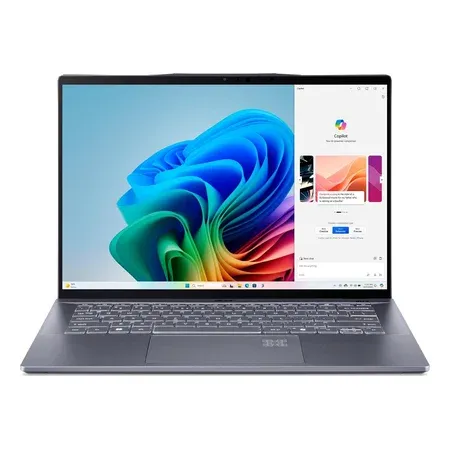
Acer Swift 14 AI (Snapdragon X Plus)
A 14.5-inch 2.5K 120Hz Copilot+ laptop with a 10-core Snapdragon X Plus, 16GB of RAM, a 1TB SSD, and Wi-Fi 7.
Quick Verdict
Buy the Swift 14 AI if you want a light, premium-feeling Windows laptop with excellent battery life, a sharp high-refresh screen, plenty of storage, and more ports than most thin laptops, for well under the price of a Dell XPS or Surface. It’s a strong pick for students, writers, and travelers who live in a browser and Microsoft 365.
Skip it if you game, use specialized software or drivers that don’t support Windows on Arm, or want the absolute best build quality and screen at any price. And if your budget is closer to $600, the Acer Aspire 14 AI gets you most of the way for less.
Acer Swift 14 AI (SF14-11) specs
| Spec | Value | Note |
|---|---|---|
| Processor | Qualcomm Snapdragon X Plus X1P-64-100 | 10 cores, up to 3.4 GHz, 45 TOPS NPU |
| Graphics | Qualcomm Adreno (integrated) | |
| Memory | 16GB LPDDR5X | Soldered |
| Storage | 1TB PCIe Gen 4 SSD | |
| Display | 14.5-inch, 2560 x 1600, 120Hz, 16:10 | |
| Ports | 2x USB4 (40Gbps), 2x USB-A, headphone jack | |
| Webcam | 1440p | |
| Wireless | Wi-Fi 7, Bluetooth | |
| Weight | About 2.9 to 3 lb | |
| Price | About $900 | 16GB / 1TB, Amazon |
Performance
The Snapdragon X Plus is a 10-core Arm processor designed for efficiency first. In everyday work, including dozens of browser tabs, Microsoft 365, Zoom and Teams calls, streaming, and light photo editing, the Swift 14 AI feels fast and stays quiet and cool. It’s competitive with Intel and AMD laptop chips in single-core speed, which is what most everyday apps rely on.
Its 45 TOPS neural processing unit qualifies it as a Copilot+ PC, which unlocks Windows AI features like Recall, Click to Do, Cocreate in Paint, live captions with translation, and Windows Studio Effects for video calls.
The integrated Adreno graphics are the weak spot. Light and older games are playable, but demanding modern games aren’t, and some don’t run at all on Arm.
Battery Life
This is the main reason to choose a Snapdragon laptop. Independent testing measured about 17 hours of battery life on the Swift 14 AI, which means a full day of classes or work with plenty to spare, and often two days of lighter use. It also charges over USB-C, so one small charger covers your laptop and phone.
Display
The 14.5-inch screen has a 2560 x 1600 resolution, a tall 16:10 shape, and a 120Hz refresh rate. Text is crisp, scrolling looks smooth, and the extra height shows more of a document than a 16:9 screen. The slightly larger-than-14-inch size adds roughly 13% more viewing area than a 14-inch 16:9 panel, according to Acer, without making the laptop much bigger.
Ports, Webcam, and Build
The Swift 14 AI has a better port selection than many thin laptops: two USB4 ports (40Gbps, for charging, displays, and fast drives), two USB-A ports for older accessories, and a headphone jack. That’s enough to skip the dongle for most people.
The 1440p webcam is a step up from the 720p and 1080p cameras on many laptops. Wi-Fi 7 keeps it future-proof on fast networks.
The aluminum body weighs about 2.9 to 3 pounds, light enough to carry all day, though a little heavier than the lightest 13- and 14-inch ultraportables.
Windows on Arm Compatibility
Because the Snapdragon chip uses an Arm architecture, Windows runs many older apps through Microsoft’s Prism emulation. Most mainstream software, including Microsoft Office, Chrome, Edge, Zoom, Slack, Spotify, and Adobe Photoshop and Lightroom, runs natively or well under emulation.
Some things still don’t work: many games with anti-cheat software, some VPN clients, printer and scanner drivers, and specialized engineering, lab, or school software that depends on custom drivers. If you need a specific Windows program for work or class, confirm it supports Windows on Arm before buying.
What Happened to the Acer Swift 5?
The Acer Swift 5 was Acer’s premium 14-inch laptop, with Intel Core processors and a 2560 x 1600 touchscreen. Acer now sells its premium thin-and-light laptops under the Swift 14, Swift Go, and Swift 16 names, and the Swift 5 listing we used to recommend is no longer sold on Amazon. The Swift 14 AI is its closest modern equivalent, with a similar screen, far better battery life, and more storage for the money.
Acer Swift 14 AI vs. Other Thin Laptops
| Laptop | Processor | Memory / storage | Screen | Typical price |
|---|---|---|---|---|
| Acer Swift 14 AI | Snapdragon X Plus | 16GB / 1TB | 14.5” 2560 x 1600, 120Hz | About $900 |
| Dell XPS 13 9345 | Snapdragon X Elite | 16GB / 512GB | 13.4” 1920 x 1200, 120Hz | About $1,300 |
| Acer Aspire 14 AI | Intel Core Ultra 5 226V | 16GB / 256GB to 512GB | 14” 1920 x 1200 touch | About $600 to $650 |
| MacBook Air M4 | Apple M4 | 16GB / 256GB | 13.6” or 15.3” | Often under $1,000 on sale |
The Dell XPS 13 9345 has a faster Snapdragon X Elite and a more premium design, but costs more for half the storage and has only two ports. The Acer Aspire 14 AI uses Intel’s efficient Core Ultra 200V chip, runs every Windows app, and costs less, with a lower-resolution screen and less storage. The MacBook Air M4 is the alternative if you’re open to macOS.
For more options, see our best laptops and best laptops for college students guides.
Who Should Buy It, and Who Should Skip It
Buy it if you want a light Windows laptop with long battery life, a sharp 120Hz screen, 1TB of storage, and useful ports for around $900, and your apps run on Windows on Arm.
Skip it if you game, depend on x86-only software or drivers, or want the most premium build; consider the Aspire 14 AI if you’re on a tighter budget.
Final Verdict
The Acer Swift 14 AI is a well-rounded, good-value Snapdragon laptop: long battery life, a sharp high-refresh screen, generous memory and storage, a good webcam, and enough ports to skip the dongle. It’s a worthy successor to the Swift 5. Just confirm your software works on Windows on Arm before you buy.