Choosing the right laptop is crucial for college students, as it can greatly impact their academic success. From taking notes in class to completing assignments and staying connected, a good laptop is essential for college life.
In this guide, we’ll explore the best laptops that offer a blend of performance, portability, and affordability, making them ideal companions for students. Whether you’re studying engineering, arts, or business, there’s a laptop on this list to suit your needs and budget. Let’s dive in and find the perfect laptop for your college journey.
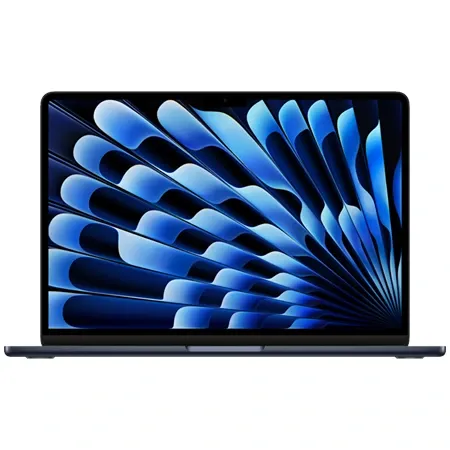
Best overall
Apple MacBook Air M4
Features Apple's M4 chip for blazing performance, all-day battery life, a vivid display, and a sleek, lightweight build.
The MacBook Air M4 is a standout option for college students who want speed, reliability, and sleek design in a portable package. With Apple’s latest M4 chip, it builds on an already exceptional platform by delivering faster performance, longer battery life, and improved multimedia capabilities. It’s available in both 13-inch and 15-inch models, offering students flexibility depending on their screen size preferences and workflow needs. At just 3.3 pounds, the 15-inch model is remarkably light for its size, making it ideal for campus portability.
Apple has fine-tuned nearly every aspect of the MacBook Air with this release. The fanless design remains whisper-quiet even under heavy workloads, while battery life stretches up to 18 hours. The Liquid Retina display, available at 2880 x 1864 on the 15-inch model, remains one of the most vibrant and color-accurate screens in this category. Thanks to support for True Tone and wide color gamut coverage, students can rely on it for everything from writing papers to editing video content.
Performance is another strong point. Powered by a 10-core CPU and up to 10-core GPU, the M4 chip makes multitasking smooth and snappy. Whether you’re compiling code, rendering short videos, or switching between dozens of browser tabs, the MacBook Air handles it all without hesitation. Benchmarks show performance is competitive with premium Windows laptops, and despite having no internal fan, the system maintains cool temperatures in typical student workloads.
From a connectivity standpoint, the MacBook Air keeps things minimal but effective. Two Thunderbolt 4 ports, a MagSafe 3 charging port, and a headphone jack cover most student needs. The ability to connect two external displays with the lid open (a new upgrade) is a boon for students using multiple monitors for research or design work. The keyboard and haptic touchpad are both top-tier, comfortable, responsive, and ideal for long typing sessions in class or at the library.
For students who care about media, the MacBook Air M4 doesn’t disappoint. The 15-inch model houses a six-speaker sound system with support for Spatial Audio and Dolby Atmos. Video calls benefit from the upgraded 12MP Center Stage webcam, which tracks your movement and provides sharp, well-lit video. Apple’s macOS Sequoia also adds thoughtful features like iPhone mirroring and smarter window tiling, which help streamline your workflow.
One of the only downsides is the lack of upgradeability. Both RAM and storage are soldered to the board, so it’s essential to choose a configuration that will hold up for several years. Thankfully, even the base models start with 16GB of memory, a generous amount for most student needs. The 13-inch model starts at $999, while the 15-inch begins at $1,199, making this one of the best values Apple has offered in years.
With its polished design, stellar battery life, and smooth performance, the MacBook Air M4 is one of the best laptops for college students who want a long-term, hassle-free machine. It excels across the board, from daily assignments and video calls to entertainment and creative projects, making it a smart investment for anyone heading back to campus.
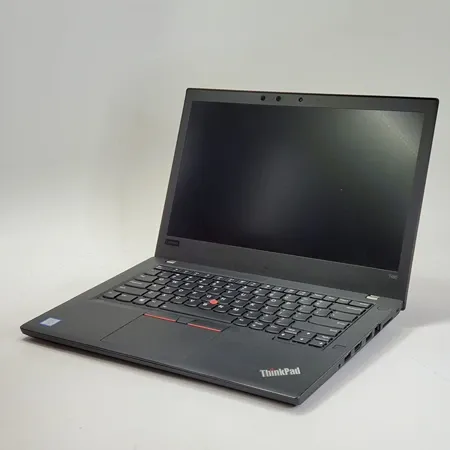
Best budget
Lenovo ThinkPad T480
Powerful performance, all-day battery life, durable construction, and comfortable, professional design at a budget price.
The Lenovo ThinkPad T480 remains one of the most compelling values for students in 2025, especially with refurbished models now priced at $250 or less. Originally built as a premium business notebook, this 14-inch laptop brings durability, excellent input devices, and versatile connectivity to the student market at a fraction of its original cost. It may not have the ultra-thin design of modern ultraportables, but it makes up for that with performance, reliability, and expandability that few laptops in this price range can match.
Weighing 3.6 pounds, the T480 isn’t the lightest option, but it’s still highly portable and fits comfortably into most backpacks. Its rugged chassis has passed military-grade durability tests for resistance to shock, vibration, and extreme conditions. The soft-touch black finish is classic ThinkPad, and build quality is top-tier with minimal flex in the keyboard deck or screen. Port selection is outstanding, including Thunderbolt 3, USB-C, USB-A, HDMI, Ethernet, and a full-size SD card reader, perfect for students who use a wide variety of peripherals or external displays.
The keyboard on the T480 is a major standout. With deep key travel and a tactile, responsive feel, it sets a high bar for typing comfort. Lenovo’s signature TrackPoint is still present for those who prefer it, and the spacious touchpad is responsive and supports multi-touch gestures. The 1080p IPS display offers good brightness, accurate colors, and wide viewing angles, making it ideal for writing papers, watching lectures, or editing documents. Just be sure to avoid lower-end configurations with the 1366x768 screen, as they offer noticeably less usable space and clarity.
Performance is more than adequate for student workloads. Many refurbished models come with 8th Gen Intel Core i5 or i7 processors, 8 to 16GB of RAM, and speedy SSDs. These specs are perfect for web research, note-taking, running Office apps, and even light content creation or software development. While the integrated Intel UHD 620 graphics are not designed for gaming or 3D work, they handle media streaming and general multitasking with ease. Some variants even come with dedicated Nvidia MX150 graphics for a slight boost in visual tasks.
One of the T480’s most unique advantages is its dual-battery system. It includes an internal battery plus a hot-swappable external pack. If you invest in the larger 72Wh battery, you can easily get a full day of use, sometimes even more, on a single charge. For students constantly on the move or stuck in back-to-back classes, this flexibility can make a real difference. The hot-swappable nature means you can even switch batteries without shutting down the laptop.
Audio performance is solid for a business laptop. The bottom-firing speakers offer clear vocals and sufficient volume for videos, online meetings, and casual listening, though bass response is limited. The webcam is serviceable for video calls, and some models include optional infrared cameras for facial recognition. While the T480 doesn’t support modern biometric features like facial login by default, fingerprint authentication is available on most units.
The ThinkPad T480 is a rare find: a business-class machine with premium features that now sells for a budget-friendly price. Its durability, excellent keyboard, swappable battery, and rich port selection make it a perfect fit for college students who need a dependable workhorse without spending much. If you don’t mind a slightly thicker chassis and older design, this is easily one of the best laptops you can get for under $300.
If you’d like to read more about my experience with the T480, check out the in-depth review here.
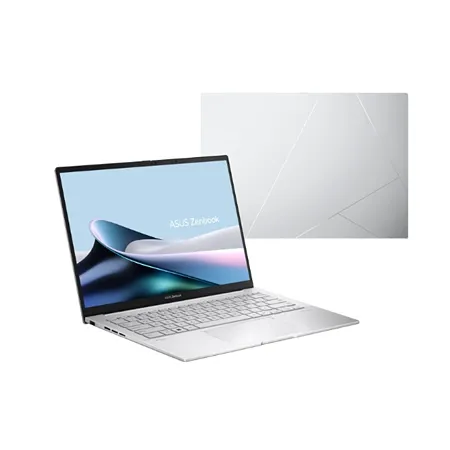
Best windows
Asus Zenbook 14 OLED
A lightweight ultrabook with a brilliant OLED display, fast performance, and up to 18 hours of battery life.
The Asus Zenbook 14 OLED delivers an exceptional blend of performance, portability, and display quality, making it one of the most well-rounded choices for students, especially those in creative fields like design, photography, or video editing. With a 14-inch 2.8K OLED touchscreen, Intel’s latest Core Ultra processor, and a lightweight chassis, this ultrabook manages to pack premium hardware into a sleek, understated design. Its combination of powerful specs and vibrant visuals gives students the tools they need to handle demanding coursework and creative projects alike.
Weighing just 1.28kg and measuring under 15mm thick, the Zenbook 14 OLED is made for mobility. The chassis features a smooth aluminum finish and a subtle, geometric lid logo, while the 180-degree hinge and ergonomic design make it comfortable for long typing sessions. It may not have the rigid feel of a unibody MacBook, but it holds up well and looks clean in any setting. Asus includes useful touches like Windows Hello facial recognition and a physical webcam shutter for added privacy.
The standout feature is undoubtedly the OLED display. With a resolution of 2880x1800, it offers incredibly crisp visuals, rich contrast, and deep blacks. HDR support enhances highlight details in videos, and a peak brightness of 550 nits ensures excellent readability even in well-lit environments. While the glossy finish attracts fingerprints, the touchscreen is responsive and smooth. Whether you’re editing photos or binge-watching lectures, the Zenbook’s screen makes content come alive.
Inside, the laptop features Intel’s Core Ultra 7 155H processor, which includes dedicated Neural Processing Units (NPUs) for handling AI-enhanced tasks. Backed by 16GB of RAM and a 1TB SSD, the Zenbook breezes through multitasking, productivity work, and light creative workloads. Intel’s integrated Arc graphics can handle casual gaming and older titles at 1080p with modest settings, though this is not a machine intended for heavy gaming or 3D rendering. For most student needs, the performance is more than sufficient.
The keyboard is backlit, well-spaced, and satisfying to type on, while the glass touchpad is responsive and includes a clever feature: a built-in virtual number pad. Though there’s some flex under heavy pressure, the typing experience remains comfortable for note-taking or long essay sessions. The port selection is excellent for a thin laptop, with HDMI 2.1, USB-A, dual Thunderbolt 4 ports, and a 3.5mm audio jack, though it does omit a memory card reader.
Battery life is solid, offering up to 12-15 hours for video playback and 8-9 hours for typical web browsing or document editing. That’s more than enough for a full day of classes and homework without reaching for the charger. A single cooling fan keeps things relatively quiet under regular use, though the chassis can warm up under sustained load. AI tools like background blurring and noise reduction in video calls showcase the new chip’s potential, even if wider support is still emerging.
The Asus Zenbook 14 OLED strikes a near-perfect balance between design, performance, and price. Its high-quality display, powerful internals, and excellent portability make it one of the best Windows-based laptops for students who want premium features without moving into ultra-premium pricing. For those who value color accuracy and sleek design as much as speed and efficiency, this laptop is a standout pick.
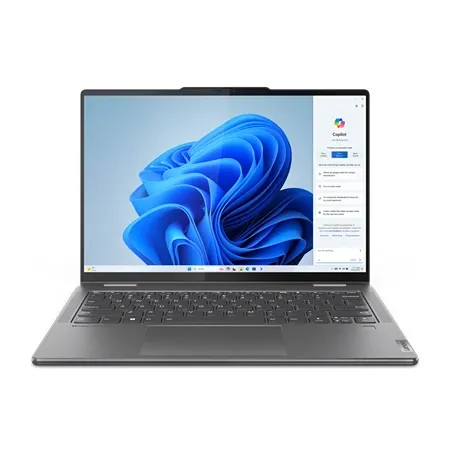
Best 2-in-1
Lenovo Yoga 7i 2-in-1 Gen 10
A 14-inch convertible with an OLED touchscreen, Core Ultra 7 processor, 1TB SSD, and an included pen for handwritten notes.
The Lenovo Yoga 7i 2-in-1 Gen 10 is the convertible we recommend for students who want one machine for typing papers, marking up readings, and taking handwritten notes. Its 360-degree hinge lets it work as a regular laptop in the library, fold into tent mode for watching lectures, or lie flat as a tablet for sketching diagrams and annotating PDFs. Lenovo includes a pen with this configuration, so there is no extra accessory to buy before the semester starts.
The 14-inch OLED touchscreen is the highlight. At 1920 by 1200, text looks sharp, blacks are truly black, and the taller 16:10 shape fits more of a document or spreadsheet on screen than a standard widescreen panel. This is the 60Hz version rather than Lenovo’s pricier 120Hz option, and the glossy finish can pick up reflections near a bright window, but it is a genuinely pleasant screen for long study sessions.
Inside, the Intel Core Ultra 7 256V processor, 16GB of memory, and 1TB SSD comfortably handle the work most students do: dozens of browser tabs, Office and Google Docs, video calls, note-taking apps, and lighter photo editing. There is no dedicated graphics card, so it is not built for gaming or heavy 3D work. The tradeoff is a laptop that stays cool and quiet in a lecture hall.
Ports are better than on most thin laptops. Two Thunderbolt 4 ports, two USB-A ports, HDMI, a microSD reader, and a headphone jack mean you can plug in a flash drive, connect to a classroom projector, and charge at the same time without carrying a bag of dongles. The 5MP infrared camera also supports face login and looks noticeably sharper on video calls than the webcams on many budget laptops.
At about three pounds, the Yoga 7i is easy to carry around campus, although it is more comfortable propped on a desk or lap than held in one hand like an iPad. The one decision you cannot change later is memory: the 16GB is soldered to the board. That is plenty for most majors, but students who run virtual machines or large creative projects should consider a 32GB configuration.
For students who want a flexible Windows laptop with a great screen, a pen in the box, and the ports to go without a hub, the Yoga 7i 2-in-1 is an easy recommendation.
Best upgrade
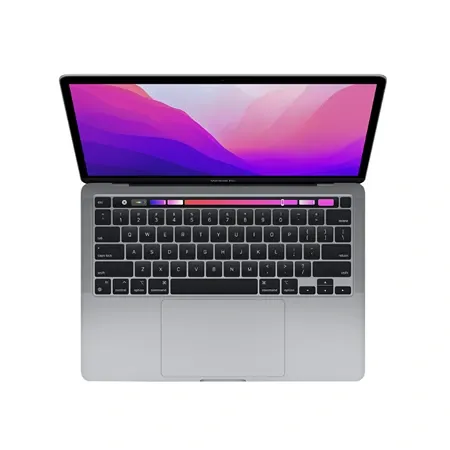
Apple MacBook Pro M4
Powerful M4 chip, industry-leading battery life, and vivid OLED screen make this the ultimate productivity tool.
The MacBook Pro M4 is Apple’s most advanced MacBook yet, purpose-built for students and professionals handling intensive tasks like video editing, coding, engineering simulations, and AI-enhanced workflows. With blistering speed, exceptional battery life, and a dazzling Liquid Retina XDR display, this 14-inch laptop stands out as a high-performance, long-lasting companion for college students who demand more from their machines.
Powered by the Apple M4 chip, the latest MacBook Pro boasts a 12-core CPU and 16-core GPU in its Pro-tier configurations, making it ideal for multitasking, creative workloads, and demanding academic software. Performance benchmarks confirm that the M4 chip delivers significant gains over previous models, excelling in CPU-heavy tasks and competing closely with premium Windows machines. Apple has also packed in neural processing units designed to accelerate Apple Intelligence features in macOS Sequoia, offering powerful on-device tools for writing assistance, media editing, and productivity enhancements.
Visually, the MacBook Pro remains a design icon. The aluminum chassis is sleek and solid, available in both Silver and Space Black without requiring an upgrade to higher-tier chips. At just 3.4 pounds, it’s surprisingly portable for a professional-grade laptop. The improved port selection includes three Thunderbolt 4 ports, HDMI, SDXC, and MagSafe 3 charging, offering more connectivity options than previous models. This flexibility makes it especially useful for students who use external monitors, cameras, or SD cards.
The 14.2-inch Liquid Retina XDR display continues to impress, now with an optional nano-texture coating that minimizes glare. The panel supports HDR with a peak brightness of 1,527 nits and 120Hz ProMotion refresh rate, resulting in stunning visuals with exceptional clarity and color accuracy. Whether you’re editing HDR video, working in bright environments, or reviewing diagrams outdoors, the display ensures an excellent viewing experience.
For students attending virtual lectures or conducting remote presentations, the new 12MP Center Stage webcam offers a meaningful upgrade. It keeps you centered in the frame and delivers clearer, more vibrant video, even in less-than-ideal lighting. Combined with the six-speaker sound system and studio-quality mics, the MacBook Pro M4 makes video conferencing seamless and professional.
Battery life is another standout feature. Apple claims up to 24 hours of video playback, and real-world testing supports up to 18.5 hours of web use, placing it among the longest-lasting laptops available. This endurance makes it easy to get through a full day of classes and assignments without scrambling for a charger.
Students exploring Apple Intelligence features will find the M4 MacBook Pro fully equipped. New tools like Writing Tools, Smart Siri, Clean Up in Photos, and iPhone Mirroring are deeply integrated into macOS Sequoia. These features streamline workflows and enhance productivity, especially when juggling academic writing, note-taking, and communication.
While its base configuration starts at $1,599, the 1TB SSD and nano-texture display version lands at $1,949. Even with a few drawbacks like slower SSD speeds compared to competitors and modest gaming performance, the MacBook Pro M4 sets a new benchmark for what a premium student laptop can deliver. It’s fast, polished, and built to last, making it an ideal investment for college students in technical or creative disciplines.
Best battery life
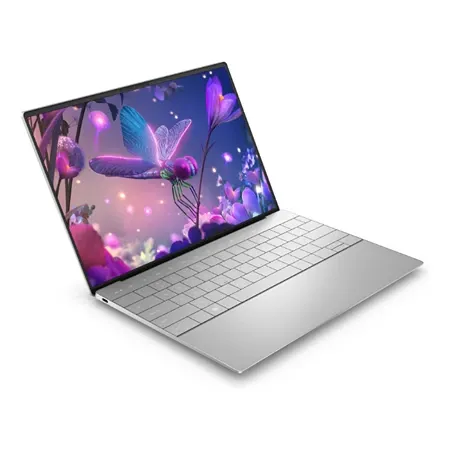
Dell XPS 13
This ultralight powerhouse blends a brilliant display with top-tier performance, perfect for working, creating, or streaming on the go.
The Dell XPS 13 reaffirms its place as a gold standard among ultraportable laptops. With a sleek, minimalist chassis, vibrant 13.4-inch display, and record-breaking battery life, this XPS model delivers a compelling experience for college students who need both portability and power. Featuring Qualcomm’s Snapdragon X Elite processor, it’s designed for extended productivity and efficient performance, whether you’re studying on campus or commuting across town.
At just 2.6 pounds and 0.6 inches thick, the XPS 13 is one of the most compact premium laptops available. The aluminum and Gorilla Glass 3 construction gives it a polished, durable feel, while Dell’s InfinityEdge display design ensures maximum screen real estate in a small footprint. The display itself offers a sharp 1920x1200 resolution with vibrant colors, excellent brightness (455 nits), and edge-to-edge clarity. Though it lacks OLED, the screen is ideal for document editing, video playback, and general browsing.
Inside, the Snapdragon X Elite X1E-80-100 chip drives impressive performance. This processor includes multiple performance and efficiency cores and delivers multi-threaded power that outpaces many Intel and Apple competitors in key benchmarks. The XPS 13 breezes through multitasking, video streaming, and everyday applications. Paired with up to 32GB of RAM and a 1TB SSD, it’s more than capable of handling academic workloads, even in demanding fields like engineering or data analysis.
One of the XPS 13’s standout achievements is battery life. In controlled tests, the laptop lasted nearly 20 hours on a full charge, making it the longest-lasting consumer-grade Windows laptop in its class. This level of endurance easily surpasses the MacBook Air M3 and most other ultraportables, offering true all-day performance without the need to carry a charger.
However, the futuristic design does come with trade-offs. The keyboard features capacitive touch function keys instead of physical ones, which may frustrate users who rely on tactile feedback for shortcuts. The keyboard itself spans nearly edge-to-edge and offers responsive, springy feedback, but the lack of traditional function keys could slow down power users. The touchpad is invisible to the eye but responsive under your fingers, another design flourish that looks clean but may take time to get used to.
Port selection is minimal, with just two Thunderbolt 4/USB-C ports and no headphone jack or USB-A. Dell no longer includes USB-C adapters in the box, so students relying on legacy accessories may need to purchase extra dongles. On the upside, ports are positioned on both sides, allowing for more flexible charging and cable management.
For students who prioritize battery life, portability, and a premium build, the Dell XPS 13 is an outstanding choice. It’s a fast, futuristic ultrabook that makes the most of Qualcomm’s powerful and efficient silicon. While its unconventional keyboard and limited ports may deter some users, those who embrace its forward-thinking design will find a laptop that performs all day, and then some.
Best touchscreen
Microsoft Surface Laptop 5 (Renewed)
A renewed 13.5-inch Surface Laptop 5 with a Core i7, 16GB of RAM, a 512GB SSD, and a sharp 3:2 touchscreen.
The Microsoft Surface Laptop 5 is no longer sold new, but renewed units are one of the best deals on a premium Windows laptop for students. A 13.5-inch model with a 12th Gen Core i7, 16GB of RAM, and a 512GB SSD costs about $480 through Amazon Renewed, less than half its original price.
You get an all-aluminum body that weighs about 2.8 pounds, a sharp 2256 x 1504 PixelSense touchscreen with a tall 3:2 shape that shows more of a document or web page at once, a comfortable keyboard, and Windows Hello face login. It works with the Surface Pen for handwritten notes. Thunderbolt 4 on the USB-C port means one cable can connect a dock with monitors and peripherals in a dorm room.
The 12th Gen Intel U-series chip handles web browsing, streaming, Microsoft 365, and video calls comfortably, but it’s slower and less efficient than newer laptop chips, and its fan spins up under heavy loads. Battery life is good rather than great, especially on a used battery, so plan to charge daily. Ports are limited to one USB-C, one USB-A, a headphone jack, and Microsoft’s Surface Connect charging port, and the 720p webcam is dated.
Microsoft’s six-year driver and firmware support for the Surface Laptop 5 runs to about October 2028, which covers a typical four-year degree. For students who want a premium-feeling touchscreen laptop for writing, research, and note-taking at a budget price, it’s a smart buy. Our Surface Laptop 5 review covers what to check when buying renewed.
Best lightweight
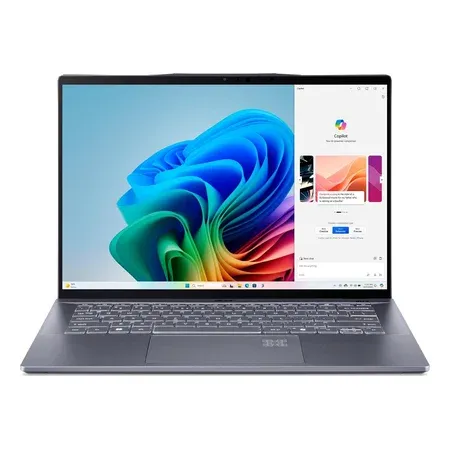
Acer Swift 14 AI
A 14.5-inch Snapdragon X Plus laptop with a 2560 x 1600 120Hz screen, 16GB of RAM, a 1TB SSD, and long battery life.
The Acer Swift 14 AI replaces the Acer Swift 5 we used to recommend here, which is no longer sold on Amazon. It keeps what made the Swift 5 a good campus laptop, a light aluminum body and a sharp 2560 x 1600 screen, and adds the long battery life of Qualcomm’s Snapdragon X Plus. Independent testing measured about 17 hours on a charge, enough for a full day of classes with plenty left over.
The 14.5-inch screen runs at 120Hz with a tall 16:10 shape that shows more of a document or lecture slide at once. With 16GB of memory and a 1TB SSD for about $900, it has more storage than most laptops at this price, and its two USB4 ports, two USB-A ports, headphone jack, and 1440p webcam cover lecture recordings, external drives, and video calls without dongles.
The trade-off is Windows on Arm. Most campus software, including Microsoft Office, Chrome, Zoom, and Adobe apps, runs well, but some games with anti-cheat, VPN clients, and specialized lab or engineering software that depends on custom drivers may not. If your program requires specific Windows software, check that it supports Arm before buying.
For students who want a light, long-lasting Windows laptop with a great screen and lots of storage, the Swift 14 AI is a smart, balanced choice. Our full Acer Swift 14 AI review has more detail.
Choosing the right laptop for college isn’t just about specs, it’s about finding the right balance between portability, power, battery life, and budget. Whether you’re attending lectures, working on group projects, editing media, or just trying to get through a long day on campus, the laptops in this guide offer reliable performance for a range of student needs. From lightweight ultrabooks like the Asus Zenbook 14 OLED to powerhouse options like the MacBook Pro M4, there’s a model here tailored for every kind of workflow and learning environment.
While premium devices like the MacBook Air or Dell XPS 13 offer the best all-around experience, more budget-conscious students can still find dependable workhorses like the Lenovo ThinkPad T480 that won’t let them down. It’s also worth considering how long you want your laptop to last, many of these picks are built to carry you through several years of college and beyond. No matter your major or daily routine, the right laptop will make a noticeable difference in how efficiently and comfortably you learn, create, and stay connected.