Laptop shopping gets confusing fast. The same name can cover a cheap screen, a beautiful screen, two generations of processors, and several memory options. A glowing review of one configuration may tell you very little about the version sitting in your cart.
Start with the work you do when your computer is busiest. Writing and office work do not need a dedicated graphics card. Long video exports and 3D projects often do. A convertible hinge is useful if you take handwritten notes, but it adds weight that makes little sense if the screen never leaves laptop mode.
The goal is not to buy the most computer you can afford. It is to pay for the parts you will notice and skip the ones you will not. That usually means choosing the operating system first, then deciding how much screen, battery life, and sustained performance your routine calls for.
Best windows laptop
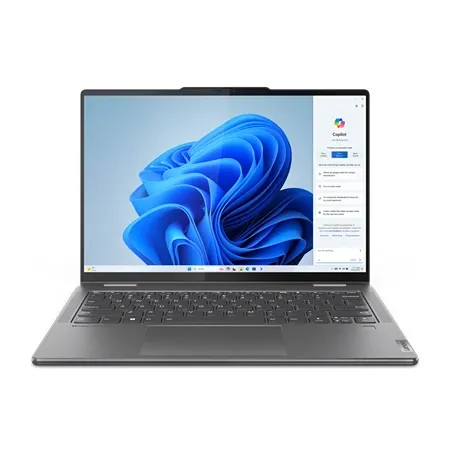
Lenovo Yoga 7i 2-in-1 Gen 10
A well-rounded 14-inch convertible with an OLED touchscreen, Core Ultra 7 processor, 16GB of memory, 1TB SSD, and an included pen.
A good everyday Windows laptop should not need much explaining. It should feel quick, have a screen you enjoy looking at, and connect to the things already on your desk. The Lenovo Yoga 7i 2-in-1 Gen 10 gets those basics right, then adds a convertible hinge and pen without turning into a bulky specialist machine.
The Core Ultra 7 256V configuration has 16GB of memory and a 1TB SSD, which is enough for office apps, crowded browser sessions, video calls, and lighter photo work. It does not have a dedicated GPU, and that is fine. Most people shopping for a portable Windows laptop would get more use from longer battery life and less fan noise than extra gaming power.
Its 14-inch OLED touchscreen is the part you will notice first. Text looks sharp at 1920 by 1200, black levels are genuinely black, and the taller 16:10 shape makes documents less cramped. This is the 60Hz panel, not Lenovo’s more expensive 120Hz option. It is also glossy, so a seat beside a bright window can turn the screen into a mirror.
The hinge earns its keep for handwritten notes, PDF markup, and movies in tent mode. Lenovo includes a pen with this configuration, which saves an annoying second purchase. Just keep expectations sensible. At roughly three pounds, the Yoga works better propped on a desk or lap than held like an iPad.
Lenovo did not sacrifice useful connections to make the chassis thin. Two Thunderbolt 4 ports, two USB-A ports, HDMI, microSD, and a headphone jack cover most desks without a hub. The 5MP infrared camera is also a welcome step up from the fuzzy webcams that still linger in otherwise expensive Windows laptops.
The one decision you cannot revisit is memory. Its 16GB is soldered, so virtual machines and unusually large creative projects may justify a 32GB configuration. Everyone else gets a polished, flexible Windows laptop with few daily annoyances. That is a more valuable kind of “best” than winning a benchmark you will never run.
Best MacBook for most people
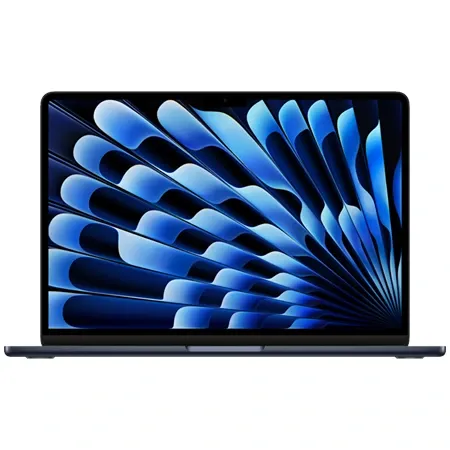
Apple MacBook Air M5
Apple's current 15-inch Air combines the M5 chip, 16GB of unified memory, a 512GB SSD, Wi-Fi 7, and a silent fanless design.
Most people considering a MacBook Pro would be happier with the 15-inch MacBook Air M5. It is quiet, thin, and fast enough that ordinary work never feels like a compromise. This 16GB configuration also starts in the right place with a 512GB SSD.
The M5 chip handles writing, research, coding, large browser sessions, and moderate photo or video editing with room to spare. Apple keeps the Air fanless, so it makes no noise at all. That silence has a limit. A long export can heat the chassis and slow the chip, which is when the MacBook Pro’s cooling system begins to justify its extra cost.
The 15.3-inch display gives spreadsheets and split-screen windows enough room to breathe, yet the machine is still easy to carry. It is bright, sharp, and color accurate. It is not the Pro’s HDR display, and scrolling stays at 60Hz, but neither omission makes email, Lightroom, or a dozen Safari tabs worse to use.
Small details sell the Air more convincingly than another processor chart. The trackpad is huge and precise. MagSafe leaves both Thunderbolt ports free while charging. The 12MP Center Stage camera looks much better than the old 720p MacBook cameras, and the six-speaker system is unusually full for a laptop this thin.
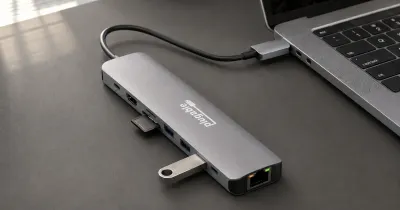
Two ports can still feel stingy. Anyone who regularly uses SD cards, HDMI, or several USB devices will need a hub, and neither storage nor memory can be upgraded later. Apple’s upgrade prices hurt, but buying too little storage hurts longer.
Choose the 13-inch version if every ounce matters. Otherwise, the 15-inch model is the easy Mac recommendation for people who want more room without carrying a workstation. The Pro is better at sustained heavy work. For nearly everything else, the Air is the nicer laptop to live with.
Best budget laptop
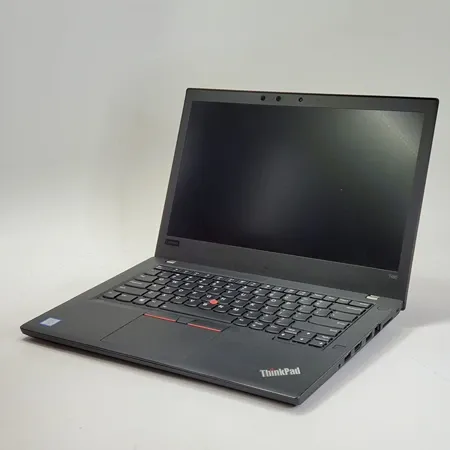
Lenovo ThinkPad T480
A renewed business laptop with a Core i5-8350U, 16GB of replaceable memory, a 512GB SSD, a strong keyboard, and unusually useful ports.
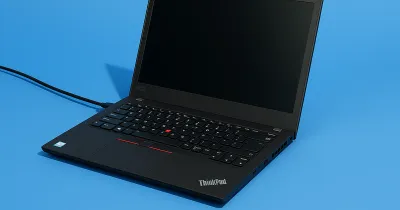
The ThinkPad T480 might seem like an odd recommendation in 2026. It launched in 2018, looks every bit like an office laptop, and is thicker than current budget machines. It is also repairable, comfortable to type on, and cheap enough that its age can be a feature rather than a flaw.
It’s got a Core i5-8350U, 16GB of memory, a 512GB SSD, and a 1080p display, which is a combination that is still perfectly usable for documents, browsing, streaming, remote access, and basic programming. If you need a simple laptop for daily work like that, the T480 has more than enough horsepower to handle it.
What you get for the money is old-fashioned practicality. The keyboard has more travel than most new ultraportables, and the chassis has Thunderbolt 3, USB-C, USB-A, HDMI, Ethernet, and a full-size SD card slot. Memory and storage are accessible. Parts are common. If something wears out, the first answer does not have to be “replace the whole laptop.”
Its dual-battery system is particularly clever. A small internal pack keeps the machine running while you swap the removable external battery. The catch is obvious once you remember the T480’s age. Original batteries can be tired, and a renewed seller may use replacements of uneven quality.
Treat the return window as an inspection period. Confirm the 1080p screen, 16GB of memory, and 512GB SSD. Check battery health, every USB-C port, the keyboard backlight, and the included charger. Renewed laptops vary in a way sealed new products do not, and the low price only works if you receive the machine described.
An eighth-generation Core i5 supports Windows 11, but the integrated graphics rule out modern gaming, local AI workloads, and serious video work. Buyers who want a spotless chassis, a fresh battery, and a simple manufacturer warranty should buy a new budget laptop. If a great keyboard, cheap parts, and easy repairs matter more, the T480 remains hard to replace. Our full T480 review goes deeper on our firsthand experience with it.
Best chromebook
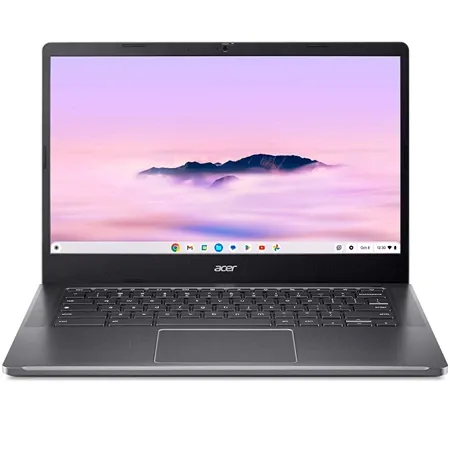
Acer Chromebook Plus 514
A capable 14-inch Chromebook Plus with a Core 3 N355 processor, 8GB of memory, 512GB SSD, and a 1920 by 1200 touchscreen.
ChromeOS makes this buying decision refreshingly simple. If your work happens in a browser, the Acer Chromebook Plus 514 gives you good hardware without the maintenance and clutter of a cheap Windows installation. If you depend on specialized desktop software, no amount of Chromebook polish will make it the right computer.
The CB514-6HT-368E has an Intel Core 3 N355 processor, 8GB of memory, and a roomy 512GB SSD. ChromeOS does not ask much from that hardware. Busy tab sessions, Google Docs, messaging apps, music, and a video call can coexist without the machine feeling like a bargain-bin Chromebook.
A 14-inch, 1920 by 1200 touchscreen is the best part of the package. Its 16:10 shape shows more of a document, and the matte finish keeps reflections under control. Color and contrast are ordinary. That is acceptable for schoolwork and streaming, but photographers should look elsewhere.
The 514 weighs a little over three pounds and has both USB-C and USB-A connections. Its keyboard is comfortable enough for a long paper, and light work should fit within a school or work day on battery. The webcam and speakers are merely adequate, and the hinge does not fold flat into a tablet.
That short list of complaints says a lot about what Acer got right. This is not an exciting laptop, and it does not need to be. It starts quickly, stays out of the way, and has enough performance to avoid the frustration that gave cheap Chromebooks a bad reputation.
Best MacBook for performance
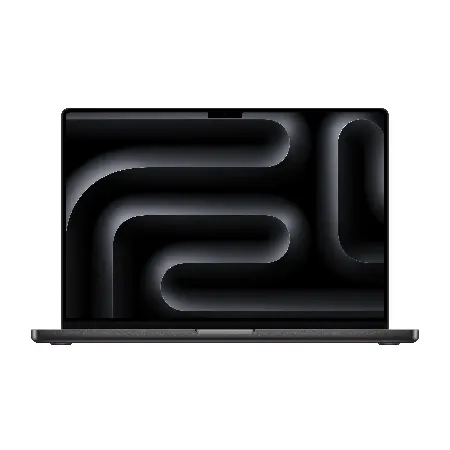
Apple MacBook Pro M5 Pro
The current 14-inch MacBook Pro pairs an M5 Pro chip, 24GB of unified memory, 1TB SSD, Liquid Retina XDR display, and Thunderbolt 5.
The 14-inch MacBook Pro with M5 Pro is for work that stays difficult long enough to make cooling, memory bandwidth, and GPU power matter. Large software builds, high-resolution video timelines, and complex photo projects are where the extra hardware starts paying back its cost.
This configuration pairs a 15-core CPU and 16-core GPU with 24GB of unified memory and a 1TB SSD. An M5 Max can finish some GPU-heavy jobs faster, but it is aimed at narrower workflows and costs considerably more. The M5 Pro is the better fit for most working professionals.
Its 14.2-inch Liquid Retina XDR display is mini-LED, not OLED. HDR footage looks superb, scrolling is smooth at up to 120Hz, and the screen can get bright enough to work in difficult rooms. Mini-LED can produce a faint halo around bright objects on black backgrounds, but it avoids many of the long-term concerns associated with static elements on OLED.
Apple also gives the Pro the ports missing from the Air. Three Thunderbolt 5 connections sit beside HDMI, SDXC, MagSafe, and a headphone jack. The camera, microphones, and six-speaker system are good enough that you do not immediately need accessories for calls or a rough audio edit.
The added performance comes with a few practical tradeoffs. The Pro is heavier than the Air, and higher memory or storage configurations raise the price quickly. Neither can be upgraded later, so it is worth choosing the right setup from the start. Its fans are audible during demanding work, but they also let the M5 Pro maintain its speed through long renders and builds.
For video editors, developers, and other professionals working with large projects, that sustained performance can make the M5 Pro a worthwhile upgrade. It cuts the wait on demanding exports, renders, and compile jobs while keeping the excellent display, strong battery life, and compact 14-inch design. The M5 Max can post higher numbers, but the M5 Pro is the performance model that makes sense for a much wider group of professionals.
Best performance windows laptop
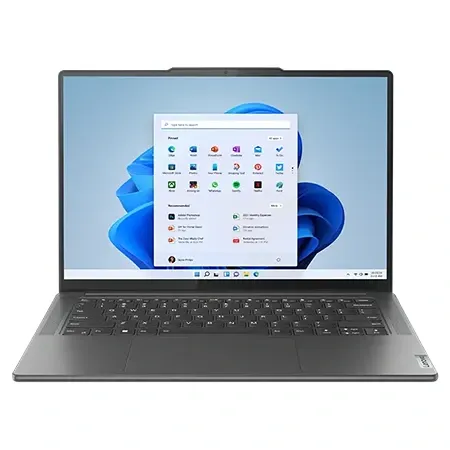
Lenovo Yoga Pro 9i Gen 10
A 16-inch creator laptop with a Core Ultra 9 processor, GeForce RTX 5050 graphics, 32GB of memory, 1TB SSD, and a 120Hz OLED touchscreen.
The Yoga Pro 9i Gen 10 is not the Windows answer to every MacBook Pro. It is bigger, louder under load, and less efficient away from an outlet. It also runs Windows software, has Nvidia graphics, and gives creative apps a touchscreen. For the right workflow, those differences matter more than a battery chart.
A Core Ultra 9 285H processor sits alongside an RTX 5050 with 8GB of video memory, 32GB of system memory, and a 1TB SSD. It has the hardware for video editing, GPU-accelerated effects, 3D work, and creative software that either prefers Nvidia or does not run on macOS.
Its 16-inch OLED touchscreen has a 2880 by 1800 resolution and a 120Hz refresh rate. It is a lovely place to edit, especially when a timeline and several tool panels need to share the screen. The glossy finish reflects bright rooms, and anyone keeping static editing interfaces open all day should use sensible display-sleep settings.
The keyboard and touchpad are comfortable for long sessions, while Thunderbolt 4, USB-C, USB-A, HDMI, and an SD card reader keep most accessories off a dock. A 5MP infrared camera and Wi-Fi 7 round out a machine that feels designed for work rather than dressed up after the fact.
Portability is where the bargain comes due. The chassis is large, the fans make themselves known during GPU work, and battery life under light use trails the MacBook Air. USB-C charging is handy in a pinch, but the processor and GPU need Lenovo’s higher-wattage brick for full performance. Leave it at home and the laptop may slow down or lose charge during a heavy session.
A thicker gaming laptop can deliver more frames per dollar, so gamers should shop there first. The Yoga makes sense for someone who wants a high-quality OLED workspace, broad Windows compatibility, and Nvidia acceleration in a machine that still looks at home in a meeting. That is a narrower audience than “anyone who wants a fast laptop,” but it is the audience this model serves well.
Choose for the hardest hour of your normal week, not the most demanding task you might attempt once a year. Paying for a powerful GPU makes sense when it saves time every day. Paying for it to browse the web gives you more weight, more heat, and a larger charger.
The less glamorous details often decide whether a laptop is pleasant to own. Check the exact screen, memory, storage, ports, charger, and warranty before buying. Those choices will affect you long after the excitement of a new processor has worn off.