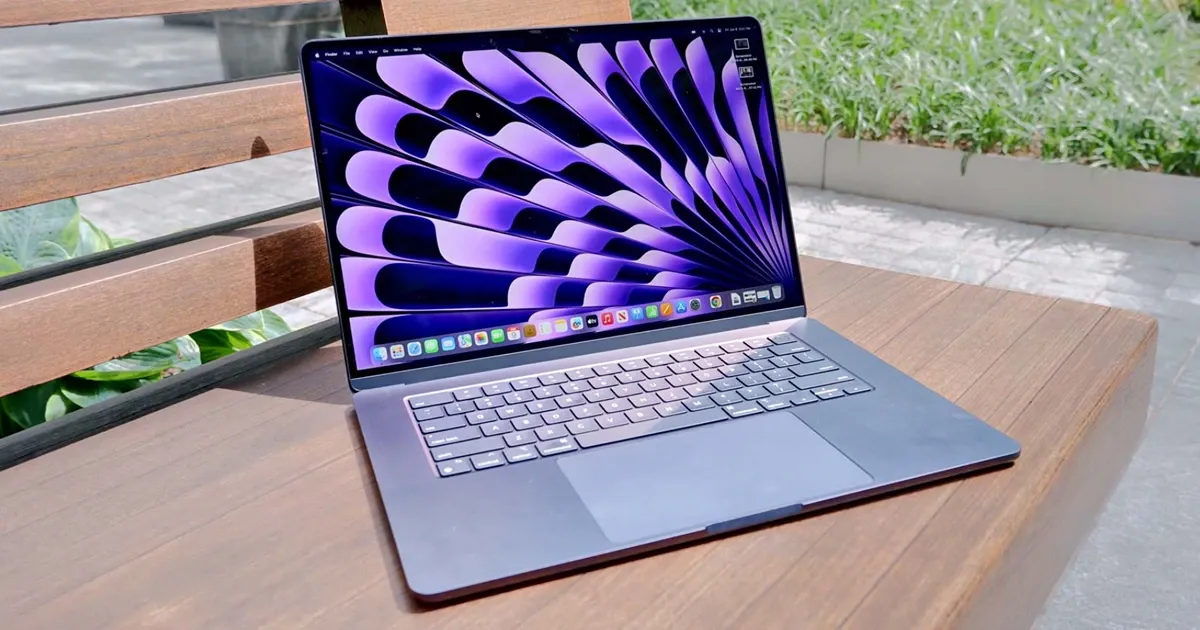
The Apple MacBook Air 15-inch with M4 is now best understood as a previous-generation value buy rather than the newest MacBook Air. That matters because the core machine is still excellent: thin, silent, beautifully built, and more than fast enough for school, writing, office work, browsing, video calls, and light creative projects.
When it was released, reviewers praised the M4 Air for improving performance, adding better external-display support, and making 16GB of memory standard on base configurations. In 2026, the question is different: if you can find the M4 model below current-generation pricing, it still belongs in the conversation with the best laptops.
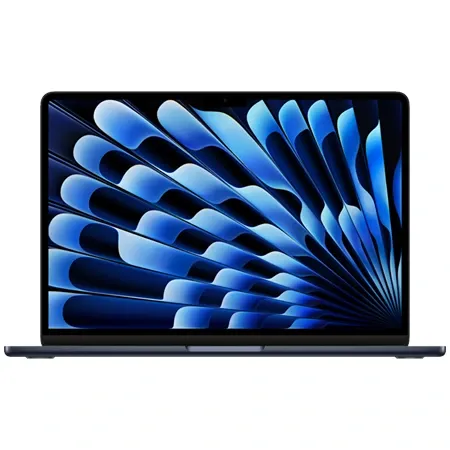
Previous-Generation MacBook air value
Apple MacBook Air 15-inch Laptop with M4 chip
Powerful 15-inch laptop with Apple's M4 chip, all-day battery life, vivid display, and a sleek, lightweight build.
MacBook Air M4 Review: Quick Verdict
The short version: the 15-inch MacBook Air M4 is still a terrific everyday laptop if the price is right. It has the big-screen comfort many people want without the weight or fan noise of a MacBook Pro, and the M4 chip gives it enough performance for years of normal use.
The main reason to hesitate is timing. Apple has already moved the MacBook Air line forward, so you should compare prices carefully. If the M4 is only slightly cheaper than the current model, buy the newer one. If it is meaningfully discounted, the M4 Air remains one of the nicest general-purpose laptops you can buy.
MacBook Air M4 specs at a glance
| Spec | Value | Note |
|---|---|---|
| Chip | Apple M4 | Fast enough for productivity, school, and light creative work |
| Display | 15.3-inch Liquid Retina | 2880-by-1864 resolution at 224 ppi |
| Memory | 16GB unified memory base | A meaningful improvement over older 8GB base Macs |
| Battery | Up to 18 hours video playback | All-day battery life for typical use |
| Weight | About 3.3 pounds | Large screen without MacBook Pro bulk |
What the MacBook Air M4 Specs Mean
The M4 chip is not the newest Apple laptop chip anymore, but it is still fast. For writing, spreadsheets, browser-heavy work, coding, photo edits, streaming, and video calls, the laptop feels immediate. The bigger benefit over older Airs is the overall platform: 16GB of unified memory as a common base configuration, better webcam hardware, and support for two external displays while the laptop screen stays open.
The 15.3-inch display is the reason to buy this model over the smaller Air. It gives you more room for split-screen work, timelines, documents, and research without making the laptop feel like a workstation brick. At about 3.3 pounds, it is still easy to carry.
Key Benefits of the MacBook Air M4
The Big-Screen Air Formula Still Works
The 15-inch Air is one of Apple’s best everyday laptop ideas: give people the roomy screen they want, but keep the machine thin, quiet, and simple. The M4 version does that beautifully. It is large enough to work on comfortably for hours but still light enough for a backpack.
That makes it especially good for students and hybrid workers. You get a bigger canvas for notes, slides, spreadsheets, and web research without needing to step up to a heavier MacBook Pro.
Fast Enough for Normal People for Years
The M4 Air is not a workstation, and that is fine. Its job is to feel fast in the work most people actually do. For office apps, web apps, email, light coding, photo organization, streaming, and casual creative projects, it has plenty of headroom.
The fanless design means it stays silent, which is wonderful for classrooms, bedrooms, offices, and cafes. The trade-off is sustained performance. If you run long exports, heavy 3D workloads, or professional video projects, a MacBook Pro with active cooling is the better tool.
Better External Display Support Than Older Airs
One of the most useful M4-era upgrades was external-display support. Older Airs were more limited; the M4 model can support two external displays while still using the built-in display. For people who dock their laptop at a desk, that is a real quality-of-life improvement.
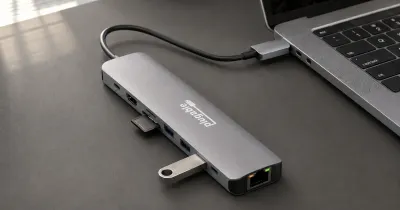
The port selection is still minimal: MagSafe, a headphone jack, and two Thunderbolt ports. You will probably want a hub if you use monitors, storage, Ethernet, or SD cards.
Design, Build Quality, and Everyday Fit
The design is classic modern MacBook Air: aluminum body, thin wedge-less profile, excellent haptic trackpad, comfortable Magic Keyboard, and a display notch that disappears once you stop thinking about it. The speakers are also better than most Windows laptops in this class, especially on the 15-inch model.
The build still feels premium. There is a reason reviewers often call the Air a no-fuss recommendation: it gets the basics right in a way that makes the laptop easy to trust.
Who Should Buy the MacBook Air M4?
Buy the MacBook Air M4 if you want a large-screen Mac for school, writing, business, web work, or general home use and can find it at a strong discount. It is a particularly good fit for students, writers, consultants, teachers, and anyone upgrading from an older Intel MacBook or M1 Air.
It also makes sense if you want a quiet laptop and do not need the extra ports, display quality, or sustained performance of the MacBook Pro.
What to Consider Before Buying
Because this is a previous-generation model, price is everything. Do not overpay for old inventory. Compare the M4 against the current MacBook Air, especially if you are buying directly from a major retailer rather than used or refurbished.
Storage is the other decision. If you plan to keep the laptop for years, 512GB is more comfortable than 256GB. Apple’s storage upgrades are expensive, but running out of space is worse.
Final Verdict: Is the MacBook Air M4 Worth It?
Yes, the MacBook Air M4 is still worth it as a discounted or refurbished buy. It is not the newest Air anymore, but it remains fast, quiet, portable, and beautifully rounded for everyday work.
If the discount is meaningful, the 15-inch M4 Air is one of the best ways to get a premium big-screen Mac without paying MacBook Pro prices.