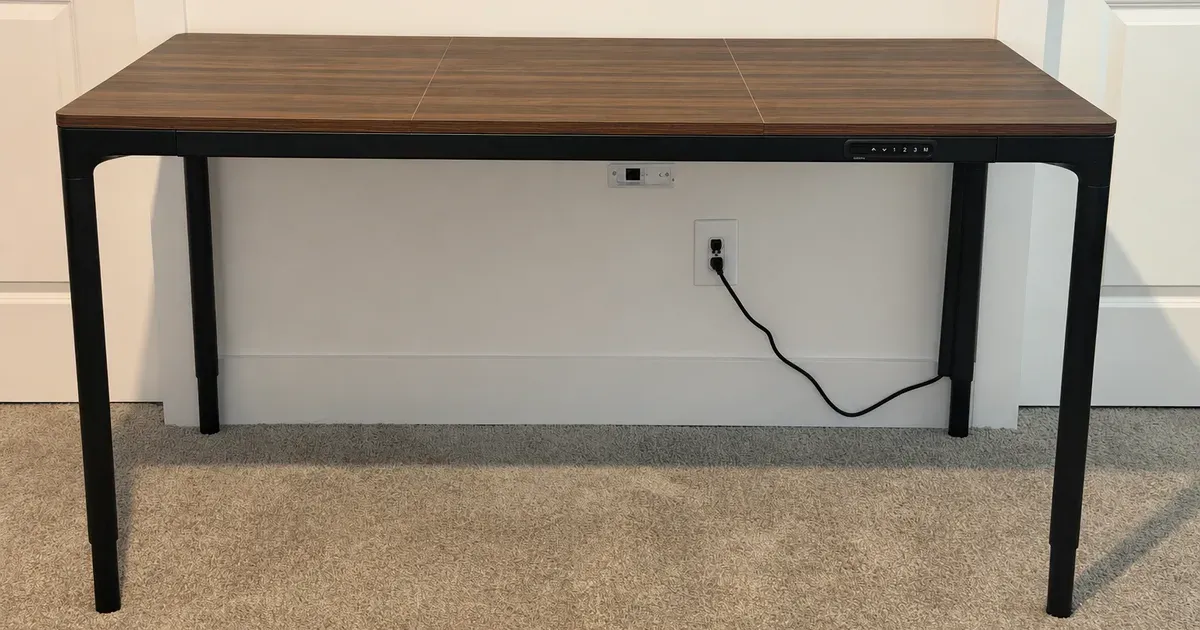
The UPLIFT QuadZen Standing Desk is the best-looking standing desk I’ve used, and it’s my second desk. I love the built-in keypad, which makes the whole desk look much sleeker, and it moves up and down very smoothly. It was easy to assemble, it’s stable, and I’d happily order it again.
The short answer: at $849, this is the UPLIFT desk to buy when looks and simplicity matter most. The tradeoff is less flexibility than the V3 line, including one size, one finish, and a narrower height range.
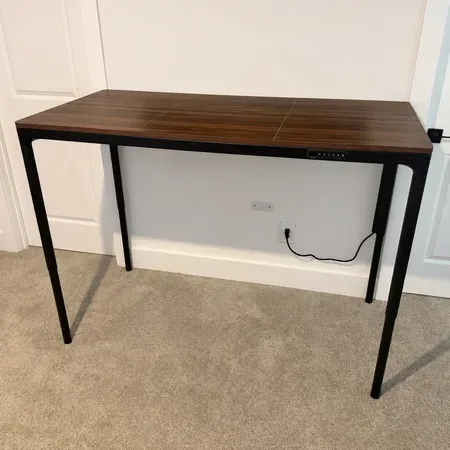
Best-Looking UPLIFT standing desk
UPLIFT QuadZen Standing Desk
A sleek four-leg standing desk with a built-in keypad, smooth movement, and easy assembly.
UPLIFT QuadZen Review: Quick Verdict
Many standing desks look like office equipment. This one looks better in a room, and because there’s just one version to buy, it’s simple from the start. I’ve had it for the past couple of months as a second desk, and it’s been easy to live with.
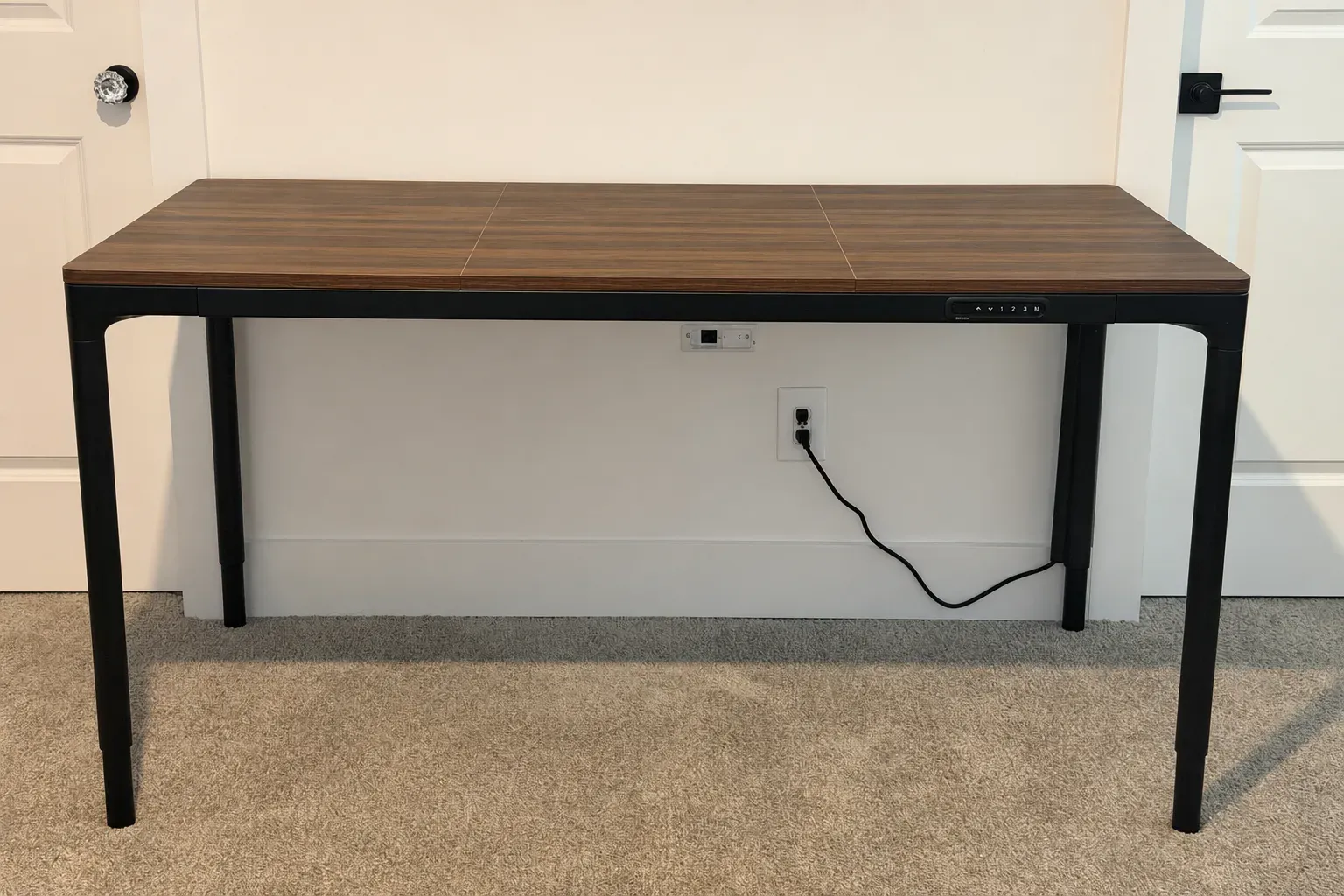
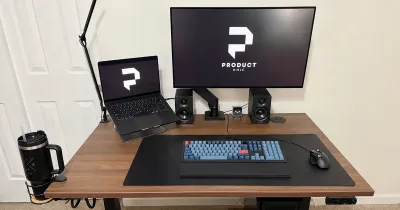
I have a separate main desk, so the QuadZen doesn’t have to carry a full workstation. I use it for product testing, photos, and creative projects, the kind of work I’d rather keep off my main desk. For that job, a clean 60-by-30-inch surface that I can raise or lower in seconds has been ideal.
UPLIFT QuadZen specs
| Spec | Value | Note |
|---|---|---|
| Price | $849 | |
| Desktop | 60 x 30 x 0.75 inches | English walnut laminate, in three pieces |
| Height range | 27.4 to 44.7 inches | |
| Frame | Parsons, 4 legs with 4 motors | |
| Legs | 1.7-inch diameter, cylindrical | |
| Lift capacity | 220 pounds | |
| Speed | 1.3 inches per second | |
| Keypad | Built into the frame | 3 programmable memory presets, auto-dimming display, safety lock |
| Cable management | Upper-frame and leg channels | |
| Safety | Anti-collision that stops and reverses | |
| Included | 35.4 x 15.7 inch black mousepad |
What the UPLIFT QuadZen Specs Mean
The QuadZen is UPLIFT’s take on a classic four-leg Parsons desk, with a motor in each leg. Those four motors work in sync, and together they lift up to 220 pounds. That’s less than UPLIFT’s V3 frames, but it’s still plenty for a monitor, a laptop, lights, and the gear I’m testing on any given day.
The height range is 27.4 to 44.7 inches, which is the spec I’d check most carefully. It’s narrower than the V3’s range at both ends, so very short or very tall people should measure before ordering. I cover how to check that below.
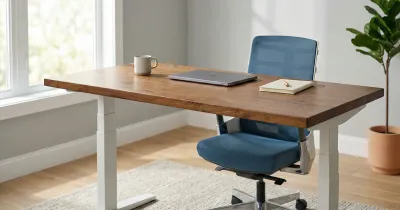
The top is a 60-by-30-inch English walnut laminate that ships in three pieces. It’s a full-size desk, not a compact one, with enough depth for a monitor at a comfortable distance and room to spread out.
The Built-In Keypad Is the Best Part
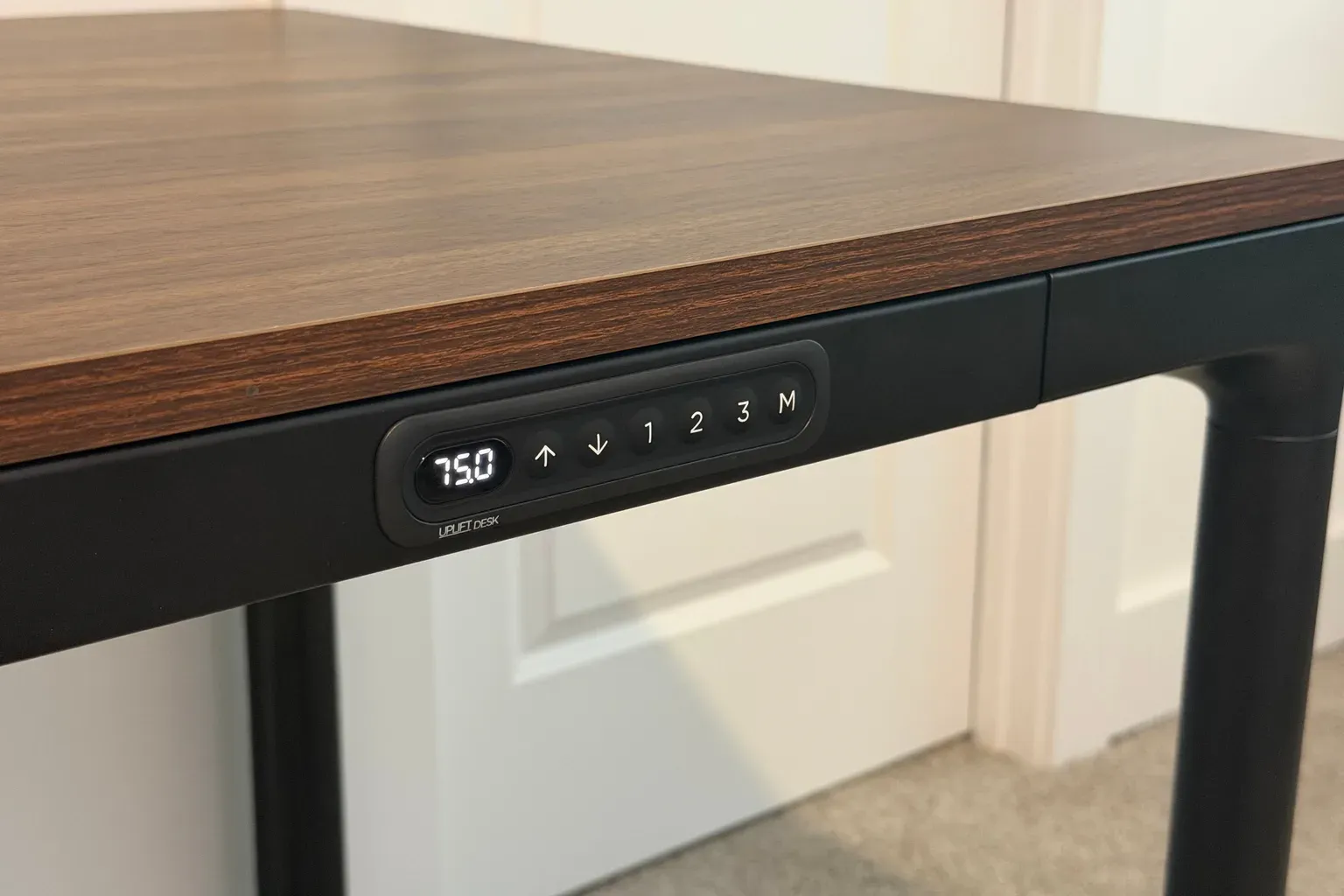
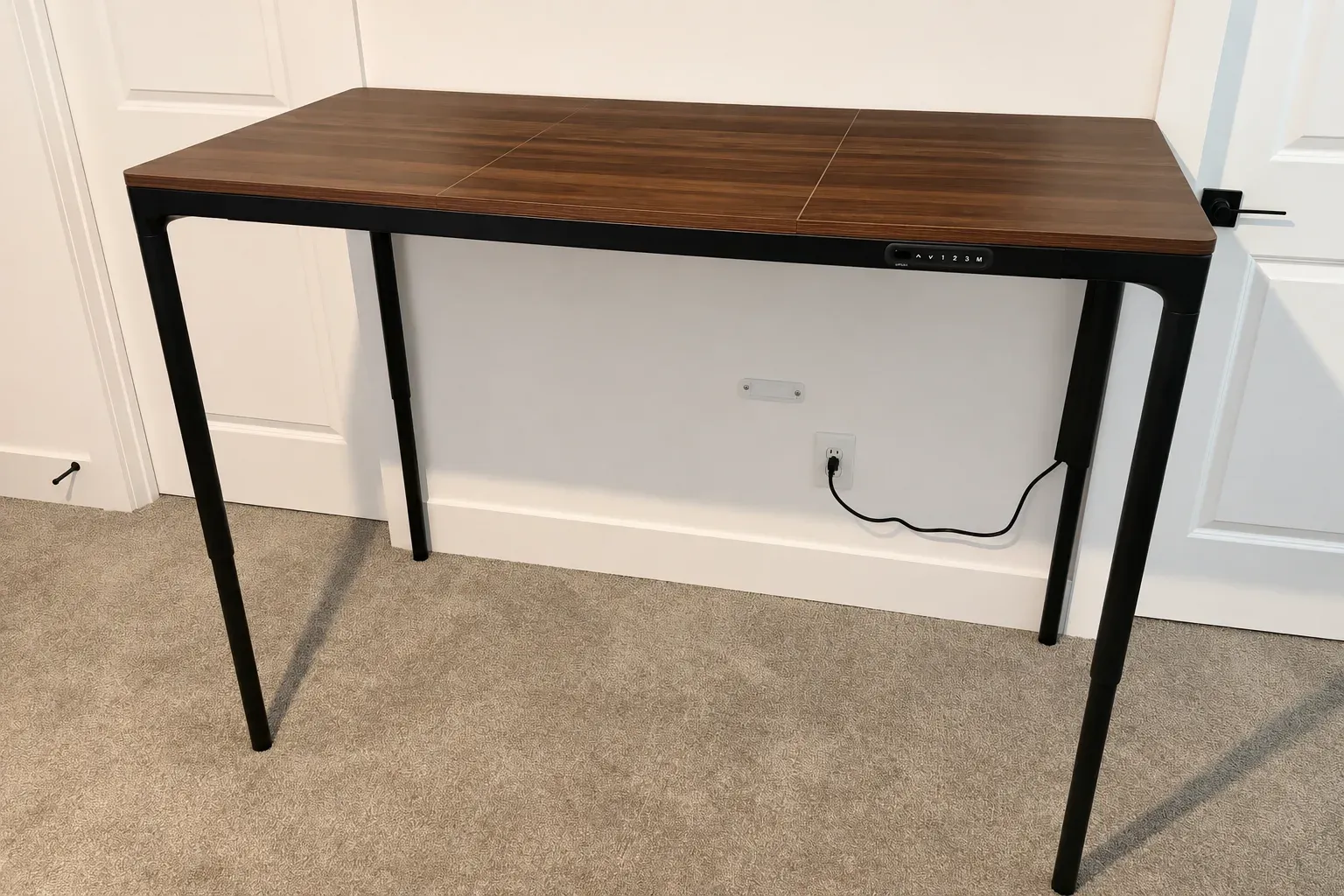
This is what I’d single out. The keypad is built into the frame, so there isn’t a separate box hanging under the front edge of the desk. It’s a small detail, but it makes the whole desk look much sleeker.
Three Presets and a Clear Display
It has three programmable memory presets, so you can move to a saved height with one press. There are up and down buttons for fine adjustments, and the M button saves a height to a preset. The display shows the current height, and UPLIFT says it dims automatically, so it isn’t bright when you’re not using it.
UPLIFT also lists a safety lock, which keeps the desk from moving if someone presses a button by accident. That’s useful if kids or pets are around the desk.
Why Flush Matters
On most standing desks, the keypad is a separate controller screwed to the underside of the front edge. It works, but it’s the first thing your eye goes to, and it’s easy to knock with a knee or a chair arm. The QuadZen’s keypad sits flush with the frame. UPLIFT says that prevents accidental bumps, and it also keeps the front of the desk clean.
How It Moves
The QuadZen moves up and down very smoothly. UPLIFT uses four synchronized motors, with a speed of 1.3 inches per second, and an anti-collision system with adjustable sensitivity that stops and reverses if the desk hits something.
That speed is slower than the roughly 2 inches per second on the V3 frame. Going from sitting to standing takes a few more seconds than on a V3 frame. But smooth is what stands out to me when I use it, and a desk that starts and stops gently is a good fit when there’s a product or a camera on top.
Design and Stability
It looks better in a room than a typical standing desk, with four legs at the corners instead of a more industrial-looking frame. If your desk is in a shared part of your home, or you just care how it looks, that’s a real reason to choose this one.
Steadier Than My Two-Leg V3
It’s steadier at standing height than my two-leg UPLIFT V3. The QuadZen’s legs are slim and its lift capacity is lower, but four legs at the corners give it a wider, more balanced base than a two-leg frame, and that shows up when the desk is raised. If you’ve had a desk that sways when you type standing up, a four-leg design like this is the fix.
Slim Legs and a Three-Piece Top
The legs are 1.7-inch cylinders, which is part of why the desk looks lighter than most standing desks. The upper frame is slim too, and the black finish keeps the focus on the walnut top.
The top comes in three pieces, so you can see two thin seams across the surface up close. They’re part of why the desk fits in one compact box. If you want a single continuous surface, though, that’s something to know before ordering.
How I Use It: Product Testing and Creative Work
The QuadZen is my second desk, and I use it for product testing, product photos, and hobby projects.
That kind of work benefits from a desk that changes height. Unboxing and testing is easier standing up, photos sometimes need the surface at a specific height, and creative projects are easier to spread out on a big, clear top. Since it’s a second desk, it doesn’t need to hold a permanent setup, so it’s easy to clear off and set to whatever height the job needs. Three presets cover a sitting height, a standing height, and one more for a project.
Cable Management
UPLIFT routes cables through a hollow upper frame, and it includes a 19.7-inch cable channel that snaps onto a leg to hide the power cord. That keeps the frame looking clean, which suits the desk’s minimal look.
There’s no big under-desk tray like the V3’s FlexMount Cable Manager, so a desk with lots of power bricks and cables takes more planning. For a second desk with only a few cables, it’s been plenty.
Assembly and Setup
Mine was easy to assemble. I put it together alone in under an hour. UPLIFT ships the desk, including the three-piece desktop, in one compact box, along with the keypad, cable channel, and mousepad.
Because the top is in three pieces, none of the parts are too big or heavy to handle alone. You attach the pieces to the frame, connect the legs, and the keypad is already part of the frame, so there’s no separate controller to mount.
QuadZen vs. V3
The QuadZen’s simplicity means fewer choices than UPLIFT’s V3 line. I also own a two-leg V3, and the differences come down to flexibility versus looks and steadiness.
UPLIFT QuadZen and V3 specs
| Spec | QuadZen | V3 |
|---|---|---|
| Desktop | 60 x 30 inches only | 42 to 80 inches wide, 24 or 30 inches deep |
| Height range | 27.4 to 44.7 inches | 22.6 to 48.7 inches (1-inch top) |
| Legs and motors | 4 | 2 |
| Lift capacity | 220 pounds | 355 pounds |
| Speed | 1.3 inches per second | About 2 inches per second |
| Keypad | Built into the frame | Separate, chosen in the configurator |
- Size: there’s one 60-by-30-inch laminate top, with no other sizes or finishes.
- Height range: the V3 goes lower and higher, so very short or very tall people may want to check this first.
- Lift capacity: 220 pounds is plenty for many desks, but the V3 lifts more, and UPLIFT lists 535 pounds for its V3 four-leg frame.
- Speed: the V3 is faster, though the QuadZen’s smooth starts and stops suit what I use it for.
In return, the QuadZen is steadier at standing height than my two-leg V3, and its built-in keypad looks much cleaner. If you want to customize everything, get a UPLIFT V3 Standing Desk, or the V3 four-leg desk if you also want four legs.
Will the QuadZen’s Height Range Fit You?
Because the range is narrower than most standing desks’, it’s worth checking before you order. Here’s a simple way to do it:
- Standing: stand in the shoes you’d wear at the desk, let your arms hang, and bend your elbows to about 90 degrees. Measure from the floor to the underside of your forearm. That’s roughly the desktop height you want.
- Sitting: do the same in your desk chair, with your feet flat on the floor.
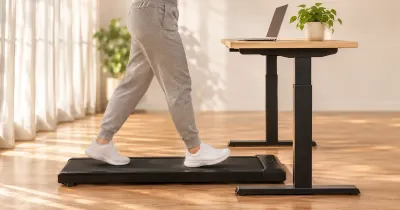
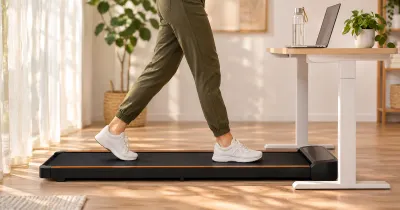
If your standing number is above 44.7 inches, the QuadZen won’t get tall enough. If your sitting number is below 27.4 inches, it won’t get low enough, although a taller chair or a footrest can make up a little of that difference. If you plan to use a walking pad, add its deck height to your standing number, since that pushes the desk higher still.
Who Should Buy the UPLIFT QuadZen?
Buy it if you want a good-looking desk for a visible part of your home, you like the idea of a built-in keypad, you want a steady four-leg frame, or you want one simple option without a configurator. It’s also a good second desk for projects, as it is for me.
Skip it if you need a wider height range, you want a different size or finish, or you want the most capable UPLIFT frame.
What to Consider Before Buying
- Check the height range against your own measurements.
- Plan for power. The QuadZen’s keypad has no USB ports, so plan where you’ll charge things.
- Know about the seams. The three-piece top has two visible seams.
- Know the return terms. UPLIFT offers a 30-day trial with free returns from the contiguous U.S. for like-new products in their original packaging, and a 15-year warranty on nearly everything it sells.
Is the UPLIFT QuadZen Worth It?
For me, yes. I’d buy it again. It’s easy to set up, it’s stable, it moves smoothly, and it looks great.
At $849, you get a full-size top, a four-leg frame, and a design that doesn’t look like office furniture. If its height range fits you, it’s the UPLIFT desk I’d pick for a room where looks matter.
UPLIFT QuadZen FAQ
How much does the UPLIFT QuadZen cost?
It costs $849, including the frame, desktop, keypad, cable management, and mousepad.
What sizes does the UPLIFT QuadZen come in?
UPLIFT sells one size: 60 by 30 inches, in English walnut laminate.
Is the UPLIFT QuadZen stable?
Mine is. It’s steadier at standing height than my two-leg V3.
Is the UPLIFT QuadZen easy to assemble?
Mine was. I put it together alone in under an hour, and everything comes in one box.
What is the UPLIFT QuadZen height range?
It adjusts from 27.4 to 44.7 inches.
Does the UPLIFT QuadZen have a built-in keypad?
Yes. It’s built into the frame and has three memory presets. It’s my favorite feature on the desk.
How fast is the UPLIFT QuadZen?
UPLIFT lists 1.3 inches per second, slower than the V3’s roughly 2 inches per second. It moves very smoothly.
What’s the difference between the QuadZen and the V3?
The QuadZen is one fixed package with a sleeker built-in keypad and four legs. The V3 offers many more sizes and tops, a wider height range, and a higher-capacity frame.