
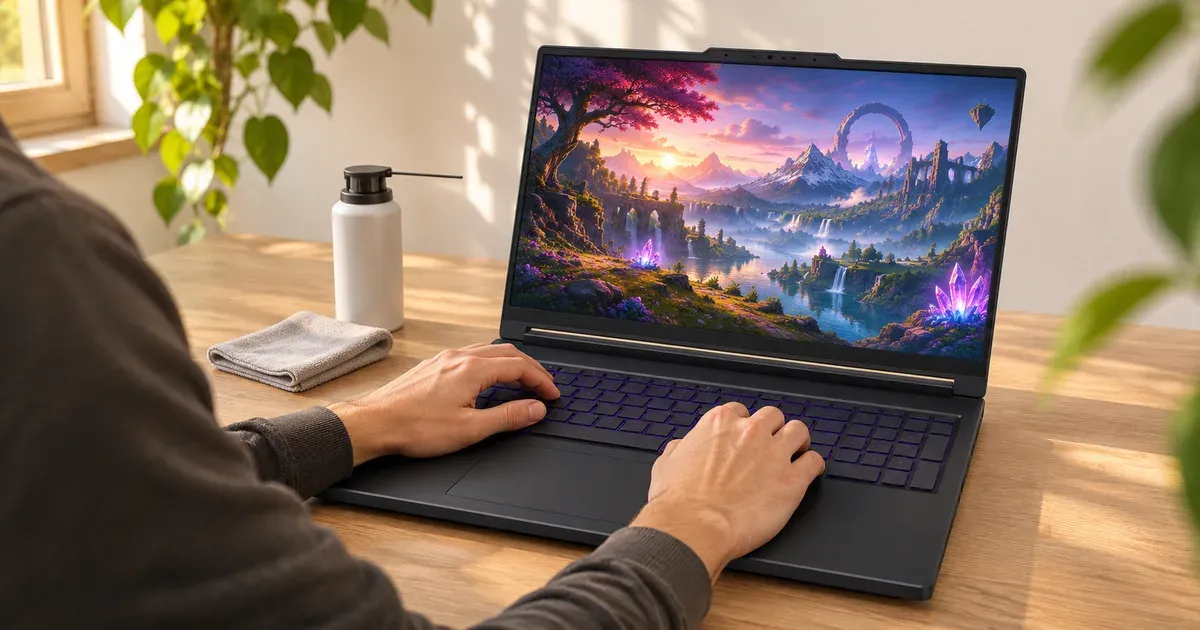
The short answer: the hardware usually keeps working well past its 1-year warranty, but a gaming laptop’s useful life is set by three things: the battery, the cooling, and how long its GPU keeps up with new games. A midrange laptop (RTX 5050 or 5060) runs new releases at high settings for a few years and then needs lower settings; a high-end one (RTX 5080 or 5090) stays ahead longer. The battery is the first part to wear out, and dust in the fans is the most common cause of a laptop that “got slower.”
In practice, plan on about 4 to 6 years as a gaming machine for a midrange laptop and 5 to 8 for a high-end one, and longer as an everyday computer. Those ranges follow from the GPU’s video memory and the battery, the two things that age first:
| Laptop tier | Typical GPU | Plays new games at high settings | Still useful for older games, esports and everyday work |
|---|---|---|---|
| Budget (under $1,200) | RTX 5050 / 5060, 8 GB | about 2–3 years | 5+ years |
| Midrange ($1,200–$2,000) | RTX 5060 / 5070, 8–12 GB | about 3–4 years | 6+ years |
| High-end ($2,500+) | RTX 5070 Ti / 5080 / 5090, 12–24 GB | about 5–6 years | 8+ years |
The battery usually needs replacing first, after a few years of daily charge cycles, and the fans need cleaning long before anything else fails.
No laptop maker publishes an expected lifespan. What they do publish is the warranty, and it’s short:
| Brand | Standard US warranty |
|---|---|
| Alienware (Dell) | At least 1 year; accidents need Alienware Care/Elite Care |
| ASUS ROG / TUF | 1 year, plus 1-year accidental damage protection when registered within 60 days (Best Buy purchases excluded) |
| Lenovo Legion / LOQ | 1 year (courier or carry-in) |
| HP OMEN / Victus | 1 year |
| Acer Nitro / Predator | 1 year |
| MSI | 1 year on most models |
| Razer | 1 year, plus 2 years on the battery |
More detail in our gaming laptop warranty guide.
What Wears Out, and When
| Part | What happens | What you can do |
|---|---|---|
| Battery | Holds less charge every year; a laptop kept at 100% all day ages it faster | Turn on the maker’s charge limit (80% or “Conservation Mode”); replacement batteries exist for most models |
| Fans and heatsinks | Dust clogs the fins, temperatures climb, the laptop throttles and gets louder | Blow out the vents every few months; repaste after the warranty if temperatures keep rising |
| Hinges and keyboard | Wear from daily opening and travel | Hard to prevent; covered only by warranty or accident plans |
| SSD | Fills up more often than it wears out | Most gaming laptops have a spare M.2 slot |
| GPU | Doesn’t wear out, but new games ask more of it | Lower settings, use DLSS; it can’t be upgraded |
Razer is the only maker here that warranties the battery longer than the laptop (2 years vs. 1). It’s a fair hint at which part ages first.
How Long the GPU Stays Good Enough
The graphics chip is soldered to the motherboard, so it sets the ceiling for the laptop’s whole life. Two things stretch it:
- Driver support lasts a long time. Nvidia gave its Maxwell GPUs 11 years of Game Ready drivers and Pascal (GTX 10-series) 9 years before moving them to security-only updates from October 2025 to October 2028. An RTX 50-series laptop bought now should get driver updates for many years.
- Game requirements move slowly at the bottom. Cyberpunk 2077’s current recommended spec for 1080p high settings is an RTX 2060 Super, a 2019 desktop card. Games keep working on older GPUs; they just need lower settings.
The catch is memory. Every RTX 5050, 5060 and most RTX 5070 laptops ship with 8 GB of video memory, which is already the minimum some new games ask for at higher settings. A 12 GB RTX 5070 Ti, a 16 GB RTX 5080 or a 24 GB RTX 5090 will hold up longer. See how much VRAM a gaming laptop needs.
Laptops That Last Longer
- Replaceable memory. The ASUS ROG Strix G16 and G18 (2026), Strix Scar 18, Lenovo Legion Pro 7i Gen 10, Alienware 18 Area-51 and Razer Blade 18 use SO-DIMM or CSODIMM slots, so you can add RAM later. The 2026 Zephyrus G14 and G16 and Razer Blade 16 have soldered memory: what you buy is what you keep.
- Two SSD slots. Storage is the most common upgrade; most 16- and 18-inch models have two M.2 slots.
- Bigger cooling. Thick 16- and 18-inch machines run cooler and quieter at the same performance than thin ones, and heat is what wears fans and batteries.
- A longer warranty from the store. Costco extends the manufacturer’s warranty on computers to 2 years at no charge.
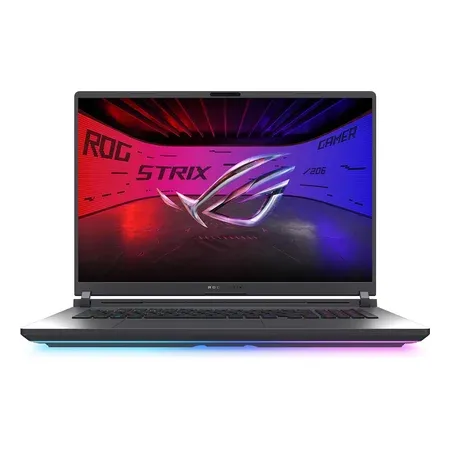
Built to be upgraded
ASUS ROG Strix G18 (2026), RTX 5070 Ti
2 SO-DIMM slots, 2 M.2 slots, 140 W RTX 5070 Ti with 12 GB, 18-inch 300 Hz. $3,199.99 sold by Amazon on Nov 20.
Habits That Add Years
- Cap the charge. If the laptop lives on a desk, use the maker’s battery limit: Lenovo Conservation Mode, ASUS Battery Care (MyASUS or Armoury Crate), and the equivalents in Dell and HP software. More in should you keep a gaming laptop plugged in.
- Keep the vents clear. Game on a desk, not a bed or carpet. A stand or cooling pad that raises the back helps intake.
- Clean out dust. Short bursts of compressed air through the intake and exhaust vents, with the laptop off.
- Don’t run Turbo mode for everything. The balanced or performance mode costs a few frames and runs cooler and quieter. See gaming laptop temperatures.
- Keep Windows and drivers current. Windows 10 support ended on October 14, 2025, so older laptops should move to Windows 11 if they qualify.
How Long Do Gaming Laptops Last FAQ
How many years does a gaming laptop last?
The hardware often runs for many years; what ends it is usually performance. A midrange RTX 5050 or 5060 laptop plays new games at high settings for a few years, then at medium or low. Plan on replacing the battery at some point if you keep it long.
Do gaming laptops last as long as gaming desktops?
Usually not. A desktop can swap its graphics card, power supply and cooler; a laptop’s GPU and CPU are soldered, so its performance is fixed. Laptops also run hotter in a smaller space. See gaming laptop vs. gaming desktop.
Does gaming wear out a laptop faster?
Heat and battery cycling do. Gaming keeps the CPU and GPU hot and the fans busy, which pulls in more dust. Good airflow and a charge limit reduce both.
Is a 3-year-old gaming laptop still good?
Usually, yes, especially with 12 GB or more of video memory. Check that the fans aren’t clogged and that it still gets driver updates.
When should I replace my gaming laptop?
When the games you play no longer run acceptably at low settings with DLSS, or when repairs (battery, fan, keyboard) would cost more than the laptop is worth.
Sources
- Nvidia: support plan for Maxwell, Pascal and Volta GeForce GPUs
- CD Projekt Red: Cyberpunk 2077 system requirements
- Nvidia laptop GPU comparison
- ASUS ROG Strix G18 (2026) specifications
- ASUS ROG Zephyrus G16 (2026) specifications
- Lenovo Legion Pro 7i Gen 10 PSREF (PDF)
- Razer Blade 18 warranty details
- Costco Technical and Warranty Services
- Lenovo Conservation Mode
- ASUS Battery Health Charging




