
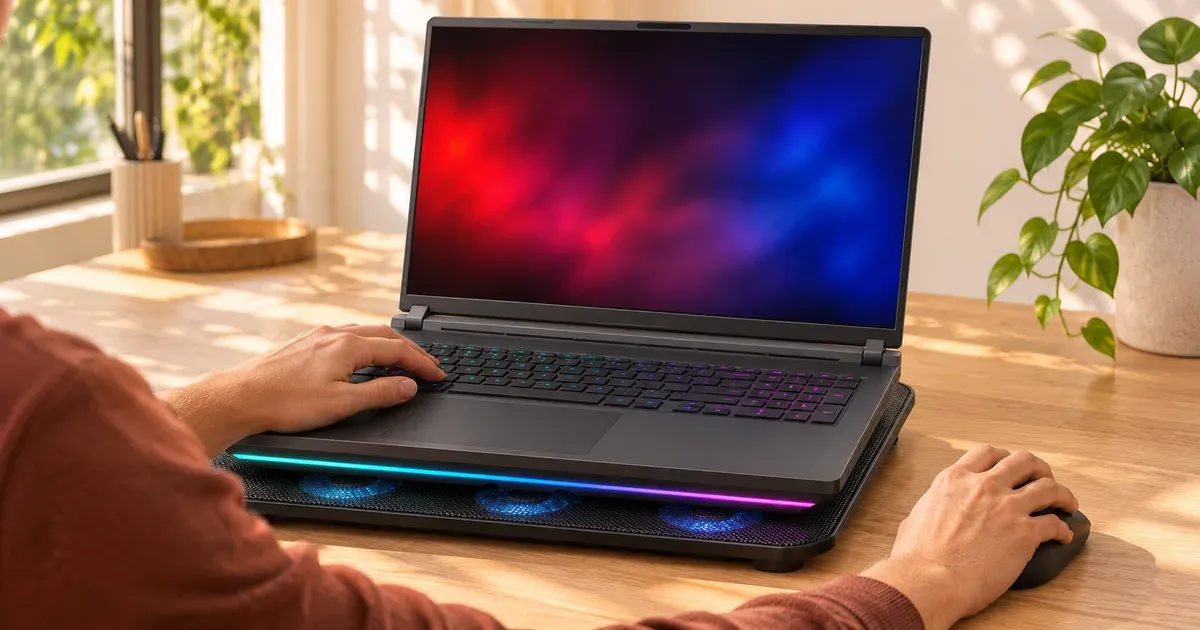
The short answer: yes, a little, and mostly because they lift the laptop. Nearly every gaming laptop pulls cool air in through vents on the bottom panel. Raising the back gives those intakes more room, and the pad’s fans push in some extra air, so temperatures usually drop by a few degrees and the laptop may hold its boost clocks a bit longer or run its own fans slower. A pad won’t fix a laptop clogged with dust or one set to Turbo mode, and it can’t turn a thin laptop into a cool one.
The type of pad matters more than anything else. In a published benchmark on a Razer Blade 16 (RTX 5090, Ryzen AI 9 HX 370), a fabric lap mat with two small fans left the peak CPU temperature unchanged at 85°C. A sealed pad with one large fan cut it to 77°C and raised the 3DMark Time Spy score about 6%. On a budget MSI Cyborg 15, the same sealed pad cut peak CPU temperature by 20°C but added only 3% performance.
How Much a Cooling Pad Lowers Temperatures
Published results for a Razer Blade 16 (RTX 5090 Laptop GPU), 3DMark Time Spy:
| Setup | Time Spy score | Peak CPU temperature |
|---|---|---|
| No pad, on a desk | 17,942 | 85°C |
| Targus Lap Chill Mat (two small fans) | 18,013 | 85°C |
| Razer Laptop Cooling Pad, fan off | 18,263 | 86°C |
| Razer Laptop Cooling Pad, fan on | 19,058 (+6%) | 77°C |
| Razer pad with HyperBoost (Blade 16 2023–2025 only) | 19,542 (+9%) | 75°C |
Three things stand out. A pad with weak fans does about what a stand does. A sealed, high-airflow pad is the only kind that moves the numbers much. And the gain in frame rate is small next to the drop in temperature, because the laptop uses the extra headroom to run its own fans slower before it raises clocks.
When a Cooling Pad Helps
| Situation | Does a pad help? |
|---|---|
| Laptop on a bed, couch or lap | A lot: it unblocks the intakes |
| Gaming laptop with big bottom intakes, on a desk | Some: a few degrees, slightly quieter fans |
| Thin laptop that throttles in long sessions | Some: may hold clocks a little longer |
| Laptop already raised on a stand | Little: the lift was most of the benefit |
| Dusty heatsink or dried thermal paste | No: clean it first |
| Laptop that takes air from the top or sides | Little |
Why Lift Matters More Than Fans
Gaming laptops sit on small rubber feet only a few millimeters tall, and their intakes are on the underside. Tilting the back up opens that gap, so the internal fans can pull more air at the same speed. Most of a cheap pad’s benefit comes from the angle. Fans add some airflow, but much of it escapes around the edges instead of going into the vents.
Sealed designs do better. Razer’s pad uses foam seals and a magnetic frame to make an airtight pressure chamber under the laptop, with a 140 mm fan up to 3,000 RPM, so more of the air goes into the intakes. That’s also why it costs several times more than a basic pad.
Things a Pad Can’t Do
- Undo dust buildup. Compressed air through the vents (laptop off) or a heatsink cleaning helps more on an older laptop.
- Beat a power mode. Dropping from Turbo to Performance cuts heat more than any pad. See why is my gaming laptop so loud.
- Stay silent. Pad fans add their own noise, though usually less than a laptop’s fans at full speed.
3 Cooling Pads Worth Buying
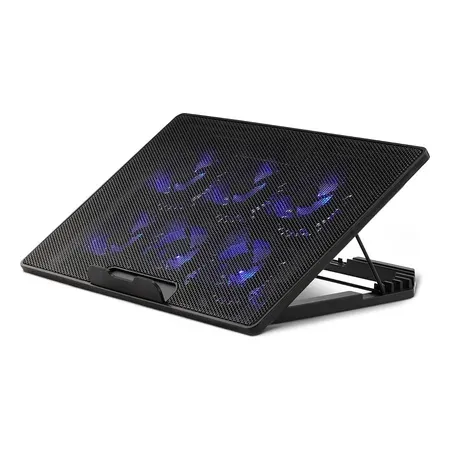
Best cheap pad
Amazon Basics Laptop Cooling Pad (6 fans)
Height-adjustable stand for 12–17 inch laptops with six fans, USB-A and USB-C. $22.73 sold by Amazon on Nov 20.
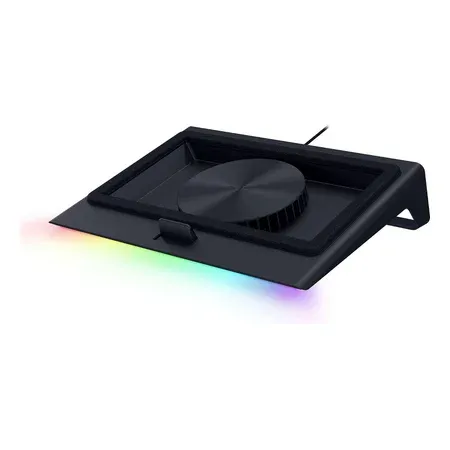
Best sealed design
Razer Laptop Cooling Pad
140 mm fan to 3,000 RPM, foam-sealed chamber, frames for 14–18 inch laptops, USB-A hub. $127.99 sold by Amazon on Nov 20.
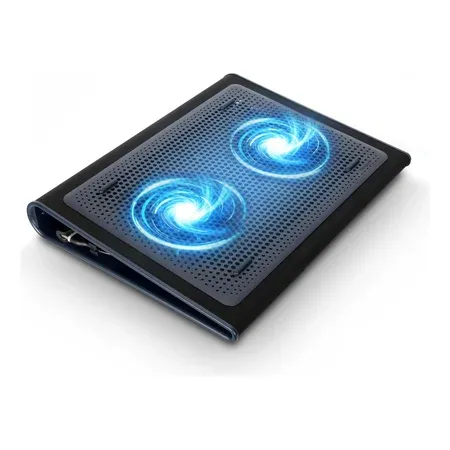
Best for the couch
Targus Lap Chill Mat (17-inch)
Neoprene lap mat with two fans for laptops up to 17 inches; keeps the intakes off your legs. $32.03 sold by Amazon on Nov 20.
How to Get the Most From a Pad
- Match the fans to the intakes. Look at your laptop’s bottom panel and position it so the pad’s fans sit under the vent grilles.
- Use the highest angle you can type on. More lift means more intake room.
- Power it from a spare USB port or a wall adapter if the pad supports one.
- Keep the laptop’s own fans on Auto. Let the laptop decide; the pad just gives it easier air.
Laptop Cooling Pad FAQ
How much does a cooling pad lower temperatures?
A cheap pad with small fans: 0–3°C on a desk. A sealed, high-airflow pad: around 8–10°C on a high-end laptop and up to 20°C on a budget one that runs hot. More if the laptop was on a bed or couch.
Are cheap cooling pads worth it?
Mostly as stands. Their fans move little air into the intakes, so a $20 pad performs close to a $15 laptop stand. Buy one for the angle and the ergonomics, not the fans.
Do cooling pads work on a MacBook or ultrabook?
Barely. Those laptops have small or no bottom intakes and low-power chips. A stand that lifts the screen helps your neck more than a pad helps the chip.
Is a laptop stand as good as a cooling pad?
Often close. Most of the benefit is the lift. A pad adds fan airflow; a sealed pad like Razer’s adds more.
Can a cooling pad damage a laptop?
No. The only downside is extra noise and a USB port in use.
Do cooling pads help with FPS?
A little, and only with a strong pad. The sealed pad in the table above added 3–9% in a benchmark; a two-fan mat added nothing. Changing the laptop’s power mode moves FPS more.
Should I use a cooling pad on my lap?
A lap mat like the Targus keeps the intakes off your legs and some heat off your skin. See are gaming laptops bad for your health.




