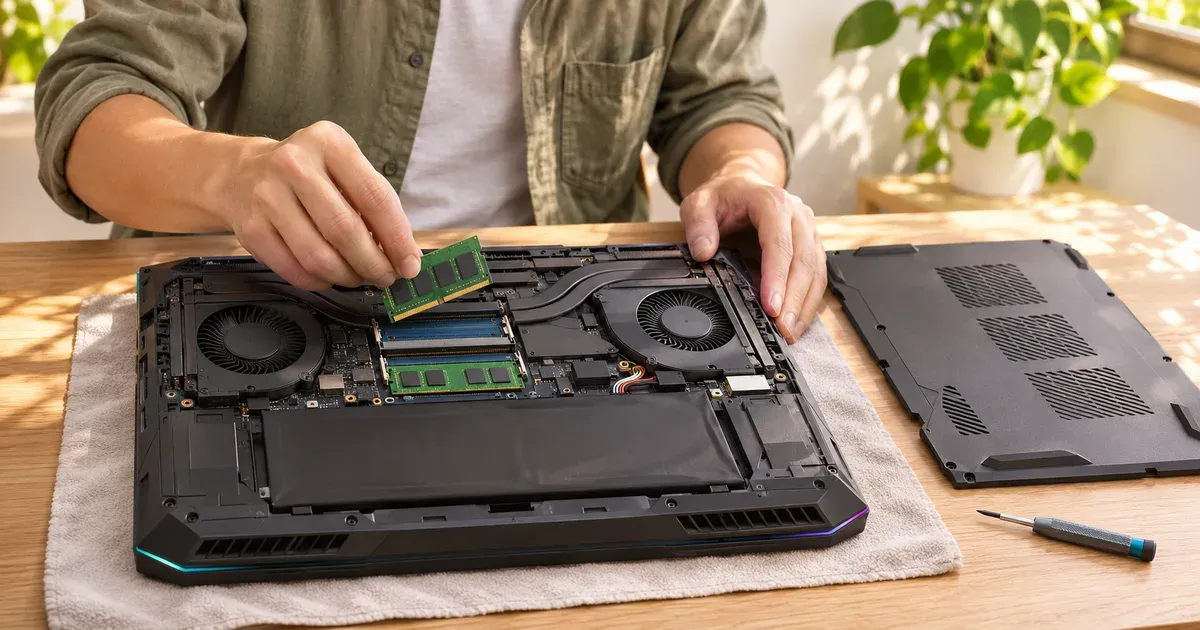
The short answer: 16 GB is enough for most gaming laptops in 2026, but buy 32 GB if the RAM is soldered, if you’ll keep the laptop four or more years, or if you stream, mod or play big simulators. 32 GB doesn’t raise frame rates in games that fit in 16 GB. It prevents stutter in the growing list of games that use more: seven big games released since late 2024, including Indiana Jones and the Great Circle, Doom: The Dark Ages and Mafia: The Old Country, recommend 32 GB on their Steam pages. If the laptop has two SO-DIMM slots, you can start with 16 GB and add more later; if the memory is soldered, as in the Zephyrus G14 and G16 or the Razer Blade 16, what you buy is what you keep.
Prices checked November 20, 2026, on Amazon.
How Much RAM Do Games Recommend?
Recommended memory from each game’s Steam page, checked November 20, 2026:
| Game | Minimum RAM | Recommended RAM |
|---|---|---|
| Indiana Jones and the Great Circle | 16 GB | 32 GB |
| Doom: The Dark Ages | 16 GB | 32 GB (1440p, High) |
| Mafia: The Old Country | 16 GB | 32 GB |
| Kingdom Come: Deliverance II | 16 GB | 32 GB |
| Borderlands 4 | 16 GB | 32 GB |
| S.T.A.L.K.E.R. 2 | 16 GB | 32 GB, dual channel (1440p, High) |
| Microsoft Flight Simulator 2024 | 16 GB | 32 GB |
| Battlefield 6 | 16 GB | 16 GB |
| Monster Hunter Wilds | 16 GB | 16 GB |
| Marvel’s Spider-Man 2 | 16 GB | 16 GB |
| Assassin’s Creed Shadows | 16 GB | 16 GB |
| The Outer Worlds 2 | 16 GB | 16 GB |
| Cyberpunk 2077 | 12 GB | 16 GB |
| Arc Raiders | 12 GB | 16 GB |
| Call of Duty: Black Ops 7 | 8 GB | 12 GB |
| Counter-Strike 2 | 8 GB | — |
16 GB is now the minimum for most big releases, and the newest demanding games have moved their recommendation to 32 GB. Esports games (Counter-Strike 2, Valorant, Fortnite, Roblox) still run comfortably in 16 GB or less.
What 16 GB vs. 32 GB Benchmarks Show
Published January 2026 tests comparing 16 GB and 32 GB of system memory in current games found:
- Most games ran the same. Cyberpunk 2077, Battlefield 6 and Black Myth: Wukong showed no meaningful difference between 16 GB and 32 GB.
- Mafia: The Old Country used about 20 GB and stuttered with 16 GB. Its Steam page recommends 32 GB.
- RAM helps when VRAM runs out. With an 8 GB graphics card, Marvel’s Spider-Man 2 ran with over 60% better 1% lows on 32 GB than on 16 GB, because the overflow from video memory lands in system RAM. That matters on 8 GB RTX 5050, 5060 and 5070 laptops. See how much VRAM you need.
The pattern: average frame rates rarely change, but 1% lows and stutter improve once a game, plus whatever runs beside it, goes past 16 GB.
| How you play | Pick |
|---|---|
| Fortnite, Valorant, CS2, Roblox, Minecraft (vanilla) | 16 GB |
| Most AAA games, one at a time | 16 GB works; 32 GB preferred |
| Streaming with OBS, Discord and a browser open | 32 GB |
| Flight simulators, big mod packs (Skyrim, Minecraft), city builders | 32 GB |
| Keeping the laptop four or more years | 32 GB |
| Soldered RAM | 32 GB |
| Tight budget with SO-DIMM slots | 16 GB (2 × 8 GB), upgrade later |
When 32 GB Helps
- Games that recommend it: flight and racing simulators and some large new releases.
- Gaming plus everything else: Discord, a browser with many tabs, OBS for streaming, and game launchers all take memory while a game runs.
- Mods: large mod packs (for Skyrim, Minecraft or simulators) can push memory use well past 16 GB.
- Creative work: video editing, 3D and local AI tools use as much RAM as you give them.
- Integrated graphics: on laptops whose GPU shares system memory, such as the ASUS ROG Flow Z13 with Ryzen AI Max+ 395, RAM doubles as video memory. Get 32 GB at least.
16 GB is fine if you mostly play esports titles, play one game at a time and close other apps.
Soldered vs. Upgradeable RAM in 2026 Gaming Laptops
From maker spec pages:
| Laptop | RAM | Upgradeable? |
|---|---|---|
| ASUS ROG Zephyrus G14 / G16 (2026) | 32 or 64 GB LPDDR5X | No, soldered (“no expansion possible”) |
| Razer Blade 16 (2026) | up to 64 GB LPDDR5X | No, fixed |
| ASUS ROG Flow Z13 (2025) | up to 128 GB LPDDR5X | No, soldered |
| Lenovo Legion 7a (Gen 11) | up to 64 GB LPDDR5X | No |
| ASUS ROG Strix G16 / G18 (2026) | 2 × DDR5-5600 SO-DIMM | Yes, up to 64 GB |
| ASUS ROG Strix Scar 18 (2026) | 2 × DDR5-6400 SO-DIMM | Yes; configs up to 128 GB |
| ASUS TUF Gaming F16 / TUF Gaming 16 (2026) | 2 × DDR5-5600 SO-DIMM | Yes, up to 64 GB |
| Lenovo Legion Pro 7i Gen 10 | 2 × DDR5-6400 CSODIMM | Yes, up to 64 GB offered |
| Alienware 18 Area-51 | DDR5-6400 CSoDIMM | Yes |
| Razer Blade 18 (2026) | 2 × DDR5-6400 | Yes, up to 128 GB |
| Framework Laptop 16 | 2 × DDR5-5600 SO-DIMM | Yes |
Two Sticks, Not One
Laptop memory runs in dual channel when both slots are filled with matching sticks. A 16 GB laptop with one 16 GB stick runs single channel and loses frame rate in many games compared with 2 × 8 GB. When upgrading, replace both sticks with a matched pair (2 × 16 GB) rather than adding one odd stick.
RAM Prices in 2026
Memory has been getting more expensive for over a year as DRAM makers shifted supply toward AI data centers, and laptop prices followed. TrendForce forecasts PC DRAM contract prices rising another 13–18% in the fourth quarter of 2026, after steeper rises earlier in the year. Notebook shipments fell 15.8% from the second to the third quarter as higher prices cut sales, and TrendForce reports some makers plan lower-spec memory in 2027 models.
What that means for buyers:
- Upgrades cost more than they used to. Price a 2 × 16 GB DDR5 SO-DIMM kit before buying a 16 GB laptop to save money.
- The 32 GB configuration is often the better deal. When a maker’s 32 GB version costs only slightly more than the 16 GB one, it’s usually cheaper than upgrading later.
- Soldered RAM leaves no second chance. In a Zephyrus G14 or G16, Razer Blade 16, Flow Z13 or Legion 7a, buy 32 GB up front.
Which Should You Buy?
- 32 GB: soldered-RAM laptops, streaming, simulators, heavy mods, creative work, or if you’ll keep the laptop four or more years.
- 16 GB (2 × 8 GB): esports and mainstream games in a laptop with SO-DIMM slots, when the 32 GB version costs much more.
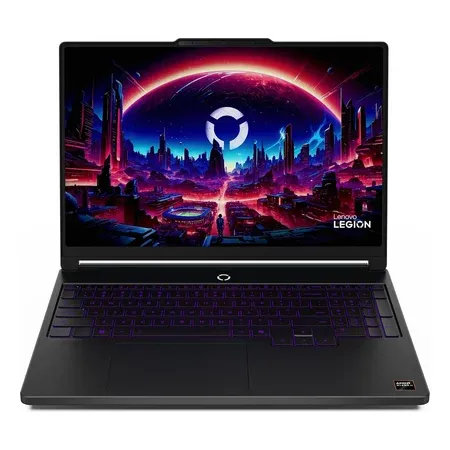
32 GB under $1,700
Lenovo Legion 5a (2026, 32 GB)
32 GB RAM, RTX 5060, Ryzen 7 250, 15.3-inch WQXGA OLED 165 Hz. $1,699.99 on Nov 20, sold by Amazon.
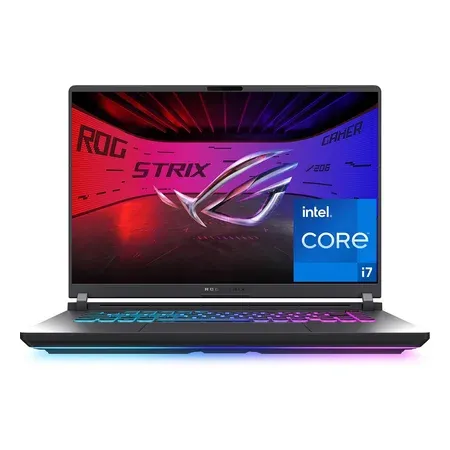
16 GB with room to upgrade
ASUS ROG Strix G16 (2025, 16 GB)
16 GB DDR5 in a chassis with SO-DIMM slots, RTX 5060, Core i7-14650HX. $1,179.99 on Nov 20, sold by Amazon.
16GB vs. 32GB RAM FAQ
Is 16 GB of RAM enough for a gaming laptop in 2026?
For most games, yes: most popular games recommend 16 GB, and esports games need less. Several big releases since late 2024, such as Indiana Jones and the Great Circle and Doom: The Dark Ages, recommend 32 GB.
Does 32 GB of RAM increase FPS?
Only when a game or your background apps need more than 16 GB. Then it prevents stutters and frame drops. Otherwise frame rates are the same.
Can I upgrade the RAM in my gaming laptop?
If it has SO-DIMM slots (ROG Strix, TUF, Legion Pro 7i, Alienware Area-51, Razer Blade 18, Framework 16), yes. The Zephyrus G14 and G16, Razer Blade 16 and Flow Z13 have soldered memory.
Is it better to buy 16 GB and upgrade later?
Only if the laptop has two SO-DIMM slots and you’ll replace both sticks with a matched pair. With 2026 memory prices, compare the kit price with the maker’s 32 GB configuration first.
Do any games need 32 GB of RAM?
None require it, but several big releases since late 2024 recommend it, including Indiana Jones and the Great Circle, Doom: The Dark Ages, Mafia: The Old Country, Kingdom Come: Deliverance II, Borderlands 4, S.T.A.L.K.E.R. 2 and Microsoft Flight Simulator 2024.
Is 64 GB of RAM worth it for gaming?
No for gaming alone. It’s useful for heavy video, 3D, local AI work or very large mod setups.
Sources
- Steam store system requirements (checked November 20, 2026): Indiana Jones and the Great Circle, Doom: The Dark Ages, Mafia: The Old Country, Kingdom Come: Deliverance II, Borderlands 4, S.T.A.L.K.E.R. 2, Microsoft Flight Simulator 2024, Battlefield 6, Call of Duty: Black Ops 7, Cyberpunk 2077
- TrendForce: PC OEMs adjust memory procurement for 2027 (Nov 11, 2026)
- ASUS ROG Zephyrus G14 (2026) GU405 specs
- ASUS ROG Strix G16 (2026) specs
- Lenovo Legion Pro 7i Gen 10 PSREF (PDF)
- Razer Blade 16 and Blade 18
- Framework Laptop 16 configurator
- Gartner: surging memory costs (Feb 26, 2026)