
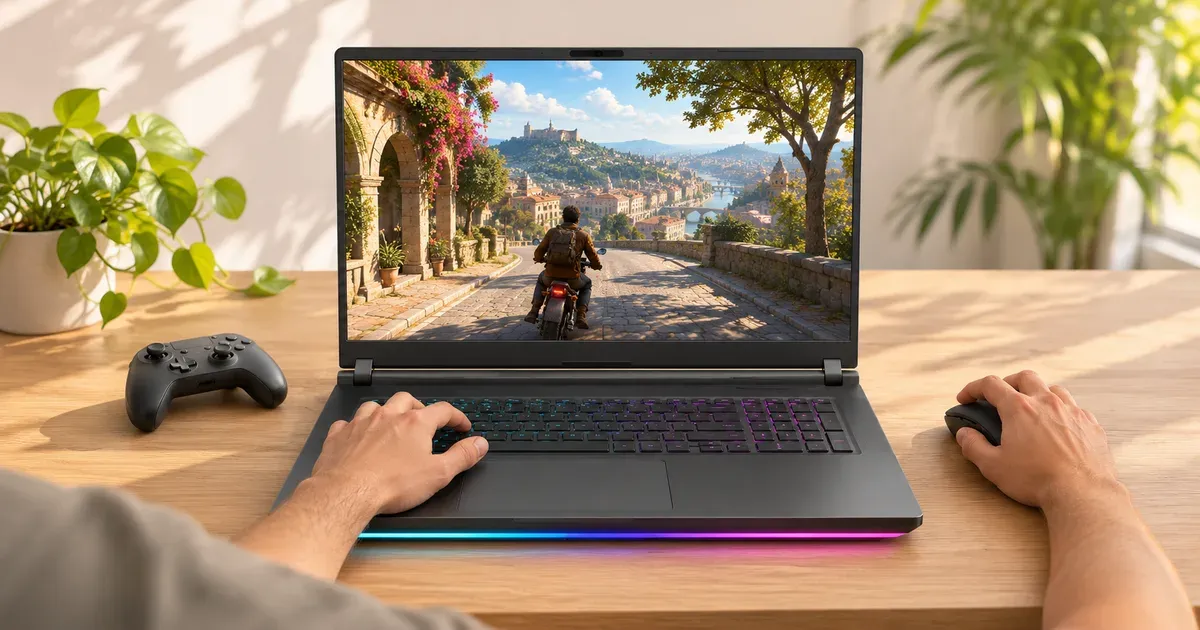
You need 8 GB of VRAM at minimum in 2026, and 12 GB if you play at 2560x1600 or want the laptop to last four or more years. An 8 GB GPU (RTX 5050, RTX 5060 and most RTX 5070 laptops) is still enough for 1080p and 1200p gaming at medium to high settings, but a few new games need their texture setting lowered to fit. 12 GB (RTX 5070 Ti, and 12 GB versions of the RTX 5070) handles high textures at 2560x1600. 16 GB (RTX 5080) is the long-term pick for ray tracing and external 4K monitors, and 24 GB (RTX 5090) is mostly for 3D, video and local AI work. Laptop VRAM can’t be upgraded later, so pick the amount when you buy.
VRAM by RTX 50 Laptop GPU
From Nvidia’s spec table:
| Laptop GPU | VRAM | Memory bus |
|---|---|---|
| RTX 5050 | 8 GB GDDR7 | 128-bit |
| RTX 5060 | 8 GB GDDR7 | 128-bit |
| RTX 5070 | 8 GB or 12 GB GDDR7 | 128-bit |
| RTX 5070 Ti | 12 GB GDDR7 | 192-bit |
| RTX 5080 | 16 GB GDDR7 | 256-bit |
| RTX 5090 | 24 GB GDDR7 | 256-bit |
The RTX 5070 Ti is the cheapest laptop GPU guaranteed to have more than 8 GB. 12 GB RTX 5070 versions exist (HP HyperX OMEN 16 AMD, the Framework Laptop 16 module, some Lenovo Legion 7a listings), but most RTX 5070 laptops have 8 GB, so check the listing.
8 GB vs. 12 GB vs. 16 GB vs. 24 GB
| VRAM | GPUs | Best for | Trade-off |
|---|---|---|---|
| 8 GB | RTX 5050, 5060, most 5070 | 1080p and 1200p at medium to high settings, esports, budgets under about $1,500 | Lower textures in the heaviest new games; use DLSS at 2560x1600 |
| 12 GB | RTX 5070 Ti, 12 GB RTX 5070 | 2560x1600 at high settings, ray tracing in most games, four-plus years of use | Usually $2,000 or more in 2026 |
| 16 GB | RTX 5080 | Maximum textures at 2560x1600, path tracing, external 4K monitors | Mostly $3,000-plus laptops |
| 24 GB | RTX 5090 | 3D scenes, video work, local AI models | Many games never use the extra memory |
What New Games Ask For
Graphics requirements on each game’s Steam page, checked November 20, 2026. VRAM is the amount on the Nvidia card named; where a card was sold in two sizes, both are shown.
| Game | Minimum GPU (VRAM) | Recommended GPU (VRAM) | Recommended target, where stated |
|---|---|---|---|
| Indiana Jones and the Great Circle | RTX 2060 Super (8 GB) | RTX 3080 Ti (12 GB) | — |
| Mafia: The Old Country | RTX 2070 (8 GB) | RTX 3080 Ti (12 GB) | — |
| Kingdom Come: Deliverance II | GTX 1060 (6 GB) | RTX 4070 (12 GB) | — |
| Doom: The Dark Ages | 8 GB ray-tracing GPU | 10 GB ray-tracing GPU | 1440p, 60 fps, High |
| Borderlands 4 | RTX 2070 (8 GB required) | RTX 3080 (10 GB) | — |
| The Outer Worlds 2 | GTX 1070 (8 GB) | RTX 3080 (10 GB) | — |
| S.T.A.L.K.E.R. 2 | GTX 1060 (6 GB) | RTX 3070 Ti (8 GB) or RTX 4070 (12 GB) | 1440p, 60 fps, High, with upscaling |
| Battlefield 6 | RTX 2060 (6 GB) | RTX 3060 Ti (8 GB) | — |
| Call of Duty: Black Ops 7 | GTX 970 (4 GB) | RTX 3060 (8 or 12 GB) | — |
| Assassin’s Creed Shadows | GTX 1650 (4 GB) | RTX 3060 Ti (8 GB) | — |
| Marvel’s Spider-Man 2 | GTX 1650 (4 GB) | RTX 3060 (8 or 12 GB) | — |
| Death Stranding 2: On the Beach | GTX 1660 (6 GB) | RTX 3070 (8 GB) | — |
| Silent Hill f | GTX 1070 Ti (8 GB) | RTX 2080 (8 GB) | 1080p, 60 fps, Performance |
| Monster Hunter Wilds | GTX 1660 (6 GB) | RTX 2060 Super (8 GB) | 1080p, 60 fps, Medium, frame generation on |
| Clair Obscur: Expedition 33 | GTX 1060 (6 GB) | RTX 3060 Ti (8 GB) | 1080p, 60 fps, High |
| Resident Evil Requiem | GTX 1660 (6 GB) | RTX 2060 Super (8 GB) | 1080p, 60 fps, upscaled from 720p |
| Pragmata | GTX 1660 (6 GB) | RTX 2060 Super (8 GB); 12 GB for ray tracing | 1080p, 60 fps, Balanced |
| Cyberpunk 2077 | GTX 1060 (6 GB) | RTX 2060 Super (8 GB) | — |
| Arc Raiders | GTX 1050 Ti (4 GB) | RTX 2070 (8 GB) | — |
13 of these 19 games recommend a card with 8 GB or less. Six (Indiana Jones, Mafia: The Old Country, Kingdom Come: Deliverance II, Doom: The Dark Ages, Borderlands 4 and The Outer Worlds 2) recommend 10 or 12 GB. Every game here runs on an 8 GB card at its minimum spec. Pragmata’s store page needs a 12 GB card for ray tracing even though its recommended GPU has 8 GB, so read the notes, not just the GPU name.
How 8 GB Holds Up at 1080p and 1440p
Published tests of a 115 W RTX 5070 laptop with 8 GB of VRAM found:
| Game | 1080p on 8 GB | 1440p on 8 GB |
|---|---|---|
| Indiana Jones and the Great Circle | Medium fine (about 6.9 GB used); High can crash (about 8.3 GB) | Medium uses about 7.3 GB; High (about 8.7 GB) doesn’t fit |
| Battlefield 6 | Smooth at the top preset, campaign and multiplayer | Average fell from 53 to about 26 fps over repeated benchmark runs as VRAM filled |
| Assassin’s Creed Shadows | Smooth at very high (about 95% of VRAM) | VRAM warning and isolated stutters, still playable |
| Call of Duty: Black Ops 7 | No warning without ray tracing | Playable at 2560x1600 with ray tracing, DLSS and frame generation |
| Cyberpunk 2077 | No VRAM limits | Fine, even with path tracing (RT Overdrive) |
| F1 25 | No VRAM limits at High | No VRAM limits at High |
The same tests found the laptop more often ran out of GPU speed than memory: at settings where 8 GB overflowed, frame rates were usually too low anyway. Indiana Jones at maximum settings with ray tracing goes past 15 GB at 4K, more than even the 16 GB RTX 5080 handles comfortably.
Is an 8 GB GPU Enough in 2026?
Yes, for 1080p and 1200p, with two caveats:
- Resolution: 8 GB is comfortable at 1920x1200. At 2560x1600, use DLSS upscaling (it renders at a lower resolution, which also lowers VRAM use) and medium-high textures.
- Texture settings: when a game wants more than 8 GB, lower the texture setting one step. Most games look nearly the same, and stutters disappear.
8 GB is a poor fit for path tracing at high settings, heavy texture mods and local AI models. For a laptop over about $2,000 with a 2560x1600 screen, 12 GB is the better buy.
What Happens When VRAM Runs Out
The GPU spills data into slower system RAM. You see stutter, textures that load late or look blurry, and sudden frame-rate drops, even when the average FPS looks fine. Lowering texture quality fixes it; lowering other settings often doesn’t. More system RAM softens the stutter when VRAM overflows (see 16 GB vs. 32 GB of RAM).
What fills VRAM most:
- Texture quality: the biggest single setting.
- Resolution: 2560x1600 and 4K need larger frame buffers.
- Ray tracing and path tracing: add a gigabyte or more in many games.
- Frame generation: needs memory of its own, so it can push an 8 GB card over the limit.
Can You Upgrade VRAM in a Gaming Laptop?
No. Laptop VRAM chips are soldered to the board next to the GPU, and the GPU itself isn’t replaceable in almost every gaming laptop. The exception is the Framework Laptop 16, whose GPU is a swappable module (its RTX 5070 module has 12 GB). Choose the VRAM you need at purchase. See can you upgrade a gaming laptop.
How to Check VRAM Use
- Windows Task Manager: Performance → GPU (the Nvidia one) shows “Dedicated GPU memory” in use.
- dxdiag: the Display or Render tab lists “Display Memory (VRAM)”.
- In-game: many games (Call of Duty, Battlefield 6, Indiana Jones, Assassin’s Creed Shadows) show a VRAM meter in the graphics settings.
- Before buying: check the GPU and, for the RTX 5070, whether the listing says 12 GB.
Which Should You Buy?
- 8 GB (RTX 5050, 5060, 5070): 1080p/1200p gaming, esports, budgets under about $1,500. Use DLSS at 2560x1600.
- 12 GB (RTX 5070 Ti or 12 GB RTX 5070): 2560x1600 at high settings, and laptops you’ll keep four or more years.
- 16–24 GB (RTX 5080, 5090): 4K, path tracing, creative and AI work.
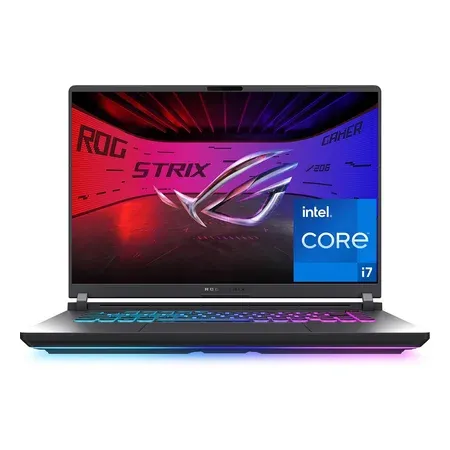
8 GB budget pick
ASUS ROG Strix G16 (2025, RTX 5060, 8 GB)
RTX 5060 (8 GB), Core i7-14650HX, 16-inch FHD+ 165 Hz, 16 GB DDR5, 1 TB. $1,179.99 on Nov 20, sold by Amazon.
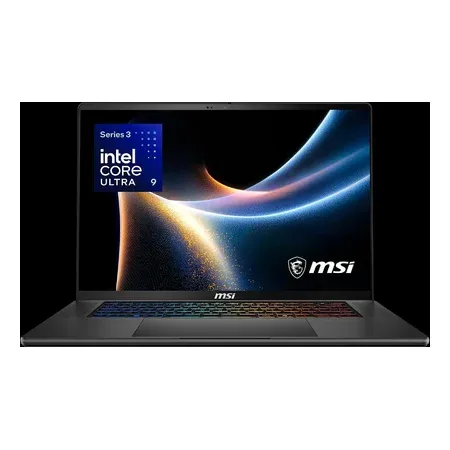
12 GB VRAM pick
MSI Stealth 16 AI+ (RTX 5070 Ti, 12 GB)
RTX 5070 Ti with 12 GB, Core Ultra 9 386H, 16-inch 240 Hz OLED, 32 GB. $2,634.15 on Nov 20, sold by Amazon.
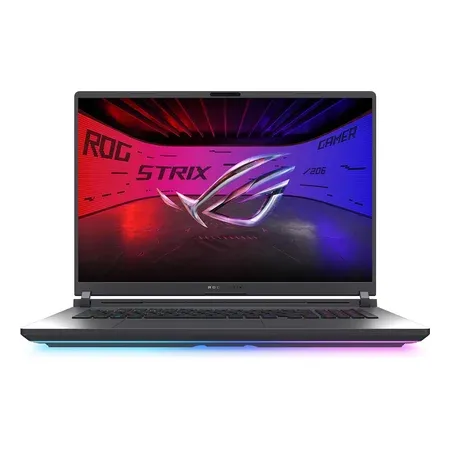
12 GB at full power
ASUS ROG Strix G18 (2026, RTX 5070 Ti, 12 GB)
RTX 5070 Ti (12 GB) at 140 W, Core Ultra 9 290HX Plus, 18-inch 2.5K 300 Hz. $3,199.99 on Nov 20, sold by Amazon.
16 GB VRAM pick
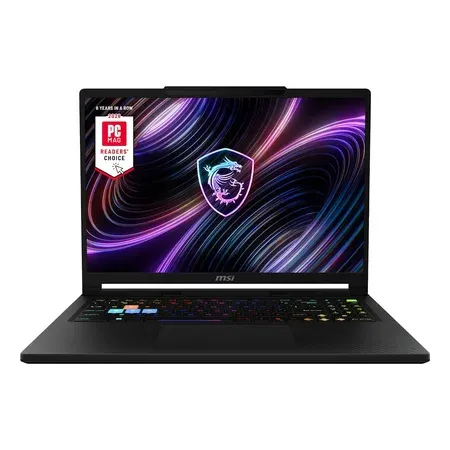
MSI Raider A16 HX (RTX 5080, 16 GB)
RTX 5080 with 16 GB, Ryzen 9 8940HX, 16-inch QHD+ 240 Hz, 32 GB, 2 TB. $3,144.15 on Nov 20, sold by Amazon.
The full GPU lineup is in our RTX 50 laptop GPU comparison chart.
Gaming Laptop VRAM FAQ
Is 8 GB of VRAM enough for a gaming laptop in 2026?
For 1080p and 1200p, yes, with texture settings matched to the game. At 2560x1600 use DLSS. Some new games recommend 12 GB for high settings.
Is 12 GB of VRAM enough?
Yes, for 2560x1600 at high settings in current games. It’s the sensible target for a laptop you’ll keep several years.
Which laptop GPUs have 12 GB or more of VRAM?
The RTX 5070 Ti (12 GB), RTX 5080 (16 GB), RTX 5090 (24 GB), and 12 GB versions of the RTX 5070.
Is 8 GB of VRAM enough for 1440p?
For most games with DLSS and medium-high textures, yes. A few new games (Indiana Jones and the Great Circle, Battlefield 6 at its top preset) run out of memory at 1440p on 8 GB and need lower texture settings.
How much VRAM do you need for 4K?
16 GB. At 4K, 8 GB cards run out of memory in several current games, and the heaviest settings in Indiana Jones go past 15 GB.
Does more VRAM give more FPS?
Only when you were running out. At settings that fit in 8 GB, a 12 GB version of the same GPU performs about the same. The gap shows up as stutter and low 1% lows once a game needs more memory than the card has.
Can you upgrade VRAM on a laptop?
No. VRAM is soldered next to the GPU. Only the Framework Laptop 16 lets you swap the whole GPU module.
Does VRAM matter more than the GPU model?
No. The GPU tier and its power limit decide frame rate; VRAM decides which texture settings fit. Too little VRAM causes stutter rather than a lower average.
Sources
- Nvidia GeForce RTX 50 Series laptop GPU comparison
- Steam store system requirements (checked November 20, 2026): Indiana Jones and the Great Circle, Mafia: The Old Country, Kingdom Come: Deliverance II, Doom: The Dark Ages, Borderlands 4, The Outer Worlds 2, S.T.A.L.K.E.R. 2, Battlefield 6, Call of Duty: Black Ops 7, Assassin’s Creed Shadows, Marvel’s Spider-Man 2, Death Stranding 2, Silent Hill f, Monster Hunter Wilds, Clair Obscur: Expedition 33, Resident Evil Requiem, Pragmata, Cyberpunk 2077, Arc Raiders
- Nvidia GeForce RTX 50 Series laptops
- HP gaming laptops
- Framework: Laptop 16 with Nvidia graphics
- Nvidia DLSS




