
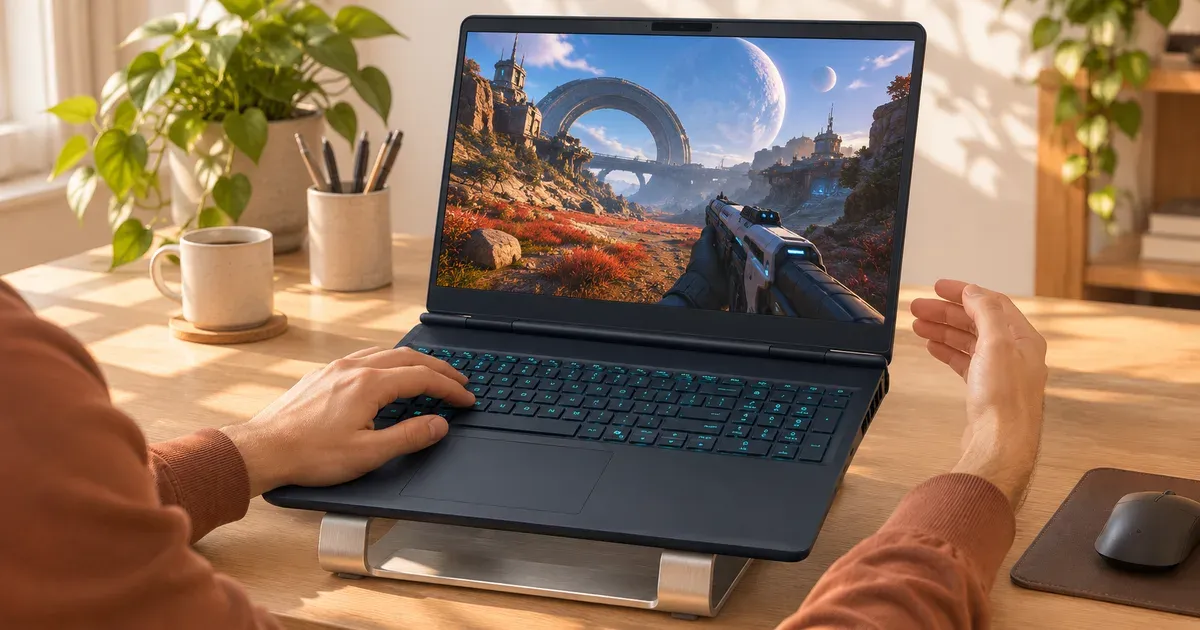
The short answer: yes, a gaming laptop CPU at 90–95°C under a heavy game is within spec, but it’s at the top of the range. Intel rates the Core Ultra 9 275HX for a maximum operating temperature of 105°C, and AMD rates the Ryzen 9 9955HX for 100°C. Laptop makers tune their machines to use that headroom for performance, so mid-90s readings during games are common, especially in Turbo mode and in thin laptops. It becomes a problem when the laptop hits that ceiling at the desktop, shuts down, or slows down sharply mid-game.
Official Temperature Limits
| Chip | Maximum operating temperature | Source |
|---|---|---|
| Intel Core Ultra 9 275HX | 105°C | Intel spec page |
| Intel processors in general | Usually 100–110°C (Tjunction max) | Intel support |
| AMD Ryzen 9 9955HX / 9955HX3D | 100°C (Tjmax) | AMD spec pages |
At that limit the processor protects itself by lowering clock speed and power (thermal throttling). Intel notes the observable maximum is configurable by the laptop maker and can differ by design. Nvidia doesn’t publish a maximum temperature for its laptop GPUs on its spec pages; laptops keep the GPU in range by adjusting its power limit.
What the Readings Mean
| CPU temperature | During games | At idle or browsing |
|---|---|---|
| Under 50°C | — | Normal |
| 50–70°C | Cool for a gaming laptop | Something is running in the background |
| 70–90°C | Normal | Too warm: check background apps, power mode |
| 90–100°C | Common in Turbo mode and thin laptops; at the edge | Problem: dust, blocked vents or a stuck process |
| At the limit + crashes or shutdowns | Problem | Problem |
Why Gaming Laptops Run So Hot
- Lots of power in a small space. A 16-inch laptop can push 175 W into the GPU plus well over 100 W into the CPU in its highest mode. Desktops spread similar heat over much larger coolers.
- Makers tune for performance. ASUS says plainly that its Turbo mode raises CPU and GPU wattage and may produce higher temperatures than Performance mode, even with faster fans.
- Thin designs. A thin 14-inch laptop has less heatsink and smaller fans than an 18-inch one.
- Blocked intakes. Most gaming laptops pull air in from the bottom; a bed, couch or lap cuts it off.
- Dust and age. Clogged heatsink fins and dried thermal paste raise temperatures over time.
How to Lower Temperatures
- Use Performance or Balanced instead of Turbo. You lose a few frames; temperatures and noise drop.
- Cap the frame rate at or just under the screen’s refresh rate.
- Game on a hard surface and raise the back. A stand or cooling pad gives the bottom intakes more room. Expect a few degrees, not a transformation; see do laptop cooling pads work.
- Clean the vents every few months with short bursts of compressed air, laptop off.
- Check background apps when it’s hot at idle.
- Undervolt, where your laptop allows it. Many laptops lock CPU voltage controls; see how to undervolt a gaming laptop.
- Repaste after the warranty ends if temperatures have crept up over the years. Opening the case can void the warranty on some brands.
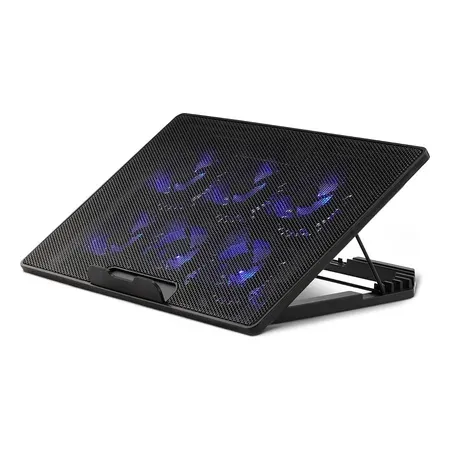
Cheap way to raise the back
Amazon Basics Laptop Cooling Pad (6 fans)
Height-adjustable stand for 12–17 inch laptops with six fans, USB-A and USB-C. $22.73 sold by Amazon on Nov 20.
Signs of Real Overheating
- The laptop shuts off or blue-screens during games.
- Frame rates start fine, then drop sharply after a few minutes and stay low.
- It’s very hot and loud at the desktop with nothing running.
- The keyboard or palm rest gets uncomfortably hot to touch.
- Stop using it right away if the battery swells (the touchpad lifts or the bottom panel bulges), or you smell burning plastic.
Any of those on a laptop still under warranty is worth a support call before you open it up.
Gaming Laptop Temperature FAQ
Is 100°C safe for a gaming laptop CPU?
It’s the throttle point for many chips (AMD’s Ryzen 9 9955HX is rated for 100°C, Intel’s Core Ultra 9 275HX for 105°C). The chip protects itself, but sitting there constantly costs performance. Lower the power mode or improve airflow.
What is a normal GPU temperature for a gaming laptop?
Nvidia doesn’t publish one for laptop GPUs. The laptop lowers GPU power as it nears its limit, so steady frame rates matter more than the exact number. A GPU running much hotter than the CPU, or one whose temperature climbs over months, usually means dust.
Why does my gaming laptop get hot when idle?
A background process, a performance mode left on Turbo, a discrete GPU that never turns off, or dust. Check Task Manager and set the GPU mode to Standard/Hybrid.
Do gaming laptops overheat easily?
They run hot by design but rarely overheat on a desk with clean vents. Soft surfaces and dust are the usual causes.
Is it bad to keep a gaming laptop at 90°C?
It’s within spec. Heat does age batteries and fans faster, so if you can get the same frame rate at a lower mode, it’s worth doing.




