
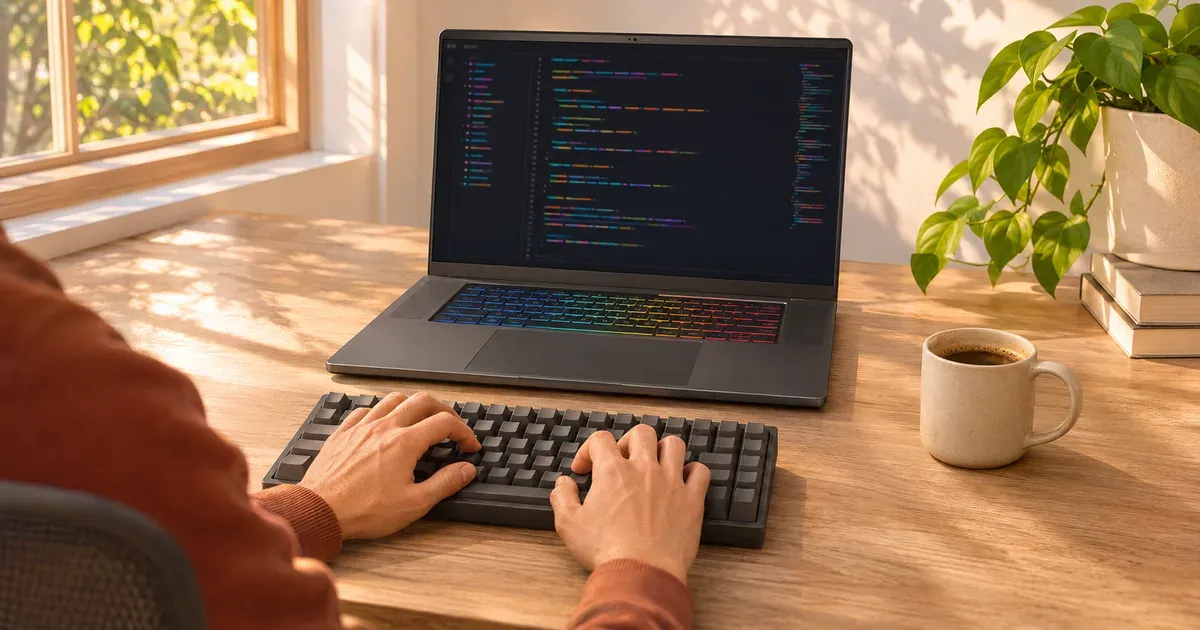
The short answer: yes, especially if your work is heavy: game development, machine learning, large compiles, Docker and VMs, or anything that uses CUDA. Gaming laptops give you the fastest mobile CPUs, room for 32–64 GB of RAM, two SSD slots and an Nvidia GPU. What you give up is portability: they weigh 4 to 6 lb before a big charger, last a fraction as long on battery, and spin their fans under load. For web, mobile and general software work, a lighter laptop is usually the better daily tool.
Who Should Use a Gaming Laptop for Coding
| Kind of work | Gaming laptop? | Why |
|---|---|---|
| Game development (Unreal, Unity) | Yes | Needs a real GPU to run the editor and test builds |
| Machine learning, CUDA, GPU computing | Yes | Nvidia GPU with 8–24 GB VRAM; see gaming laptops for machine learning |
| Large C++/Rust/Android builds | Yes | Many CPU cores and lots of RAM shorten builds |
| Containers and VMs | Yes | 32–64 GB RAM and fast SSDs help |
| Web front end and back end | Optional | Any modern laptop handles it; battery life matters more |
| Students learning to code | Optional | Fine if you also game; otherwise lighter is better |
Where Gaming Laptops Help
- CPU cores. The Intel Core Ultra 9 275HX has 24 cores, and the 290HX Plus in 2026 models also has 24. AMD’s Ryzen 9 9955HX is common in high-end models. Heavy builds and test suites scale with cores.
- Memory you can add. Many gaming laptops use SO-DIMM slots (ROG Strix, TUF, Legion Pro 7i, Alienware Area-51), so 64 GB is an easy upgrade. Thin models often solder memory. See can you upgrade a gaming laptop.
- Two SSD slots for a second drive or a separate Linux install.
- Big, sharp screens. 16-inch 2560×1600 (16:10) panels are standard and show a lot of code.
- Lots of ports, including HDMI 2.1, Thunderbolt and Ethernet on many models.
Where They Fall Short
- Battery life. Fine for browsing with the Nvidia GPU off, but shorter than thin-and-light laptops, and an hour or two under heavy load.
- Weight. 4–6 lb for 16-inch models plus a 1–2 lb charger. See how heavy is a gaming laptop.
- Fan noise during builds; use the maker’s quiet mode when you can. See why is my gaming laptop so loud.
- Looks and keyboards. RGB and gamer styling, though many can be toned down; some 16-inch keyboards squeeze in a numpad, which shifts the typing position left.
Specs to Look For
| Part | Enough for most coding | For heavy work (game dev, ML, big builds, VMs) |
|---|---|---|
| CPU | Recent 8-core Intel Core Ultra or AMD Ryzen | 16+ cores (Core Ultra 9 HX, Ryzen 9 HX) |
| RAM | 16 GB | 32–64 GB, in slots if possible |
| Storage | 512 GB SSD | 1–2 TB, ideally with a second M.2 slot |
| GPU | Integrated graphics or any RTX 50 | RTX 5070 Ti or higher (12 GB+ VRAM) for ML and Unreal |
| Screen | 14–16 inch, 1920x1200 or higher | 2560x1600 for more code on screen |
Tips for Developers
- Choose an efficient CPU if you’re mobile. Laptops with Intel Core Ultra H (like the 386H in the 2026 Zephyrus G14/G16 and Razer Blade 16) or AMD Ryzen AI chips trade some peak speed for much better battery life than HX models.
- Use hybrid graphics (ASUS Standard, Lenovo Hybrid) for daily work so the Nvidia GPU sleeps; switch to dGPU-only only when needed.
- WSL 2 or dual boot. Windows’ WSL 2 runs Linux toolchains, and Nvidia supports CUDA inside WSL.
- Get 32 GB if the memory is soldered.
- Use an external keyboard and monitor at a desk; see external monitor setup.
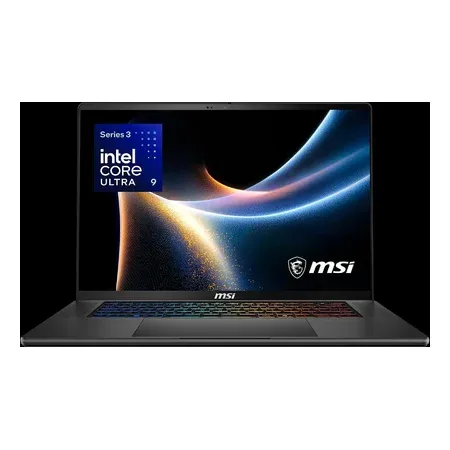
Understated, efficient CPU
MSI Stealth 16 AI+, RTX 5070 Ti
Core Ultra 9 386H, RTX 5070 Ti with 12 GB, 32 GB, 1 TB, 16-inch 240 Hz OLED. $2,634.15 sold by Amazon on Nov 20.
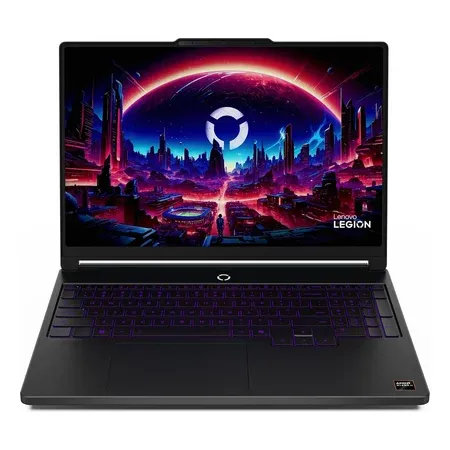
32 GB on a budget
Lenovo Legion 5a (2026), RTX 5060
15.3-inch 165 Hz OLED, Ryzen 7 250, RTX 5060, 32 GB, 1 TB, 4.1 lb. $1,699.99 sold by Amazon on Nov 20.
Gaming Laptops for Programming FAQ
Are gaming laptops good for programming?
Yes. They have fast CPUs, lots of RAM and an Nvidia GPU, which help with game development, machine learning, large builds and VMs. The costs are weight (4–6 lb), short battery life and fan noise. If you only code and don’t game, a lighter laptop usually serves better day to day.
Is a gaming laptop overkill for programming?
For web or scripting work, usually. For game development, ML, big builds or VMs, it’s the right tool.
Do programmers need a dedicated GPU?
Only for GPU work: game development, CUDA, machine learning, 3D. Most other programming runs fine on integrated graphics.
How much RAM does a programmer need?
16 GB is the minimum for comfortable work in 2026; 32 GB if you run containers, VMs, Android emulators or large IDE projects.
Are gaming laptops good for Linux?
Usually workable, and WSL 2 on Windows avoids most issues. Hybrid graphics with Nvidia can take extra setup on Linux; a dGPU-only mode simplifies it.
Gaming laptop or MacBook for programming?
A MacBook is lighter with longer battery life and suits iOS/macOS work. A gaming laptop wins for CUDA, game development and Windows-specific work. See gaming laptop vs. MacBook Pro.




