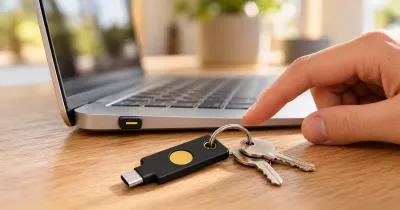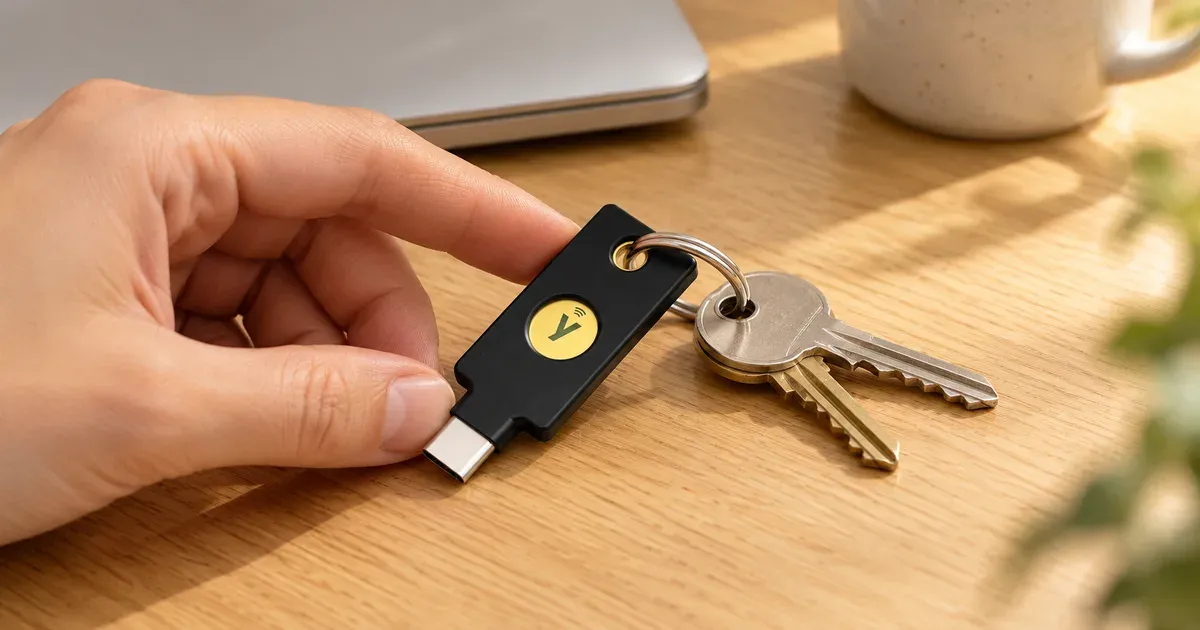
The YubiKey 5C NFC is my backup security key. I use a YubiKey 5C Nano every day, and I keep this one stored as my spare. Together, they protect my email, password manager, developer accounts, and financial accounts. I don’t have any complaints, and I’d buy both again.
The short answer: at $58, this is the YubiKey most people should start with. It works over USB-C or NFC and it’s easy to keep on a keychain. Just buy two keys, not one.
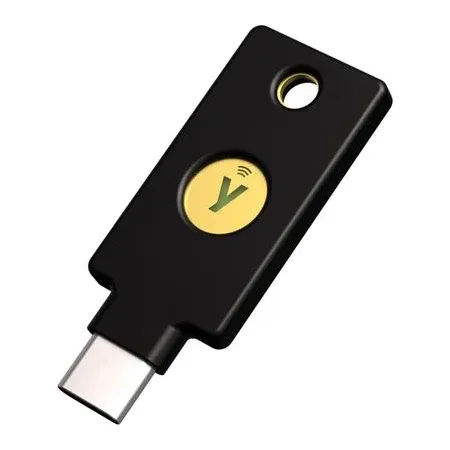
Best All-Around YubiKey for most people
YubiKey 5C NFC
A USB-C and NFC security key I keep as the backup for my most important accounts.
YubiKey 5C NFC Review: Quick Verdict
Security keys have made my logins faster than typing codes, and they give me peace of mind on the accounts I’d least want to lose. The 5C NFC is the more flexible of my two keys, and that makes it a sensible spare.
YubiKey 5C NFC specs
| Spec | Value | Note |
|---|---|---|
| Price | $58 | At Amazon and Yubico |
| Connection | USB-C and NFC | |
| Size | 18 x 45 x 3.7mm | |
| Weight | 4.1g | |
| Passkey slots | 100 | |
| Authenticator code slots | 64 | OATH, with Yubico Authenticator |
| Protocols | FIDO2/WebAuthn, FIDO U2F, Yubico OTP, OATH, Smart card (PIV), OpenPGP | |
| Durability | IP68, crush resistant | Yubico's rating |
| Works with | Windows, macOS, ChromeOS, and Linux |
What Is a YubiKey, and How Does It Work?
A YubiKey is a small hardware key that proves it’s really you when you sign in. Instead of typing a code, you plug it in or tap it, then touch it to confirm. It doesn’t need a battery or a network connection.
The main advantage is phishing resistance. A code from an app or a text message can be typed into a convincing fake site. A security key’s passkey or sign-in response is tied to the real site’s address, so a fake site can’t use it.
In a year-long Google study with NYU and UC San Diego, no users who exclusively used security keys fell victim to targeted phishing.
Why I Use It as My Backup
My daily key stays plugged into my Mac, so I needed a second key in case something happened to it. You can’t copy a YubiKey, so each key has to be registered separately on each account. Yubico recommends the same setup I use: one for daily use and one as a spare.
Apple requires at least two security keys for its Apple Account feature, and warns that losing all of your keys and trusted devices could lock you out permanently. Make sure that you also keep your accounts’ recovery codes somewhere safe.
The 5C NFC works well for this role because it adds what my Nano doesn’t have. It can tap on NFC-enabled Android and iOS devices, according to Yubico, and it’s easy to carry on a keyring. Since it’s my spare, those aren’t things I rely on every day.
YubiKey 5C NFC vs. 5C Nano vs. Security Key
The YubiKey 5C NFC sits between a tiny always-plugged-in key and Yubico’s cheaper basic model. If all you need is passkeys and two-factor sign-in, the Yubico Security Key C NFC costs about half as much, but it doesn’t support one-time passwords or the Yubico Authenticator app.
YubiKey 5C NFC and 5C Nano specs
| Spec | 5C NFC | 5C Nano |
|---|---|---|
| Price | $58 | $68 |
| Connection | USB-C and NFC | USB-C |
| Keyring hole | Yes | No |
| Best for | Carrying and backup | Staying in one computer |
| How I use it | Stored backup | Daily, plugged into my Mac |
I like the Nano for daily use, but the 5C NFC is the better choice if you only want one model. It’s cheaper, it works with more devices, and it’s harder to lose.
What to Know Before You Buy
Not every site supports security keys. I’ve run into this myself. Check the sites you care about first, because a key can’t protect an account that won’t accept it.
Remove weaker options where you can. If an account still allows sign-ins with text codes, that weaker option remains available to an attacker.
Firmware can’t be updated. The features your key ships with are the ones it keeps. Yubico’s product page lists firmware 5.8, and Amazon’s listing mentions 5.7. Both have 100 passkey slots, while older keys held 25.
Is the YubiKey 5C NFC Worth It?
For me, yes. I have no complaints, and I’d buy it again. It’s cheap compared with the trouble of losing your email or financial accounts, although buying two keys brings the cost to $116.
Buy it if you want one key that works with computers and NFC phones, you need a backup for a daily key, or you want to protect your email, password manager, and financial accounts.
Skip it if you only need basic passkeys and want to spend less, or if the accounts you care about don’t support security keys.
YubiKey 5C NFC FAQ
What is the YubiKey 5C NFC used for?
It protects online accounts with phishing-resistant sign-in. I use mine as the backup key for my email, password manager, developer accounts, and financial accounts.
Is a YubiKey worth it?
It is to me. It’s faster than typing codes and gives me peace of mind on my most important accounts.
Does the YubiKey 5C NFC work with iPhone?
Yes. Yubico says it provides tap-and-go authentication on NFC-enabled iOS and Android devices.
What happens if I lose my YubiKey?
If you’ve registered a spare, you can sign in with that one, then remove the lost key from your accounts. That’s why I have two. Without a spare, you’ll have to rely on recovery codes or the site’s account recovery process.
Can you copy or back up a YubiKey?
No. You can’t copy one key to another, so you have to register a spare on each account.
How much is a YubiKey 5C NFC?
It’s $58 at both Amazon and Yubico. Amazon also sells a two-pack for $116.
What’s the difference between YubiKey 5C and 5C NFC?
The 5C NFC can also tap on NFC devices. Amazon lists the regular 5C at $65, which is more than the 5C NFC.