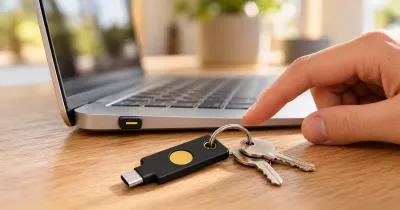
The YubiKey 5C Nano is my daily security key, and it stays plugged into my Mac. When a login asks for it, I touch it and move on. It’s faster than typing codes, it gives me peace of mind, and I don’t have any complaints.
The short answer: if you use one USB-C computer most of the time, this is a very easy way to live with a security key. At $68, just don’t buy it alone. You also need a spare, and mine is a YubiKey 5C NFC.
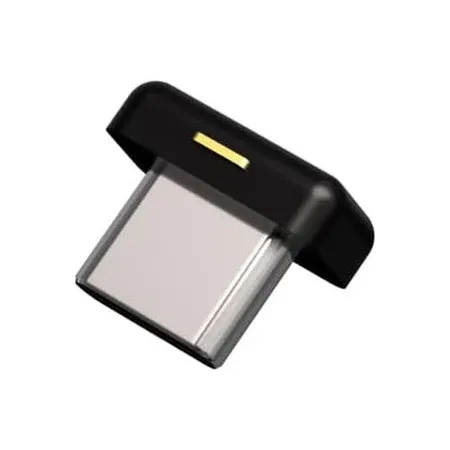
Best security key to leave plugged in
YubiKey 5C Nano
A tiny USB-C security key that stays in my Mac and is faster than typing codes.
YubiKey 5C Nano Review: Quick Verdict
The appeal is simple: the key is always there. I never have to find it, so using it is hardly any work. I’d buy it again.
YubiKey 5C Nano specs
| Spec | Value | Note |
|---|---|---|
| Price | $68 | At Amazon and Yubico |
| Connection | USB-C | No NFC |
| Size | 12 x 10.1 x 7mm | |
| Weight | 1g | |
| Passkey slots | 100 | |
| Authenticator code slots | 64 | OATH, with Yubico Authenticator |
| Protocols | FIDO2/WebAuthn, FIDO U2F, Yubico OTP, OATH, Smart card (PIV), OpenPGP | |
| Durability | IP68, crush resistant | Yubico's rating |
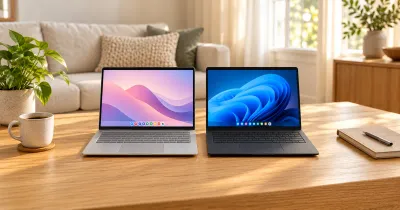
| Works with | Windows, macOS, ChromeOS, and Linux |
How I Use It Every Day
My Nano lives in my Mac. I use my keys to protect my Google and email accounts, my password manager, my developer accounts, and financial accounts.
Compared with opening an app and typing in a six-digit code, a touch is just faster. The bigger benefit for me, though, is peace of mind. These are the accounts I’d least want to lose, and a security key makes them much harder to phish.
You touch the gold contact on the edge to confirm a sign-in, so the key can stay in place while you use it.
The Tradeoffs of Leaving It Plugged In
The convenience does come with a few things to think about:
- It travels with your laptop. If someone steals the laptop, they get the key too. A key on its own usually isn’t enough, since they’d still need your password or your key’s PIN, but it’s a good reason to set a PIN and keep the computer locked.
- It takes up a port. That matters more on a laptop with only two USB-C ports.
- It’s mainly for one computer. You can move it around, but it’s small enough to be easy to lose. If you switch computers a lot, the YubiKey 5C NFC is the better fit.
- A touch can type a code. By default, a touch can also enter a one-time code into whatever text field is active. If that ever gets annoying, you can turn it off with Yubico’s software.
You Need a Backup Key
I use my YubiKey 5C NFC as a backup, and I’d strongly recommend having one. You can’t copy a YubiKey, so you have to register each key with each account. If you only have one key and it fails or goes missing, your recovery options are all you have left.
Apple goes further and requires at least two security keys for its Apple Account feature, and warns that you could be locked out permanently if you lose all of your keys and trusted devices.
YubiKey 5C Nano vs. YubiKey 5C NFC
These run the same security functions. The difference is how you connect them and how you carry them.
YubiKey 5C Nano and 5C NFC specs
| Spec | 5C Nano | 5C NFC |
|---|---|---|
| Price | $68 | $58 |
| Connection | USB-C | USB-C and NFC |
| Size | 12 x 10.1 x 7mm | 18 x 45 x 3.7mm |
| Passkey slots | 100 | 100 |
| Keyring hole | No | Yes |
| How I use it | Daily, plugged into my Mac | Stored backup |
The Nano suits a computer you use every day. The 5C NFC is $10 cheaper, fits on a keychain, and can tap on an NFC phone. If you only buy one YubiKey model for both jobs, I’d choose the 5C NFC, but I like the Nano as my daily key.
Do Security Keys Actually Work?
The evidence here is strong, although it isn’t specific to this model. In a year-long Google study with NYU and UC San Diego, no users who exclusively used security keys fell victim to targeted phishing.
A key only protects you where it’s actually in the way, though. Not every site supports security keys, which I’ve run into myself, and an account that still allows sign-ins with text codes keeps that weaker option available.
Is the YubiKey 5C Nano Worth It?
For me, yes. I’d buy it again, and I have no complaints. It’s a lot to pay for such a small object, but it’s protecting the accounts that matter most to me.
Buy it if you mostly use one USB-C computer, you want the key to always be there, and you’re willing to buy a backup.
Skip it if you switch computers often, you want to tap a key on your phone, or you have very few USB-C ports to spare.
YubiKey 5C Nano FAQ
Can you leave a YubiKey Nano plugged in?
Yes. Yubico designed it to stay in your device, and that’s how I use mine on my Mac.
Does the YubiKey 5C Nano work with a Mac?
Yes, on any Mac with a USB-C port. Mine is plugged into my Mac every day.
How much does the YubiKey 5C Nano cost?
It’s $68 at both Amazon and Yubico. Amazon also sells a two-pack for $136.
Does the YubiKey 5C Nano have NFC?
No. For NFC, you need a model like the YubiKey 5C NFC.
How do you use a YubiKey Nano?
Leave it in a USB-C port, and when a site asks for your key, touch the gold contact on the edge.
How many accounts can a YubiKey 5C Nano hold?
Yubico lists 100 passkey slots and 64 authenticator code slots. Older firmware held fewer passkeys, and YubiKey firmware can’t be updated, so this applies to current keys.
Do I need two YubiKeys?
You should have two. Yubico recommends one for daily use and one as a spare, and that’s how I’ve set mine up.