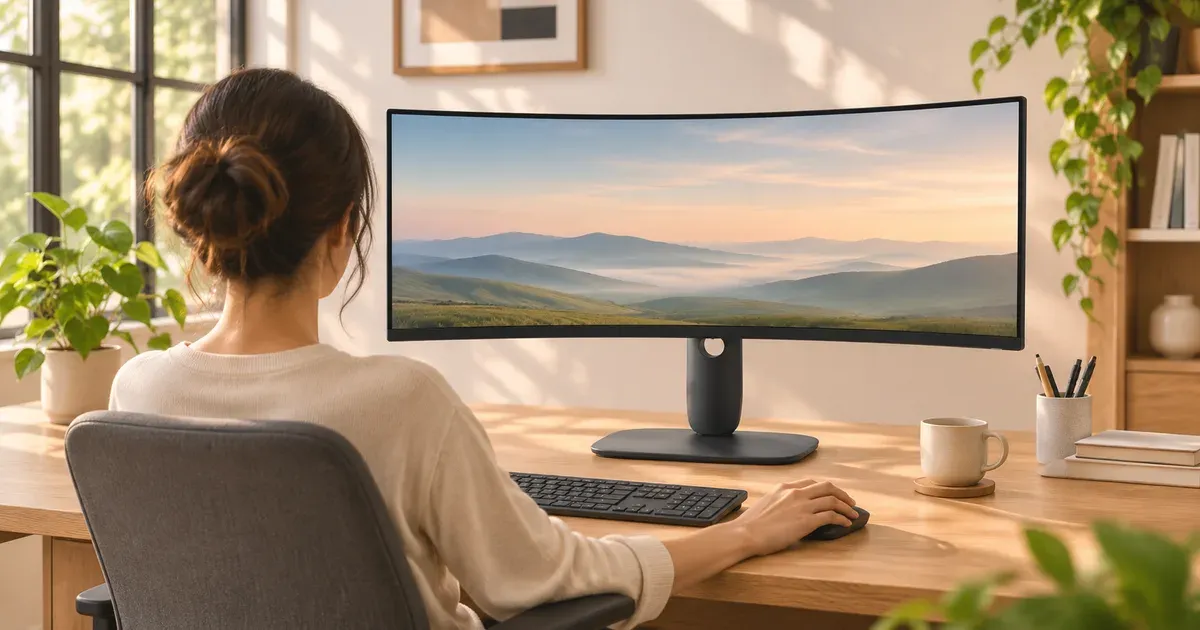
Buy one ultrawide if you game, edit video on a long timeline, or use a Mac that supports only one external display (MacBook Air M2, or M3 with the lid open): a 34-inch 3440x1440 screen has no bezel down the middle and counts as one display. Buy two monitors if you work across separate apps all day and want the most pixels per dollar: two 27-inch 4K Dell S2725QS monitors were $435.98 on Amazon on November 23, 2026, against $299.99 for a 34-inch Alienware AW3426DWM ultrawide (240Hz VA) and $649.99 for the AW3426DW (280Hz QD-OLED). Two 27-inch 1440p screens have about 49% more pixels than one 3440x1440 ultrawide, and two 4K screens more than three times as many.
Ultrawide vs. Dual at a Glance
| One 34” ultrawide (3440x1440) | Two 27” 1440p | Two 27” 4K | |
|---|---|---|---|
| Total pixels | 4,953,600 | 7,372,800 | 16,588,800 |
| Screen width (approx.) | 31.4” | 47.0” plus two bezels | 47.0” plus two bezels |
| Screen height | 13.1” | 13.2” | 13.2” |
| Bezel in the middle | No | Yes | Yes |
| Counts as how many Mac displays | 1 | 2 | 2 |
| Cables to the computer | 1 | 2 (or 1 with daisy chain) | 2 (or 1 with daisy chain) |
| Example cost, Nov 23, 2026 | $299.99 (Alienware AW3426DWM) | $399.98 (2x Dell S2725DC) | $435.98 (2x Dell S2725QS) |
Dimensions and pixel counts are calculated from resolution and diagonal.
Example Monitors
| Alienware AW3426DWM | Alienware AW3426DW | Dell S2725QS (each) | |
|---|---|---|---|
| Size / resolution | 34” 3440x1440 | 34” 3440x1440 | 27” 3840x2160 |
| Panel / curve | VA, 1500R | QD-OLED, 1800R | IPS, flat |
| Refresh / response (maker) | 240Hz / 1ms | 280Hz / 0.03ms | 120Hz / 4ms |
| HDR | DisplayHDR 400 | 1,300-nit peak (tier not listed) | None listed |
| Ports | 2x HDMI, DP 1.4, USB-C 15W | 2x HDMI 2.1 FRL, DP 1.4, USB-C 15W | 2x HDMI 2.1 FRL, DP 1.4 |
| Stand | — | Height, slant, swivel, tilt | Height, tilt, swivel, pivot |
| Price on Nov 23, 2026 | $299.99 Amazon; $269.99 Dell | $649.99 Amazon and Dell | $217.99 Amazon |
The Differences That Matter
Continuous vs. split. An ultrawide gives one unbroken image: a game, a long video timeline or two documents side by side with no frame between them. Two monitors put a bezel in the middle unless you center one screen and angle the second beside it. For a game, one ultrawide is the better picture; for chat on one screen and work on the other, two are simpler to manage.
Pixels and sharpness. A 34-inch 3440x1440 ultrawide has 4.95 million pixels at about 110 ppi, the same density as a 27-inch 1440p screen, just wider. Two 1440p screens add 49% more pixels; two 4K screens add text sharpness too (163 ppi).
Mac limits. Apple counts an ultrawide as one display. A MacBook Air M2 supports one external display, an M3 Air two only with the lid closed, and an M4 or M5 Air two with the lid open; hubs and daisy chains don’t raise those counts. On a one-display Mac, an ultrawide is the only way to get a dual-width desk. See does the Mac mini M4 support three monitors for desktop Macs.
Desk space and stands. Two 27-inch screens span about 47 inches before bezels, against 31.4 inches for a 34-inch ultrawide. Two screens on a dual arm free the desk; one ultrawide needs one stand or arm rated for its weight.
Work features. Office ultrawides such as Dell’s UltraSharp U3425WE (34-inch, 120Hz, Thunderbolt 4 with 90W charging, $1,049.99 at Dell) run a laptop from one cable. Two monitors can do the same with Thunderbolt or DisplayPort daisy chaining, but only if both models support it.
Prices on November 23, 2026

Budget ultrawide
Alienware AW3426DWM
34-inch 3440x1440 curved VA at 240Hz, DisplayHDR 400, USB-C. $299.99 on Amazon on Nov 23, 2026 ($269.99 at Dell).
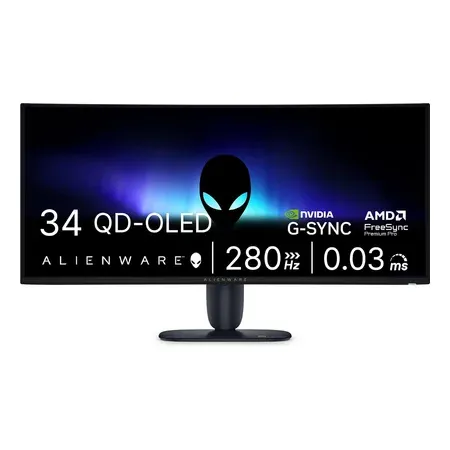
OLED ultrawide
Alienware AW3426DW
34-inch 3440x1440 QD-OLED at 280Hz, 1800R curve, two HDMI 2.1 FRL ports. $649.99 on Amazon on Nov 23, 2026.

Buy two for a dual setup
Dell S2725QS
27-inch 4K IPS at 120Hz with a pivoting stand. $217.99 each on Amazon on Nov 23, 2026.
For more ultrawides, including UltraSharp and ProArt office models, see our best ultrawide monitors. For three screens on a desktop, see mini PCs for three monitors. Curved or flat? See curved vs. flat monitors.
Ultrawide vs. Dual Monitors FAQ
Is an ultrawide better than two monitors?
For gaming and wide timelines, yes, because there’s no bezel in the middle. For the most screen area per dollar and keeping apps on separate screens, two monitors win: two 27-inch 1440p screens have 49% more pixels than a 34-inch ultrawide.
Does an ultrawide count as one or two displays on a Mac?
One. That’s why it’s the way to get a two-screen-wide desk on a MacBook Air M2 or an M3 Air with the lid open, both limited to one external display.
Is a 34-inch ultrawide as wide as two 24-inch monitors?
No. A 34-inch 21:9 screen is about 31.4 inches wide; two 24-inch 16:9 monitors are about 41.8 inches wide before bezels.
Can I split an ultrawide into two screens?
Most operating systems snap windows into halves, and some monitors add picture-by-picture to show two inputs side by side; check the model’s spec page.