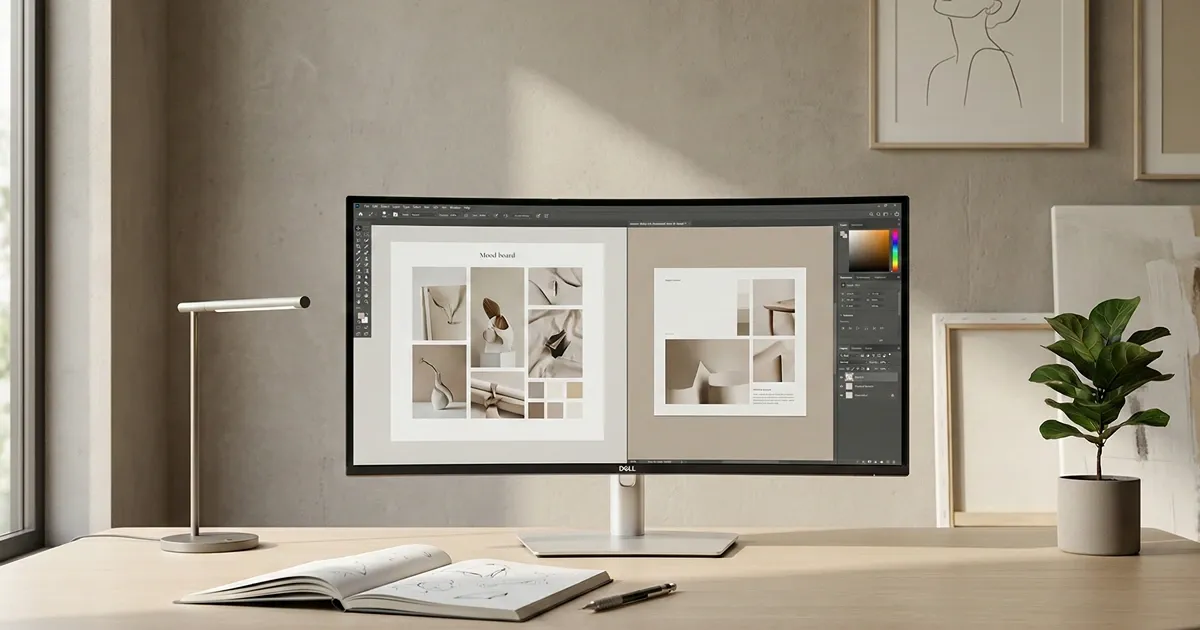
Ultrawide monitors give you a wider digital workspace that makes everyday computing feel less cramped and far more fluid. With extra horizontal screen space, you can comfortably keep multiple windows open side by side, edit large spreadsheets without constant scrolling, or sink into games and movies that feel more cinematic and immersive. While these displays can look massive on a desk at first, many people quickly find the added room to be a genuine productivity and comfort upgrade.
In this guide, we break down the best ultrawide monitors available right now, including top picks for most users, higher end options for those who want maximum resolution and screen size, budget friendly choices that still deliver solid performance, and gaming focused models built for smooth, responsive play. Whether you are setting up a home office, upgrading your creative workspace, or building a dedicated gaming setup, we will help you find the right ultrawide monitor for your needs and budget.
Best overall
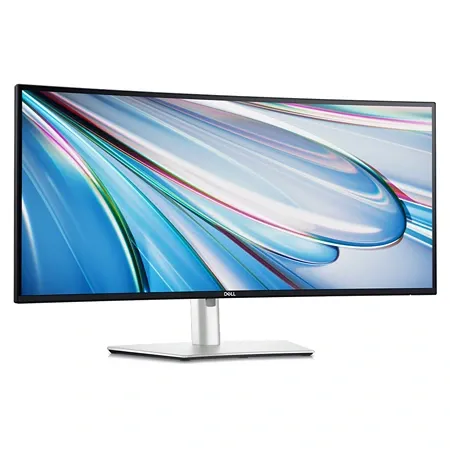
Dell UltraSharp U3425WE
A sharp 34 inch ultrawide with fast refresh, strong contrast, USB C hub features, and a clean design that makes multitasking feel effortless.
The Dell UltraSharp U3425WE stands out as the best overall ultrawide monitor thanks to its combination of image quality, thoughtful features, and clean professional design. It uses a 34 inch 3440 by 1440 IPS Black panel that delivers deeper contrast than typical IPS displays, which helps text look crisper and images appear more dimensional. A 120 Hz refresh rate keeps motion looking smooth for everyday use and also makes light gaming feel more responsive. Its slim bezels and solid build give it a polished look that fits naturally into both home offices and corporate workspaces.
Across its wide display surface, the U3425WE maintains consistent brightness and color, which is not always a given with large ultrawide screens. The gentle 1900R curve subtly brings the edges of the screen closer into view, making it easier to take in the full width without creating an exaggerated wraparound effect. This design choice supports long work sessions by reducing the need to constantly turn your head while still preserving a natural viewing experience.
Color accuracy is another strong point. The monitor produces even, well balanced color and reaches brightness levels that are comfortable for most indoor environments. Its contrast performance is higher than standard IPS panels, helping dark elements appear more defined without crushing detail. This makes the screen well suited for tasks like document work, web design, and general media use where clarity and tonal balance matter.
Connectivity is where the U3425WE truly feels like a modern hub. It includes Thunderbolt 4 over USB C with up to 90 watts of charging, along with DisplayPort and HDMI connections. Beyond that, it offers multiple USB C and USB A ports, 2.5 gigabit Ethernet, and audio out. There is also support for daisy chaining another display through USB C, which helps simplify cable management and reduces the need for additional adapters or docks.
The monitor includes productivity focused features that make it easy to work with multiple computers. It can split the screen between two connected systems, letting each one occupy half of the display. Its built in KVM switch allows a single keyboard and mouse to control whichever computer is currently active, making it simple to move between a desktop and a laptop without unplugging peripherals.
Automatic brightness and color temperature adjustment help the screen adapt to changing room lighting, and Dell Display Manager software makes setup and customization straightforward. From your computer, you can adjust picture settings, manage inputs, configure the KVM switch, and assign shortcuts to common display functions. Dell also backs the monitor with a three year warranty that covers pixel defects and other on screen issues, providing extra peace of mind.
There are a couple of limitations worth keeping in mind. The HDMI port cannot drive the full resolution at the maximum 120 Hz refresh rate, so DisplayPort or USB C is required to get the most out of the panel. In addition, the curved screen can slightly affect perspective, which may not be ideal for some photo or video editing workflows. Even with these considerations, the Dell UltraSharp U3425WE remains the most balanced and versatile ultrawide option for the majority of users.
Best budget
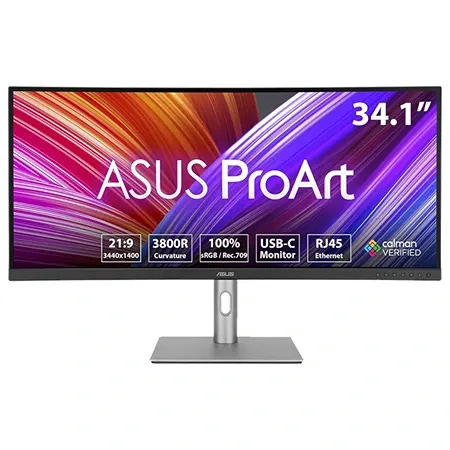
Asus ProArt PA34VCNV
An affordable 34 inch ultrawide with accurate color, USB C connectivity, and solid brightness for everyday office and creative work.
The Asus ProArt PA34VCNV is the best affordable ultrawide monitor for shoppers who want to save money without giving up a comfortable and capable workspace. It delivers the same standard 34 inch 3440 by 1440 resolution found on higher priced models, while adding USB C charging and a built in hub that make it easy to connect and power a laptop with a single cable. It does not include some of the newer display technologies found on more expensive options, but it still covers the core features that matter most for everyday productivity.
This monitor uses a 60 Hz panel that reaches about 300 nits of brightness and provides solid contrast for general office and home use. Text remains easy to read, and images look clean and well defined across the wide screen. While it does not offer the deeper contrast or faster refresh rates of premium ultrawide displays, it meets the needs of most people who want a large, comfortable workspace for multitasking, writing, browsing, and general creative work.
One of its standout design details is the very gentle curve. The PA34VCNV uses a 3400R curve, which is much subtler than what is found on many ultrawide monitors. This makes the display feel more natural and keeps straight lines looking straight, which is especially helpful for creative tasks like photo editing, layout work, and design. The mild curve still adds a sense of wraparound comfort without creating a distorted or overly immersive effect.
Color performance is another strong point for this price range. The monitor produces accurate sRGB color and also supports 10 bit color depth for wider color spaces such as DCI P3. Colors appear even and balanced across the panel, making it suitable for light creative projects where consistent color matters. Out of the box accuracy is good, and the display can also be calibrated for users who want even more precision.
Connectivity is generous for a budget focused ultrawide. The PA34VCNV includes HDMI and DisplayPort inputs, a USB C port that can deliver up to 96 watts of charging to a connected laptop, and a second USB C port for additional power delivery. It also offers USB A ports for accessories, Gigabit Ethernet for a wired network connection, and a DisplayPort output for daisy chaining another monitor. A built in KVM switch allows one keyboard and mouse to be shared between two connected computers.
The only real downside is the stand, which uses a large square base that can take up more desk space than slimmer designs. Even so, the monitor remains easy to position and adjust, and this is a small tradeoff considering the overall value it delivers. For anyone who wants a dependable ultrawide monitor with strong connectivity and accurate color at a lower price, the Asus ProArt PA34VCNV is an excellent budget friendly choice.
Best upgrade
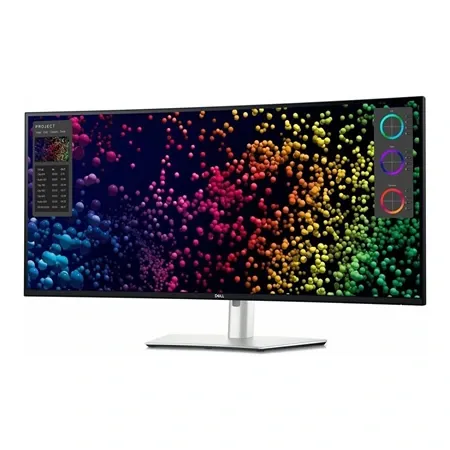
Dell UltraSharp U4025QW
A massive 40-inch 5K2K IPS Black ultrawide with excellent contrast, Thunderbolt 4 connectivity, and built-in KVM support.
The Dell UltraSharp U4025QW is the best high-end option for those who want the largest and most detailed ultrawide workspace available today. With its expansive screen and extremely high resolution, it allows an enormous amount of information to fit on a single display. The screen can be scaled to show more content without making text difficult to read, which creates a workspace that feels both spacious and sharp. This makes everyday multitasking feel effortless and gives demanding workflows plenty of room to breathe.
At 40 inches with a 5120 by 2160 resolution, the U4025QW offers more pixels and screen area than any other ultrawide option in this guide. It keeps the familiar 21:9 aspect ratio, so users can comfortably arrange two or even three full size windows side by side. The 120 Hz refresh rate also contributes to a smoother feel when scrolling, resizing windows, or watching motion heavy content, making the experience feel more refined than standard 60 Hz displays.
For a display of this size, brightness and color performance remain solid for most office and creative tasks. The screen provides clean, balanced color and enough brightness for typical indoor environments. While its measured brightness and contrast fall slightly short of what is advertised, the overall viewing experience still feels polished and pleasant, especially given the lack of direct competition at this size and resolution.
Connectivity is one of the strongest advantages of the U4025QW. It includes DisplayPort and HDMI for video, plus a Thunderbolt 4 USB C port that can deliver up to 140 watts of power to compatible laptops. This makes it possible to run and charge a high performance laptop with a single cable. The monitor also offers multiple USB C and USB A ports, a 2.5 gigabit Ethernet connection, and an audio jack. Another monitor can be daisy chained through Thunderbolt, and a convenient pop down port hub makes quick access to frequently used connections simple.
Like other productivity focused Dell ultrawides, the U4025QW works well in multi computer setups. It can divide the screen between two connected systems and includes a KVM switch that automatically routes a shared keyboard and mouse to the active computer. This makes switching between a desktop and a laptop smooth and eliminates the need to manually reconnect peripherals.
The monitor also features an ambient light sensor that automatically adjusts brightness and color temperature throughout the day. This helps maintain comfortable viewing conditions as room lighting changes and reduces the need for constant manual adjustments.
The main drawbacks are its price and the fact that real world brightness and contrast do not fully match the specifications listed on the box. It is the most expensive monitor in this guide, and many users will be perfectly satisfied with smaller and more affordable ultrawide options. For those who want the largest canvas, the highest resolution, and a truly premium ultrawide experience, however, the Dell UltraSharp U4025QW remains a standout upgrade choice.
Best gaming
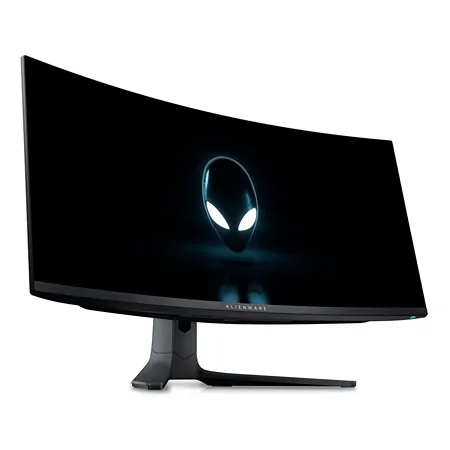
Dell Alienware AW3423DWF
A 34 inch QD OLED ultrawide with deep blacks, vibrant color, and a fast refresh rate that delivers smooth, immersive gameplay.
The Dell Alienware AW3423DWF is the best gaming focused ultrawide monitor in this guide, built for players who want the most immersive and visually striking experience possible. It uses OLED technology, which allows it to produce much deeper black levels and more vivid color than traditional IPS displays. This results in games that look richer and more dynamic without placing additional strain on your graphics card beyond what a standard ultrawide already requires.
The 34 inch 3440 by 1440 OLED panel delivers sharp detail and smooth motion thanks to its 165 Hz refresh rate. Fast moving scenes look clean and responsive, and fine textures remain crisp during gameplay. To take full advantage of this high refresh rate, a capable graphics card and a DisplayPort connection are required, as HDMI does not have enough bandwidth to drive the display at its maximum performance.
A curved 1800R screen enhances the sense of immersion by gently wrapping the image around your field of view. This curved design makes it easier to stay focused on the action and helps create a more enveloping experience in first person and open world games. The display feels more natural to look at for long sessions and gives gameplay a deeper, more cinematic presence.
Connectivity on the AW3423DWF is designed specifically with PC gaming in mind. It includes two DisplayPort 1.4 connections and an HDMI 2.0 port, giving flexibility for multiple systems. A set of USB A ports is also included for peripherals, which can be connected through the included upstream cable. This layout keeps the setup simple and focused on gaming performance rather than laptop docking features.
The main compromise comes in brightness. The monitor does not reach the same peak brightness as many IPS based ultrawides, and its glossy screen can appear washed out in rooms with strong sunlight. However, OLED contrast and true black levels help preserve image depth in typical indoor lighting, making brightness less of an issue in controlled environments.
The stand design is another consideration. It uses two extended feet that take up more desk space than standard rectangular bases, which may limit room for large desk mats or accessories. In addition, while modern OLED panels include features intended to reduce long term image retention, their overall lifespan is still less proven than traditional LCD technology. Dell supports this display with a three year warranty that includes coverage for burn in, which provides an added layer of reassurance.
For gamers who want the most immersive visuals, fast motion performance, and deep OLED contrast in an ultrawide format, the Dell Alienware AW3423DWF is definitely the top choice.
Ultrawide monitors are more than just bigger screens. They change how you interact with your computer by giving your workspace room to breathe, reducing the constant need to switch windows, and making everyday tasks feel calmer and more organized. Whether you are working with large documents, juggling multiple apps, or enjoying media and games, the added width creates a more natural and fluid way to use your computer.
Choosing the right ultrawide ultimately comes down to how you plan to use it, how much desk space you have, and what kind of experience you value most. Once you make the jump, many people find it difficult to go back to a standard display. A well chosen ultrawide can become the centerpiece of your setup, quietly improving comfort, focus, and enjoyment every day.