A gaming monitor has to match the machine driving it. Resolution determines GPU load, refresh rate sets the motion ceiling, pixel response decides whether that ceiling looks clear, and panel technology shapes contrast long before an HDR logo enters the picture.
We compared current specifications with instrumented reviews and long-term ownership reports, emphasizing response behavior, input lag, adaptive sync, brightness, color, ports, firmware, and value. Exact suffixes matter enormously in this category; one missing letter can indicate a different panel, refresh rate, or feature set.
Best all-around option
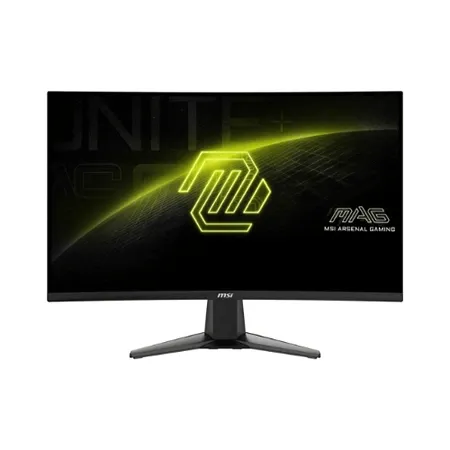
MSI MAG 274QRF QD E2
Sharp QHD resolution, fast response times, and vivid color for smooth gameplay. Ideal for fast-paced competitive titles.
The MSI MAG 274QRF QD E2 is a versatile 27-inch gaming monitor built around a Rapid IPS panel, 2560×1440 resolution, and a 180Hz refresh rate. That combination is a practical target for modern midrange GPUs and a clear improvement over 1080p without the load of 4K.
Motion is responsive and adaptive sync reduces tearing across a useful frame-rate range. Overdrive settings still involve tradeoffs: the most aggressive mode can introduce inverse artifacts, while a balanced setting is usually more consistent across changing refresh rates. Console support should be checked against the desired resolution and HDMI timing rather than inferred from the PC maximum.
Quantum-dot color produces a very wide gamut, with MSI rating 95% DCI-P3 and an expansive sRGB volume. That makes games vivid but can oversaturate ordinary SDR content unless an sRGB mode or calibrated profile is used. Typical brightness around 400 nits handles a bright room, while the 1,000:1-class IPS contrast and edge lighting limit dark-room HDR.
USB-C accepts DisplayPort video and supplies up to 65W to compatible laptops, while DisplayPort, two HDMI inputs, a USB hub, and KVM support suit a shared work-and-game desk. Charging is sufficient for many ultraportables but not every gaming laptop. The full stand offers height, swivel, tilt, and pivot, though the 75mm VESA pattern is less common than 100mm.
This is a versatile SDR gaming monitor rather than an HDR showcase. Factory color can need adjustment, there are no true blacks, and model confusion in listings is a real risk. At the right price, strong motion, QHD detail, broad connectivity, and a useful stand make the QD E2 a balanced everyday display.
Best 1440p gaming monitor
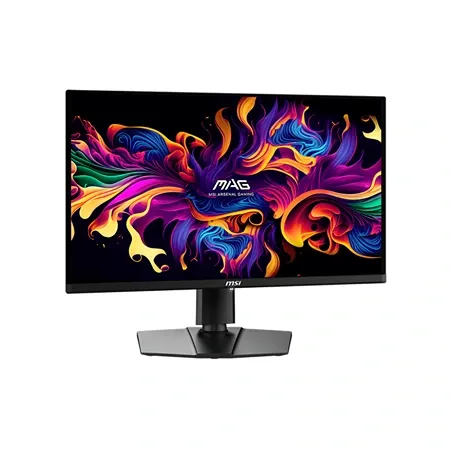
MSI MAG 271QPX QD-OLED E2
QD-OLED panel with lightning-fast response time and incredible contrast for deep blacks and vibrant colors.
Black pixels disappear completely on the MSI MAG 271QPX QD-OLED E2, giving dark games depth that an IPS panel cannot reproduce. The 26.5-inch QD-OLED panel runs at 2560×1440 and 240Hz with near-instant pixel transitions, making cinematic contrast and competitive motion coexist without requiring a flagship GPU to drive 4K.
MSI rates typical SDR brightness at 250 nits and small HDR peaks up to 1,000 nits. Highlights against black look intense, but large bright scenes dim as OLED protection limits full-screen output. Ambient light can raise the panel’s apparent black level and give it a purplish cast, so controlled room lighting produces the most convincing image.
Full-bandwidth HDMI 2.1 supports WQHD at 240Hz and works cleanly with current consoles, alongside DisplayPort and USB-C video. The USB-C connection supplies only modest device power and there is no full docking experience to match the IPS pick. Verify the regional specification because port descriptions on retailer pages are frequently copied incorrectly.
OLED Care 2.0 runs panel-protection routines, and MSI includes three-year coverage that explicitly mentions burn-in. Those measures reduce anxiety without making static wear impossible. Desktop users should vary content, allow sleep, hide persistent interface elements, and let compensation cycles complete.
Text fringing, modest full-screen brightness, and burn-in risk make this less natural for all-day office use than gaming and media. Its price also competes with faster 360Hz OLEDs during sales. For someone prioritizing 1440p image quality and excellent motion at a more attainable OLED price, the E2 remains a compelling middle ground.
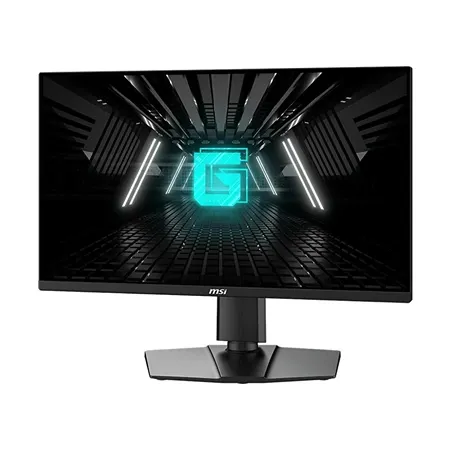
Best budget gaming monitor
MSI G255PF
Fast 180 Hz refresh rate, sharp 1080p resolution, and low input lag make this a great pick for budget-conscious gamers.
High frame rates are inexpensive to reach at 1920×1080, and the MSI G255PF E2 is designed around that fact. Its 24.5-inch Rapid IPS panel reaches 180Hz, keeping pixels reasonably dense while allowing modest graphics cards to deliver the frame rate that competitive games reward.
Input feels quick and adaptive sync helps smooth fluctuating performance. Pixel response is strong for the price, although some ghosting or overshoot remains depending on the overdrive mode and refresh rate. The practical setting is the one that behaves across the full range, not the menu option with the most aggressive name.
IPS color and viewing angles are preferable to many old budget TN panels, with enough brightness for ordinary indoor use. Contrast is still limited, blacks look gray in a dark room, and HDR support should be treated as signal acceptance rather than meaningful high-dynamic-range reproduction. Color-sensitive work needs calibration and a better-specified display.
Two HDMI inputs and DisplayPort make PC-and-console connection simple, while the adjustable stand is more useful than the fixed bases common in this tier. There is no USB-C dock or feature-rich hub. The 1080p workspace also feels cramped beside QHD for writing, editing, and dense desktop applications.
Price is its strongest argument, but only when the listing is the G255PF E2 rather than a similar G255F variant. It suits esports, a first gaming PC, or a secondary display where speed outranks resolution. Buyers with a stronger GPU and mixed productivity use should consider whether a discounted 1440p monitor offers longer value.
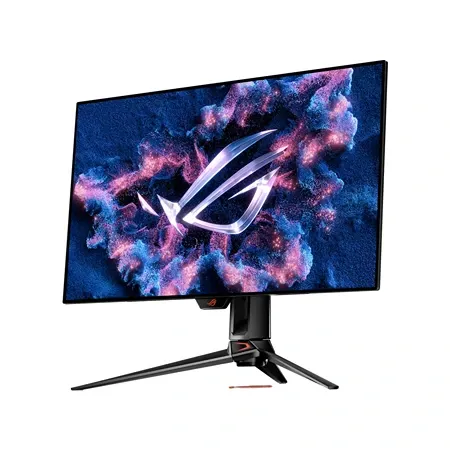
Best 4K gaming monitor
Asus ROG Swift PG32UCDM
Stunning 4K OLED panel with 240 Hz refresh rate and vibrant HDR for top-tier visuals and responsiveness.
Thirty-two-inch 4K and 240Hz make the Asus ROG Swift PG32UCDM a monitor whose limits are usually set by the PC. Its QD-OLED pixels deliver true black and exceptionally fast response, while the resolution preserves fine game detail and crisp desktop scaling at a comfortable size.
HDR10 and Dolby Vision support, broad DCI-P3 color, and precise per-pixel lighting produce spectacular high-contrast scenes. Full-screen brightness remains lower than a strong LCD, and room light can lift the glossy QD-OLED black floor. Calibration modes are useful for creative work, though OLED text rendering can bother sensitive readers.
HDMI 2.1, DisplayPort 1.4 with compression, and USB-C with up to 90W power accommodate a desktop, consoles, and work laptop. A USB hub and KVM help share peripherals. Reaching 4K at 240Hz requires the correct port, cable, GPU, and compression support; current consoles top out at 120Hz.
Asus includes pixel shifting, cleaning routines, a heatsink, and three-year burn-in coverage. Static-content precautions still apply, especially for an all-day desktop with fixed taskbars or application chrome. Panel maintenance may briefly interrupt use, and firmware should be kept current when it addresses HDR or protection behavior.
Cost, GPU demand, and cumulative OLED wear are substantial compromises. A newer PG32UCDM generation also exists, so the original is most persuasive at a clear discount. For a premium mixed gaming setup that can exploit 4K resolution, high refresh, and perfect blacks, it remains an exceptional screen.
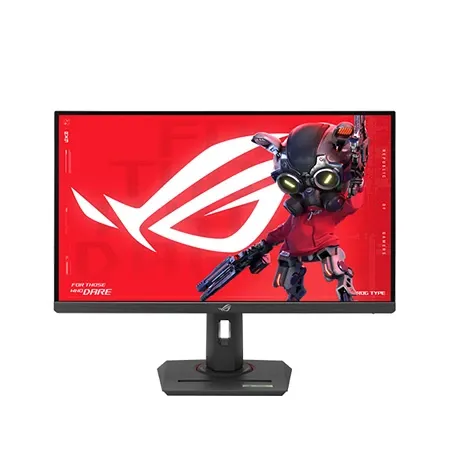
Best budget 4K monitor
Asus ROG Strix XG27UCG
27-inch 4K monitor with sharp visuals, solid HDR, and smooth 160 Hz gameplay at excellent value.
One button changes the Asus ROG Strix XG27UCG from a 3840×2160, 160Hz monitor into a 1920×1080, 320Hz one. That dual-mode design lets detailed single-player games use native 4K while competitive titles trade resolution for a higher refresh ceiling.
The compromise is physical: 1080p is scaled across a 27-inch 4K panel and looks softer than a native small esports monitor. The 320Hz mode matters only when the system sustains frame rates near that level and the player benefits from the lower persistence. Switching modes also takes a brief resynchronization rather than feeling instantaneous.
Its Fast IPS panel provides bright, colorful SDR and good motion, with G-Sync Compatible and FreeSync operation. HDR10 input and DisplayHDR 400-class brightness do not create premium HDR because there is no sophisticated local dimming and native contrast remains around ordinary IPS levels. Dark scenes therefore look much flatter than OLED.
HDMI 2.1, DisplayPort, and USB-C video cover modern sources, but USB-C power is only 15W and there is no extensive USB hub. The ergonomic stand and VESA support are useful, while the tripod socket and rear lighting are more situational. A high-end GPU is still needed for demanding 4K play above 100fps.
The XG27UCG is best understood as two capable SDR gaming modes in one chassis, not an inexpensive HDR flagship. It suits a player who genuinely alternates between visual fidelity and esports speed. If only one mode will be used, a dedicated 4K 160Hz or QHD high-refresh monitor may cost less and involve fewer compromises.
Choose the target frame rate before the monitor. Competitive games can justify 240Hz or more at lower resolution, while visually dense single-player titles often benefit more from detail and contrast. The GPU, CPU, connection standard, and game settings must all support the intended mode.
Return policy and warranty matter because pixel defects, uniformity, firmware quirks, and OLED behavior vary between individual units. Test every input, adaptive-sync range, sleep/wake behavior, and dark-screen uniformity early, then use sensible brightness and panel-care settings rather than chasing the most vivid showroom preset.