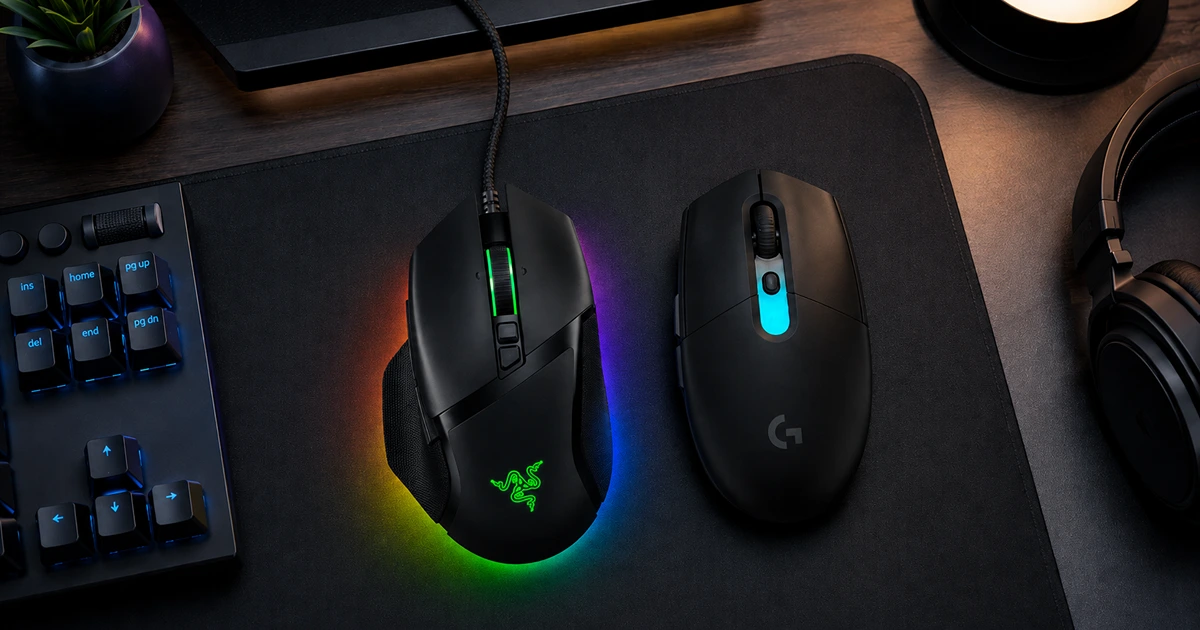

If you spend serious hours in front of a PC, a proper gaming mouse is one of the cheapest upgrades that actually changes how your games feel. Compared with the basic mouse that came with your computer, a good gaming mouse offers faster response times, a more precise sensor, comfortable ergonomics, and extra buttons you can map to anything from weapon swaps in Counter-Strike 2 to mute toggles on Discord. After researching dozens of the most popular wired and wireless models, we narrowed the field down to a handful of mice that get comfort, buttons, and performance right without wasting money on gimmicks.
For most people, the Razer Basilisk V3 is the mouse to get. It has one of the most universally comfortable shapes we’ve come across, eleven programmable buttons that are easy to press on purpose and hard to hit by accident, and optical switches that sidestep the double-click failures that plague cheaper mice. It usually sells for well under $50, which makes it a genuine bargain.
If you want to cut the cord, the Razer Basilisk V3 Pro takes everything great about the wired version and adds fast, reliable wireless connectivity, Bluetooth support, and solid battery life. And if you’d rather spend as little as possible, the Logitech G305 Lightspeed delivers wireless performance that punches far above its $30 price.
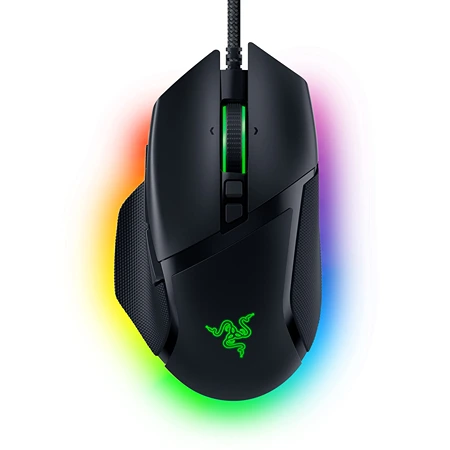
Razer Basilisk V3
Best Overall Option
Comfortable for nearly every hand size and grip style, with 11 programmable buttons, optical switches, and customizable RGB underglow.
The Razer Basilisk V3 is the best gaming mouse for most people because it nails the fundamentals better than anything else near its price. Its sculpted right-handed shape is comfortable across the widest range of hand sizes and grip styles, whether you prefer a palm, claw, or fingertip grip. The textured plastic surface makes it easy to keep a secure hold even during sweaty, high-stakes matches, and the pronounced thumb rest gives your hand a natural home during long sessions. At around $35 to $50, it undercuts most of the competition while feeling anything but cheap.
The button layout is a highlight. The Basilisk V3 has eleven programmable inputs, including crisp, clicky thumb buttons that are easy to tell apart by feel and a dedicated thumb clutch that temporarily drops your sensitivity for lining up precise shots. Everything is placed where your fingers expect it to be, so buttons are simple to reach deliberately and difficult to trigger by mistake. Underneath the main clicks, Razer uses optical switches rather than mechanical ones, which means the mouse avoids the dreaded double-click failure that can develop over time in mice with traditional mechanical switches.
The scroll wheel is another standout feature. A button below the wheel toggles between traditional ratcheted scrolling, which gives you distinct notches for swapping weapons, and a free-spinning mode for flying through long documents and web pages. There’s also a smart-reel setting that automatically switches to smooth scrolling when you flick the wheel quickly. The wheel itself has a grippy texture and supports left and right tilt inputs, adding two more mappable controls.
Customization runs deep through Razer’s Synapse software, where you can remap every button, adjust sensitivity levels and polling rate, and build separate profiles tied to specific games or applications. The mouse stores up to five profiles in its onboard memory, so your settings travel with you between computers without needing the software installed everywhere. The RGB lighting is genuinely fun, with a bright underglow ring around the base, a lit scroll wheel, and a logo under your palm, all customizable and able to sync with other Razer gear.
The main drawback is that Synapse doesn’t support this mouse on macOS, so you’ll need a Windows machine to configure it. Some owners have also reported scroll wheels getting stuck in free-spin mode, though the issue appears rare and is covered under Razer’s two-year warranty. Razer sells a newer Basilisk V3 35K with an updated sensor and switches, but the improvements are minor and not worth the extra cost when the original performs this well.
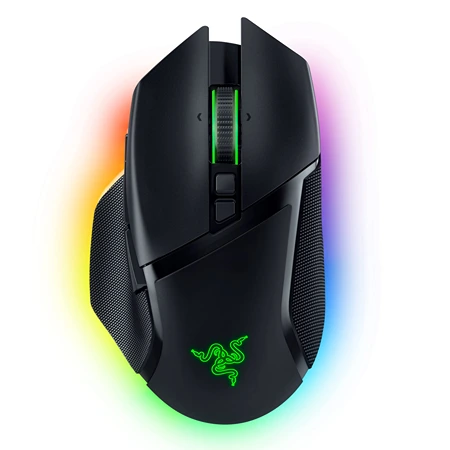
Razer Basilisk V3 Pro
Best Wireless Option
The same great shape as our top pick with fast, lag-free wireless, Bluetooth support, 90-hour battery life, and optional wireless charging.
The Razer Basilisk V3 Pro is the best wireless gaming mouse you can buy, largely because it’s a nearly identical twin of our top pick with the cable removed. The size, shape, build quality, buttons, and toggleable scroll wheel all carry over, so you get the same excellent ergonomics that suit almost every hand size and grip. It connects over a low-latency 2.4 GHz USB dongle, Bluetooth, or a wired USB-C cable, and it upgrades the sensor to Razer’s Focus Pro 30K along with the same reliable optical switches.
Wireless performance is where this mouse earns its price. Over the 2.4 GHz dongle, it’s every bit as fast and responsive as a wired mouse, with no perceptible lag or connection hiccups, and independent latency measurements have shown it outpacing even some wired competitors. Razer includes a wireless extender in the box, so if a USB 3.0 port on your PC causes interference, you can move the dongle closer to the mouse for a rock-solid connection. There’s even a small compartment on the underside for storing the dongle when you toss the mouse in a bag.
Subscribe to Product Bible
Stay updated with the latest product reviews, buying guides, and expert recommendations. Fresh advice on the best things we've researched, tested, and reviewed, sent to your inbox weekly.
Want to know more about how we handle your data or opt out of marketing emails? Check out our Privacy Policy. If you have any questions, we're always here to help.
Battery life is rated at 90 hours over the dongle with lighting at default brightness, and that estimate holds up in real-world use. You can stretch it further by turning off the RGB or dropping the polling rate when you’re not gaming, and Synapse shows your exact remaining battery percentage along with adjustable sleep timers. If you want a truly cable-free setup, Razer sells an optional Mouse Dock Pro and charging puck that top the mouse off magnetically overnight, though it’s a pricey add-on.
The lighting is even better than the wired version’s, with 13 customizable RGB zones glowing through the scroll wheel, logo, and underglow ring around the base. Unlike the wired Basilisk V3, the Pro also supports Windows Dynamic Lighting, so it can sync effects with non-Razer accessories.
The flaws are minor. The recessed USB-C charging port is shaped to fit Razer’s included braided cable, and most third-party cables won’t seat properly, which is an annoying design choice on an otherwise premium mouse. At around $99 it costs roughly three times as much as the wired version, so it only makes sense if a clean, cord-free desk genuinely matters to you. As with the wired model, there’s a newer 35K Pro variant, but its upgrades don’t justify the significant price jump.
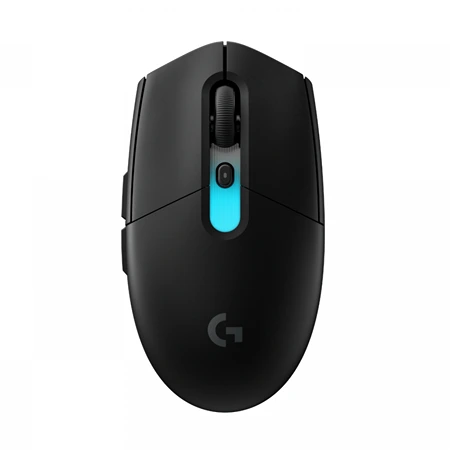
Logitech G305 Lightspeed
Best Budget Option
A compact, lightweight wireless mouse with a precise sensor, 250-hour battery life, and rock-solid performance for around $30.
The Logitech G305 Lightspeed proves you don’t need to spend much to get a legitimately great wireless gaming mouse. For around $30, it delivers accuracy and responsiveness on par with mice that cost three times as much, powered by Logitech’s Hero sensor and a low-latency 2.4 GHz wireless connection. It skips the RGB lighting and extra buttons of pricier mice, but it gets every fundamental right, which is why it has remained one of the most widely recommended budget gaming mice for years.
The G305’s shape is smaller and flatter than our top picks, without a sculpted thumb rest, which makes it a particularly good fit for smaller hands and claw or fingertip grips. It’s also lighter than the Basilisk V3 Pro, and its symmetrical, low-profile design stays comfortable through hours of continuous use. The six programmable buttons are all easy to reach, and you can customize them in Logitech’s G Hub software, which is intuitive and works on both Windows and macOS.
Battery life is exceptional. The G305 runs on a single AA battery, and Logitech rates it at up to 250 hours, nearly triple what the Basilisk V3 Pro manages on a charge. The top shell pops off to reveal the battery compartment and a storage slot for the USB dongle, which makes it an easy mouse to travel with. Instead of RGB lighting, Logitech offers the G305 in several fun two-tone colorways, including lilac, blue with mint, and mint with lilac, alongside the standard black and white.
There are tradeoffs at this price. The G305 has no Bluetooth support and no wired mode, so if the battery dies mid-game you’ll need a fresh AA rather than a charging cable. It stores only one profile in onboard memory, and it uses mechanical switches rather than optical ones, which carry a small long-term risk of double-click failure. But at this price, those compromises are easy to accept for wireless performance this good.
A great gaming mouse doesn’t need a five-figure DPI number or a spec sheet full of buzzwords. It needs to fit your hand, respond instantly, and hold up to years of clicking, and that’s exactly what these picks deliver. The Razer Basilisk V3 remains the smartest choice for most people, combining a supremely comfortable shape, useful buttons, and durable optical switches at a price that’s hard to argue with. If you want the same experience without a cable, the Basilisk V3 Pro is worth the premium, while the Logitech G305 Lightspeed covers the budget end with wireless performance that embarrasses far pricier mice.
The best part is that none of these picks force you to choose between comfort and performance. All three track accurately, respond instantly, and hold up to marathon sessions, so the decision really comes down to your budget and whether you want a cable on your desk. Whichever direction you go, any of these mice will make your time at the PC feel faster, more precise, and more comfortable.