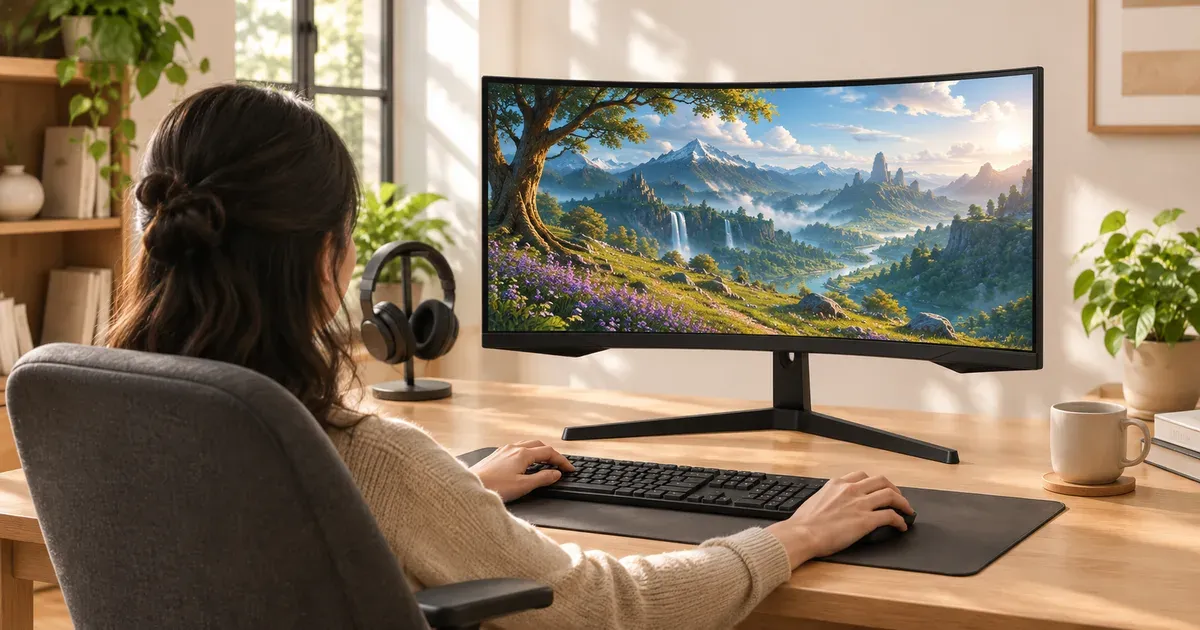
Buy curved if the screen is 34 inches or wider (an ultrawide) or a 32-inch gaming monitor you sit close to: the curve keeps the edges closer to your eyes. Buy flat for a 27-inch or smaller monitor, for photo, design or CAD work where straight lines should look straight, and for two side-by-side monitors. On November 23, 2026 a 32-inch curved Samsung Odyssey G55C (1440p 165Hz VA) was $180.48 on Amazon, a 34-inch curved Alienware AW3426DW QD-OLED ultrawide (1800R, 280Hz) $649.99, and the flat 27-inch Dell S2725QS (4K 120Hz IPS) $217.99.
Curved vs. Flat at a Glance
| Curved | Flat | |
|---|---|---|
| Best sizes | 32” and up; nearly all 34”+ ultrawides | 27” and smaller |
| Gaming | Wraps a wide image around you | Fine at 27” |
| Design, photo, CAD | Straight lines appear bowed | Straight lines stay straight |
| Two monitors side by side | Awkward joins | Easy to line up |
| Wall mount / arm | Check the arm’s capacity and fit for curves | Any VESA arm |
| Example, Nov 23, 2026 | Samsung Odyssey G55C 32”, $180.48 | Dell S2725QS 27”, $217.99 |
What the “R” Number Means
Curvature is the radius of the circle the screen would form, in millimeters. 1000R is a 1,000mm (1 meter) radius; a smaller number is a tighter curve. Examples from maker spec pages:
| Monitor | Size / type | Curve |
|---|---|---|
| LG UltraGear 34GS95QE | 34” 3440x1440 OLED | 800R |
| LG UltraGear 45GX950A | 45” 5K2K OLED | 800R |
| Alienware AW3426DWM | 34” 3440x1440 VA | 1500R |
| LG UltraGear 39GX950B | 39” 5K2K OLED | 1500R |
| Alienware AW3225QF | 32” 4K QD-OLED | 1700R |
| Alienware AW3426DW | 34” 3440x1440 QD-OLED | 1800R |
| Dell UltraSharp U3425WE | 34” 3440x1440 IPS | 1900R |
| Dell UltraSharp U4025QW / LG 40U990A | 40” 5K2K IPS | 2500R |
Gaming ultrawides tend toward tighter curves (800R to 1800R); office ultrawides sit at 1900R to 2500R.
The Differences That Matter
Size decides most of it. On a 34-inch ultrawide (about 31.4 inches wide), a flat panel puts the corners noticeably farther from your eyes than the center. A curve brings them in, which is why nearly every ultrawide is curved. On a 27-inch 16:9 screen (23.5 inches wide), the edges are close enough that 27-inch monitors are usually flat.
Gaming. A curved 32-inch or ultrawide fills more of your peripheral vision in racing, flight and open-world games. At 32 inches you can have either: Alienware sells the 4K QD-OLED AW3225QF curved (1700R) and the 4K OLED AW3226Q flat.
Work. Spreadsheets and documents look fine on a gentle curve. Photo, design and CAD work favor flat panels, since a curve bends straight lines. Office ultrawides use shallow curves (Dell’s U3425WE is 1900R) for this reason.
Two monitors. Two flat monitors meet cleanly; two curved ones leave a wedge-shaped gap. If you plan a dual setup, buy flat. See ultrawide vs. dual monitors.
Panel and price. Many cheap curved gaming monitors are VA (higher contrast, narrower viewing angles than IPS). The curve itself doesn’t raise prices much: the 32-inch curved G55C ($180.48, 1440p) was cheaper than Dell’s flat 27-inch 4K ($217.99) on Amazon.
Prices on November 23, 2026
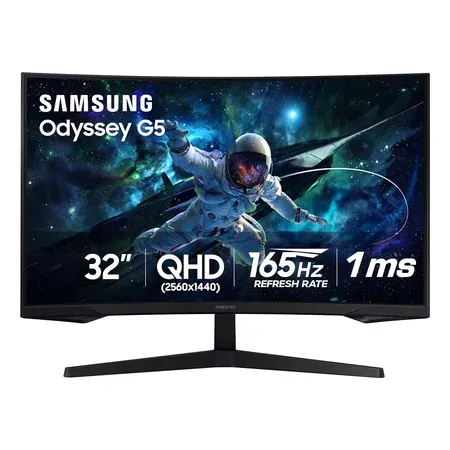
Budget curved gaming
Samsung Odyssey G55C 32
32-inch curved 1440p VA at 165Hz. $180.48 on Amazon on Nov 23, 2026 ($349.99 on samsung.com).
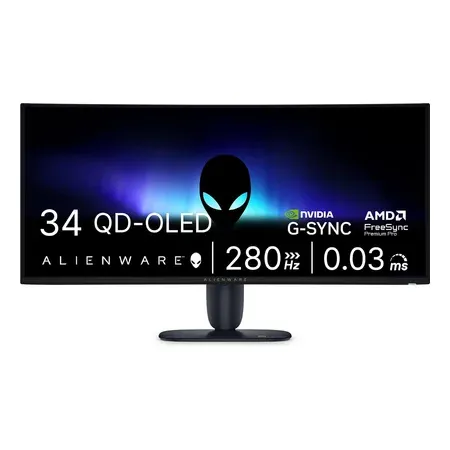
Curved OLED ultrawide
Alienware AW3426DW
34-inch 3440x1440 QD-OLED, 1800R, 280Hz, two HDMI 2.1 FRL ports. $649.99 on Amazon on Nov 23, 2026.
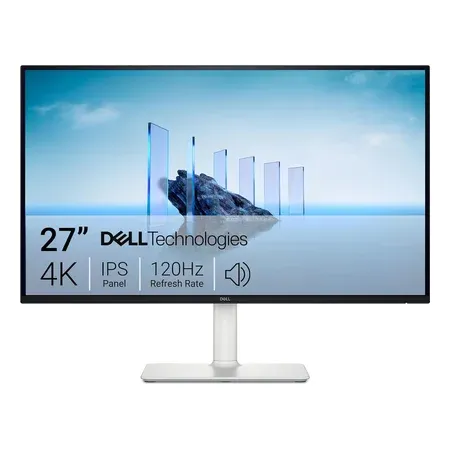
Flat 27-Inch 4K
Dell S2725QS
Flat 27-inch 4K IPS at 120Hz with a height, swivel and pivot stand. $217.99 on Amazon on Nov 23, 2026.
Samsung also sells a 27-inch G55C; check the size on the listing. For more ultrawides, see our best ultrawide monitors, and for size, 27 vs. 32 inch monitors.
Curved vs. Flat FAQ
Is a curved monitor better for gaming?
On 32-inch and ultrawide screens, it makes the image wrap around you, which suits racing, flight and open-world games. At 27 inches the benefit is small.
What does 1000R mean on a monitor?
It’s the curve’s radius in millimeters: 1000R curves like a circle 1 meter in radius. Lower numbers (800R) are tighter; higher (2500R) are gentler.
Are curved monitors good for office work?
Yes on ultrawides, where office models use gentle 1900R to 2500R curves. For photo editing, design and CAD, flat is better because it keeps straight lines straight.
Can you put a curved monitor on a monitor arm?
Yes if it has a VESA mount and the arm is rated for its weight and size. Ultrawides are heavier, so check the arm’s capacity before buying.