
The short answer: OLED is the best all-round gaming laptop screen in 2026, mini-LED is best for bright HDR, and IPS is best for the highest refresh rates and lowest prices. OLED gives perfect blacks and near-instant pixel response, and 240 Hz OLED panels are now common in $2,000-plus laptops. Mini-LED gets brighter in HDR but can show halos around bright objects. IPS reaches 300 Hz, costs least and has no burn-in risk, but its blacks look gray in a dark room.
Prices checked November 20, 2026, on Amazon.
OLED vs. Mini-LED vs. IPS at a Glance
| OLED | Mini-LED | IPS | |
|---|---|---|---|
| How it works | Each pixel makes its own light | LCD with hundreds or thousands of backlight zones | LCD with an edge or uniform backlight |
| Black level and contrast | Perfect blacks | Very good; halos (“blooming”) around bright objects | Grayish blacks in the dark |
| HDR brightness | High (e.g. 1,100 nits peak on Razer Blade 16 and Legion Pro 7i) | Highest, sustained over larger areas | Low to moderate; HDR is limited |
| Response time | About 0.2 ms (HP lists 0.2 ms) | About 3 ms on ROG panels | About 3 ms on fast panels |
| Top refresh rate in 2026 laptops | 240 Hz | 240 Hz | 300 Hz |
| Burn-in risk | Yes, with long static images | No | No |
| Price | Mid to high | High | Lowest |
Mini-LED and IPS aren’t opposites: IPS is a type of LCD panel, and mini-LED is a kind of backlight. A mini-LED laptop screen is an LCD (often IPS-type) lit from behind by hundreds or thousands of small LEDs in dimming zones, instead of a few LEDs along the edge.
Brightness, Contrast and Motion in Numbers
From ASUS, Razer and Lenovo spec pages:
- Mini-LED brightness: the 2026 ROG Strix Scar 18’s panel has over 2,000 dimming zones and reaches 1,600 nits peak and up to 1,000 nits across the whole screen. Ordinary IPS and TN laptop panels peak at 300 to 500 nits.
- OLED contrast: every pixel is its own light, so a 2880x1800 OLED has over 5 million “zones” and no blooming. Peak HDR brightness is about 1,100 nits on the Zephyrus G14, Razer Blade 16 and Legion Pro 7i, but OLEDs automatically dim when large areas of the screen are bright, so full-screen white is much dimmer than on mini-LED.
- Response time: ASUS rates its OLED panels as low as 0.03 ms and HP lists 0.2 ms, against about 3 ms for fast IPS and mini-LED panels. Some 2026 ASUS mini-LED panels (Nebula ELMB on the Strix Scar 18) strobe the backlight zones to cut motion blur.
Best Panel by How You Play
| How you play | Pick |
|---|---|
| Story games, RPGs, horror in a dim room | OLED |
| Competitive shooters (Valorant, CS2) | 240 Hz OLED, or 300 Hz IPS for the highest refresh |
| HDR games and movies in a bright room | Mini-LED |
| Gaming plus a full workday of static windows | Mini-LED or IPS |
| Coding and spreadsheets with fixed toolbars | IPS or mini-LED |
| Budget gaming laptop | IPS |
| Keeping the laptop five or more years | Mini-LED or IPS (no burn-in) |
Which 2026 Gaming Laptops Use Which Panel
From maker spec pages:
| Laptop | Panel |
|---|---|
| ASUS ROG Zephyrus G14 (2026) | 14-inch 2880x1800 OLED, 120 Hz |
| ASUS ROG Zephyrus G16 (2026) | 16-inch 2560x1600 OLED, 240 Hz |
| Razer Blade 16 (2026) | 16-inch 2560x1600 OLED, 240 Hz, DisplayHDR TrueBlack 1000, 1,100 nits HDR |
| Razer Blade 14 | 14-inch 2880x1800 OLED, 120 Hz |
| Lenovo Legion Pro 7i Gen 10 | 16-inch 2560x1600 OLED, 240 Hz, 500 nits typical / 1,100 peak |
| Lenovo Legion 5i / 5a (Gen 11) | 15.3-inch WQXGA OLED, 165 Hz |
| Alienware 16X Aurora / 16 Area-51 | 16-inch WQXGA OLED, 240 Hz, 620 nits HDR |
| HP HyperX OMEN MAX 16 | up to 16-inch 2.5K OLED, 240 Hz, 0.2 ms |
| ASUS TUF Gaming F16 (2026) | 2.5K OLED 165 Hz or 2.5K IPS 300 Hz |
| ASUS ROG Strix G16 (2026) | 2.5K mini-LED 240 Hz or 2.5K IPS-level 300 Hz |
| ASUS ROG Strix Scar 16 (2025) | 2.5K mini-LED 240 Hz |
| ASUS ROG Strix Scar 18 (2026) | 18-inch mini-LED 240 Hz |
| Alienware 18 Area-51 | 18-inch WQXGA IPS 300 Hz, 500 nits |
| Alienware 16 Aurora | 16-inch WQXGA 120 Hz, 300 nits |
Refresh-Rate Fine Print
Two ASUS panels only reach their top refresh rate in one GPU mode:
- ROG Strix G16 and G18 (2026) 300 Hz IPS panels run at 240 Hz unless the GPU mode in Armoury Crate is set to Ultimate.
- ROG Strix Scar 18 (2026) mini-LED runs at 120 Hz unless the GPU mode is Ultimate.
Ultimate mode routes the display straight to the Nvidia GPU (see what a MUX switch is), which also costs battery life.
OLED Burn-In
OLED pixels age unevenly if the same bright image (a taskbar, a game HUD) stays on screen for many hours a day. Makers add protections such as pixel shifting, dimming static elements and auto-hiding the taskbar. For mixed gaming and media use it’s a small risk; for a laptop that shows a static spreadsheet eight hours a day, IPS is the safer pick. Some people also notice flicker on OLED panels at low brightness.
What Matters Beyond Panel Type
- Resolution and refresh: 2560x1600 at 165 to 240 Hz is the sweet spot on 16-inch laptops (see 1080p vs. 1440p and what refresh rate you need).
- Variable refresh: G-Sync on the built-in screen, which needs a MUX switch or Advanced Optimus (see does a gaming laptop need G-Sync).
- The GPU: don’t give up a GPU tier to get OLED. A faster GPU with a good 240 Hz IPS screen often plays better than a slower one with OLED.
Which Should You Buy?
- OLED: most players, especially for single-player and story games in a dim room. 240 Hz OLED covers competitive play too.
- Mini-LED: HDR games and movies in bright rooms, and long static-screen use without burn-in worries.
- IPS: the most frames per second (300 Hz), the lowest price, and office work with static screens.
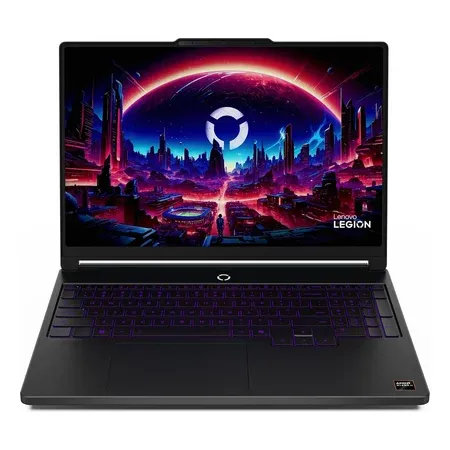
Affordable OLED pick
Lenovo Legion 5a (2026, OLED)
15.3-inch WQXGA OLED 165 Hz, RTX 5060, Ryzen 7 250, 32 GB. $1,699.99 on Nov 20, sold by Amazon.
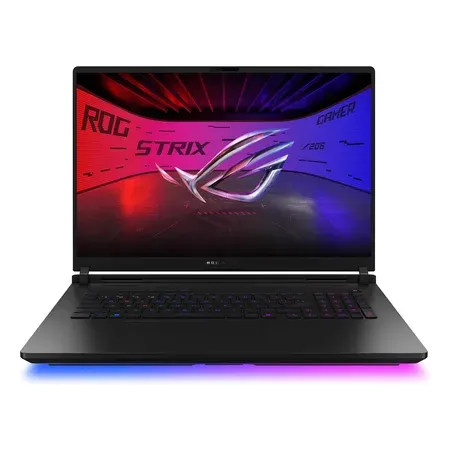
Mini-LED pick
ASUS ROG Strix Scar 18 (2026)
18-inch 4K 240 Hz mini-LED, RTX 5080 at 175 W, Core Ultra 9 290HX Plus. $4,199.99 on Nov 20, sold by Amazon.
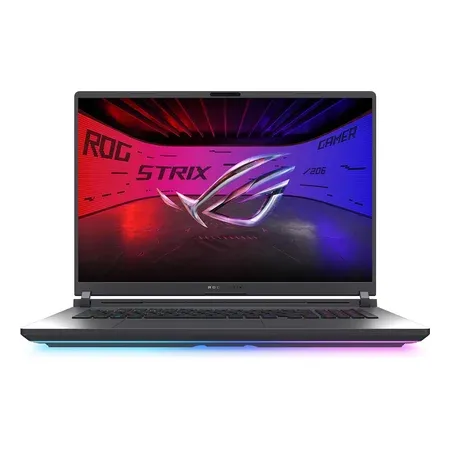
300 hz IPS pick
ASUS ROG Strix G18 (2026)
18-inch 2.5K 300 Hz IPS-level, RTX 5070 Ti at 140 W, Core Ultra 9 290HX Plus. $3,199.99 on Nov 20, sold by Amazon.
OLED vs. Mini-LED vs. IPS FAQ
Is OLED good for a gaming laptop?
Yes. It has the best contrast and the fastest response of any laptop panel, and 240 Hz OLED is available in many 2026 models. The main downside is burn-in risk with static images.
Is mini-LED better than OLED for gaming?
For bright HDR, yes. For dark scenes and motion clarity, OLED is better, and mini-LED can show halos around bright objects.
Is an IPS screen fine for a gaming laptop?
Yes. IPS panels reach 300 Hz, cost less and can’t burn in. Blacks look gray in a dark room and HDR is limited.
Does OLED use more battery than IPS?
It depends on what’s on screen. An OLED’s power draw rises with how much of the screen is bright, so dark games and dark mode use less and white documents use more. Mini-LED and IPS backlights draw power whatever the content.
Which display type lasts longest?
Mini-LED and IPS, because neither can burn in. OLED panels age with static images, which is why makers add pixel shifting and taskbar dimming.
Do OLED gaming laptops get burn-in?
They can after many hours of the same static image. Makers add pixel shifting and similar protections; mixed use rarely causes problems.
Sources
- ASUS ROG Zephyrus G14 (2026) GU405 specs
- ASUS ROG Zephyrus G16 (2026) specs
- ASUS ROG Strix G16 (2026) and Strix Scar 18 (2026) specs
- ASUS TUF Gaming F16 (2026) specs
- Razer Blade 16 and Blade 14
- Lenovo Legion Pro 7i Gen 10 PSREF (PDF)
- Alienware 16X Aurora and 18 Area-51 on dell.com
- ASUS ROG: Mini LED vs. OLED on ROG gaming laptops
- HP HyperX OMEN MAX 16 (Intel)




