
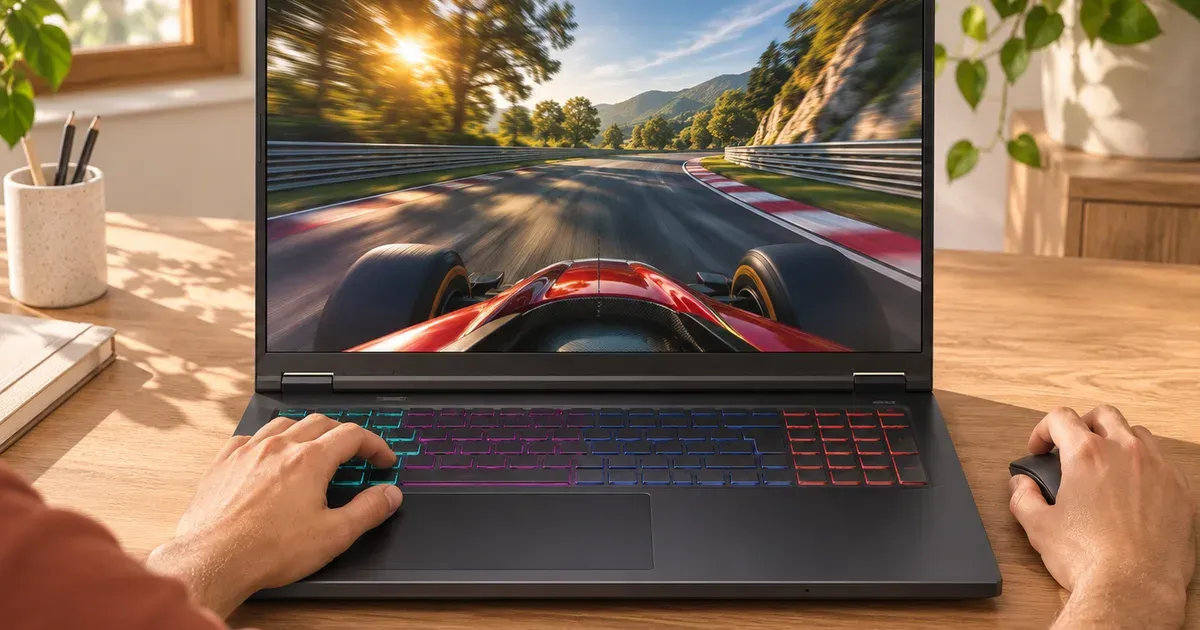
You need 144 to 165 Hz for most gaming, and 240 Hz if you play fast competitive shooters and your laptop can push frame rates that high. A screen can only show as many distinct frames as the GPU renders, so a 240 Hz panel on an RTX 5050 laptop running a new AAA game at 70 fps looks no smoother than a 165 Hz one. The smoothness jump from 60 Hz to 120–165 Hz is big for everyone; above 240 Hz the gains are small and mostly matter to competitive players. 300 Hz IPS panels exist in 2026 laptops, but 240 Hz OLED usually looks better.
Prices checked November 20, 2026, on Amazon.
Refresh Rates Compared
| Refresh rate | Frame time | Who it’s for |
|---|---|---|
| 60 Hz | 16.7 ms | Office laptops; too slow for gaming |
| 120 Hz | 8.3 ms | Casual and single-player gaming; common on OLED 14-inch and Alienware 16 Aurora |
| 144–165 Hz | 6.9–6.1 ms | The sweet spot for most players and budget laptops |
| 240 Hz | 4.2 ms | Competitive esports with a GPU that reaches 200+ fps |
| 300 Hz | 3.3 ms | Esports specialists; IPS only in 2026 laptops |
Match the Refresh Rate to Your GPU
Refresh rate helps only if the game runs at that frame rate.
- AAA games at high settings: most laptops run them at 60 to 120 fps (more with DLSS frame generation). A 144–165 Hz screen is enough.
- Esports games (Valorant, CS2, Fortnite performance mode, Overwatch): even an RTX 5060 laptop can exceed 200 fps at 1080p or 1200p in the lighter ones, where 240 Hz pays off.
- Frame generation: DLSS 4 Multi Frame Generation can multiply displayed frame rates, which makes 240 Hz screens more useful in supported single-player games. It doesn’t lower input latency like a higher real frame rate does.
Refresh Rate by Game
- Minecraft, Roblox, The Sims, RPGs and story games: 120 to 165 Hz.
- Fortnite, Call of Duty, Apex Legends: 165 to 240 Hz.
- Valorant, Counter-Strike 2, Overwatch and other esports shooters: 240 Hz or more, with a GPU that holds 200+ fps.
- AAA games at high settings: 144 to 165 Hz, since most laptops run them below 144 fps.
Refresh Rates in 2026 Gaming Laptops
From maker spec pages:
| Laptop | Refresh rate |
|---|---|
| ASUS ROG Strix G16 / G18 (2026) | 2.5K IPS-level 300 Hz (or 2.5K mini-LED 240 Hz on G16) |
| Alienware 18 Area-51 | 18-inch WQXGA 300 Hz |
| ASUS TUF Gaming F16 (2026) | 2.5K IPS 300 Hz or 2.5K OLED 165 Hz |
| ASUS ROG Zephyrus G16 (2026) | 2.5K OLED 240 Hz |
| Razer Blade 16 (2026) | QHD+ OLED 240 Hz |
| Lenovo Legion Pro 7i Gen 10 | OLED 240 Hz |
| Alienware 16X Aurora / 16 Area-51 | WQXGA OLED 240 Hz |
| Acer Nitro V 16 AI (2026) | 1920x1200 180 Hz |
| Lenovo LOQ 15 (Gen 11) | up to 15.3-inch WQXGA 180 Hz |
| Lenovo Legion 5i / 5a (Gen 11) | 15.3-inch OLED 165 Hz |
| ASUS TUF Gaming 16 (2026) | 1920x1200 144 Hz or 2.5K 165 Hz |
| ASUS ROG Zephyrus G14 (2026) | 3K OLED 120 Hz |
| Alienware 16 Aurora | WQXGA 120 Hz |
Fine Print: Some Panels Need a GPU Mode
On the 2026 ASUS ROG Strix G16 and G18, the 300 Hz panel runs at 240 Hz unless the GPU mode is Ultimate (dGPU only) in Armoury Crate. The Strix Scar 18’s mini-LED runs at 120 Hz unless Ultimate. Ultimate mode costs battery life, so switch it on when plugged in. More in what is a MUX switch.
Refresh Rate vs. Response Time
Refresh rate is how often the screen updates; response time is how fast each pixel changes color. OLED pixels switch in about 0.2 ms, so a 240 Hz OLED shows clearer motion than a 240 Hz IPS panel at about 3 ms. That’s why a 240 Hz OLED often looks as sharp in motion as a 300 Hz IPS. See OLED vs. mini-LED vs. IPS.
Which Should You Buy?
- 144–165 Hz: most players, budget laptops, single-player games.
- 240 Hz (ideally OLED): competitive shooters with an RTX 5060 or better, or anyone who wants the smoothest motion.
- 300 Hz IPS: esports players chasing every frame, on laptops like the ROG Strix G18 or Alienware 18 Area-51.
- Skip 60 Hz on any laptop bought for gaming.
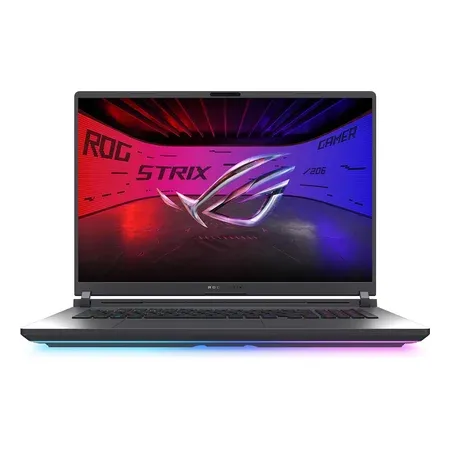
300 hz pick
ASUS ROG Strix G18 (2026, RTX 5070 Ti)
18-inch 2.5K 300 Hz IPS-level, RTX 5070 Ti at 140 W, Core Ultra 9 290HX Plus. $3,199.99 on Nov 20, sold by Amazon.
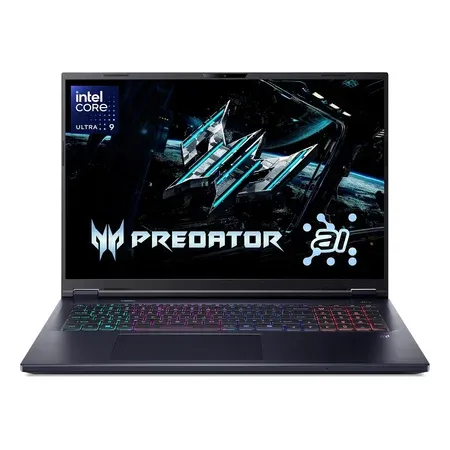
240 hz G-Sync pick
Acer Predator Helios Neo 18 AI (RTX 5070 Ti)
18-inch WQXGA 240 Hz G-Sync, RTX 5070 Ti, Core Ultra 9 275HX, 32 GB. $2,774.90 on Nov 20, sold by Amazon.
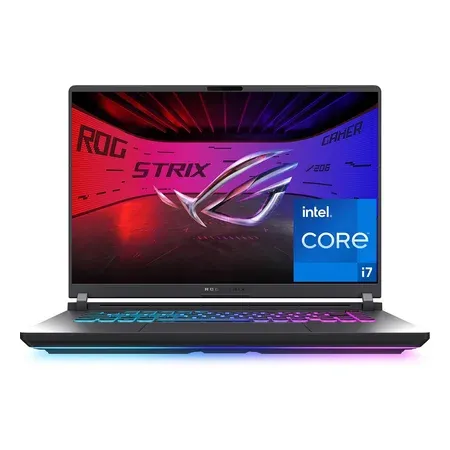
165 hz budget pick
ASUS ROG Strix G16 (2025, RTX 5060)
16-inch FHD+ 165 Hz, RTX 5060, Core i7-14650HX, 16 GB DDR5. $1,179.99 on Nov 20, sold by Amazon.
Gaming Laptop Refresh Rate FAQ
Is 144 Hz enough for a gaming laptop?
Yes, for most players. It’s a big step from 60 Hz, and most new games at high settings run below 144 fps on laptops anyway.
Is 240 Hz worth it on a gaming laptop?
For competitive shooters with a GPU that reaches 200+ fps, yes. For single-player games at high settings, the difference over 165 Hz is small.
Is 120 Hz good for gaming?
It’s fine for casual and single-player gaming, and common on 14-inch OLED laptops like the 2026 Zephyrus G14. Competitive players should look for 165 Hz or more.
Is 165 Hz better than 144 Hz?
Slightly: 6.1 ms per frame against 6.9 ms. Few people can tell them apart, so treat them as the same tier and choose on panel quality and price.
Does refresh rate affect FPS?
No. FPS comes from the GPU and CPU. Refresh rate is how many of those frames the screen can show each second.




