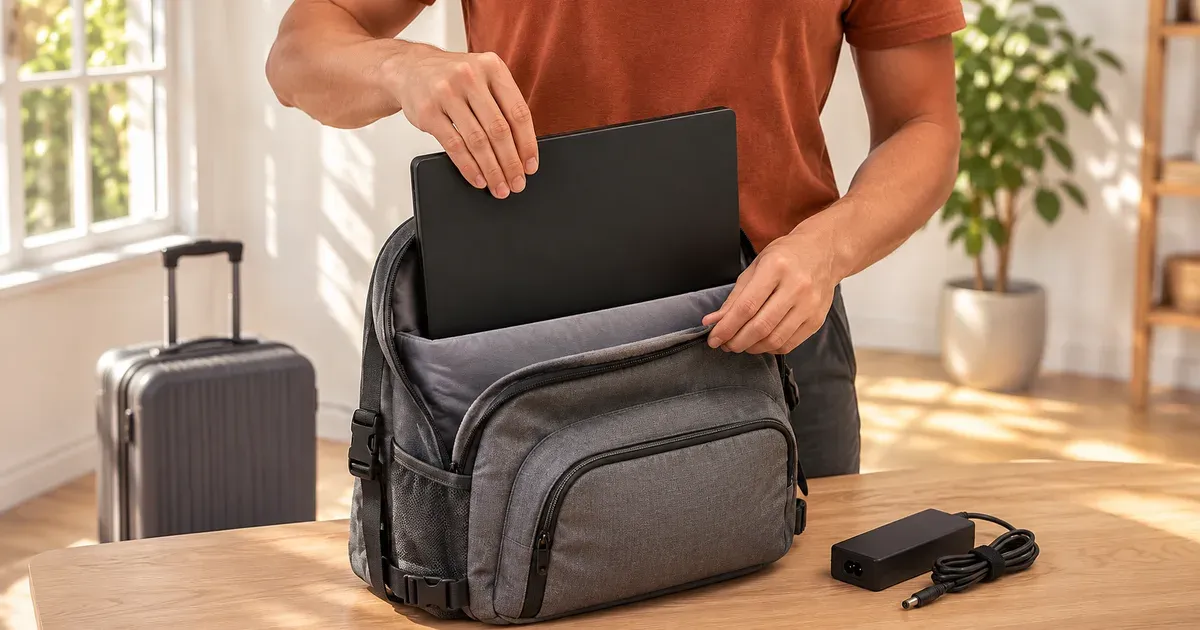
The short answer: yes. Gaming laptop batteries top out at 99.9 watt-hours, under the FAA’s 100 Wh limit, so a gaming laptop can go in your carry-on (best) or checked bag with no airline approval. At the TSA checkpoint, take it out of your bag and put it in its own bin unless you have TSA PreCheck. The big power brick is fine too; chargers aren’t batteries.
The FAA Battery Rules
| Battery size | Carry-on | Checked bag |
|---|---|---|
| Up to 100 Wh (all gaming laptops below) | Yes, no limit on number for personal use | Yes, if fully powered off and protected from damage |
| 101–160 Wh | Airline approval needed; up to 2 spares | Ask the airline; spares never |
| Over 160 Wh | No | No |
| Spare lithium batteries and power banks | Carry-on only | Never |
Airlines can set stricter limits, especially on power banks, so check yours before you fly. International flights follow the same 100 Wh and 160 Wh lines under IATA’s dangerous goods rules.
To find a battery’s rating when only volts and amp-hours are printed, multiply them: the FAA’s example is a 12 V, 8 Ah battery = 96 Wh. For milliamp-hours, divide by 1,000 first (15.4 V × 6,000 mAh = 92.4 Wh).
Battery Sizes of 2026 Gaming Laptops
| Laptop | Battery | OK to fly without approval? |
|---|---|---|
| Lenovo Legion Pro 7i Gen 10 (large battery option) | 99.9 Wh | Yes |
| Alienware 16 Aurora / 16X Aurora / 18 Area-51 | 96 Wh | Yes |
| ASUS ROG Strix / Scar / Zephyrus G16 (2026) | 90 Wh | Yes |
| Lenovo Legion 7a / 5i / 5a (Gen 11) | 80–84 Wh | Yes |
| ASUS ROG Zephyrus G14 (2026) | 73 Wh | Yes |
| Razer Blade 14 | 72 Wh | Yes |
| ASUS TUF Gaming 16 (2026) | 63 Wh | Yes |
| Lenovo LOQ 15 (Gen 11) | 60 Wh | Yes |
The 99.9 Wh figure isn’t a coincidence: it’s the largest battery that stays under the 100 Wh line. The rating is printed on the battery and usually on the laptop’s label or in its specs.
At the TSA Checkpoint
- Standard screening: remove the laptop from your bag and place it in a separate bin.
- TSA PreCheck: you don’t need to remove laptops.
- Follow the officer’s instructions; screening lanes and equipment differ by airport.
Carry-On vs. Checked
Carry it on. The FAA allows laptops in checked bags only if they’re fully powered off (not asleep) and protected from damage, and a gaming laptop is expensive, heavy and easy to crack in a checked suitcase. A padded backpack sleeve fits most 16-inch models; 18-inch laptops need a bag made for them.
If Your Bag Is Gate-Checked
Take the laptop and any power bank out before the bag goes under the plane. The FAA requires spare batteries and power banks to stay in the cabin when a carry-on is checked at the gate or planeside, and wants laptops in the cabin where the crew can deal with an overheating battery. A laptop that does go in the hold must be fully shut down, not asleep.
Swollen or Recalled Batteries
Don’t fly with a laptop whose battery is swelling (a lifting touchpad, a bulging bottom panel, a lid that won’t close flat). The FAA bars damaged or recalled batteries from both carry-on and checked bags unless the battery is removed or made safe. Tell the crew immediately if a laptop gets hot, smokes or swells in flight.
Gaming on the Plane
- Battery life is short: about 1 to 2 hours in demanding games, longer with frame caps and light games. See battery life while gaming.
- Seat power is limited. Seat outlets and USB-C ports supply far less than a 250–400 W gaming charger. A gaming laptop on seat power can charge while idle but won’t sustain full-power gaming.
- Fans are loud in a quiet cabin. Use Silent or Quiet mode and headphones.
- Tray tables are small, especially for 18-inch models, and the person in front may recline.
Chargers Abroad
Gaming laptop chargers are typically universal-voltage: ASUS, for example, lists its adapters as 100–240 V AC, 50/60 Hz. You need only a plug adapter, not a voltage converter. Check the label on your own brick. A compact USB-C charger is also handy for travel; most 2026 gaming laptops accept 100 W or more over USB-C (see USB-C charging).
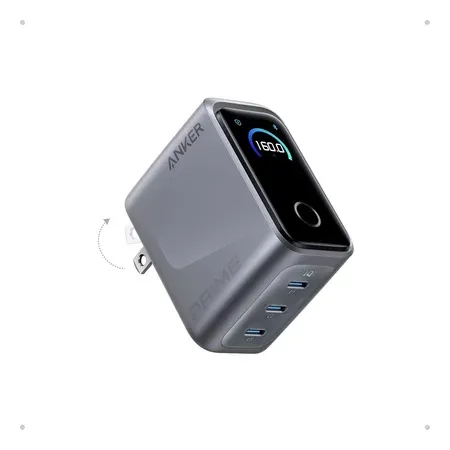
Lighter than a gaming brick
Anker Prime Charger (160 W, 3 ports)
140 W from a single USB-C port, 160 W total across three. $99.99 on Nov 20.
For laptops that travel well, see our best gaming laptops for travel and how heavy is a gaming laptop.
Flying With a Gaming Laptop FAQ
Is a gaming laptop battery too big to fly?
No. Gaming laptop batteries top out at 99.9 Wh, under the FAA’s 100 Wh limit that would require airline approval.
Do I have to take my gaming laptop out at security?
In standard TSA screening, yes. With TSA PreCheck, no.
Can I put a gaming laptop in checked luggage?
The FAA allows it if the laptop is fully powered off and protected from damage, but carrying it on is safer.
Can I bring a gaming laptop charger on a plane?
Yes. Power adapters aren’t lithium batteries, so the FAA battery limits don’t apply to them. Spare batteries and power banks must go in carry-on bags.
Can I bring a gaming laptop and a power bank?
Yes, in your carry-on. Power banks up to 100 Wh need no approval; 101–160 Wh needs airline approval, with two spares at most. Power banks can never go in checked bags, and many airlines limit how many you bring or whether you can use them on board.
Do I need airline approval for a gaming laptop?
No. Approval is only for batteries from 101 to 160 Wh, and gaming laptop batteries stop at 99.9 Wh.
Can I use my gaming laptop during the flight?
Yes, once the crew allows electronics. Expect short battery life in demanding games and limited seat power.
Sources
- FAA: airline passengers and batteries FAQ
- FAA PackSafe: portable electronic devices containing batteries
- FAA PackSafe: lithium batteries
- 49 CFR 175.10, exceptions for passengers
- IATA: lithium batteries
- TSA: what can I bring? Laptops
- Lenovo Legion Pro 7i Gen 10 PSREF (PDF)
- Alienware 16 Aurora
- ASUS ROG Strix G16 (2026) specifications (power adapter input)
- Lenovo Legion CES 2026 announcements
- Razer Blade 14