
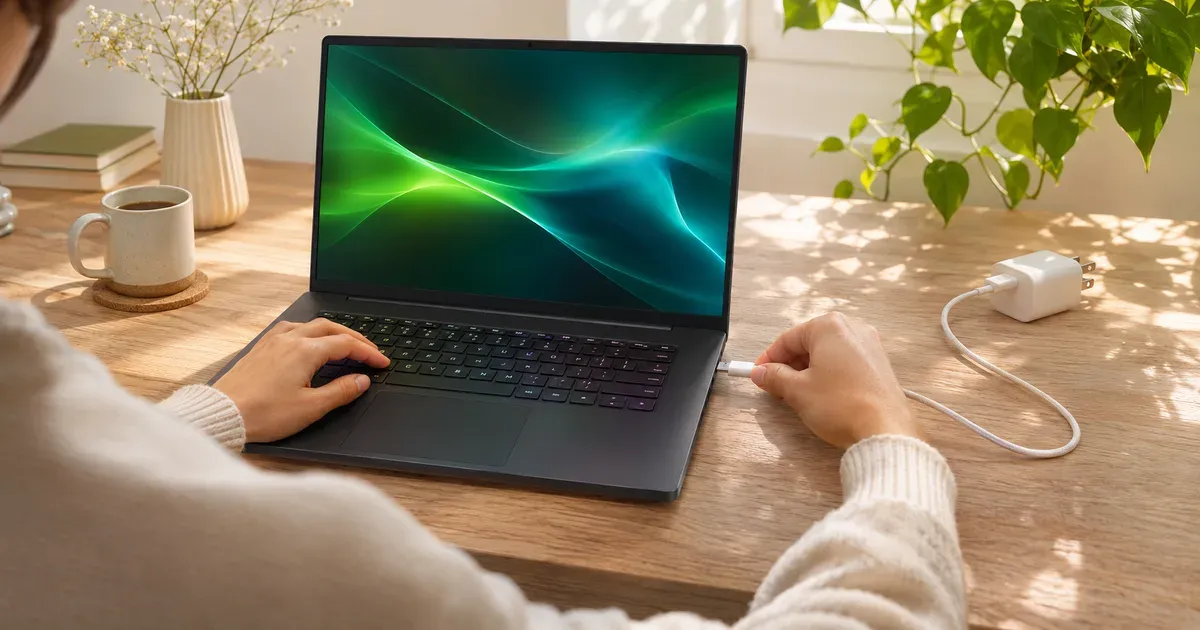
The short answer: yes, most 2026 gaming laptops can charge over USB-C, usually at up to 100 W and on some models up to 140 W, but USB-C can’t power full-speed gaming. Their barrel chargers are rated 150 to 450 W. On USB-C, a gaming laptop charges fine while you browse, work or sleep, and it can run light games, but under a demanding game the battery drains even while plugged in. Carry a USB-C charger to travel light and keep the big brick at your desk.
USB-C Charging by Model
| Laptop | USB-C charging | Main charger |
|---|---|---|
| ASUS ROG Strix G16 (2026) | Yes, Thunderbolt 5 with power delivery; ASUS lists a 100 W USB-C adapter | 280 or 380 W |
| ASUS ROG Zephyrus G16 (2026) | Yes; 100 W USB-C adapter option | 250 W |
| ASUS ROG Zephyrus G14 (2026) | Yes (Thunderbolt 4 and USB-C) | 200 or 250 W |
| ASUS TUF Gaming 16 (2026) | Yes, 100 W USB-C | 150 W |
| Lenovo Legion Pro 7i Gen 10 | Yes, 95–100 W | 400 W |
| Lenovo Legion 7a (16”, Gen 11) | Yes, USB4 with PD 3.1, 65–140 W | 245 W |
| Lenovo Legion 5i (15”, Gen 11) | Yes, USB4, 65–100 W | 245 W |
| Razer Blade 14 | Yes (Razer sells 100 W and 130 W USB-C chargers) | Barrel |
| Framework Laptop 16 with RTX 5070 module | Yes, up to 240 W through the module’s rear USB-C | 240 W USB-C GaN |
Framework is the outlier: its 240 W charger is itself USB-C, and Framework recommends at least 180 W when a graphics module is installed.
What USB-C Power Can and Can’t Do
| Task | 100 W USB-C | 140 W USB-C |
|---|---|---|
| Charge while asleep or off | Yes | Yes |
| Browsing, office, video | Yes, and charges | Yes, and charges |
| Light or esports games | Often holds the charge or drains slowly | Usually holds |
| Demanding games at full power | Battery drains; performance may be reduced | Battery drains |
Because the laptop can’t draw its full power from USB-C, expect lower frame rates as well as a draining battery in heavy games.
Pick the Right Charger and Cable
- USB Power Delivery (PD). The laptop and charger must both support it. Above 100 W you need PD 3.1 Extended Power Range (EPR), which goes up to 240 W.
- The cable matters. Anything over 60 W needs a 5 A (e-marked) cable, and above 100 W you need a cable rated for 240 W EPR.
- Watts per port, not total. A “160 W” multi-port charger may give only part of that to one port. Check the single-port maximum.
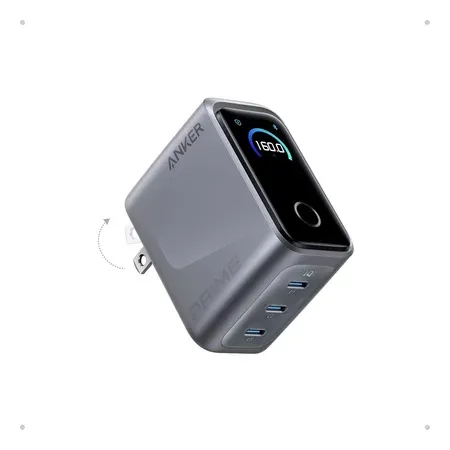
Good travel charger
Anker Prime Charger (160 W, 3 ports)
140 W from a single USB-C port, 160 W total across three; small enough for a jacket pocket. $99.99 on Nov 20.
A 140 W port covers every gaming laptop in the table at its maximum USB-C rate except Framework’s 240 W input. For trips, it’s a good partner to the Legion 7a (140 W USB-C) and charges 100 W models at full speed.
Is It Safe?
Yes. USB PD negotiates the voltage, so a higher-watt charger only supplies what the laptop asks for, and a lower-watt one charges slowly or not at all under load. Use chargers and cables from known brands; cheap uncertified cables are the usual weak point.
More on power: how many watts does a gaming laptop use and battery life while gaming.
USB-C Charging FAQ
Can I game on a gaming laptop charged by USB-C?
Light games, often. Demanding games will drain the battery even while plugged in, because 100–140 W is far below what the laptop uses at full power.
Will a 65 W USB-C charger work on a gaming laptop?
Many will charge slowly from 65 W when idle or off (Lenovo lists 65 W as the minimum on its 2026 Legion 5i and 7a). It won’t keep up under load.
Which gaming laptops charge with USB-C?
Most 2026 models from ASUS, Lenovo, Razer and Framework, and many from Dell, HP, MSI and Acer. Check that a USB-C port is listed with “power delivery.”
Can I use a MacBook charger on a gaming laptop?
If the gaming laptop supports USB-C PD charging, yes: Apple’s USB-C chargers are standard USB PD chargers. Charging speed is capped by the lower of the two ratings.
Does USB-C charging damage the battery?
No. It charges more slowly, which isn’t harmful.
Sources
- ASUS ROG Strix G16 (2026) specifications (I/O and power)
- ASUS ROG Zephyrus G16 (2026) specifications
- ASUS ROG Zephyrus G14 (2026) specifications
- ASUS TUF Gaming 16 (2026) specifications
- Lenovo Legion Pro 7i Gen 10 PSREF (PDF)
- Lenovo Legion CES 2026 announcements
- Razer Blade 14
- Framework 240 W power adapter
- Framework: Laptop 16 with Nvidia RTX 5070
- USB-IF: USB Power Delivery




