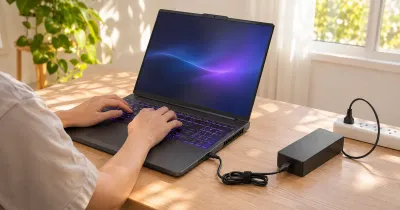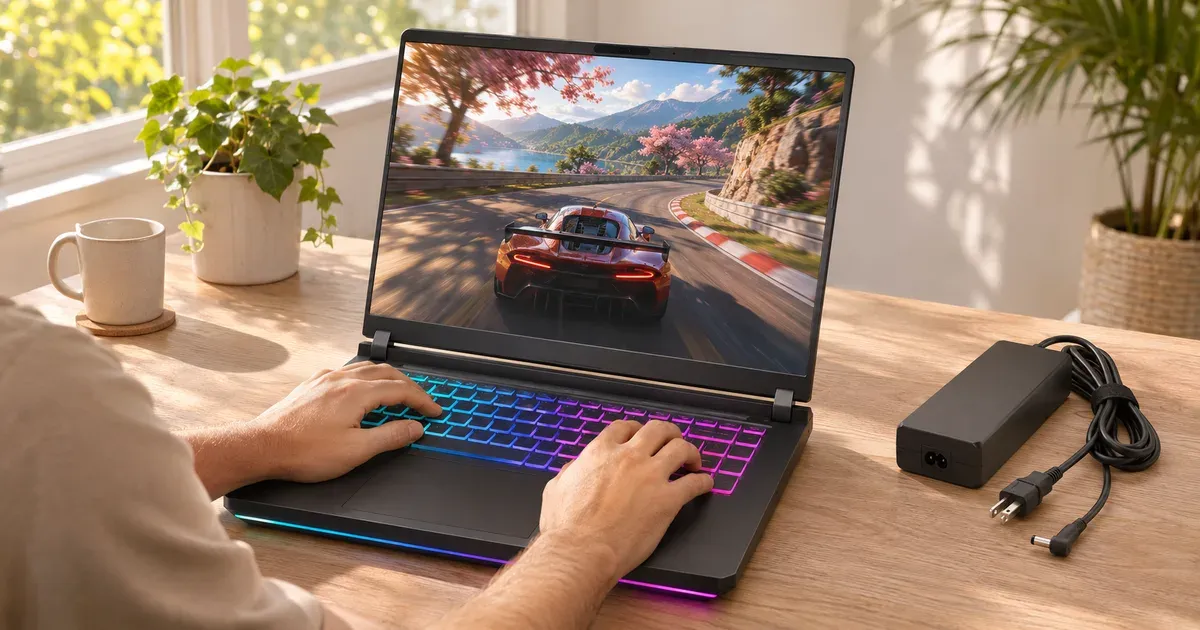
The short answer: about 1 to 2 hours of demanding games, and less if you leave every setting at maximum. No gaming laptop can feed a full-power GPU from its battery: FAA rules keep laptop batteries at or under 100 watt-hours, and a gaming laptop at full load can draw well over 200 W from the wall. So on battery the laptop cuts GPU power, and the battery still drains in an hour or two. The “8 to 15 hours” figures makers quote are for web browsing or video with the graphics chip asleep.
Battery Life by Type of Game
| What you’re doing on battery | Typical runtime |
|---|---|
| Demanding 3D games (Cyberpunk 2077, Black Myth: Wukong) | 45 minutes to 1.5 hours |
| Mid-weight games (Fortnite, GTA V) with default battery settings | 1 to 2 hours |
| Light games (Minecraft, Roblox, Valorant) with a 60 fps cap | 2 to 3 hours |
| Web browsing and video with the Nvidia GPU off | 5 to 10+ hours |
These follow from the math below: a 90 Wh battery at 60–90 W lasts about an hour to an hour and a half.
Battery Sizes in 2026 Gaming Laptops
| Laptop | Battery | Charger |
|---|---|---|
| Lenovo Legion Pro 7i Gen 10 | 80 or 99.9 Wh | 400 W |
| Alienware 16 Aurora / 16X Aurora / 18 Area-51 | 96 Wh | 130–360 W |
| ASUS ROG Strix G16 / G18 / Scar (2026) | 90 Wh | 280–450 W |
| ASUS ROG Zephyrus G16 (2026) | 90 Wh | 250 W |
| Lenovo Legion 7a (16”, Gen 11) | 84 Wh | 245 W |
| Lenovo Legion 5i / 5a (15”, Gen 11) | 80 Wh | 245 W |
| ASUS ROG Zephyrus G14 (2026) | 73 Wh | 200–250 W |
| Razer Blade 14 | 72 Wh | USB-C or barrel |
| ASUS ROG Flow Z13 (2025) | 70 Wh | 200 W |
| ASUS TUF Gaming 16 (2026) | 63 Wh | 150 W |
| Lenovo LOQ 15 (Gen 11) | 60 Wh | up to 245 W |
99.9 Wh is as big as it gets: it’s the largest size that stays under the FAA’s 100 Wh carry-on limit without airline approval.
The Math
Runtime is battery size divided by how much power the laptop pulls:
| Power drawn from the battery | 60 Wh battery | 80 Wh | 90–96 Wh | 99.9 Wh |
|---|---|---|---|---|
| 40 W (light game, frame cap, 60 Hz) | 1.5 h | 2 h | 2.3–2.4 h | 2.5 h |
| 60 W | 1 h | 1.3 h | 1.5–1.6 h | 1.7 h |
| 90 W (demanding game) | 40 min | 53 min | 60–64 min | 67 min |
Real runtime is a bit shorter, because batteries lose capacity with age and Windows shuts down before 0%.
Why Games Run Slower Unplugged
Laptop GPUs get far less power on battery. Framework’s RTX 5070 graphics module, for example, is rated for up to 100 W on AC power and 50 W on battery. Most makers do the same through their power modes, and Nvidia’s BatteryBoost caps frame rates on battery to stretch the charge. So expect lower frame rates as well as a short session.
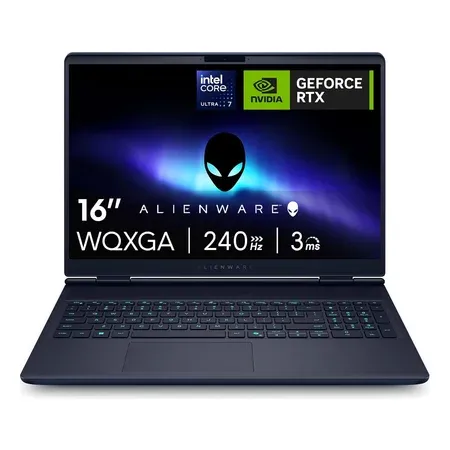
96 wh battery
Alienware 16X Aurora, RTX 5060
96 Wh battery, Core Ultra 7 270HX Plus, RTX 5060, 16-inch 240 Hz OLED. $1,699.99 sold by Amazon on Nov 20.
How to Get More Time
- Cap the frame rate. BatteryBoost in the Nvidia app, or a frame limit in the game. 30–60 fps uses far less power than 144.
- Drop the screen to 60 Hz on battery. Most makers’ software does this automatically in their battery profiles.
- Turn down brightness and keyboard lighting. The screen is one of the biggest draws after the GPU.
- Use DLSS or FSR. Rendering at a lower resolution and upscaling cuts GPU load.
- Play lighter games on battery. Esports titles and older games run fine at low power; save the big ones for the wall.
- Close launchers and browsers. Background apps keep the CPU awake.
When you’re done gaming and only browsing, switch the GPU mode to Eco or iGPU-only (ASUS Armoury Crate, Lenovo Legion Space) so the Nvidia chip turns off completely. That’s what gets you the long runtimes on the spec sheet.
Can You Game on a USB-C Charger?
Partly. Most gaming laptops accept 100 W USB-C charging, and some take 140 W or more, but that’s well below what the barrel charger supplies, so the battery will still drain under a heavy game. See can you charge a gaming laptop with USB-C.
Gaming Laptop Battery Life FAQ
How long does a gaming laptop last on battery?
About 1 to 2 hours in demanding games, 2 to 3 hours in light games with a frame cap, and several hours (sometimes 8 or more) for browsing and video with the discrete GPU switched off.
Which gaming laptop has the best battery life?
The ones with the biggest batteries and efficient chips: the 99.9 Wh Legion Pro 7i option, the 96 Wh Alienware models, and thin designs with efficient Intel Core Ultra H or AMD Ryzen AI processors like the Zephyrus G16 and Razer Blade 16 for non-gaming use.
Is it bad to game on battery?
It isn’t harmful, but it means deep discharge cycles and lower performance. Plugged in, you get full performance and less battery wear.
Why does my gaming laptop die so fast?
The GPU, CPU, high-refresh screen and RGB lighting all draw power. If it dies fast even when browsing, check that the Nvidia GPU isn’t staying active (set the GPU mode to Standard/Hybrid or Eco).
Does battery life get worse over time?
Yes. Lithium-ion batteries lose capacity with cycles and heat. Using the maker’s 80% charge limit when plugged in slows that down.
Sources
- FAA: lithium batteries in carry-on bags
- Nvidia Control Panel: Max Frame Rate, BatteryBoost and WhisperMode
- Framework: Laptop 16 with Nvidia RTX 5070 graphics module
- Lenovo Legion Pro 7i Gen 10 PSREF (PDF)
- Lenovo Legion CES 2026 announcements
- Alienware 16X Aurora
- ASUS ROG Zephyrus G14 (2026) specifications
- ASUS ROG Strix G16 (2026) specifications
- ASUS TUF Gaming 16 (2026) specifications
- Razer Blade 14