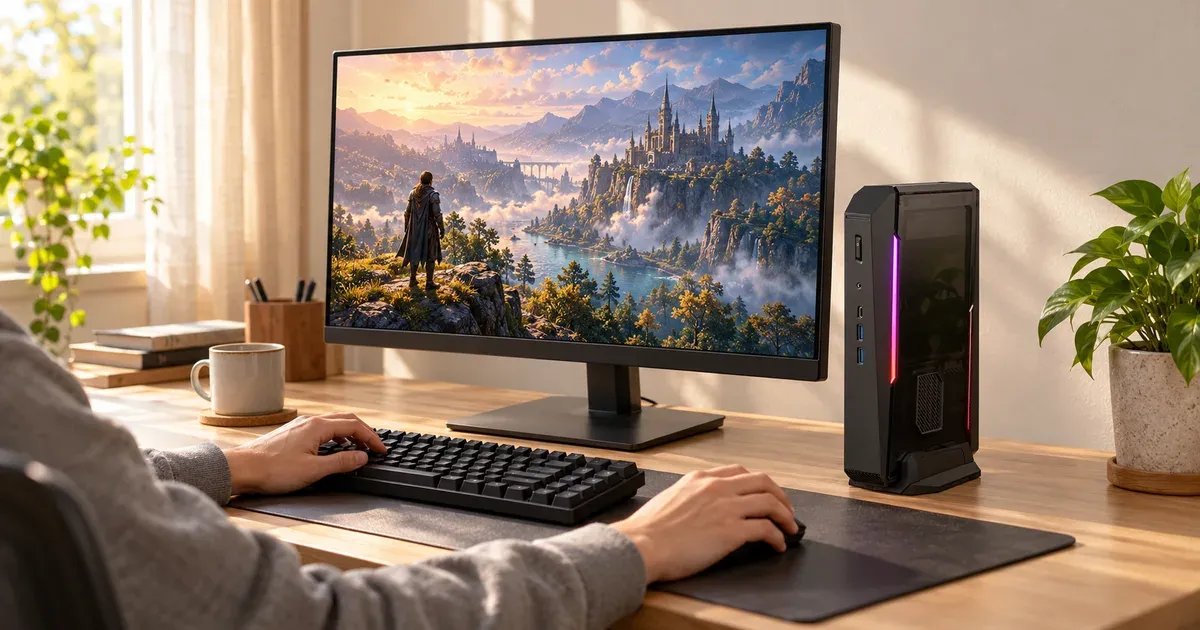
The ASUS ROG NUC 16 is a gaming PC the size of a hardcover book. Its 3-liter case holds an Intel Core Ultra 200HX Plus processor and an NVIDIA GeForce RTX 50-series laptop GPU, from an RTX 5060 up to an RTX 5080, with three fans and vapor-chamber cooling. It stands upright on a desk or lies flat under a TV, and it has the ports to drive up to four displays.
It’s the successor to the ROG NUC 970 we used to recommend, which is no longer sold. Prices start at about $2,399 for the RTX 5060 model and climb past $3,700 for the RTX 5080.
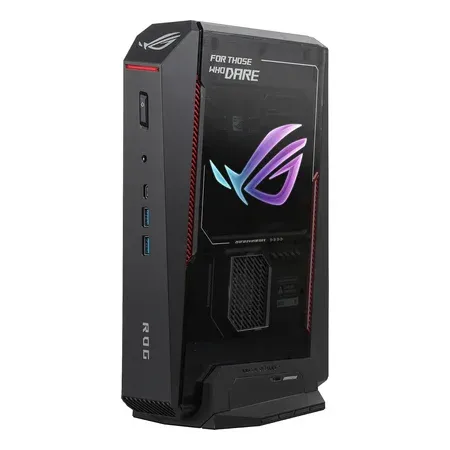
ASUS ROG NUC 16 (RTX 5060)
A 3-liter gaming mini PC with a Core Ultra 7 270HX Plus, RTX 5060 laptop GPU, 16GB of DDR5, a 1TB SSD, and Wi-Fi 7.
Quick Verdict
Buy the ROG NUC 16 if you want real PC gaming performance in a box small enough for a living room TV stand or a minimalist desk, and you’re willing to pay a premium for that size. It’s quiet for its power, easy to upgrade memory and storage in, and has excellent ports.
Skip it if you care most about performance per dollar. A conventional mid-tower with a desktop RTX graphics card costs less and is faster, because laptop GPUs run at lower power than their desktop namesakes. And if you don’t game, a mini PC like the Beelink SER8 handles work and streaming for a fraction of the price.
ASUS ROG NUC 16 specs
| Spec | Value | Note |
|---|---|---|
| Processor | Intel Core Ultra 7 270HX Plus or Core Ultra 9 290HX Plus | 290HX Plus: 24 cores, up to 5.5 GHz |
| Graphics | RTX 5060 (8GB), 5070 Ti (12GB), or 5080 (16GB) laptop GPU | GDDR7 |
| Memory | 16 or 32GB DDR5-6400 | Up to 64GB |
| Storage | 1TB NVMe SSD | Expandable |
| Video outputs | 2x HDMI 2.1, 2x DisplayPort 2.1, Thunderbolt 4 | |
| USB | 1x Thunderbolt 4, USB-C and USB-A 10Gbps ports | 7 USB ports total |
| Networking | 2.5Gb Ethernet, Wi-Fi 7, Bluetooth 5.4 | |
| Cooling | Three fans, dual vapor chamber | |
| Size | About 3 liters; 11.1 x 7.5 x 2.2 in | |
| Power | 280W (RTX 5060) or 380W adapter | |
| Price | About $2,399 to $3,799 |
Configurations and Prices
The ROG NUC 16 comes in three main configurations in the US:
| GPU | Processor | Memory / storage | Typical price |
|---|---|---|---|
| RTX 5060 (8GB) | Core Ultra 7 270HX Plus | 16GB / 1TB | About $2,399 |
| RTX 5070 Ti (12GB) | Core Ultra 9 290HX Plus | 32GB / 1TB | About $3,117 to $3,199 |
| RTX 5080 (16GB) | Core Ultra 9 290HX Plus | 32GB / 1TB | About $3,700 to $3,800 |
ASUS also sells a limited ROG NUC 16 Edition 20 with an RTX 5090 laptop GPU, 64GB of memory, and a 2TB SSD for about $6,000 or more.
The RTX 5070 Ti model is the sweet spot for most gamers. It has 50% more graphics memory than the RTX 5060, which matters for modern games at 1440p, and independent estimates put it roughly a third faster on average. The RTX 5060 model is the one to buy for 1080p gaming or if you’re upgrading from integrated graphics. The RTX 5080 is for 1440p and 4K at high settings.
Gaming Performance
The ROG NUC 16 uses laptop versions of NVIDIA’s GPUs. They share names with desktop graphics cards but run at much lower power, so an RTX 5070 Ti laptop GPU performs well below a desktop RTX 5070 Ti. What you get is roughly the performance of a high-end gaming laptop, without the laptop’s screen and keyboard limiting cooling.
In practice:
- RTX 5060: 1080p at high settings in most current games, with DLSS for demanding titles
- RTX 5070 Ti: 1440p at high settings, and 4K with DLSS in many games
- RTX 5080: 1440p at high-refresh rates and 4K with DLSS
NVIDIA’s DLSS 4, with frame generation, plays a big part in reaching high frame rates in demanding games.
ASUS’s own benchmark slide shows the RTX 5080 ROG NUC 16 only about 2% faster than the 2025 ROG NUC in 3DMark Time Spy, so if you already own the 2025 model, there’s no reason to upgrade.
Ports and Displays
The port selection is excellent for a mini PC. On the front: a USB-C and a USB-A port (both 10Gbps), a headset jack, and the power button. On the back: four more USB-A ports, Thunderbolt 4, 2.5Gb Ethernet, two HDMI 2.1 ports, two DisplayPort 2.1 outputs, and the power input.
That’s enough to run multiple monitors and a TV, connect a capture card or fast external SSD over Thunderbolt, and plug in a wired controller, headset, keyboard, and mouse without a hub.
Upgrades
Thumb screws open the case without tools, giving access to the memory and SSD slots. Memory supports up to 64GB of DDR5-6400, and storage can be expanded to several terabytes. The CPU and GPU are soldered to the board and can’t be upgraded, which is the main long-term trade-off versus a full-size desktop.
Cooling, Noise, and Power
ASUS uses three fans, a dual vapor chamber, and an SSD heatsink to cool parts that would normally need a much bigger case. ASUS rates its noise under load as quiet for its class, and the fans stay calm at idle and during light use. Under sustained gaming, expect an audible whoosh, as with any gaming PC this small.
Power comes from an external adapter: 280W for the RTX 5060 model and 380W for the RTX 5070 Ti and 5080 models. It’s large, so plan where it’ll sit behind your desk or TV cabinet.
ROG NUC 16 vs. a Full-Size Gaming PC
A mid-tower PC with a desktop RTX 5070 or 5070 Ti costs less than the ROG NUC 16 RTX 5070 Ti and is faster, and you can upgrade the graphics card later. The ROG NUC 16 makes sense when size is the priority: a living room setup, a small apartment, a desk with no room for a tower, or a PC you want to carry between home and a second location.
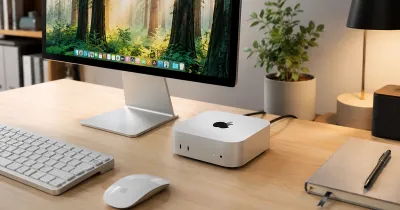
If you don’t game, our best mini PCs guide covers smaller, quieter, and far cheaper options for work, school, and streaming. For a Mac alternative, see our Mac mini M4 review.
Who Should Buy It, and Who Should Skip It
Buy it if you want a powerful gaming PC in the smallest possible footprint, need lots of ports and displays, and don’t mind paying extra for the compact design.
Skip it if you want the most performance for your money, plan to upgrade your graphics card, or mainly need a computer for work and streaming.
Final Verdict
The ASUS ROG NUC 16 is one of the most capable small gaming PCs you can buy: fast Core Ultra HX processors, RTX 50-series laptop graphics, excellent ports, and easy memory and storage upgrades in a 3-liter case. You pay a premium for the size, and a tower is faster per dollar, but if space matters most, the RTX 5070 Ti model is the one to get.