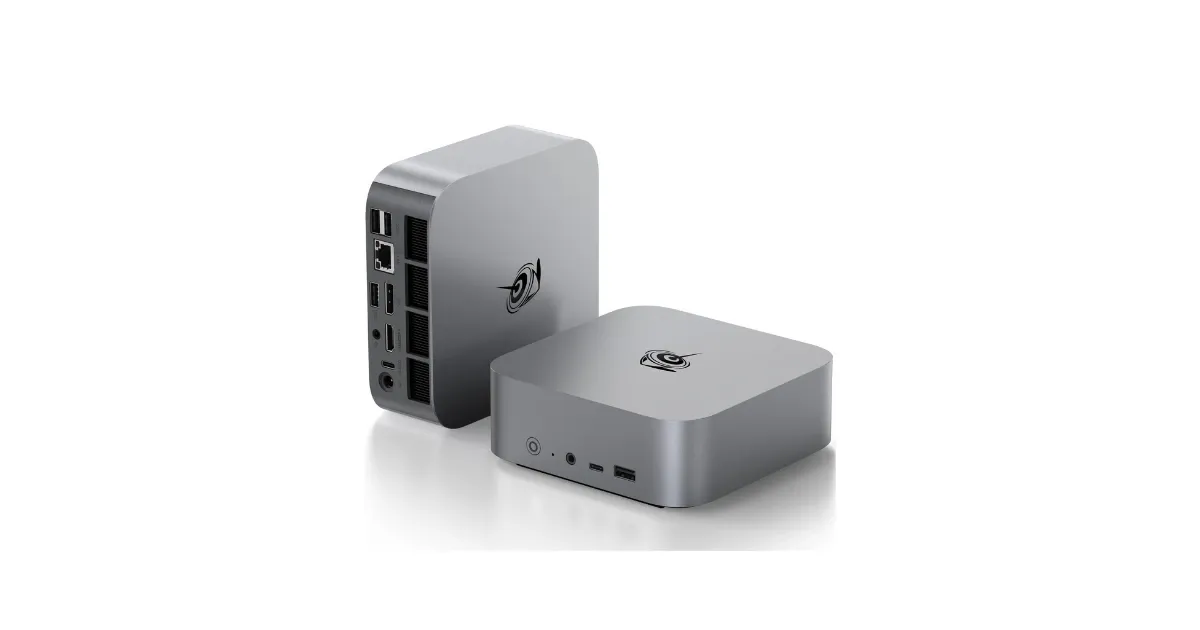
The Beelink SER8 Mini PC is for people who want a desktop that feels serious without taking over the desk. It packs a Ryzen 7 8845HS, Radeon 780M integrated graphics, 32GB of DDR5 memory, and a 1TB SSD into a small metal chassis that can handle far more than basic browsing.
It deserves a look alongside the best mini PCs because it sits in a useful middle ground. It is much smaller than a tower, more flexible than many laptops, and powerful enough for productivity, media, light creative work, and casual gaming.
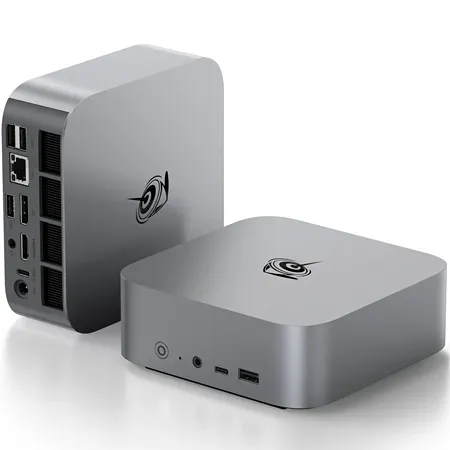
Compact ryzen desktop
Beelink SER8 Mini PC
A budget-friendly mini PC with Ryzen 7 power, ideal for work, entertainment, and casual gaming in a small footprint.
Beelink SER8 Review: Quick Verdict
The short version: the Beelink SER8 is a strong mini PC if you want a compact Windows desktop with real performance. The Ryzen 7 8845HS is a capable mobile-class chip, the Radeon 780M is good enough for light gaming and media work, and 32GB of memory makes the system feel more generous than many small desktops.
The drawbacks are mostly about expansion and polish. Internal access is more involved than it should be, there is only one USB4 port, and a mini PC like this still cannot match a full desktop with a dedicated GPU. But for a quiet, small, powerful everyday machine, the SER8 is compelling.
Beelink SER8 specs at a glance
| Spec | Value | Note |
|---|---|---|
| Processor | AMD Ryzen 7 8845HS | Strong mobile-class CPU for productivity |
| Graphics | Radeon 780M | Good for media and light gaming, not heavy AAA play |
| Memory | 32GB DDR5 | Enough for multitasking and heavier browser workloads |
| Storage | 1TB NVMe SSD | Useful starting capacity with room for expansion |
| Display support | Up to three displays | A practical feature for desktop workstations |
What the Beelink SER8 Specs Mean
The Ryzen 7 8845HS is the reason the SER8 feels different from cheaper mini PCs. It is a laptop-class processor, but a strong one, with enough CPU performance for office work, coding, multitasking, photo editing, and media-heavy browsing. The Radeon 780M graphics are also much better than old basic integrated graphics.
The 32GB of memory matters just as much. Mini PCs often look good on paper but ship with stingy memory or storage. The SER8 configuration gives you enough RAM to keep lots of browser tabs, apps, and background services open without immediately wishing you had upgraded.
Key Benefits of the Beelink SER8
Real Desktop Performance in a Tiny Footprint
The appeal of the SER8 is obvious once you picture the desk. It can sit beside a monitor, under a shelf, or behind parts of a setup while still feeling like a proper desktop computer. For home offices, front-desk stations, media centers, and compact work areas, that is the whole point.
It is especially useful if your work is CPU-heavy but not GPU-heavy. Documents, spreadsheets, web apps, coding, light photo work, and media playback all fit the SER8 well.
Quiet Cooling and a Clean Metal Chassis
Mini PCs live or die by cooling. A powerful chip is not helpful if the fan constantly whines or the system throttles under ordinary loads. The SER8’s larger chassis and cooling design help it stay more composed than ultra-tiny boxes that try to do too much with too little airflow.
The metal case also gives it a more premium desk presence. It still looks like a mini PC, but not like a disposable streaming box.
Useful Ports, With a Few Caveats
The SER8 has enough ports for most desk setups, including display outputs, USB-A, USB-C, Ethernet, and audio. Triple-display support is one of its stronger workstation features, and USB4 opens the door to high-speed docks or external storage.
The caveat is placement. Having only one USB4 port limits flexibility if you want to use an external GPU, fast storage, and a dock at the same time. The lack of an SD card slot also makes it less convenient for photographers.
Design, Build Quality, and Setup
The SER8 is compact but not absurdly tiny, and that is a good thing. The extra space helps cooling and port layout. It looks clean on a desk and can disappear into a setup more easily than a traditional tower.
Upgrade access is the weak spot. You can reach memory and storage, but the process is fussier than it should be, involving rubber plugs, screws, and internal layers. If you like tinkering, that may not bother you. If you want tool-free access, it will.
Who Should Buy the Beelink SER8?
Buy the Beelink SER8 if you want a small Windows desktop for productivity, media, home office work, and casual gaming. It is a strong fit for people who already have a monitor, keyboard, and mouse and want more power than a budget mini PC.
It also makes sense as a family computer, compact workstation, home lab box, or media PC, provided you do not need dedicated graphics.
What to Consider Before Buying
Do not buy the SER8 expecting a gaming tower. The Radeon 780M is impressive for integrated graphics, but modern demanding games still need realistic settings and expectations.
Also consider support and warranty logistics. Mini PCs can be excellent values, but the after-sale experience may not be as predictable as buying from a large mainstream desktop brand.
Final Verdict: Is the Beelink SER8 Worth It?
Yes, the Beelink SER8 Mini PC is worth it if you want a compact desktop with real performance and a generous starting configuration. It is quiet, powerful for its size, and flexible enough for a clean multi-monitor desk setup.
Its upgrade access and single USB4 port keep it from being perfect, but as a small everyday Windows machine, it offers a lot of capability in very little space.