The short answer: the UPLIFT V3 is the V2 with a lower minimum height, a stiffer frame, faster assembly, and better cable management. The lift capacity (355 pounds), speed (2 inches per second), noise rating (under 48 dB), and 15-year warranty are the same. If you own a V2 that works, there’s no reason to replace it. If you’re buying new, you’ll get a V3: UPLIFT’s two-leg desk and frame pages now sell only the V3.
I use a V3 as my everyday desk, so the V3 side of this comparison comes from my own setup. The V2 details come from UPLIFT’s spec sheets and assembly manuals for both frames.
UPLIFT V3 vs. V2 at a Glance
| UPLIFT V3 | UPLIFT V2 | UPLIFT V2-Commercial | |
|---|---|---|---|
| Introduced | September 2025 | Flagship for nearly a decade | Sold alongside the V2 |
| Height range with a 1 in. top | 22.6 to 48.7 in | 25.3 to 50.9 in | 22.6 to 48.7 in |
| Fits, per UPLIFT | 5’0” to 6’3” | 5’4” to 6’9” | 5’0” to 6’3” |
| Meets the BIFMA G1 height guideline | Yes | No | Yes |
| Lift capacity | 355 lb | 355 lb | 355 lb |
| Speed | 2 in. per second | 2 in. per second | 2 in. per second |
| Noise | Under 48 dB | Under 48 dB | Under 48 dB |
| Motors and legs | 2 motors, 3-stage | 2 motors, 3-stage | 2 motors, 3-stage |
| Frame bracing | Stability plates, no crossbar | Brace welded to each leg, no crossbar | Lower steel crossbar |
| Foot width | 3.35 in | 2.75 in | 3.35 in |
| Assembly tools | One included Allen wrench, plus a screwdriver for the top | Two Allen wrenches and a screwdriver | Two Allen wrenches and a screwdriver |
| Control box | Mounted at the factory | You mount it | You mount it |
| Cable management | FlexMount Cable Manager and 10 cable wraps | Wire management tray | Wire management tray |
| Accessory mounting points | 48 | 48 | 48 |
| Warranty | 15 years | 15 years | 15 years |
What Changed
The V3 goes lower
The standard V2 ran from 25.3 to 50.9 inches with a 1-inch top. The V3 runs from 22.6 to 48.7 inches, so it sits 2.7 inches lower and tops out 2.2 inches lower. UPLIFT says the V3 fits people from 5 feet to 6 feet 3 inches, where the V2 fit people from 5 feet 4 inches to 6 feet 9 inches.
That lower range used to be an upgrade. The V2-Commercial frame had the same 22.6 to 48.7 inch range as the V3, plus a steel crossbar near the floor to keep it steady. The V3 gets that range without the crossbar, which matters if you want a walking pad or a cabinet under the desk.
The trade-off is at the top. If you’re taller than about 6 feet 5 inches, the V2’s extra 2.2 inches was useful, and the V3 gets it back only with UPLIFT’s foot spacers, which raise the frame to a 49.9-inch maximum before the desktop.
The frame is built differently
The V2 kept steady with a brace welded to each leg. The V2-Commercial dropped the braces for thicker legs and a lower crossbar. The V3 has neither braces nor a crossbar. UPLIFT lists steel stability plates over the motor housings, two I-beam crossbar rails under the desktop, formed-steel feet, and 33% larger legs. The feet are also wider, at 3.35 inches against the V2’s 2.75.
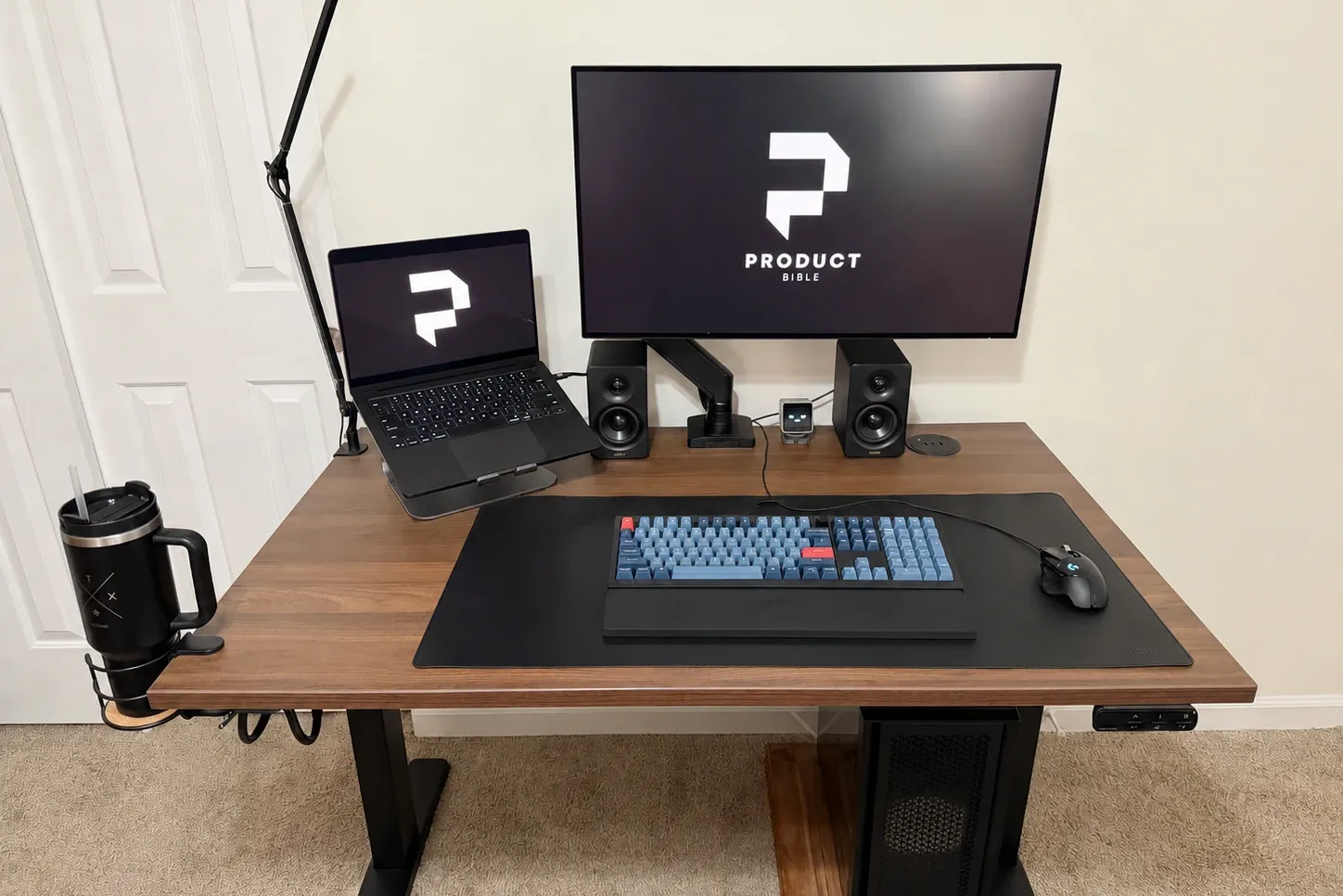
In my use the V3 feels planted for typing and video calls with a 32-inch monitor, a laptop stand, and speakers on top. At taller standing heights, around 40 inches and above, it shows a little front-to-back movement if I type hard or lean on it, which is normal for a two-leg desk.
Assembly is faster
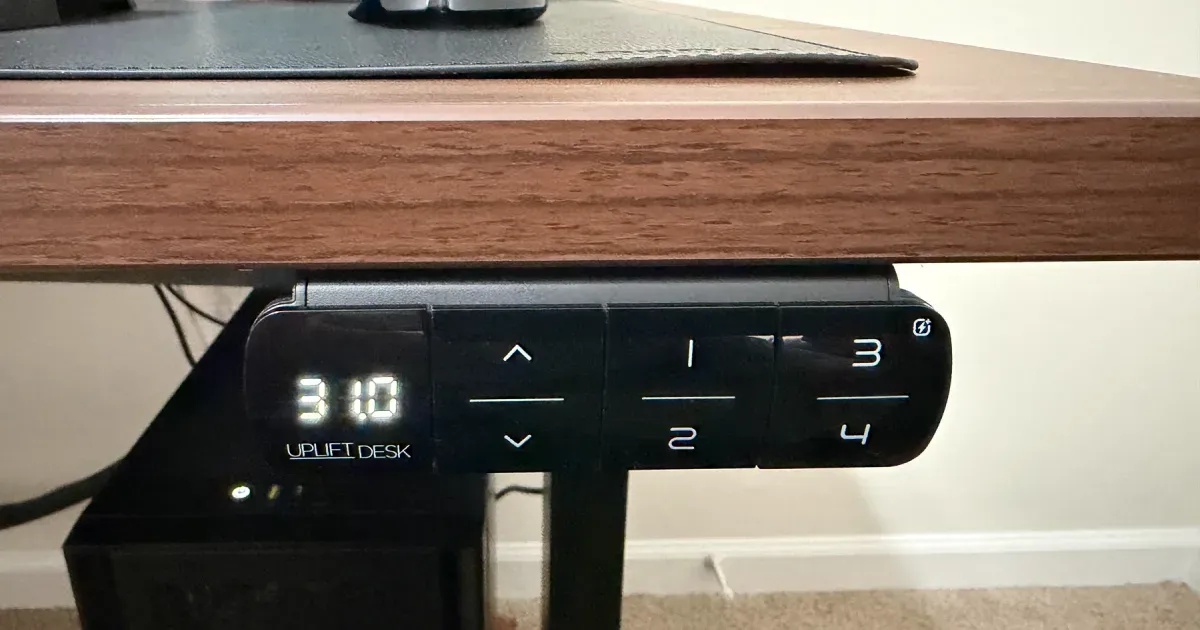
This is the change you notice on day one. The V3’s crossbar arrives assembled, with the control box already mounted and the leg cable already connected. The frame’s screws are pre-installed, and the frame goes together with one included Allen wrench. You need a Phillips screwdriver only to attach the desktop and keypad.
The V2 used two sizes of Allen wrench plus a screwdriver, and you assembled the crossbar and mounted the control box yourself.
My V3 took a few hours from boxes to working desk, and I never had to guess what the instructions meant. Larger tops are still a two-person job.
Cable management is better
The V2 came with a wire management tray. The V3 comes with the FlexMount Cable Manager, a wider pouch that mounts in several positions and heights, plus ten hook-and-loop cable wraps with mounts. Mine holds a surge protector, a monitor brick, and spare cable out of sight.
What Did Not Change
- Lift capacity: 355 pounds on all three frames.
- Speed and noise: 2 inches per second and under 48 dB on UPLIFT’s current spec sheets.
- Motors: one in each leg, with three-stage legs.
- Accessory mounting points: 48 on the two-leg frames, so V2 accessories that bolt to the frame fit the V3.
- Anti-collision: all three stop and reverse when the desk hits something, with adjustable sensitivity.
- Keypad programming: presets, the keypad lock, height limits, and the reset work the same way. See how to reset an UPLIFT desk.
- Warranty: 15 years, covering the frame, motors, electronics, and desktop.
Can You Still Buy an UPLIFT V2?
Not as a two-leg desk. UPLIFT’s two-leg desk and two-leg frame pages offer only the V3, in a C-frame or T-frame. The V2 and V2-Commercial frames are still sold on the L-shaped desk while supplies last: there, the V2 C-frame is the base option and the V3 frame is a $100 upgrade.
A V3 desk starts at $599 with a 42-inch laminate top, and the V3 frame alone is $469.
Should You Upgrade From a V2?
No, not for the frame alone. A V2 lifts the same weight at the same speed and has the same warranty term. The reasons to move to a V3 are specific:
- You’re under about 5 feet 4 inches and your V2 doesn’t go low enough to sit at comfortably.
- You want the space under the desk clear and your V2-Commercial’s crossbar is in the way.
- You’re buying a second desk and want the quicker build.
If you’re over about 6 feet 5 inches, keep the V2. Its 50.9-inch maximum is higher than the V3’s.
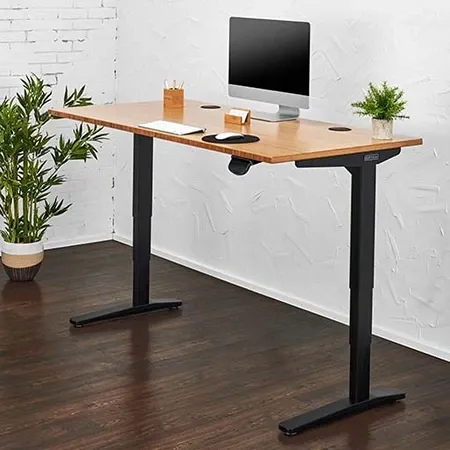
The current UPLIFT Two-Leg desk
UPLIFT V3 Standing Desk
A 355-pound dual-motor desk with a 22.6 to 48.7 inch range and one-tool frame assembly.
Read my full UPLIFT V3 review, or see how it compares with the smaller V3 Essential, the four-leg QuadZen, and FlexiSpot.
UPLIFT V3 vs. V2 FAQ
What is the difference between the UPLIFT V2 and V3?
The V3 has a lower height range (22.6 to 48.7 inches against the V2’s 25.3 to 50.9), a redesigned frame with stability plates instead of leg braces, wider feet, a pre-assembled crossbar with the control box already mounted, and the FlexMount Cable Manager. Capacity, speed, noise, and warranty are unchanged.
When did the UPLIFT V3 come out?
UPLIFT announced the V3 in September 2025. The V3 L-shaped and V3 4-Leg frames followed in July 2026.
Is the UPLIFT V3 more stable than the V2?
UPLIFT redesigned the frame for it, with stability plates, wider feet, and 33% larger legs, and it reaches the V2-Commercial’s low height range without that frame’s crossbar. My V3 is steady at sitting height and shows slight front-to-back movement above about 40 inches.
Is the UPLIFT V3 the same as the V2-Commercial?
No, but they share a height range of 22.6 to 48.7 inches and a 355-pound capacity. The V2-Commercial used a lower steel crossbar for stability. The V3 does not have one.
Does the UPLIFT V3 lift more than the V2?
No. Both two-leg frames lift 355 pounds. The V3 4-Leg and V3 L-shaped frames lift 535 pounds.
Do V2 accessories fit the V3?
Accessories that bolt to the frame use the same 48 mounting points on both two-leg frames. Desktop-mounted accessories such as grommets and keyboard trays don’t depend on the frame.
Does UPLIFT still sell the V2?
Only on the L-shaped desk, while supplies last. The two-leg desk and frame are V3 only.