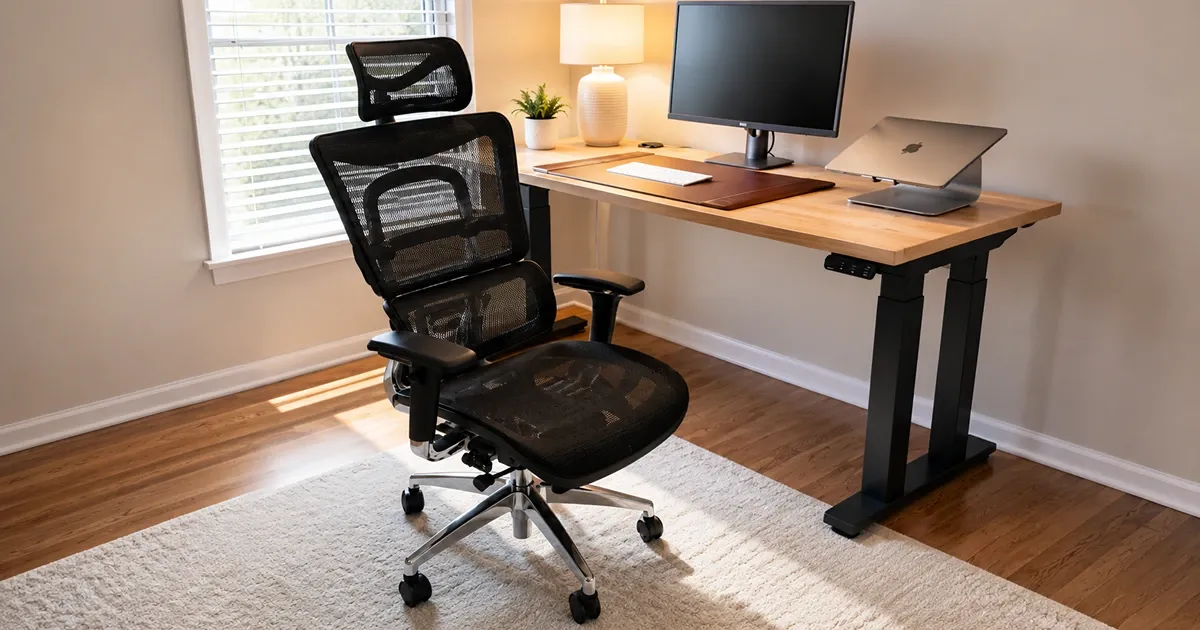
Most ergonomic chairs feel as though they were designed around one correct posture, with reclining added as an afterthought. The UPLIFT Intuition Ergonomic Chair takes a more flexible approach: its back and lumbar support remain engaged as I shift, lean away from the keyboard, or settle in for a call. That freedom to move is what makes the chair more interesting than its long list of adjustments.
After using the Intuition through long workdays, the recline remains the feature I appreciate most. It travels deeply, locks wherever I want it, and works with an adjustable headrest that supports my neck instead of sitting uselessly behind it. The mesh seat is firm and the armrests cannot move inward or outward as complete assemblies, but those compromises have not stopped this from becoming my favorite reclining office chair.
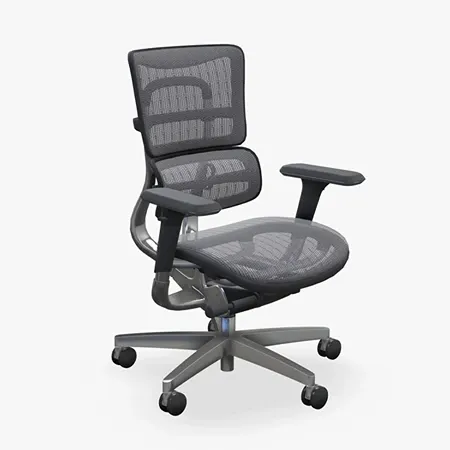
A supportive mesh chair with exceptional recline
UPLIFT Intuition Ergonomic Chair
Dynamic lumbar support, a lock-anywhere recline, and useful adjustments in a cool full-mesh design.
UPLIFT Intuition Ergonomic Chair Review: Quick Verdict
The Intuition makes its strongest case to someone who wants noticeable back support and spends enough time reclining that the mechanism needs to be more than an afterthought. I feel better supported during long workdays, sit with better posture, and finish the day with less back discomfort than I did in less structured chairs. The dynamic lumbar section deserves much of the credit because it moves with me instead of pressing into one fixed spot.
The recline is the feature that makes the Intuition feel special. It goes back to roughly 135 degrees and can be locked at essentially any point along the way, rather than making me choose from three or four preset positions. Add the genuinely useful headrest, and the chair works as well for a relaxed call or a stretch of reading as it does for upright keyboard work.
UPLIFT Intuition specs at a glance
| Spec | Value | Note |
|---|---|---|
| Seat height | 16.5 to 21.5 inches | Five inches of vertical adjustment |
| Seat size | 19.75 inches wide; 17.75 to 19.75 inches deep | Adjustable depth with a waterfall edge |
| Backrest | 20.1 inches wide; 22.8 to 24.3 inches high | Four height positions |
| Recline | Up to 45 degrees from upright | Infinite locking positions with tension control |
| Armrests | Three-way adjustable | Height, depth, and pivot angle |
| Materials | Nylon mesh and polished aluminum | Breathable seat, back, and headrest |
| Headrest | Included and removable | Adjustable height and angle |
| Warranty | 15 years | Long coverage for a daily-use chair |
What the UPLIFT Intuition Specs Mean
The Intuition’s measurements cover a useful range without turning it into an oversized executive chair. Its seat adjusts from 16.5 to 21.5 inches high, while the seat pan slides between 17.75 and 19.75 inches deep. That depth adjustment matters because it lets me support more of my thighs without pushing the front edge into the backs of my knees.
The backrest has four height positions, which move both the back and its lumbar section into a better place for the person sitting in it. The headrest can then be raised, lowered, and tilted independently. This is more useful than piling adjustments onto the chair just to make the feature list longer. Each control changes a part of the fit I can actually feel.
The chair reclines up to 45 degrees from upright, or roughly 135 degrees in conventional chair-angle terms. A synchro-tilt mechanism moves the seat less than the back as I lean, which keeps the motion controlled and prevents the chair from simply tipping backward as one solid piece. The resulting recline feels deep, stable, and usable for more than a brief stretch.
Key Benefits of the UPLIFT Intuition Ergonomic Chair
Strong Lumbar and Back Support
The support is the reason I can use this chair for a full workday. The curved lower section meets my lumbar area firmly, while the upper backrest gives me enough structure to sit upright without constantly reminding myself to stop slouching. I feel better aligned in it, and I have had less back discomfort after long sessions at my desk.
What separates the lumbar system from a basic adjustable pad is that it flexes. When I change position or lean into the backrest, the support follows the movement instead of staying planted like a hard piece of plastic. It is still assertive, so someone who prefers subtle lumbar pressure may need a little time to get used to it, but it does not feel dead or static.
The back-height adjustment is important here. Rather than trying to move a small lumbar insert on its own, I can raise or lower the back through four positions until the chair’s curve meets my lower back properly. Once I found the right setting, I stopped fiddling with it.
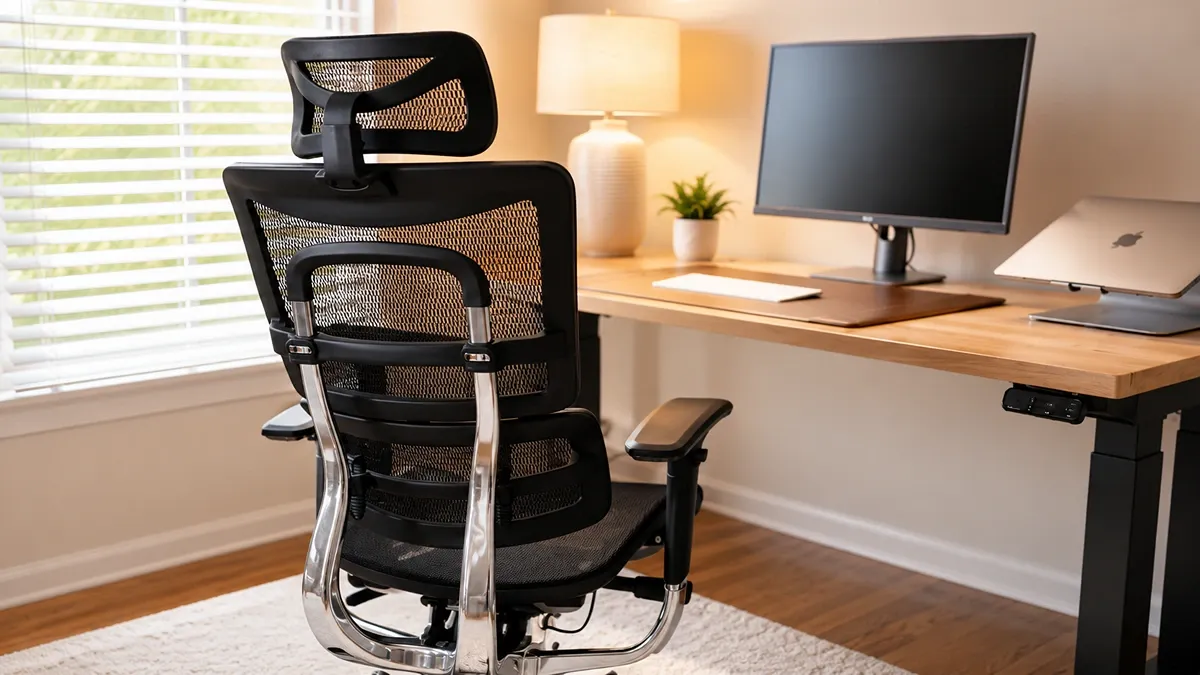
My Favorite Recline on an Office Chair
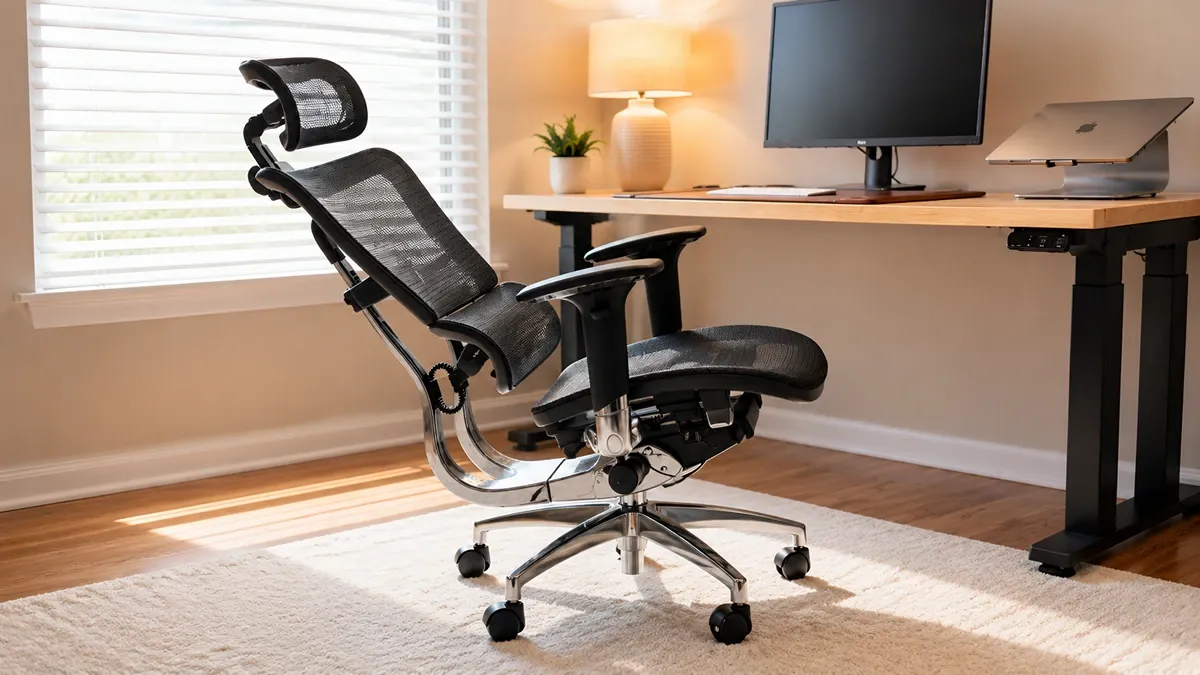
Many ergonomic chairs let you lean back, but then limit you to a handful of lock points. The Intuition gives me much finer control. I can lean to the angle that feels right and pull the labeled tilt lever to hold it there, whether I want only a slight change from upright or the full deep recline.
That freedom changes how I use the chair. A small lean works nicely when I want to keep typing but take some load off my back. A deeper position is comfortable for reading, thinking through a problem, or taking a call where I do not need to hover over the keyboard. Of the office chairs I have used, the Intuition is my favorite for reclining.
Recline tension adjusts with a crank beneath the seat. It takes a little experimentation at first, but once dialed in, the back moves with enough resistance to feel controlled without making me fight it. The synchro-tilt also keeps the seat from rising at the same rate as the back, so my lower body stays in a more natural position as I lean.
A Headrest I Actually Use
Office-chair headrests often look better in a product photo than they feel in practice. Some sit too far forward, some barely adjust, and others only make sense at one very specific recline angle. The Intuition’s headrest is much better resolved. I can change both its height and tilt until the mesh panel supports the base of my head and neck without pushing me forward.
I notice it most during calls, reading, and relaxed sitting. When I recline, the headrest lets my neck settle instead of leaving my head floating behind the backrest. It is one of the reasons the chair’s deep recline feels like a complete sitting position rather than a novelty.
The headrest is included but optional to install. I would keep it attached unless the chair needs to fit beneath a low surface or you strongly prefer an open-backed task-chair feel. It earns its place on this chair.
Useful Adjustments With Understandable Controls
The Intuition offers enough adjustment to fit around my body and desk without turning every change into a puzzle. Along with seat height, I can change seat depth, choose among four backrest heights, tune recline tension, position the headrest, and adjust each arm pad by height, forward and backward travel, and pivot angle.
The controls are also labeled LIFT, SLIDE, and TILT. That sounds like a tiny design decision, but it is much easier to understand than reaching beneath a chair for a collection of cryptic paddles and hoping I remember which one changes the seat pan. I could make the initial adjustments without keeping the manual open beside me.
Seat depth has been particularly helpful at my UPLIFT V3 desk. Once I set the chair height and seat pan, I can bring the desk down to the exact height that keeps my shoulders relaxed and my forearms level. The desk and chair adjust independently, so I do not have to compromise one part of the setup to make the other work.
Breathable Comfort for Long Work Sessions
The seat, back, and headrest all use mesh, so air can move through the places where an upholstered chair tends to trap heat. That makes a real difference over a long afternoon, especially in a warm office. I stay cooler than I do in thick foam or bonded-leather chairs.
This is not rigid plastic masquerading as a cushion. The mesh has enough give to spread my weight across the seat and respond as I move. The waterfall-shaped front edge also curves away from the backs of my legs, which works well with the adjustable seat depth.
There is a tradeoff: the seat feels supportive, not plush. Anyone shopping for the sink-in softness of thick foam will probably find it too firm. The mesh can also feel scratchy against exposed skin when I wear shorts, particularly as I slide slightly against it while reclining. I am comfortable in it for long work sessions, but I would not describe the material as soft.
Design, Build Quality, and Office Fit
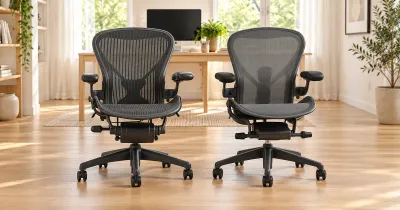
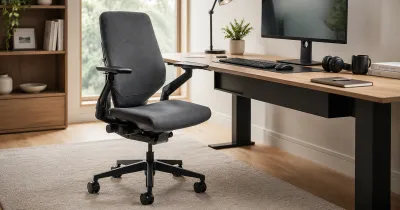
The Intuition looks more technical than a simple upholstered task chair. Three overlapping mesh sections shape the back, while polished metal on the frame and five-star base adds contrast to the otherwise black design. It fits naturally beside my UPLIFT desk, and the mesh keeps its visual weight lighter than a bulky leather executive chair.
The chrome and aluminum components also make the lower half feel more substantial than the plastic-heavy construction common in midrange ergonomic chairs. I do not mistake shine for durability, but the chair feels solid when I roll, turn, or lock into a deep recline. UPLIFT also backs it with a 15-year warranty, which is reassuring at this price.
Black is the only color, so there is not much room to coordinate it with a lighter or more playful office. The design makes the most sense in a modern home office where visible mechanisms and a high mesh back do not feel out of place.
Assembly and Setup
Assembly was unusually easy for a chair with this many moving parts. The upper portion arrives largely together, leaving a short list of jobs such as installing the casters and cylinder, connecting the main sections, attaching the arms, and deciding whether to add the headrest. I was not left balancing the entire back and mechanism while trying to align a dozen bolts.
The included instructions are clear, and the chair’s labeled controls make the setup process easier after the hardware is together. I would still take a few minutes to work through the adjustments in a sensible order: seat height, seat depth, back height, armrests, headrest, then recline tension. Changing everything at once makes it harder to tell which setting actually improved the fit.
Because the lumbar support moves with the full backrest, back height is the setting worth getting right first. I adjusted it until the curved lower panel met the natural shape of my back, then set the headrest around that position. Once those two pieces were aligned, the rest was straightforward.
Who Should Buy the UPLIFT Intuition?
The Intuition is a strong fit for someone who works from a chair for hours at a time, wants noticeable lumbar support, and changes position throughout the day. It is especially compelling if reclining is part of the way you work. The lock-anywhere mechanism and adjustable headrest make it far more useful in a relaxed posture than chairs that treat recline as a minor checkbox.
An adjustable workstation gives those chair settings more room to matter. I can tune the chair first, bring my V3 desktop to the correct seated height, and then raise the desk when I want to stand. The combination gives me more useful movement than trying to find one supposedly perfect posture and holding it all day.
Buyers who prefer a firm, ventilated seat should be happy with the mesh. If your idea of comfort is thick foam and soft upholstery, or if you know you are sensitive to coarse fabric against your legs, another chair will probably suit you better.
What to Consider Before Buying
The main functional omission is true armrest-width adjustment. The pads move up and down, slide forward and backward, and pivot, but the complete arm assemblies cannot move inward or outward. That limits how precisely I can match them to my shoulder width compared with chairs offering true 4D or 5D arms.
I have not had an armrest failure on my chair, and I do not see enough consistent evidence to treat breakage as a pattern. There is an isolated owner report of an armrest mechanism breaking, however, so it is worth knowing about without turning one anecdote into a general durability verdict. The 15-year warranty provides some reassurance if a structural problem does appear.
The mesh is the other deciding factor. Its firmness contributes to the support I like, but it will not feel luxurious to everyone. Wearing shorts makes the texture easier to notice, especially while reclining. If possible, sit in the chair wearing the kind of clothes you normally work in, not just for a two-minute showroom test.
Price narrows the audience further. The Intuition has a stronger recline, more useful headrest, more substantial construction, and longer coverage than many inexpensive ergonomic chairs, but those benefits matter most to someone who will use them daily. If you sit only occasionally or never recline, a simpler chair may be the smarter value.
My Verdict After Long Workdays
How often you recline is the clearest way to decide whether the UPLIFT Intuition Ergonomic Chair is worth its price. Someone who stays upright and prefers a plush foam cushion will have a harder time justifying its firm mesh and adjustable headrest. If your workday moves between keyboard work, calls, reading, and time spent thinking away from the screen, the lock-anywhere recline becomes much more valuable.
For the way I work, the balance is right. The flexible lumbar section keeps my back supported, the mesh handles heat well, and the headrest remains useful when I lean away from the desk. I would still prefer adjustable armrest width and a smoother seat texture against bare skin, but the Intuition is the office chair I most enjoy reclining in, and that is the reason I would choose it again.