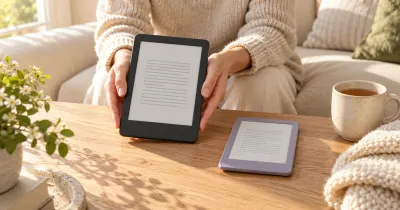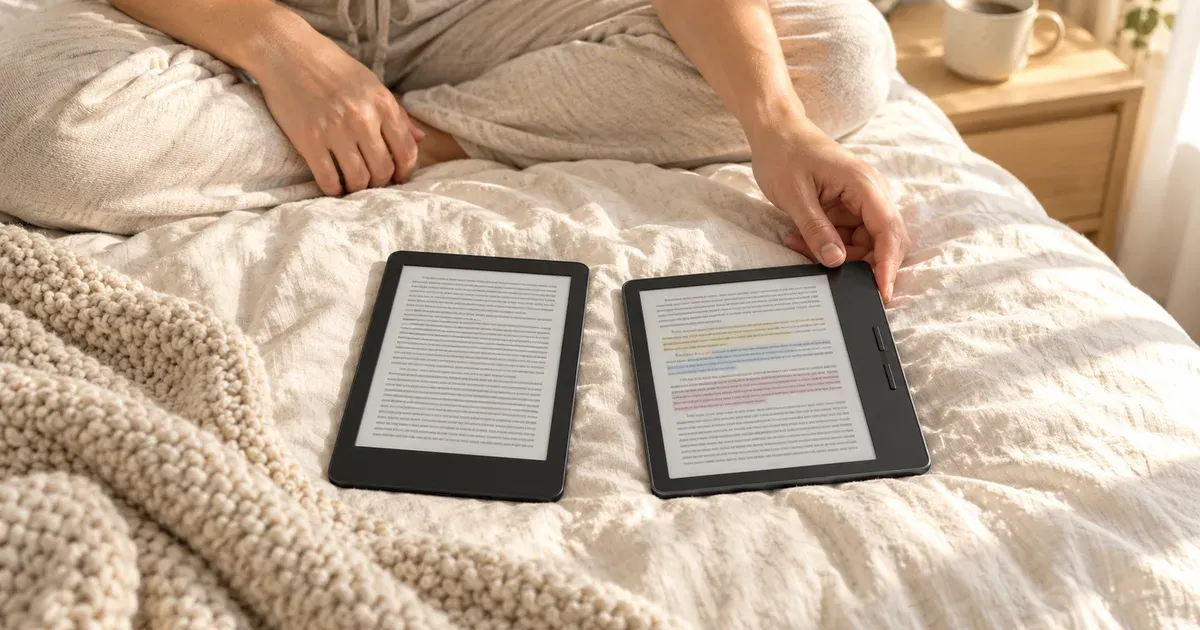
Kindle and Kobo e-readers use the same kind of glare-free E Ink screens and cost about the same. The real difference is where your books come from. A Kindle is built around Amazon’s store, Kindle+, and Audible. A Kobo, made by Rakuten Kobo, reads standard EPUB files, borrows library books right on the device, and never shows ads.
The short answer: buy a Kindle if you already own Kindle books, want the biggest store and the most exclusive self-published titles, or use Kindle+ or Audible. Buy a Kobo if you borrow a lot of library books, buy e-books from other stores, or want more hardware for the money: the $159.99 Kobo Clara BW has warm light and waterproofing that the $149.99 Kindle doesn’t.
Kindle vs. Kobo at a glance
| Spec | Kindle | Kobo |
|---|---|---|
| Bookstore | Kindle Store, the largest, with Kindle-exclusive titles | Kobo Store |
| Subscription | Kindle+ (formerly Kindle Unlimited), $11.99/mo | Kobo Plus, $7.99/mo for e-books or audiobooks, $9.99 for both |
| Library books (US) | Borrow in the Libby app, then send to Kindle | Browse and borrow on the device (OverDrive/Libby built in) |
| EPUB files | Converted through Send to Kindle | Read natively, with 15 file formats supported |
| Audiobooks | Audible, over Bluetooth | Kobo audiobooks, over Bluetooth |
| Ads | Lockscreen ads unless you pay $20 more | None |
| Cheapest model | Kindle, $149.99 (no warm light, not waterproof) | Clara BW, $159.99 (warm light, waterproof) |
| Color models | Kindle Colorsoft, from $289.99 | Clara Colour $179.99, Libra Colour $259.99 |
| Page-turn buttons | Only with an add-on cover or remote | Built into the Libra Colour |
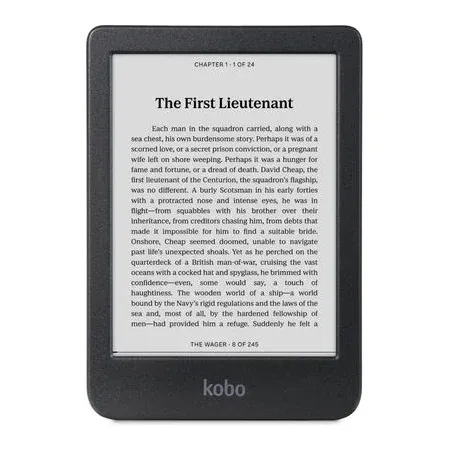
Best budget e-reader
Kobo Clara BW
A 6-inch, 300 ppi e-reader with warm light, IPX8 waterproofing, built-in library borrowing, and no ads.
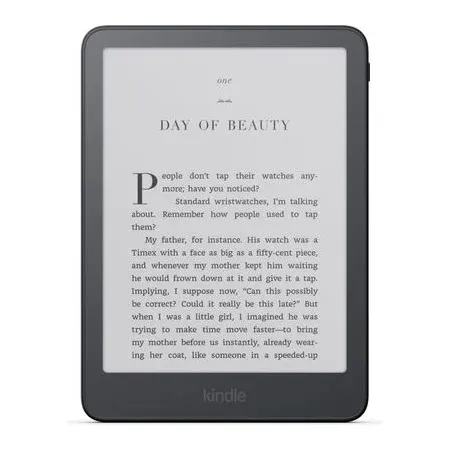
Best kindle for most readers
Kindle Paperwhite (2026)
A 7-inch flush-front screen with warm light, IPX8 waterproofing, and up to 12 weeks of battery.
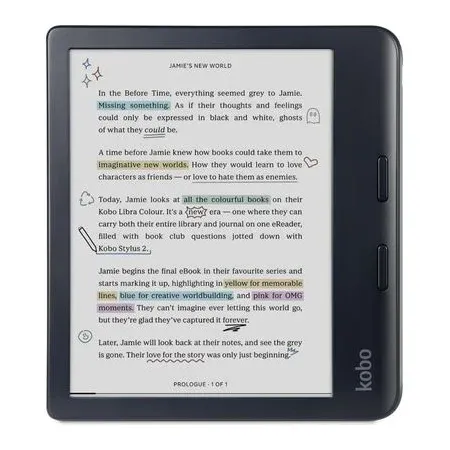
Best for buttons, color, and notes
Kobo Libra Colour
A 7-inch color E Ink screen with page-turn buttons, 32 GB, stylus support, and IPX8 waterproofing.
The Bookstore Decides It
You can’t move purchased books between the two. Kindle books are locked to Amazon’s apps and devices, and Kobo’s store books are locked to Kobo’s. So the most important question is which store you want to buy from for the next several years.
If you already have a Kindle library, that’s usually the end of it: those books won’t open on a Kobo. A Kindle is also the only e-reader for the many self-published books that are exclusive to Amazon, and it works with Audible, Goodreads, and Kindle+.
If you’re starting fresh, both stores carry millions of e-books, and new releases from major publishers show up in both. Kobo is the more open option. It reads EPUB, the standard e-book format most other stores use, including DRM-protected EPUBs bought elsewhere and authorized through Adobe Digital Editions. Since February 2025, Amazon no longer lets you download your Kindle purchases to a computer as backup files.
Library Books: Kobo Is Easier
Both work with public libraries in the US, but Kobo does it better. On a Kobo, you sign in with your library card and browse, borrow, and return OverDrive/Libby books directly on the e-reader.
On a Kindle, you borrow in the Libby app or on your library’s website, choose “Read with Kindle,” and finish the checkout on Amazon’s site, then the book downloads to your Kindle. It works well, but only in the US, and some libraries don’t offer every title in Kindle format. If you borrow most of what you read, that alone is a good reason to pick a Kobo.
EPUB, PDF, and Your Own Files
Kobo supports 15 formats natively, including EPUB, PDF, MOBI, CBZ, and CBR comics. Drag files onto it over USB and they appear in your library. The Libra Colour also syncs with Dropbox and Google Drive.
Kindles read Amazon’s own formats and PDFs. To add an EPUB, you send it to your Kindle with Amazon’s Send to Kindle service, which converts it. That’s fine for most DRM-free books, but it’s an extra step, and complex layouts don’t always convert cleanly.
Kindle+ vs. Kobo Plus
Both stores have an all-you-can-read subscription:
- Kindle+ (Amazon’s new name for Kindle Unlimited) costs $11.99 a month and lets you borrow up to 20 books at a time from millions of e-books, plus some audiobooks, comics, and magazines.
- Kobo Plus costs $7.99 a month for e-books, $7.99 for audiobooks, or $9.99 for both, with a 14-day free trial.
Kindle+ has the bigger catalog, largely because so many self-published authors enroll their books exclusively. Neither one includes most big-publisher bestsellers. Neither subscription is included with Prime.
Hardware: Model by Model
The most useful way to compare the hardware is by price tier. Every model below has a glare-free E Ink touchscreen, Bluetooth for audiobooks, and USB-C.
Kindle vs. Kobo Clara BW (6-inch)
| Kindle ($149.99) | Kobo Clara BW ($159.99) | |
|---|---|---|
| Screen | 6-inch, 300 ppi, flush front | 6-inch, 300 ppi |
| Warm light | No | Yes |
| Waterproof | No | Yes, IPX8 |
| Storage | 16 GB | 16 GB |
| Battery | Up to 6 weeks | Up to 53 days |
| Ads | Yes, unless you pay $20 more | No |
This is Kobo’s clearest win. For $10 more than an ad-supported Kindle, and $10 less than an ad-free one, the Clara BW adds a warm light for reading in bed and full waterproofing. The 2026 Kindle has a sleeker flush-front screen and opens books faster, but it doesn’t have either feature. Battery ratings are measured differently by each company, so treat both as “weeks, not days.”
Kindle Paperwhite vs. Kobo Libra Colour (7-inch)
| Kindle Paperwhite ($199.99) | Kobo Libra Colour ($259.99) | |
|---|---|---|
| Screen | 7-inch, 300 ppi, black and white | 7-inch color, 300 ppi black and white, 150 ppi color |
| Warm light | Yes | Yes |
| Waterproof | Yes, IPX8 | Yes, IPX8 |
| Storage | 16 GB | 32 GB |
| Page-turn buttons | No | Yes |
| Stylus and notebooks | No | Yes, Kobo Stylus 2 sold separately |
| Battery | Up to 12 weeks | Up to 40 days |
| Weight | Not published | 199.5 g |
The Paperwhite is the better pure reading machine for the money: its black-and-white screen is a little crisper and brighter than a color E Ink screen, and its battery lasts much longer. The Libra Colour costs $60 more but adds things the Paperwhite can’t do. Its physical page-turn buttons let you read one-handed without touching the screen, its color screen shows covers, comics, and highlights in color, and with the stylus you can write notes in the margins and in notebooks.
If you want a 6-inch Kobo with a color screen, the Kobo Clara Colour costs $179.99. It has the same 300 ppi black-and-white sharpness and 150 ppi color, plus warm light and waterproofing, and no buttons or stylus support.
Color: Kindle Colorsoft vs. Kobo Libra Colour
The Kindle Colorsoft starts at $289.99, $30 more than the Libra Colour. Both have 7-inch color E Ink screens at 150 ppi in color. The Kobo adds page-turn buttons, stylus support, and 32 GB of storage. The Colorsoft’s advantage is the Kindle Store and Kindle+ catalog, including color comics and graphic novels.
Ads and Repairs
Kindles ship with lockscreen ads (sponsored screensavers) unless you pay $20 more for the ad-free version. Kobos have no ads at any price.
Both companies now make batteries easier to replace. The 2026 Kindle and Kindle Paperwhite have a back panel that opens for a battery swap. Kobo markets the Clara BW, Clara Colour, and Libra Colour as repairable, with replacement parts and repair guides available through iFixit.
Which Should You Buy?
Buy a Kindle if:
- You already own Kindle books or have an Audible library
- You read a lot of self-published books or plan to use Kindle+
- You want the longest battery life and the Paperwhite’s polish
- You want Goodreads built in
Buy a Kobo if:
- You borrow most of your books from the library
- You buy e-books from stores other than Amazon or have EPUB files
- You want warm light and waterproofing on a budget (Clara BW)
- You want page-turn buttons, a color screen, or handwritten notes (Libra Colour)
- You don’t want ads on your e-reader
If you’re leaning toward a Kindle, our Kindle vs. Kindle Paperwhite comparison explains which Kindle to get. If you shop at Barnes & Noble, see Kindle vs. Nook. For tablets that also work as e-readers, see our guide to the best tablets.
Kindle vs. Kobo FAQ
Can you read Kindle books on a Kobo?
No. Books bought from Amazon are protected by Amazon’s DRM and only open on Kindle devices and Kindle apps. Kobo store books likewise only open on Kobo devices and apps.
Can a Kindle read EPUB files?
Not directly. You can send an EPUB to your Kindle with Amazon’s Send to Kindle service, which converts it to Amazon’s format. A Kobo opens EPUB files natively.
Is Kobo better than Kindle for library books?
Yes. Kobo has OverDrive built in, so you borrow and return library e-books on the device. On a Kindle, you borrow through Libby or your library’s website and send the book to your Kindle, which only works in the US.
Does Kobo have ads?
No. Kobo e-readers don’t show ads. Kindles show lockscreen ads unless you buy the ad-free version, which costs $20 more.
Is the Kobo Clara BW better than the basic Kindle?
On hardware, yes. For $10 more, the Clara BW adds warm light and IPX8 waterproofing and has no ads. The Kindle is better if you’re tied to Amazon’s store, Kindle+, or Audible.
Who makes Kobo e-readers?
Rakuten Kobo, a Canadian company owned by Japan’s Rakuten. Kobo sells its e-readers on its own site and through retailers, including Amazon in the US.