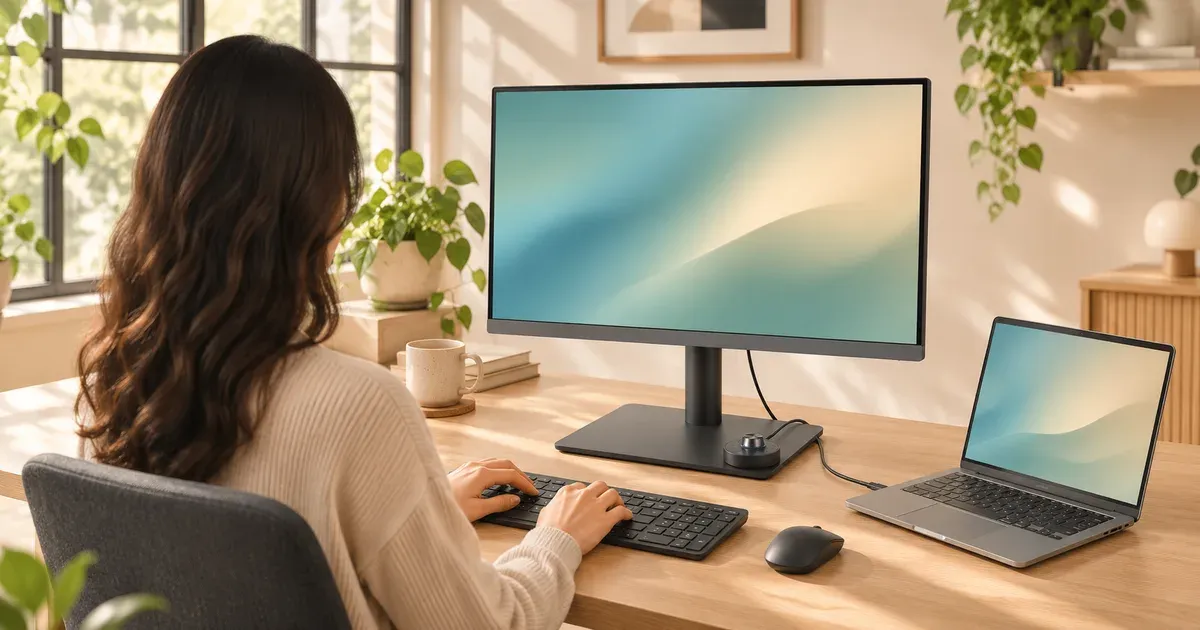
The best USB-C monitor for most laptops is the Dell S 27 4K USB-C (S2725QC): 27-inch 4K at 120Hz with 65W charging over one cable, for $249.99 on Amazon on November 23, 2026. If your laptop’s charger is bigger than 65W, the BenQ PD2706U ($399.99, 90W) and ASUS ProArt PA279CRV ($349, 96W) deliver more power. The Samsung ViewFinity S8 ($499.99) is the cheapest 5K monitor with 90W USB-C, and the Dell UltraSharp U2725QE (140W Thunderbolt 4) is the one that keeps a power-hungry 16-inch laptop fully fed.
One USB-C cable carries video, data and charging, so the monitor replaces your laptop’s charger on the desk. The number to match is the monitor’s power delivery wattage against your laptop charger’s wattage. A lower-wattage monitor still charges, just more slowly, and a laptop under heavy load may drain.
Comparison by Charging Power
| Monitor | USB-C power | Size / resolution / refresh | Other video inputs | What it lacks | Amazon (Nov. 23, 2026) |
|---|---|---|---|---|---|
| Dell S2725DC | 65W | 27” 1440p, 144Hz | HDMI, DP 1.4 | — | $199.99 |
| Dell S2725QC | 65W | 27” 4K, 120Hz | 2x HDMI 2.1 FRL | DisplayPort | $249.99 |
| ASUS ProArt PA279CRV | 96W | 27” 4K, 60Hz | 2x DP 1.4, 2x HDMI 2.0 | High refresh | $349 |
| BenQ PD2706U | 90W (+ KVM) | 27” 4K, 60Hz | HDMI 2.0, DP 1.4 | High refresh | $399.99 |
| Samsung ViewFinity S8 S80HF | 90W (+ KVM) | 27” 5K, 60Hz | HDMI 2.1, DP 1.4 | Thunderbolt | $499.99 |
| Dell UltraSharp U2725QE | 140W (Thunderbolt 4) | 27” 4K, 120Hz | HDMI 2.1 FRL, DP 1.4 in/out | — | $689.95 (third party); $849.99 Dell |
1. Dell S2725QC: Best USB-C Monitor
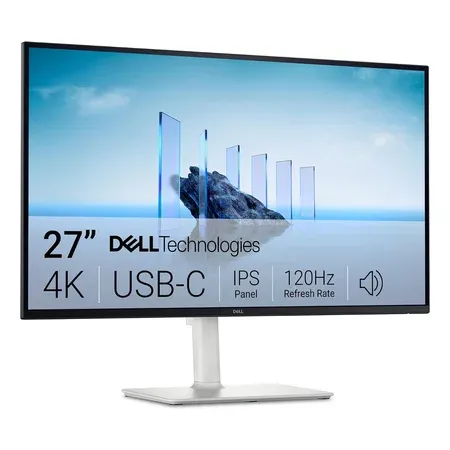
Best overall: 4K 120Hz, 65W
Dell S 27 4K USB-C (S2725QC)
$249.99 on Amazon on Nov. 23, 2026 (list $349.99). 27-inch 4K IPS, 120Hz, USB-C 65W, 2x HDMI 2.1, no DisplayPort.
The S2725QC is a 27-inch 4K IPS at 120Hz with a 65W USB-C port (DisplayPort Alt Mode), two HDMI 2.1 FRL ports and a stand with height, pivot, swivel and tilt. Dell’s listing gives it a TÜV Rheinland 4-star eye comfort rating. The catch is no DisplayPort: a desktop PC connects by HDMI. Its sibling S2725QS ($217.99) swaps USB-C for DisplayPort. Dell’s page lists a 1-year warranty.
2. Dell S2725DC: Best Budget USB-C
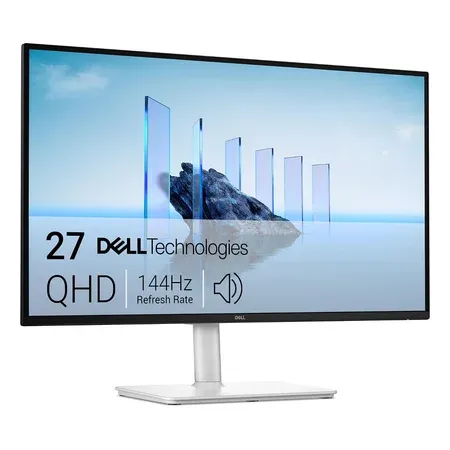
Budget pick: 1440p, 65W
Dell 27 Plus QHD USB-C (S2725DC)
$199.99 on Amazon on Nov. 23, 2026 (list $259.99). 27-inch QHD IPS, 144Hz, USB-C 65W, HDMI, DP 1.4.
For $50 less, the S2725DC drops to 1440p but keeps 65W USB-C, runs at 144Hz, and adds DisplayPort 1.4 alongside HDMI. It had 4.7 stars from 177 reviews. Pick it for a 13- or 14-inch laptop where 1440p text at 27 inches is sharp enough.
3. ASUS ProArt PA279CRV: Most Power Under $400
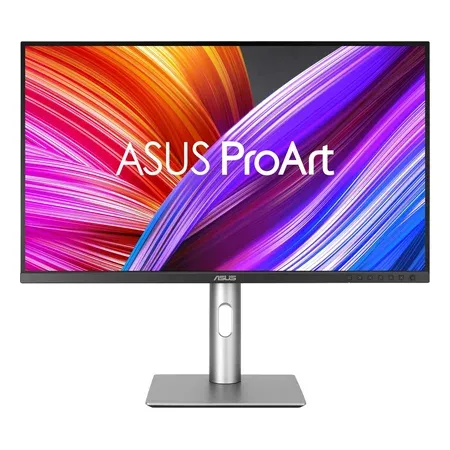
96W USB-C, 99% adobe RGB
ASUS ProArt PA279CRV
$349 on Amazon on Nov. 23, 2026 (list $429). 27-inch 4K IPS, 60Hz, USB-C 96W, 2x DP 1.4 (daisy chain), 2x HDMI 2.0.
ASUS lists 96W USB-C on the PA279CRV, enough for most 14- and 16-inch creator laptops, plus two DisplayPort 1.4 ports with daisy chaining, two HDMI 2.0 and a stand with 130mm of height. The panel covers 99% Adobe RGB and DCI-P3, so it doubles as our top pick in best monitors for photo editing. It runs at 60Hz.
4. BenQ PD2706U: Best for a USB-C Desk With Two Computers
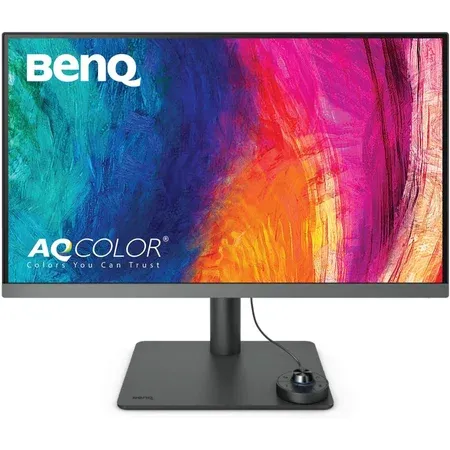
90W USB-C, KVM, second USB-C
BenQ PD2706U
$399.99 on Amazon on Nov. 23, 2026, sold by BenQ. 27-inch 4K IPS, 95% P3, USB-C 90W, KVM, HDMI 2.0, DP 1.4.
BenQ’s spec page lists 90W on the PD2706U’s main USB-C (a marketing blurb says 65W; we go by the spec page), a second USB-C, three USB-A, a KVM switch for sharing one keyboard and mouse between a laptop and a desktop, and the Hotkey Puck G2 controller. BenQ’s warranty is 3 years.
5. Samsung ViewFinity S8 S80HF: Best 5K USB-C
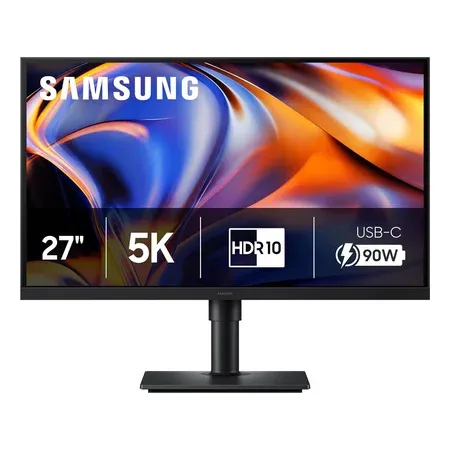
5K with 90W USB-C
Samsung ViewFinity S8 (S80HF)
$499.99 on Amazon on Nov. 23, 2026 (list $699.99). 27-inch 5K IPS, 60Hz, USB-C 90W, HDMI 2.1, DP 1.4, KVM.
Samsung’s 2026 ViewFinity S8 (LS27H800EFAXZA) is a 27-inch 5K IPS with 90W USB-C (not Thunderbolt), HDMI 2.1, DisplayPort 1.4, a KVM and a stand with 120mm height, swivel and pivot. It’s $1,100 less than Apple’s Studio Display on Amazon for the same resolution. More 5K options are in best 5K monitors.
6. Dell UltraSharp U2725QE: Best for 140W Laptops
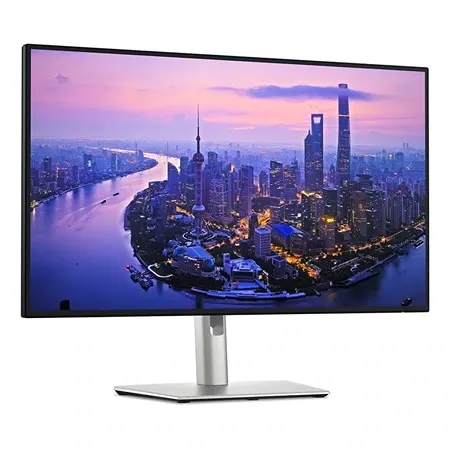
140W thunderbolt 4 hub
Dell UltraSharp U2725QE
$689.95 on Amazon (third-party seller) on Nov. 23, 2026; $849.99 at Dell. 27-inch 4K IPS Black, 120Hz, TB4 140W, 2.5GbE.
The U2725QE’s Thunderbolt 4 upstream port delivers 140W, the most of any 27-inch monitor here, and it adds Thunderbolt 4 downstream for daisy chaining, DisplayPort 1.4 in and out, HDMI 2.1 FRL, 2.5GbE Ethernet and a KVM. The 27-inch 4K IPS Black panel runs at 120Hz with DisplayHDR 600. Dell’s 3-year Advanced Exchange warranty applies when bought from Dell or an authorized seller; Amazon’s listing came from a third-party seller shipping through Amazon, so check the seller before buying. For more Thunderbolt picks, see best Thunderbolt monitors.
Gaming Monitors With USB-C Charging
Several OLED gaming monitors also charge a laptop: the Samsung Odyssey OLED G8 G80SH (98W, $792.93 for the 27-inch), ASUS ROG Swift PG27UCDM and ROG Strix XG27ACDNG (90W), and LG UltraGear 32GX870A (90W with KVM). Many other gaming monitors list USB-C at only 15W, which won’t charge a laptop. See best 240Hz monitors.
How to Choose a USB-C Monitor
- Match the wattage. Compare the monitor’s USB-C power with the charger that came with your laptop.
- Check the video mode. The port must carry DisplayPort Alt Mode (all picks here do). A data-only USB-C port, like the one on the Dell U2724D, won’t carry video or charge a laptop.
- Mac limits. Base M-series MacBook Airs drive a limited number of external displays; see best monitors for MacBook Pro for Apple’s figures.
- Desktops too. If a desktop PC shares the desk, pick a monitor with DisplayPort and a KVM (PD2706U, S80HF, U2725QE).
For a full laptop dock in a monitor, see best monitors for working from home.
FAQ
What’s the best USB-C monitor?
The Dell S2725QC: 27-inch 4K 120Hz with 65W USB-C, $249.99 on Amazon on November 23, 2026.
Which USB-C monitor charges at 90W or more?
The BenQ PD2706U (90W), Samsung ViewFinity S8 S80HF (90W), ASUS ProArt PA279CRV (96W) and Dell UltraSharp U2725QE (140W over Thunderbolt 4).
Is 65W USB-C enough to charge a laptop?
Yes for most 13- and 14-inch laptops. Laptops that ship with a larger charger still charge at 65W, just more slowly.
Does the Dell S2725QC have DisplayPort?
No. It has USB-C (65W) and two HDMI 2.1 ports. The S2725QS has DisplayPort but no USB-C.