The ASUS ProArt PA279CRV is the best monitor for photo editing for most people: a 27-inch 4K IPS panel that ASUS rates at 99% Adobe RGB and 99% DCI-P3, with 96W USB-C, for $349 on Amazon on November 23, 2026. The BenQ PD2706U ($399.99) is the Mac-friendly alternative with BenQ’s zero-bright-dot policy. For 5K sharpness, the ASUS ProArt PA27JCV ($599) costs far less than Apple’s Studio Display ($1,399 on Amazon). For HDR photo work, the Studio Display XDR ($3,249) has a 2,304-zone mini-LED backlight.
The number that matters most for print work is Adobe RGB coverage, the color space many cameras and print workflows use. For web and phone output, sRGB and DCI-P3 matter more. Check that a monitor’s maker states the gamut, not just “wide color”.
Comparison
| Monitor | Size / resolution | Panel | Gamut (maker) | HDR | USB-C | Stand | Price (Nov. 23, 2026) |
|---|---|---|---|---|---|---|---|
| ASUS ProArt PA279CRV | 27” 4K, 60Hz | IPS | 99% Adobe RGB, 99% DCI-P3 | DisplayHDR 400 | 96W | Height 130mm, full | $349 Amazon |
| BenQ PD2706U | 27” 4K, 60Hz | IPS | 95% P3, ΔE ≤3 | DisplayHDR 400 | 90W + KVM | Height 110mm, pivot | $399.99 Amazon |
| ASUS ProArt 5K PA27JCV | 27” 5120x2880, 60Hz | IPS | 99% DCI-P3 | DisplayHDR 500 | 96W | Height 130mm, pivot | $599 Amazon |
| Apple Studio Display (2026) | 27” 5120x2880, 60Hz | 5K Retina | P3 | — | 2x Thunderbolt 5, 96W | Tilt | $1,399 Amazon ($1,599 Apple) |
| Apple Studio Display XDR | 27” 5120x2880, 120Hz | Mini-LED, 2,304 zones | P3 and Adobe RGB | 1,000 nits SDR / 2,000 HDR peak | 2x Thunderbolt 5, 140W | Tilt and height | $3,249 Amazon ($3,299 Apple) |
| ASUS ProArt PA278CV | 27” 1440p, 75Hz | IPS | 100% sRGB | — | 65W | Height 150mm | $213 Amazon |
1. ASUS ProArt PA279CRV: Best Overall
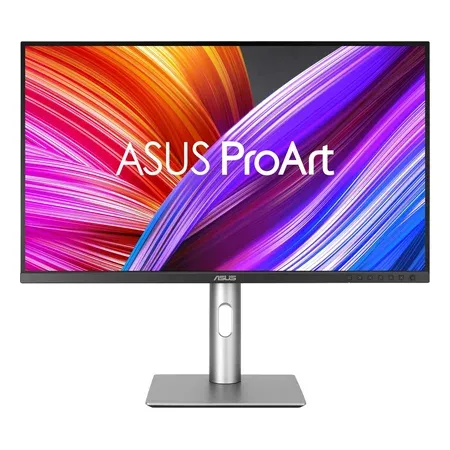
Best overall: 4K, 99% adobe RGB
ASUS ProArt PA279CRV
$349 on Amazon on Nov. 23, 2026 (list $429). 27-inch 4K IPS, 99% Adobe RGB and DCI-P3, DisplayHDR 400, USB-C 96W.
ASUS rates the PA279CRV at 99% Adobe RGB and 99% DCI-P3 on a 27-inch 4K IPS panel, the widest stated print gamut of any monitor here under $1,000. It has 96W USB-C for a laptop, 2x DisplayPort 1.4 with daisy chaining, 2x HDMI 2.0, DisplayHDR 400 and a full stand with 130mm of height. ASUS lists a 3-year zero-bright-dot (ZBD) policy on the panel. It runs at 60Hz, which is fine for editing.
2. BenQ PD2706U: Best for Mac Users on a Budget
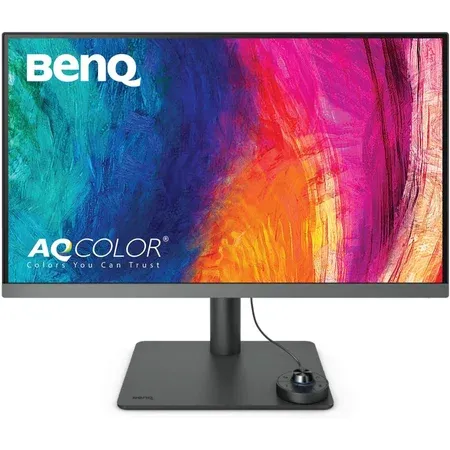
4K, 95% P3, 90W USB-C, KVM
BenQ PD2706U
$399.99 on Amazon on Nov. 23, 2026, sold by BenQ. 27-inch 4K IPS, 95% P3, ΔE ≤3, DisplayHDR 400, USB-C 90W, KVM.
BenQ lists 95% P3 with a ΔE of 3 or less, DisplayHDR 400, and a 90W USB-C port (the spec page says 90W; one BenQ blurb says 65W) plus a second USB-C, three USB-A ports and a KVM switch. It comes with BenQ’s Hotkey Puck G2 and a stand with height, tilt, swivel and pivot. BenQ’s warranty is 3 years, and its PD models get a zero-bright-dot guarantee in the first 30 days. Choose it over the ASUS if you work mostly in P3 for screens rather than Adobe RGB for print.
3. ASUS ProArt 5K PA27JCV: Best 5K Value
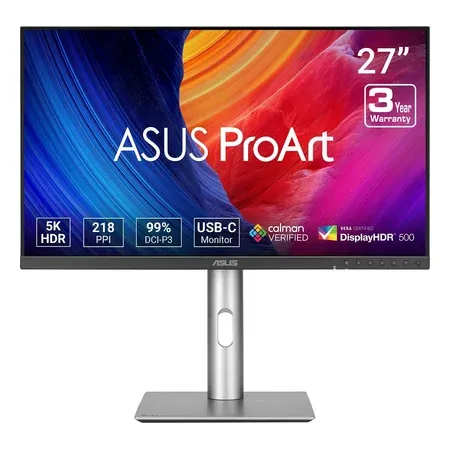
5K for less than half Apple's price
ASUS ProArt 5K PA27JCV
$599 on Amazon on Nov. 23, 2026 (list $699). 27-inch 5120x2880 IPS, 99% DCI-P3, DisplayHDR 500, USB-C 96W, HDMI 2.1.
The PA27JCV has the same 5120x2880 resolution as Apple’s Studio Display, so photos at 100% show more detail and macOS renders text at Apple’s preferred 2x scaling. ASUS lists 99% DCI-P3, DisplayHDR 500, 96W USB-C, DisplayPort 1.4, HDMI 2.1 and a stand with 130mm height and pivot. ASUS doesn’t list Adobe RGB coverage for it, so print-focused editors should stay with the PA279CRV. More options are in best 5K monitors.
4. Apple Studio Display (2026): Best for a Mac Studio or MacBook Pro
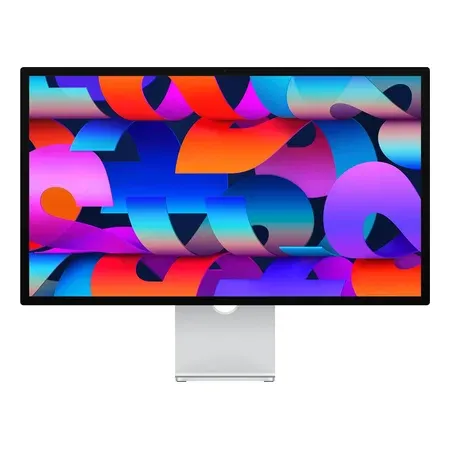
5K, thunderbolt 5, camera and speakers
Apple Studio Display (2026), tilt stand
$1,399 on Amazon on Nov. 23, 2026 (Apple $1,599). 27-inch 5K, 600 nits, P3, 2x Thunderbolt 5, 96W charging.
Apple’s March 2026 Studio Display is a 27-inch 5K (218 ppi) P3 panel at 600 nits and 60Hz, now with two Thunderbolt 5 ports, 96W charging, a 12MP Center Stage camera with Desk View and six speakers. It works only with Apple silicon Macs. Amazon’s $1,399 was $200 under Apple’s price on November 23; Apple’s Black Friday gift card excludes both Studio Displays. A nano-texture glass version costs $1,899 at Apple. Whether the premium over the ASUS is worth it is covered in is the Apple Studio Display worth it.
5. Apple Studio Display XDR: Best for HDR Photo Editing
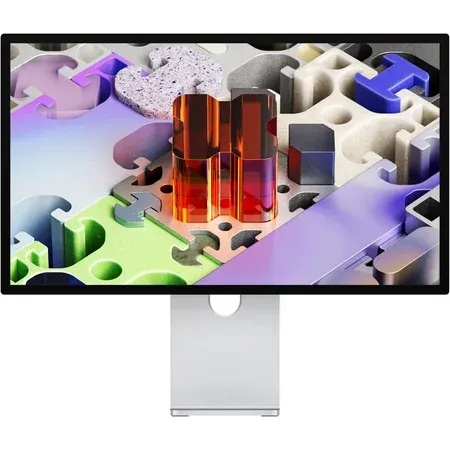
5K mini-LED, 2,304 zones, 120Hz
Apple Studio Display XDR, tilt-and-height stand
$3,249 on Amazon on Nov. 23, 2026 (Apple $3,299). 27-inch 5K mini-LED, 1,000 nits SDR, 2,000 HDR, P3 and Adobe RGB.
The Studio Display XDR replaced the Pro Display XDR in March 2026. Apple lists a 27-inch 5K mini-LED backlight with 2,304 dimming zones, 1,000,000:1 contrast, 1,000 nits SDR and 2,000 nits peak HDR, and both P3 and Adobe RGB color. It runs at 120Hz on M4 and later Macs, but only 60Hz on M1, M2 and M3 Macs, and needs macOS Tahoe 26.3.1 or later. The price includes a tilt-and-height stand; the VESA version is $2,899.
6. ASUS ProArt PA278CV: Best Budget
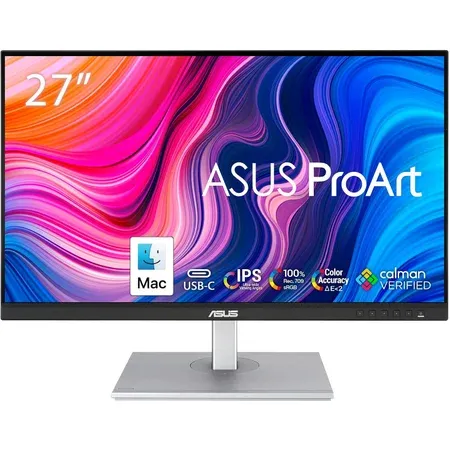
Budget 1440p, 100% sRGB
ASUS ProArt PA278CV
$213 on Amazon on Nov. 23, 2026 (list $269.64). 27-inch 1440p IPS, 100% sRGB, USB-C 65W, DP daisy chain.
If your photos end up on the web, the PA278CV covers 100% sRGB on a 27-inch 1440p IPS panel, with 65W USB-C, two DisplayPort 1.2 ports for daisy chaining and a stand with 150mm of height. It doesn’t cover Adobe RGB or P3, and its HDMI port is 1.4. ASUS lists the same 3-year zero-bright-dot policy as the PA279CRV.
Also Consider: Dell UltraSharp U3226Q
Dell’s first QD-OLED UltraSharp is a 31.5-inch 4K 120Hz panel with an anti-glare coating, True Black 500, Dolby Vision, Thunderbolt 4 with 140W and a KVM, for $2,439.99 at Dell (Estimated Value $2,599.99) on November 23, 2026. Dell’s page includes OLED burn-in in the 3-year Premium Panel Exchange. Amazon carried it only from a third-party seller, so we didn’t box it. See OLED monitor burn-in warranty before buying any OLED for static editing interfaces.
How to Choose
- Print work: look for a stated Adobe RGB figure (PA279CRV, Studio Display XDR).
- Web, phone and video: P3 and sRGB coverage matter more (PD2706U, PA27JCV, Studio Display).
- Mac: 5K at 27 inches matches macOS’s 2x scaling; 4K at 27 inches works but scales text less cleanly. See best monitors for MacBook Pro.
- Calibration: all of these ship with factory calibration claims, but a hardware calibrator keeps a panel accurate over time.
Editing video too? See best monitors for video editing. Pairing a monitor with a small desktop? See best mini PCs for photo editing.
FAQ
What’s the best monitor for photo editing?
The ASUS ProArt PA279CRV: 27-inch 4K, 99% Adobe RGB and DCI-P3, 96W USB-C, $349 on Amazon on November 23, 2026.
Is 4K enough for photo editing?
Yes, for most editors. 5K (PA27JCV, Studio Display) is sharper at 27 inches and suits macOS scaling better.
Is Adobe RGB or DCI-P3 more important?
Adobe RGB for print workflows; DCI-P3 and sRGB for screens, web and video.
Is the Apple Studio Display good for photo editing?
Yes: 5K, P3 and 600 nits. It doesn’t list Adobe RGB; the Studio Display XDR lists both P3 and Adobe RGB.