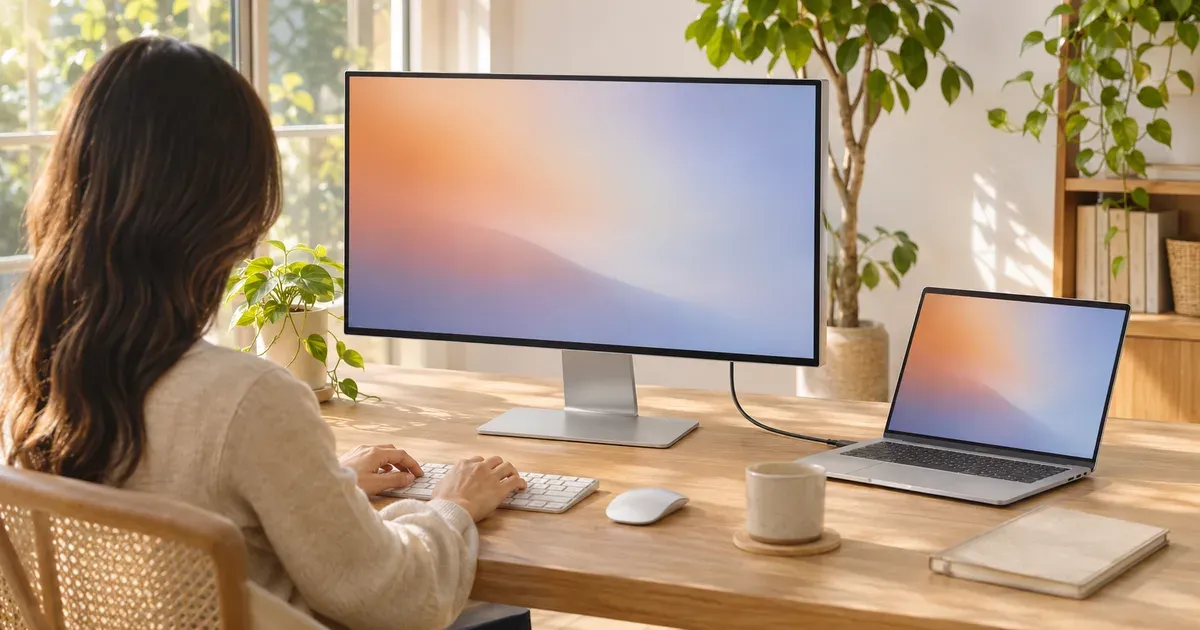
The best monitor for a MacBook Pro is the 2026 Apple Studio Display: 27-inch 5K, two Thunderbolt 5 ports, 96W charging, a 12MP camera and six speakers, for $1,399 on Amazon on November 23, 2026 ($1,599 at Apple). For the same 5K sharpness at well under half the price, the ASUS ProArt PA27JCV is $599 with 96W USB-C, and the Samsung ViewFinity S8 is $499.99 with 90W. If you run a 16-inch MacBook Pro hard, the Dell UltraSharp U2725QE’s 140W Thunderbolt 4 hub keeps it charged at full speed. On a budget, the Dell S2725QC is a 4K 120Hz USB-C monitor for $249.99.
Why 5K? macOS draws its interface at 2x, and a 27-inch 5K panel (about 218 pixels per inch) is what Apple builds its own displays around, so text is sharp at the default size. A 27-inch 4K monitor works fine but uses a scaled resolution to get the same text size.
How Many Displays Your MacBook Pro Supports (Apple)
| MacBook Pro | External displays | Limits |
|---|---|---|
| M4 / M4 Pro, M5 | 2 | One up to 8K 60Hz, 5K 120Hz or 4K 240Hz; two up to 6K 60Hz or 4K 144Hz each |
| M6 (Nov. 2026) | 2 | Two up to 6K 60Hz or 4K 165Hz each |
| M5 Pro | 3 | Up to 6K 60Hz or 4K 165Hz each |
| M5 Max | 4 | Up to 6K 60Hz or 4K 165Hz each |
| M3 | 2, with the lid closed | Primary 6K 60Hz or 4K 144Hz |
Apple notes that docks and daisy chains don’t raise these counts.
Comparison
| Monitor | Size / resolution | Refresh | Mac connection / charging | Camera and speakers | Price (Nov. 23, 2026) |
|---|---|---|---|---|---|
| Apple Studio Display (2026) | 27” 5K, 600 nits | 60Hz | 2x Thunderbolt 5, 96W | 12MP Center Stage, 6 speakers | $1,399 Amazon |
| ASUS ProArt 5K PA27JCV | 27” 5K IPS, 99% P3 | 60Hz | USB-C 96W | No | $599 Amazon |
| Samsung ViewFinity S8 S80HF | 27” 5K IPS | 60Hz | USB-C 90W, KVM | No | $499.99 Amazon |
| Dell UltraSharp U2725QE | 27” 4K IPS Black | 120Hz | Thunderbolt 4, 140W | No | $849.99 Dell; $689.95 Amazon (third party) |
| ASUS ProArt 6K PA32QCV | 31.5” 6016x3384 IPS | 60Hz | 2x Thunderbolt 4, 96W | No | $1,099 Amazon |
| Dell S2725QC | 27” 4K IPS | 120Hz | USB-C 65W | No | $249.99 Amazon |
1. Apple Studio Display (2026): Best Monitor for MacBook Pro
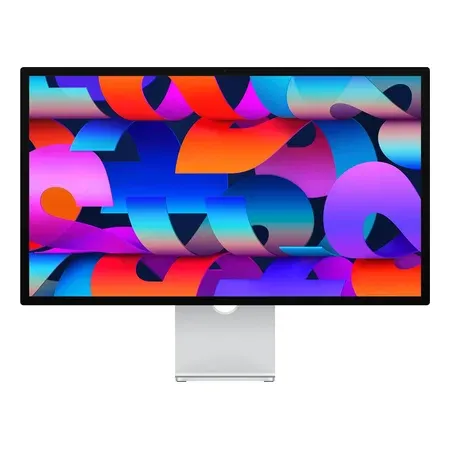
Best overall: 5K, thunderbolt 5, camera
Apple Studio Display (2026), tilt stand
$1,399 on Amazon on Nov. 23, 2026 (Apple $1,599). 27-inch 5K, 600 nits, P3, 2x Thunderbolt 5, 96W, 12MP camera.
Apple replaced the Studio Display on March 3, 2026. The new model keeps the 27-inch 5K (5120x2880), 600-nit P3 panel at 60Hz and the $1,599 price, and moves to two Thunderbolt 5 ports with 96W charging, plus two 10Gb/s USB-C ports. Its 12MP Center Stage camera with Desk View, three mics and six speakers mean a docked MacBook Pro with the lid closed still has a good camera and sound. It works only with Apple silicon Macs.
The standard stand only tilts. The tilt-and-height version was $1,799 on Amazon ($1,999 at Apple), and nano-texture glass adds $300 at Apple. Amazon’s price was $200 under Apple’s; Apple’s Black Friday gift card (November 27–30) excludes both Studio Displays. More in is the Apple Studio Display worth it and Apple Studio Display Black Friday deal.
For HDR work: the Studio Display XDR ($3,249 on Amazon with a height stand, $3,299 at Apple) has a 2,304-zone mini-LED backlight, 2,000-nit HDR peak, 120Hz and 140W charging. M1–M3 MacBook Pros run it at 60Hz. See best monitors for video editing.
2. ASUS ProArt 5K PA27JCV: Best Value 5K
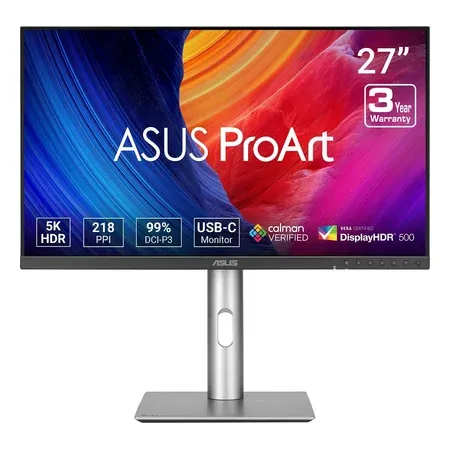
5K, 96W USB-C, height-adjustable stand
ASUS ProArt 5K PA27JCV
$599 on Amazon on Nov. 23, 2026 (list $699). 27-inch 5120x2880 IPS, 99% DCI-P3, DisplayHDR 500, USB-C 96W, HDMI 2.1.
The PA27JCV has the Studio Display’s resolution for $800 less. ASUS lists 99% DCI-P3, DisplayHDR 500, 60Hz with VRR, 96W USB-C (enough for a 14-inch MacBook Pro), DisplayPort 1.4 and HDMI 2.1, and a stand with 130mm of height, tilt, swivel and pivot included. You give up the camera, speakers and Thunderbolt.
3. Samsung ViewFinity S8 S80HF: Cheapest 5K
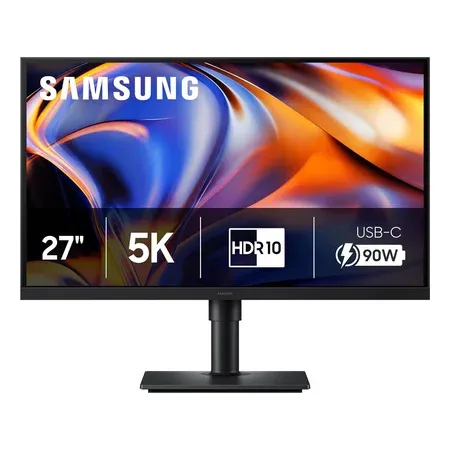
5K for $499.99, 90W, KVM
Samsung ViewFinity S8 (S80HF)
$499.99 on Amazon on Nov. 23, 2026 (list $699.99). 27-inch 5K IPS, 60Hz, USB-C 90W, HDMI 2.1, DP 1.4, KVM, LAN.
Samsung’s 2026 ViewFinity S8 is a 27-inch 5K IPS with 90W USB-C (not Thunderbolt), HDMI 2.1, DisplayPort 1.4, a built-in LAN port and a KVM for switching a keyboard and mouse between a MacBook and a PC. The stand has 120mm of height, swivel and pivot. It replaces the Thunderbolt ViewFinity S9, which is out of stock. See Apple Studio Display vs. Samsung ViewFinity.
4. Dell UltraSharp U2725QE: Best for a 16-Inch MacBook Pro
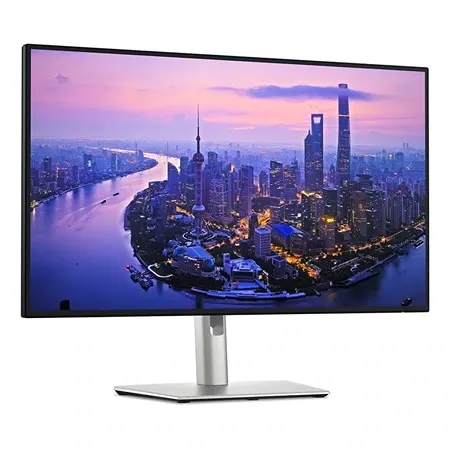
140W thunderbolt 4, 4K 120Hz
Dell UltraSharp U2725QE
$689.95 on Amazon (third-party seller) on Nov. 23, 2026; $849.99 at Dell. 27-inch 4K IPS Black, 120Hz, TB4 140W, 2.5GbE.
The U2725QE’s Thunderbolt 4 port delivers 140W, the most of any 27-inch monitor here. It’s a 4K IPS Black panel at 120Hz with DisplayHDR 600, Thunderbolt 4 downstream, DisplayPort out, HDMI 2.1, 2.5GbE and a KVM, with Dell’s 3-year Advanced Exchange. It’s the pick if you want 120Hz scrolling (matching your MacBook Pro’s ProMotion screen better than a 60Hz 5K) and full-speed charging. Amazon’s price came from a third-party seller.
5. ASUS ProArt 6K PA32QCV: Best Large Screen
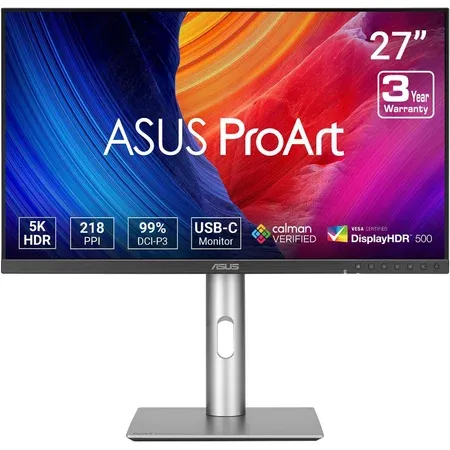
32-inch 6K, two thunderbolt 4 ports
ASUS ProArt 6K PA32QCV
$1,099 on Amazon on Nov. 23, 2026. 31.5-inch 6016x3384 IPS, 98% DCI-P3, DisplayHDR 600, 2x Thunderbolt 4, 96W, KVM.
At 31.5 inches and 6016x3384, the PA32QCV keeps Retina-class sharpness on a bigger screen. ASUS lists 98% DCI-P3, DisplayHDR 600, two Thunderbolt 4 ports with daisy chaining, 96W charging, HDMI 2.1 FRL, DisplayPort 1.4, a KVM, a stand with 130mm of height and ±90° pivot, and a 3-year zero-bright-dot warranty. It runs at 60Hz.
6. Dell S2725QC: Best Budget
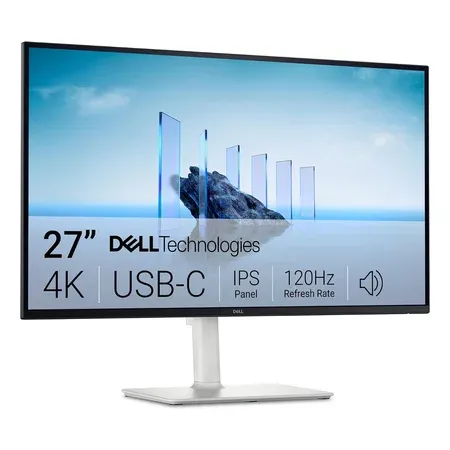
Budget: 4K 120Hz, 65W USB-C
Dell S 27 4K USB-C (S2725QC)
$249.99 on Amazon on Nov. 23, 2026 (list $349.99). 27-inch 4K IPS, 120Hz, USB-C 65W, 2x HDMI 2.1, no DisplayPort.
A 27-inch 4K IPS at 120Hz with one-cable 65W USB-C and a stand with height, pivot, swivel and tilt, for $249.99. 65W charges a MacBook Pro, but a 14- or 16-inch Pro under heavy load can draw more than that, so the battery may drain slowly during exports or builds. Dell lists a 1-year warranty.
Setting Up a MacBook Pro With a Monitor
- One cable: USB-C or Thunderbolt monitors carry video, charging and USB on one cable. Match the wattage to your MacBook Pro’s own charger for full-speed charging (best USB-C monitors, best Thunderbolt monitors).
- Lid closed: a MacBook Pro runs in clamshell mode with an external keyboard, mouse and power connected.
- Two monitors: most MacBook Pros drive two; see best monitors for a dual setup.
- Gaming on a Mac? See gaming laptop vs. MacBook Pro for gaming.
Using a Mac mini instead? See best monitors for Mac mini. More 5K options are in best 5K monitors.
FAQ
What’s the best monitor for a MacBook Pro?
The 2026 Apple Studio Display (5K, Thunderbolt 5, 96W, camera and speakers), $1,399 on Amazon on November 23, 2026. The ASUS ProArt PA27JCV ($599) is the best value 5K.
How many monitors can a MacBook Pro run?
Two for M4, M5 and M6 models; three for M5 Pro; four for M5 Max, per Apple.
Is 4K or 5K better for a MacBook Pro?
5K at 27 inches matches macOS’s 2x scaling, so text is sharp at the default size. 4K works well and is cheaper, and the Dell U2725QE and S2725QC run at 120Hz.
Will a 65W USB-C monitor charge a MacBook Pro?
Yes, but more slowly than Apple’s charger, and a Pro under heavy load may still drain. 96W (ASUS, Apple) or 140W (Dell U2725QE) keeps up better.
Sources
- Apple newsroom: new Studio Display and Studio Display XDR (Mar. 3, 2026)
- Apple: Studio Display tech specs
- Apple: Studio Display XDR tech specs
- Apple Support: MacBook Pro M6 external displays
- Apple Support: MacBook Pro M5 Pro external displays
- Apple Support: MacBook Pro M5 Max external displays
- Apple Support: MacBook Pro M5 external displays
- ASUS: ProArt 5K PA27JCV tech specs
- ASUS: ProArt 6K PA32QCV tech specs
- Dell: UltraSharp 27 4K Thunderbolt Hub (U2725QE)