A few years ago, a first 3D printer meant a weekend of assembly and weeks of leveling the bed by hand with a sheet of paper. Today’s best beginner printers come mostly assembled, calibrate themselves, take files over Wi-Fi from a phone app, and print a good first model within half an hour of opening the box. The machines below all do that.
Our top pick is the Bambu Lab A1. It has a full-size 256 mm build plate, fully automatic calibration, a quiet mode, a built-in camera, and the simplest software and model library of any printer at its price, for $299. Add Bambu’s AMS lite and it prints in four colors. If space or budget is tight, the Bambu Lab A1 mini does the same thing on a smaller plate for $219. For the cheapest way into four-color printing, the Elegoo Centauri 2 Combo includes a four-spool feeder for about $300 to $330.
Our Picks at a Glance
| Printer | Best for | Build volume | Price |
|---|---|---|---|
| Bambu Lab A1 | Most beginners | 256 × 256 × 256 mm | $299 ($399 with AMS lite) |
| Bambu Lab A1 mini | Small spaces, kids, tight budgets | 180 × 180 × 180 mm | $219 |
| Elegoo Centauri 2 Combo | Four colors for less | 256 × 256 × 256 mm | About $300–$330 |
| Elegoo Centauri Carbon 2 | An enclosed printer, tougher materials | 256 × 256 × 256 mm | $349 ($399–$435 Combo) |
Best Overall: Bambu Lab A1
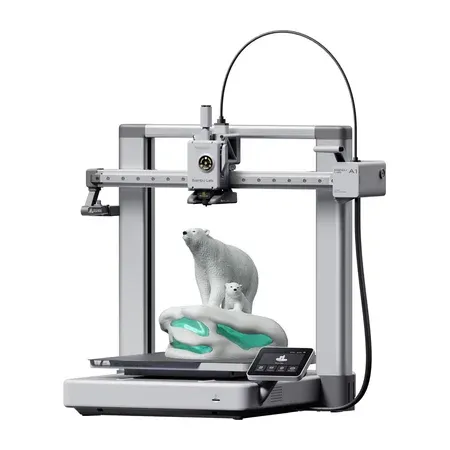
Best overall
Bambu Lab A1
A full-size, self-calibrating printer with a quick-swap nozzle, camera, quiet mode, and optional four-color AMS lite.
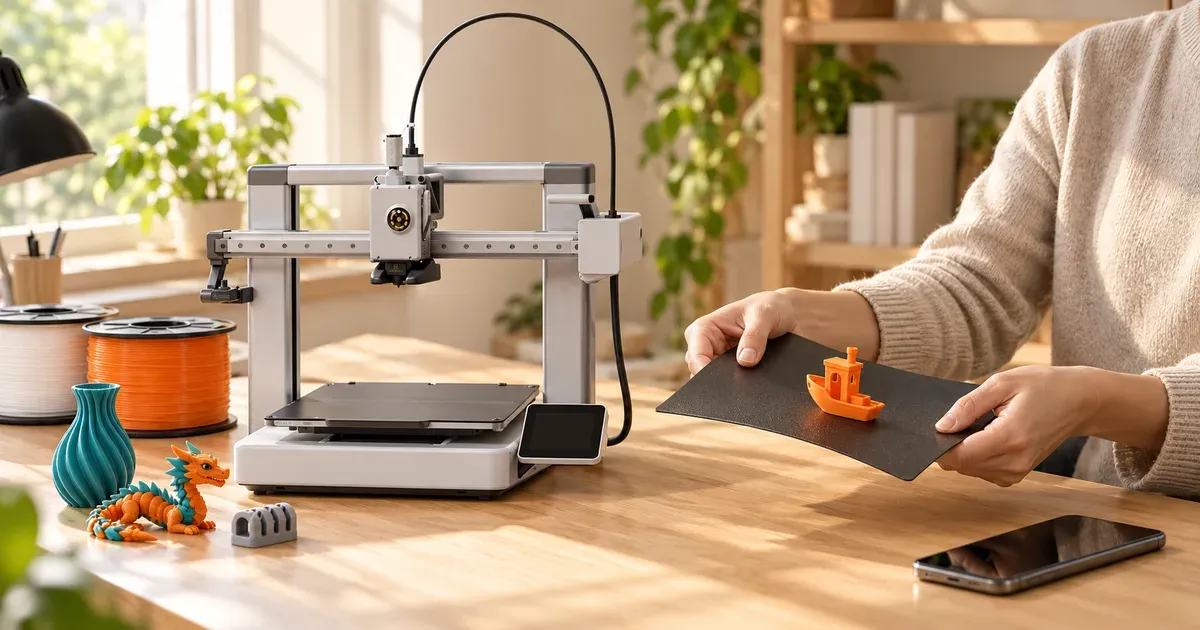
The Bambu Lab A1 is the easiest full-size printer to live with. Setup takes a few minutes: bolt the gantry to the base, plug in a couple of cables, and the printer runs its own calibration. It levels the bed, sets the nozzle height, measures vibration, and checks how much plastic is flowing, then repeats the important checks before each print. That last part matters for beginners, because a bad first layer is the most common reason prints fail.
The software is the bigger advantage. Bambu Handy, the phone app, connects straight to MakerWorld, Bambu’s library of free models with print profiles already tuned for the A1. You can find a model on your phone, tap print, and watch it on the built-in camera without touching a computer. When you’re ready to design your own parts or tweak settings, Bambu Studio on a Mac or PC does the slicing.
The 256 mm cube build volume fits most household projects: organizers, planters, cable clips, replacement knobs, toys, and cosplay pieces cut into sections. The hotend reaches 300°C and the bed 100°C, which suits PLA, PETG, and flexible TPU. Bambu doesn’t recommend ABS, nylon, or carbon-fiber filaments on the A1, because those need an enclosed printer.
Other details make it easier to own. The nozzle comes off with one clip, so swapping a clogged one takes about a minute, and sensors watch for tangles and an empty spool. Silent mode keeps it around 48 to 49 decibels, roughly library-quiet, so it can share a home office or bedroom.
The A1 is a “bed slinger”: the print bed slides forward and back while printing, so it needs clear space front and back and a sturdy table. Bambu recalled early A1 units in 2024 over a heated-bed cable that could fail; current units ship with a reinforced cable.
Multicolor: the A1 Combo ($399) adds the AMS lite, a four-spool feeder that switches colors automatically mid-print. It’s the simplest way to make multicolor signs, figurines, and keychains. Every color change purges some plastic, so busy multicolor models use noticeably more filament than their finished weight.
Buy it if you want one printer that’s easy on day one and still useful a year from now.
Best Small: Bambu Lab A1 mini
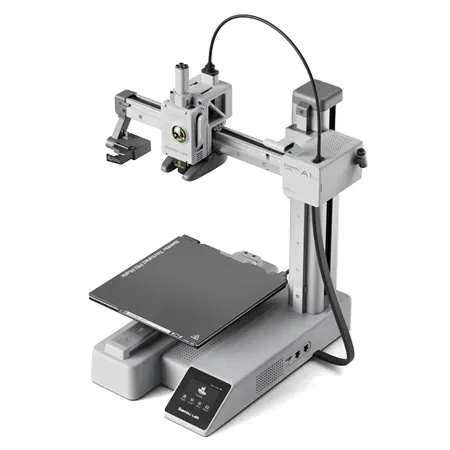
Best small
Bambu Lab A1 mini
The A1's automatic calibration, app, and quick-swap nozzle on a compact 180 mm printer for $219.
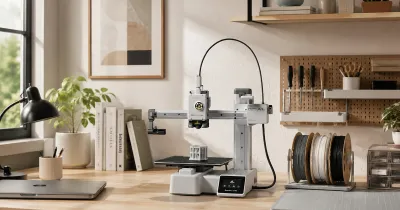
The A1 mini is the same idea as the A1, scaled down. It has the same automatic calibration, the same app and model library, the same quick-swap nozzle, and the same quiet mode, on a 180 mm cube build plate. The whole printer is about 35 by 32 centimeters and weighs 5.5 kilograms, so it fits on a desk or a shelf.
A 180 mm plate is smaller than it sounds once you start printing. It’s plenty for figurines, fidget toys, keychains, phone stands, small planters, and most replacement parts, but larger pieces have to be split and glued. Its bed tops out at 80°C, so it’s best with PLA, PETG, and TPU. It doesn’t have the A1’s camera.
At $219 from Bambu (Amazon sells it with an LED lamp kit for a little more), it’s the lowest-risk way to find out whether 3D printing sticks. It’s also the one we’d pick for a kid’s room or a classroom, since its small size and quiet operation make it easy to place. A four-color A1 mini Combo with AMS lite is available too.
Buy it if you’re mostly printing small things, have limited space, or want the cheapest printer that’s genuinely easy to use.
Best Budget Multicolor: Elegoo Centauri 2 Combo
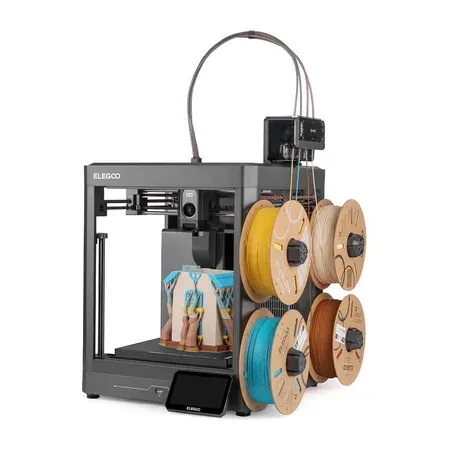
Best budget multicolor
Elegoo Centauri 2 Combo
A fast, self-calibrating CoreXY printer bundled with Elegoo's four-spool CANVAS feeder.
The Elegoo Centauri 2 is a cheaper, open-sided version of Elegoo’s enclosed Centauri Carbon 2. It keeps the same 256 mm cube build volume, the same 350°C hotend and 110°C bed, and the same automatic calibration, and drops the enclosure panels, the camera, and the air filter. The Combo adds Elegoo’s CANVAS feeder for four-color printing, for about $300 on Amazon or $329 from Elegoo, roughly $70 less than Bambu’s A1 Combo.
It’s a CoreXY printer, meaning the bed only moves down as the print grows instead of sliding back and forth. That design stays steadier at speed, needs less clearance around the printer, and copes better with tall prints. The 5-inch touchscreen is larger than Bambu’s, and Elegoo’s app and its Nexprint model library cover the find-a-model, tap-print routine.
Elegoo’s ecosystem isn’t as polished as Bambu’s yet. Expect to spend a little more time in ElegooSlicer, and fewer models come with ready-made profiles. The open sides also mean it’s no better than the A1 for ABS or other materials that need a warm, enclosed chamber.
Buy it if you want multicolor printing on a full-size plate for the least money.
Best Enclosed: Elegoo Centauri Carbon 2
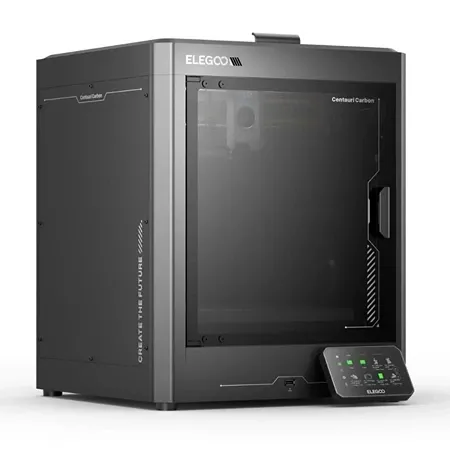
Best enclosed
Elegoo Centauri Carbon 2 Combo
An enclosed, self-calibrating printer with a hardened 350°C nozzle, camera, filter, and four-color feeding.
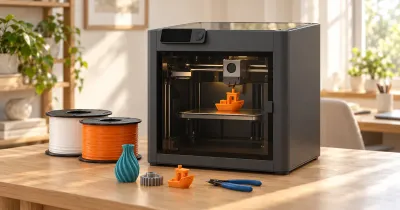
An enclosed printer keeps curious hands and pets away from the hot nozzle and moving parts, holds in some noise and fumes, and keeps the air around the print warm. That warmth is what lets you print ABS, ASA, and nylon, tougher plastics that warp and crack on open printers. The Centauri Carbon 2 is the least expensive enclosed printer we’d hand to a beginner.
It has a hardened-steel 350°C nozzle that also handles abrasive carbon- and glass-fiber filaments, a 110°C bed, a camera, chamber lights, and a filter with HEPA and activated-carbon layers. Calibration is fully automatic, and sensors watch for clogs, tangles, and runout. The Combo version adds the same four-spool CANVAS feeder as the Centauri 2, and Elegoo’s RFID-tagged spools set their own color and material.
The printer alone costs $349 from Elegoo, and the Combo $399 from Elegoo or about $435 on Amazon. That’s a fair price for an enclosed, multicolor machine, but it’s a larger, heavier box than the others here. If you’ll mostly print PLA, an open printer does the same job for less.
Buy it if you have young kids or pets around the printer, or want to print stronger plastics for functional parts.
Open or Enclosed?
Most beginners should buy an open printer. PLA, the easiest and most popular filament, actually prints better with plenty of airflow, and open printers are cheaper, lighter, and easier to reach into. Choose an enclosed printer if:
- the printer will sit where small children or pets can reach it,
- you want to print ABS, ASA, nylon, or carbon-fiber filaments for heat-resistant or tougher parts, or
- you’d like some of the noise and fumes contained.
Do You Need Multicolor?
No, but it’s fun. A four-spool feeder lets the printer switch colors in the middle of a model, which is how people make multicolor figurines, signs, and keychains, and it also lets you keep four materials loaded and switch without reloading a spool. You can usually add one later: Bambu’s AMS lite costs $199 on its own, about $100 more than the price difference in the Combo bundle, so buy the Combo if you’re fairly sure you’ll want color.
Single-nozzle feeders like the AMS lite and CANVAS waste filament on every color change. A model that changes color on every layer can produce a pile of purged plastic bigger than the model itself. Two-color designs, and models where colors change only a few times, waste far less.
FDM or Resin?
Every printer in this guide is an FDM (filament) printer, which melts a plastic strand and draws each layer with a nozzle. Resin printers cure liquid resin with UV light and produce much finer detail, which is why miniature and jewelry makers love them, but they’re messier and less forgiving for a first printer. Uncured resin is a skin irritant, prints need washing in isopropyl alcohol and curing under UV, and the work area needs ventilation. Start with filament unless your main goal is tabletop miniatures.
What Else You Need
- Filament. Start with PLA. It’s cheap (about $14 to $30 per kilogram), prints easily at low temperatures, and has barely any smell. A 1 kg spool makes dozens of small objects. Add PETG later for parts that need to survive heat or bending, like car accessories and outdoor clips, and TPU for flexible things like phone cases.
- A dry place for filament. Filament absorbs moisture from the air over weeks, which leads to stringy, weak prints. Store open spools in a sealed bin with desiccant.
- Basic tools. Most printers include a scraper, a hex key, and spare parts. Flush cutters, a deburring tool, and a pair of digital calipers for measuring parts you want to design are worth adding.
- Glue stick or cleaning supplies. Wash the build plate with dish soap and water when prints stop sticking; fingerprints are the usual cause.
For a full breakdown of what printing costs over time, including filament, electricity, and replacement parts, see how much a 3D printer costs, or price out a single print with our 3D printing cost calculator.
Where to Find Things to Print
You don’t need to know any 3D design to get started. MakerWorld (Bambu’s library), Printables (from Prusa), and Thingiverse have millions of free models, from planters and desk organizers to board game inserts and replacement parts. MakerWorld and Elegoo’s Nexprint send models straight to their own printers with tuned settings.
When you want to make your own, Tinkercad is a free, browser-based design tool built for beginners and kids, and Fusion (Autodesk’s CAD program, free for personal use) handles precise mechanical parts.
Good First Prints
- A calibration cube or “Benchy” boat. The classic test print shows whether your printer is dialed in.
- Cable clips, hooks, and drawer organizers. Useful, quick, and easy.
- Print-in-place toys like articulated dragons and fidget toys, which come off the plate already moving.
- Replacement parts, like a broken knob or battery cover. This is where a printer starts paying for itself.
Is 3D Printing Safe at Home?
Mostly, with a little care. The nozzle runs at 200°C or more, so keep children’s hands out of open printers while they’re running. Desktop FDM printers also release ultrafine particles and small amounts of volatile organic compounds while they print. A meta-analysis of emission studies found ABS released several times more particles than PLA (Byrley et al., 2019), and a 2025 review found measured VOC levels from desktop printers below workplace exposure limits but recommended caution for children, older people, and anyone with lung disease, especially with long prints and poor ventilation (Baguley et al., 2025).
In practice: print PLA in a room with some ventilation, don’t sleep in the same small room as a running printer, and if you move on to ABS or ASA, use an enclosed printer with a filter or vent it outside.
Also check your printer’s heated-bed cable and power connections now and then, and don’t leave a brand-new printer running unattended until you know it prints reliably.
How We Chose
We looked for printers a first-time owner can unbox and use the same day: fully automatic bed leveling and nozzle-height calibration, Wi-Fi and a usable phone app, a large library of ready-to-print models, good support and spare-parts availability, and enough build volume to grow into. We favored printers from established brands with active communities, since beginners often lean on forums and video guides to fix problems. For more advanced and larger machines, see our guide to the best 3D printers.
3D Printers for Beginners FAQ
What is the easiest 3D printer for a beginner?
The Bambu Lab A1 and A1 mini. They calibrate themselves, connect to a phone app with a large library of tuned models, and need almost no adjustment to print well.
How much should I spend on my first 3D printer?
About $200 to $400. That buys a self-calibrating printer like the $219 A1 mini or $299 A1. Cheaper printers often need manual tuning, and spending more mostly buys an enclosure, a bigger build plate, or support for engineering plastics.
Is a 3D printer good for kids?
Yes, with supervision. The A1 mini is small and quiet, and an enclosed printer keeps fingers away from the hot nozzle. Free tools like Tinkercad teach kids to design their own models.
Is 3D printing hard to learn?
Not anymore. Modern printers handle calibration, and you can print free models from a phone. The learning curve now is mostly choosing filament, adding supports to tricky models, and designing your own parts.
What filament should a beginner use?
PLA. It’s cheap, prints at low temperatures, sticks to the build plate easily, and has almost no smell. Move on to PETG for heat- and impact-resistant parts.
Do I need a computer to use a 3D printer?
Not for printing ready-made models: Bambu and Elegoo apps send prints from a phone. You’ll want a Mac or PC to design your own models or fine-tune slicer settings.