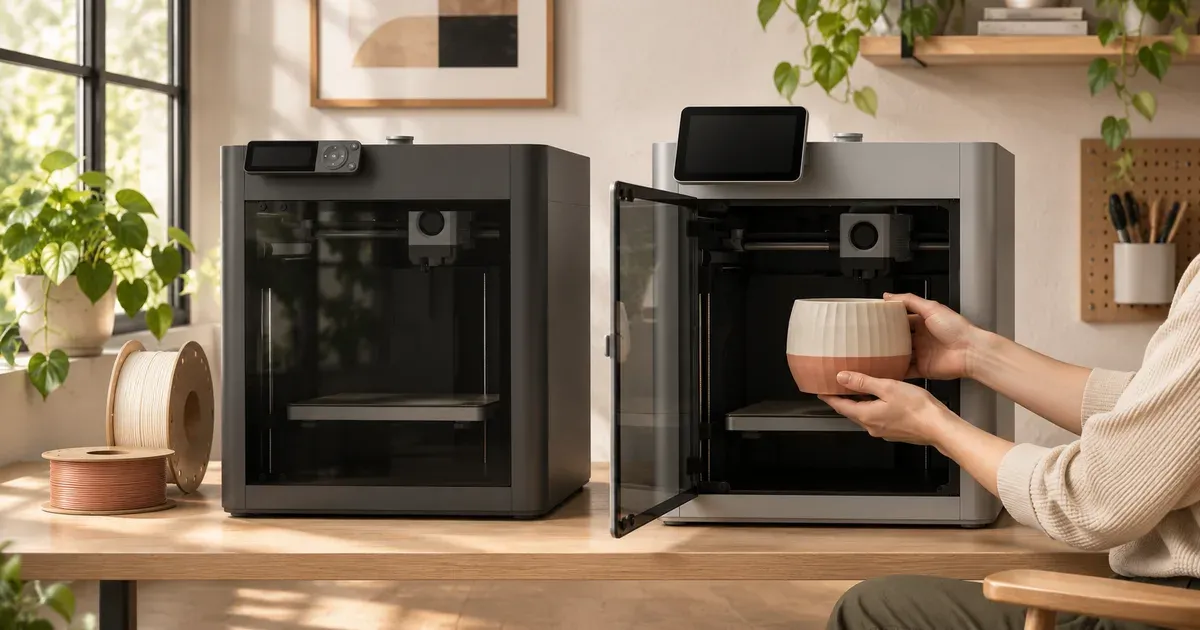
The short answer: buy the P2S if you’ll print carbon fiber or glass fiber filaments, want a camera you can actually watch, or plan to keep the printer past 2028. Buy the P1S if you print PLA and PETG and want to save $100. Both are enclosed CoreXY printers with the same 256 mm build volume, and both print ordinary PLA parts at about the same quality and speed.
In Bambu Lab’s Black Friday sale (through December 1, 2026), the P1S is $349 and the P2S is $449. With a four-spool AMS 2 Pro, the P1S is $509 and the P2S is $649.
P1S vs. P2S at a Glance
| Bambu Lab P1S | Bambu Lab P2S | |
|---|---|---|
| Price (Bambu store, Black Friday) | $349 (typically $399) | $449 (typically $549) |
| With AMS 2 Pro | $509 | $649 |
| Build volume | 256 × 256 × 256 mm | 256 × 256 × 256 mm |
| Motion system | CoreXY | CoreXY |
| Enclosure | Yes | Yes |
| Nozzle | Stainless steel, 300°C | Hardened steel, 300°C |
| Max bed temperature | 100°C | 110°C |
| Active chamber heating | No | No |
| Top speed / acceleration | 500 mm/s / 20,000 mm/s² | 600 mm/s / 20,000 mm/s² |
| Camera | 1280 × 720 at 0.5 fps | 1920 × 1080 at 30 fps |
| Carbon and glass fiber filaments | Not listed | Supported (PLA-CF, PETG-CF, ASA-CF, PA6-CF, PPA-CF and more) |
| Most colors | 16 (four 4-spool AMS units) | 20 (four AMS 2 Pro + four AMS HT) |
| Bug and feature updates until | July 2028 | October 2030 |
| Warranty (Bambu US store) | 2 years | 2 years |
What the P2S Changes
A hardened nozzle, so carbon fiber is fine
This is the biggest functional difference. The P1S ships with a stainless steel nozzle, and Bambu’s filament guide for it doesn’t list carbon or glass fiber blends. Those filaments are abrasive and wear a soft nozzle out quickly. The P2S ships with a hardened steel nozzle, and Bambu lists PLA-CF, PETG-CF, ABS-GF, ASA-CF, PA6-CF, PAHT-CF, PPA-CF and PET-CF as supported.
You can fit a hardened nozzle to a P1S yourself, but if stiff, matte carbon fiber parts are why you’re buying a printer, the P2S does it out of the box.
A hotter bed
The P2S bed reaches 110°C against the P1S’s 100°C. That helps with ABS, ASA and nylon, which warp less on a hotter plate. Neither printer actively heats the chamber. The P2S has a passive airflow flap that holds heat in, and Bambu’s own FAQ says it “does not have an active chamber heating function.” If you want a heated chamber for nylon and polycarbonate, step up to the X2D or H2 series.
A real camera
The P1S camera takes one frame every two seconds at 720p. It’s enough for a timelapse and to see whether a print has failed, but not to watch it. The P2S camera runs 1080p at 30 frames per second, which is 60 times the frame rate. If you start long prints and leave the house, that difference is noticeable every day.
A touchscreen and a newer interface
The P1S uses a small screen driven by buttons. The P2S has a color touchscreen, which makes calibration, filament changes and file selection quicker at the printer.
Faster on paper
The P2S’s top speed is 600 mm/s against 500 mm/s, with the same 20,000 mm/s² acceleration. Real prints rarely hit either limit, because small parts are limited by acceleration and cooling, not top speed. With the same acceleration, typical PLA parts take about the same time on both.
Longer software support
Bambu’s compare page lists the date each printer stops getting bug and feature updates. For the P1S it’s July 2028. For the P2S it’s October 2030. Bambu has said it has no plans to discontinue the P1S, but if you keep printers for five years or more, the P2S gets two more years of updates.
More AMS options
Both work with the AMS 2 Pro (a four-spool unit that also dries filament at up to 65°C) and the single-spool AMS HT. The P1S takes up to four units in total, for 16 colors. The P2S takes up to four AMS 2 Pro units plus four AMS HT units, for 20. Most people use one unit, so this rarely matters. Our AMS comparison covers which one to get.
What Stays the Same
- Build volume: 256 × 256 × 256 mm on both, the same as the open-frame A1.
- Enclosure: both are fully enclosed, which keeps drafts off ABS and ASA prints and contains some of the fumes.
- Automatic calibration: both level the bed and tune vibration compensation on their own.
- Software: both use Bambu Studio and Bambu Handy, and print files from MakerWorld.
- Warranty: two years when bought from Bambu’s US or Canadian store.
Which Should You Buy?
| If you mostly… | Better pick | Why |
|---|---|---|
| Print PLA and PETG toys, organizers and gifts | P1S | Same results for $100 less |
| Want carbon fiber or glass fiber parts | P2S | Hardened nozzle out of the box |
| Print ABS, ASA or nylon often | P2S | Hotter bed, better suited to engineering filaments |
| Start long prints and check them from your phone | P2S | 30 fps camera instead of 0.5 fps |
| Want four colors on the smallest budget | P1S with AMS 2 Pro | $509 against $649 |
| Plan to keep the printer five years or more | P2S | Updates until 2030 instead of 2028 |
For most people buying a first enclosed printer to print PLA and PETG, the P1S is still a sensible buy at $349. The P2S is the better printer, and the $100 gap is small enough that anyone curious about carbon fiber or tougher materials should pay it.
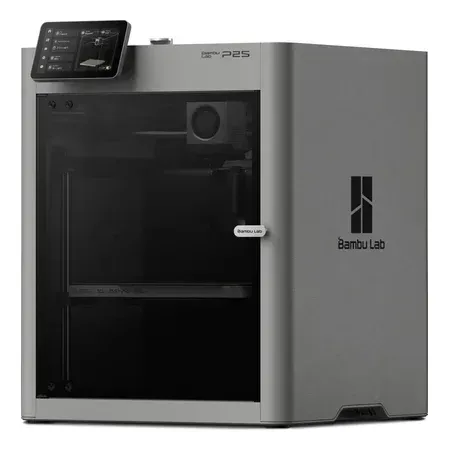
Better for most buyers
Bambu Lab P2S
An enclosed CoreXY printer with a hardened nozzle, a 110°C bed and a 1080p camera. 256 mm build volume.
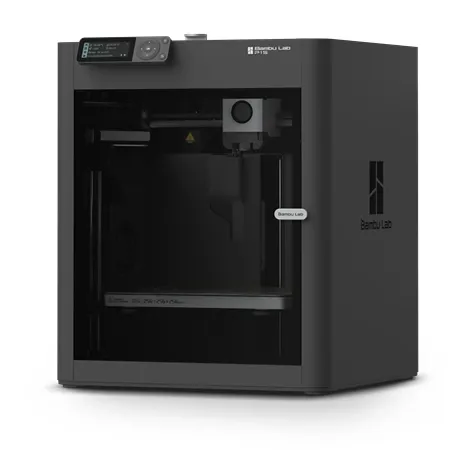
Best value enclosed printer
Bambu Lab P1S
The same 256 mm enclosed CoreXY layout for less, best for PLA and PETG.
Amazon prices don’t always follow Bambu’s own sales. The P1S is $349 on Amazon (the same as Bambu’s store) and the P2S $569, $120 more than Bambu’s store. The combos with an AMS are on Amazon as the P1S Combo and the P2S Combo.
If you’re still deciding whether you need an enclosure at all, see enclosed vs. open-frame 3D printers and our Bambu Lab A1 vs. P1S comparison.
Bambu Lab P1S vs. P2S FAQ
Is the Bambu Lab P1S being discontinued?
No. Bambu discontinued the open-frame P1P in February 2026 and said it has no plans to phase out the P1S, which is still on its US store. Its bug and feature updates are scheduled to run until July 2028.
Is the P1S still worth buying in 2026?
Yes, if you print mostly PLA and PETG. At $349 it’s the cheapest enclosed CoreXY printer Bambu sells, and the P2S doesn’t print ordinary PLA parts noticeably better. Skip it if you want carbon fiber filaments, a usable live camera, or software updates past 2028.
Can the P1S print carbon fiber?
Not with the stock stainless steel nozzle, which abrasive filaments wear out quickly. You can install a hardened steel hotend. The P2S ships with a hardened nozzle and lists carbon and glass fiber filaments as supported.
Does the P2S have a heated chamber?
No. Neither printer actively heats the chamber. The P2S uses a passive flap that keeps more of the bed’s heat inside. The X2D and the H2 series heat their chambers to 65°C.
Is the P2S faster than the P1S?
Slightly on paper: 600 mm/s top speed against 500 mm/s. Because acceleration is the same, most prints take about the same time on both.
Does the P1S AMS work with the P2S?
The first-generation AMS, the AMS 2 Pro and the AMS HT all work with the P2S. The AMS lite works only with the A1, A1 mini and A2L.