
TGP (total graphics power) is the maximum power, in watts, that a laptop maker lets the GPU draw. It matters because Nvidia lets each laptop GPU run across a wide power range: the RTX 5070 Laptop is rated from 50 to 100 W, plus up to 25 W of Dynamic Boost. HP runs it at up to 60 W in the thin OMEN Transcend 14, while ASUS runs it at 115 W in the ROG Strix G16. More watts mean higher clocks and more frames, so a high-TGP lower-tier GPU can match or beat a low-TGP higher-tier one. Always check the TGP, not just the GPU name.
Nvidia’s Power Ranges for RTX 50 Laptop GPUs
| Laptop GPU | Nvidia power range | Highest maker figure (with Dynamic Boost) |
|---|---|---|
| RTX 5050 | 35–100 W | varies (85 W in the TUF Gaming 16) |
| RTX 5060 | 45–100 W | 115 W |
| RTX 5070 | 50–100 W | 115 W |
| RTX 5070 Ti | 60–115 W | 140 W |
| RTX 5080 | 80–150 W | 175 W |
| RTX 5090 | 95–150 W | 175 W |
Nvidia’s own footnote says performance “will vary by laptop model” and to check with the manufacturer.
TGP vs. Dynamic Boost
- Base TGP is the GPU’s sustained power limit.
- Dynamic Boost shifts up to about 25 W from the CPU to the GPU when the CPU isn’t busy, typically in GPU-heavy games.
- Maker spec sheets usually quote the total. ASUS writes it as “150W + 25W Dynamic Boost” (175 W); Lenovo writes “175W TGP (incl. 25W boost)”. When comparing laptops, compare the totals.
Same GPU, Different Power: 2026 Examples
From maker spec pages, including Dynamic Boost:
| Laptop | GPU | GPU power |
|---|---|---|
| HP OMEN Transcend 14 / OMEN 16 Slim | RTX 5070 | up to 60 W |
| ASUS TUF Gaming 16 (2026) | RTX 5050, 5060 or 5070 | 85 W (70 + 15) |
| Framework Laptop 16 module | RTX 5070 | 100 W plugged in, 50 W on battery |
| ASUS ROG Zephyrus G14 GU405 | RTX 5070 | 115 W |
| ASUS ROG Strix G16 (2026) | RTX 5070 | 115 W |
| ASUS ROG Zephyrus G14 GU405 | RTX 5080 | 130 W |
| ASUS ROG Zephyrus G16 GU606 | RTX 5080 | 160 W |
| Razer Blade 16 (2026) | RTX 5080 | 165 W |
| Lenovo Legion Pro 7i Gen 10 | RTX 5080 | 175 W |
| ASUS ROG Strix Scar 18 (2026) | RTX 5080 / 5090 | 175 W |
The ASUS TUF Gaming 16 runs all three of its GPU options at 85 W, so its RTX 5070 version gains little over its RTX 5060 version. The Zephyrus G14 caps its RTX 5080 at 130 W, 45 W below a Strix Scar.
How Much Does TGP Change Performance?
It depends on where on the curve the GPU sits. Going from 60 W to 115 W makes a big difference; from 140 W to 175 W, a smaller one. In independent testing, a 115 W RTX 5060 matched or beat some lower-powered RTX 5070 laptops, and a thin RTX 5090 laptop lost individual games to a thicker RTX 5080 laptop. Thicker laptops with bigger coolers also hold their TGP longer before heat forces clocks down.
How to Check Your Laptop’s TGP
- NVIDIA Control Panel: Help → System Information → Display tab lists “Maximum Graphics Power” for the GPU.
- Maker apps: ASUS Armoury Crate (Manual mode shows GPU power sliders), Lenovo Legion Space, HP OMEN Gaming Hub and Alienware Command Center set performance modes that change GPU power. Use the highest performance mode while plugged in to get the full TGP.
- Before buying: look for the TGP on the maker’s spec page. ASUS, Lenovo (PSREF) and Razer list it; retailer listings often don’t.
- While gaming: a monitoring tool such as HWiNFO shows live GPU power draw.
Laptops reach their full TGP only on AC power. On battery, GPU power drops sharply (Framework’s RTX 5070 module halves to 50 W).
Full-power RTX 5070 ti
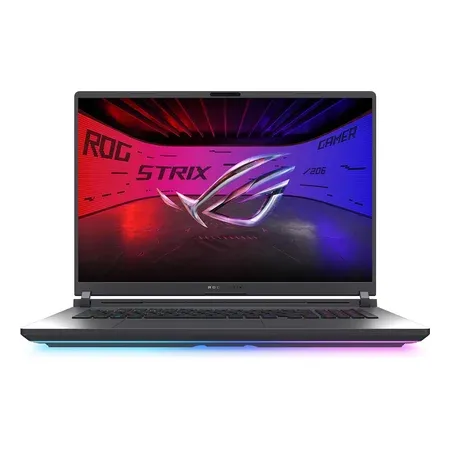
ASUS ROG Strix G18 (2026, RTX 5070 Ti)
RTX 5070 Ti at 140 W (maximum for the chip), Core Ultra 9 290HX Plus, 18-inch 2.5K 300 Hz. $3,199.99 on Nov 20, sold by Amazon.
See every GPU side by side in our RTX 50 laptop GPU comparison chart.
TGP FAQ
What does TGP mean on a laptop?
Total graphics power: the most power, in watts, the laptop lets its GPU draw. Higher TGP means higher clocks and more frames for the same GPU.
Is a higher TGP always better?
For performance, yes, if the cooling can sustain it. Higher TGP also means more heat, fan noise and a bigger charger.
What TGP should an RTX 5060 or RTX 5070 laptop have?
Look for 115 W including Dynamic Boost. Below about 85 W, expect noticeably lower performance than reviews of full-power models.
Does TGP include Dynamic Boost?
Maker figures usually do. Nvidia’s published ranges don’t. ASUS writes the parts separately (for example 150 W + 25 W).
Does a higher TGP mean more heat, noise and battery drain?
Yes. More GPU watts mean more heat for the fans to move, louder fans under load, and a bigger power brick. On battery, laptops cut GPU power sharply anyway, so TGP mostly matters plugged in.
Can I increase my laptop’s TGP?
Only within the limits the maker set, by choosing a higher performance mode in its control app while plugged in.




