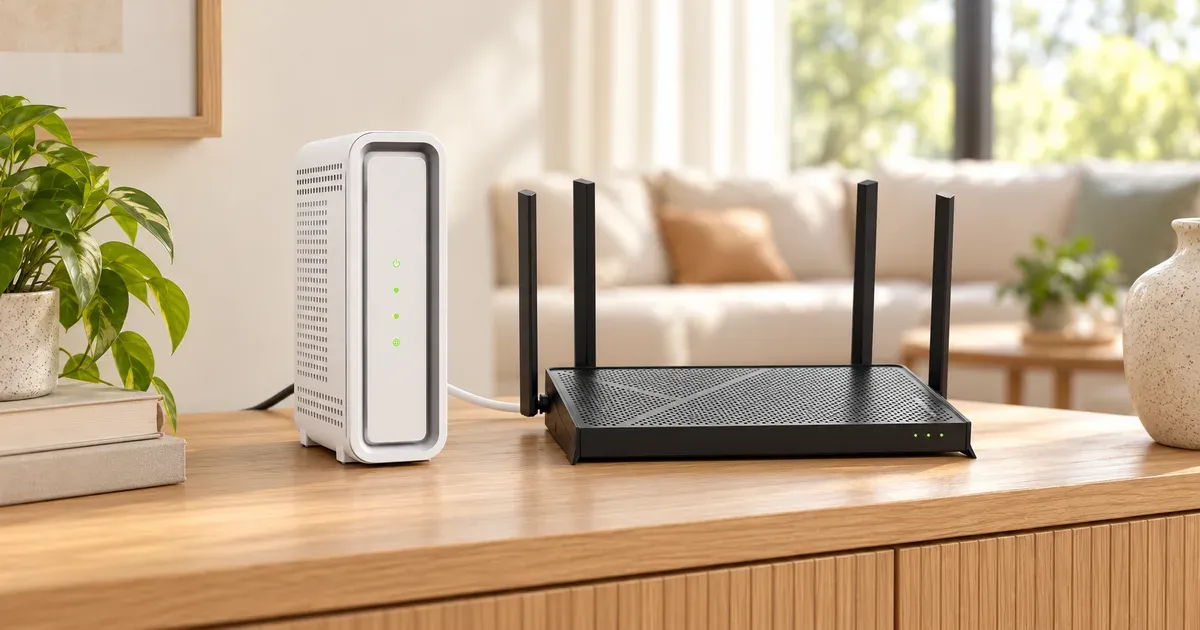
A modem and a router do two different jobs. The modem connects your home to your internet provider’s network. The router takes that one connection and shares it with every phone, laptop, TV, and smart plug in your home, over Wi-Fi and Ethernet. Plenty of homes have both in a single box, which is why the two get mixed up.
The short answer: you need a modem to get online and a router to share the connection. Most internet providers hand you a gateway, a modem and router in one box, so you may already have both. Buying your own makes the most sense when your provider charges a monthly equipment fee, when you want better Wi-Fi or a mesh system than the provider’s box gives you, or when you want full control over your network settings.
Modem vs. router at a glance
| Spec | Modem | Router |
|---|---|---|
| Job | Connects your home to your provider's network | Builds your home network and shares the connection |
| Plugs into | Coax cable, phone line, or fiber terminal | The modem's Ethernet port |
| IP address | Gets your home's one public IP address from the provider | Hands out private addresses to each device (DHCP) |
| Wi-Fi | None on a modem-only box | Yes, plus Ethernet ports for wired devices |
| Security | Basic | Firewall, NAT, WPA2/WPA3 encryption, guest networks |
| Ethernet ports | Usually one or two | Usually three to five, labeled LAN, plus one WAN |
| Specific to your provider? | Yes; must be approved for your ISP and connection type | No; works with any internet service |
| Typical price | $100 to $300 | About $80 for basic Wi-Fi 7 to $300+ for mesh |
What a Modem Does
A modem translates the signal that comes into your home into a regular Ethernet connection your devices can use. The name comes from modulator-demodulator. What kind of modem you need depends on how your internet arrives:
- Cable (Xfinity, Spectrum, Optimum): a cable modem connects to the coax outlet on your wall. Cable modems follow a standard called DOCSIS, and the version decides how fast they can go.
- Fiber (AT&T Fiber, Google Fiber, Verizon Fios, Frontier): an optical network terminal (ONT) converts light pulses in the fiber line to an Ethernet signal. It does the modem’s job, and the provider installs it. Sometimes it’s a separate box on the wall, and sometimes it’s built into the provider’s gateway.
- DSL: a DSL modem connects to a phone jack.
- 5G home internet (T-Mobile, Verizon, AT&T Internet Air): a gateway with a cellular radio inside receives the signal over the air, then acts as both modem and router.
A modem by itself usually has one Ethernet port, sometimes two, so it can only feed one device. That device is normally your router.
What a Router Does
A router turns one internet connection into a home network. It does four main things:
- Shares one public IP address. Your provider gives your home one public IP address. The router uses network address translation (NAT) so every device in your home can share it, and it keeps track of which reply goes back to which device.
- Hands out local addresses. A built-in DHCP server gives each phone, laptop, and TV its own private address on your network, automatically, as soon as it connects.
- Protects your network. The router’s firewall blocks unsolicited traffic from the internet, and Wi-Fi encryption (WPA2 or WPA3) keeps neighbors off your network.
- Broadcasts Wi-Fi. Most home routers include Wi-Fi radios and a few Ethernet ports for wired devices like a TV, game console, or desktop.
A router can’t get online on its own. Plug it into the wall without a modem and you’ll have a working local network with no internet.
What a Gateway Is
A gateway (also called a modem-router combo) puts a modem and a router in one box. It’s what most providers rent or include: Xfinity’s WiFi Gateway, AT&T’s BGW320, T-Mobile’s 5G gateways, and Spectrum’s modem and WiFi router bundles all do both jobs or come as a pair.
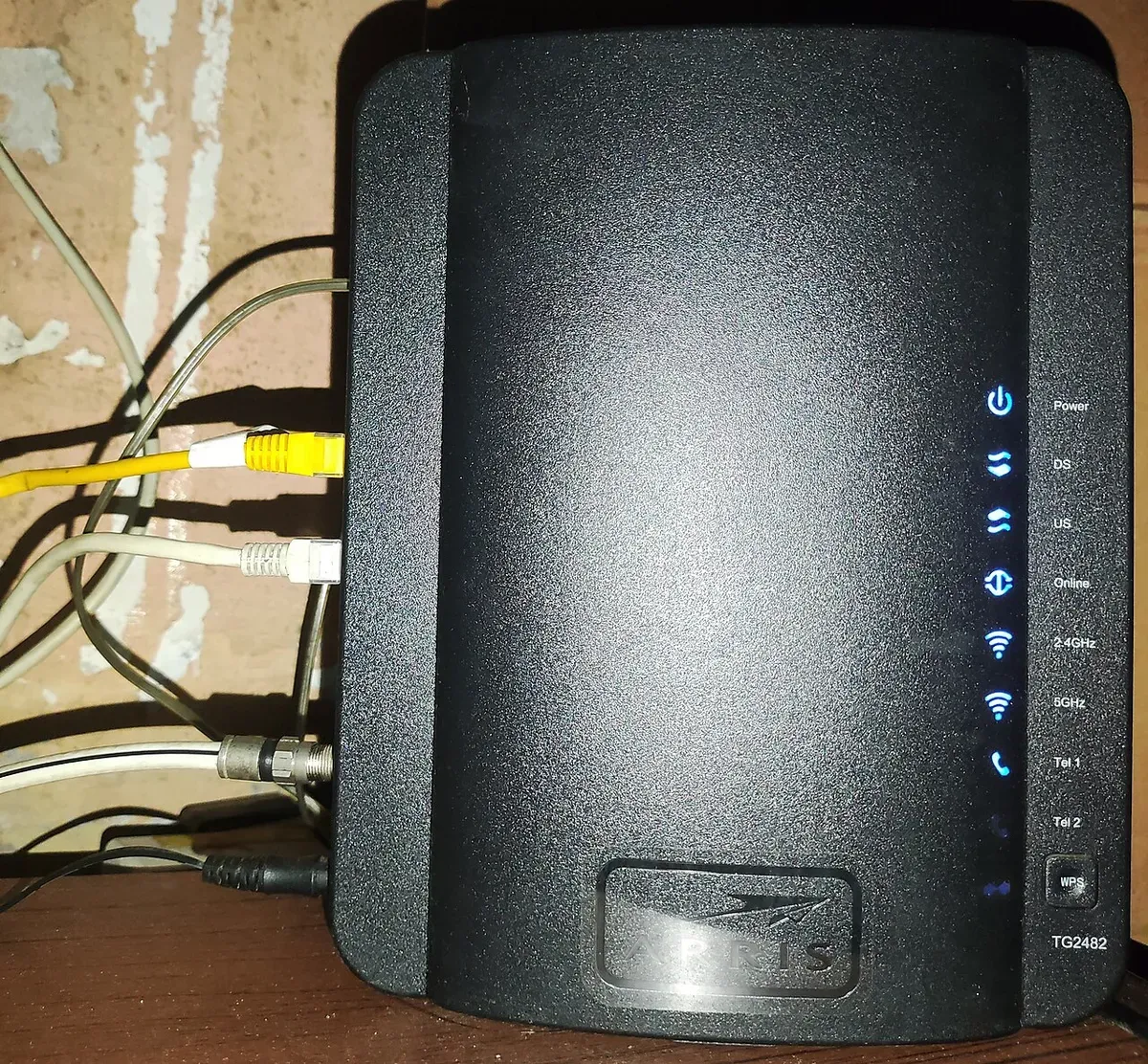
Gateways save space and give you one box to set up. The trade-off is that you can’t upgrade one half without replacing the other. If the Wi-Fi is weak but the modem is fine, you’re stuck unless you add your own router or mesh system, which brings up bridge mode and double NAT (below).
Is Your Box a Modem, a Router, or Both?
Three quick checks:
- Look at the sticker. If it lists a Wi-Fi network name and password, the box has a router built in, so it’s a gateway.
- Count the Ethernet ports. A modem usually has one or two. A router has one port labeled WAN or Internet, plus two or more labeled LAN, Ethernet, or with numbers.
- Look for a coax or fiber connection. A box with a coax connector (the round, threaded one) or a fiber cable is a modem or gateway. A box that only has Ethernet ports is a router.
Do You Need Both?
Yes. Every home internet connection needs something doing the modem’s job and something doing the router’s job. The real question is whether you need two separate boxes. That depends on your type of internet.
Cable. You need a DOCSIS cable modem plus a router, or a gateway that does both. Xfinity’s current plans include its WiFi Gateway at no extra cost for new customers, and every Spectrum plan includes a modem. Spectrum charges $10 a month for its Advanced WiFi router unless you have the 1 Gig plan or higher or a bundle. You can also bring your own modem on most cable plans, but it has to be on your provider’s approved list. Spectrum allows customer-owned modems only on plans with slower uploads than downloads, so its symmetrical plans need a Spectrum modem.
Fiber. You don’t buy a fiber modem. The provider installs the ONT. AT&T Fiber includes a Wi-Fi gateway (a router and modem in one) with no gateway fee, and you can connect your own router behind it. Google Fiber has you run Ethernet from its Fiber Jack straight to your own router’s WAN port, and recommends a router with Wi-Fi 6 or newer and a 10 Gbps WAN port for multi-gig plans. Frontier, now part of Verizon, includes an eero 7 router and works with any router that has an Ethernet WAN port.
5G home internet. The provider’s gateway is both modem and router, and you can’t replace it. You can add your own router or mesh system behind it, with some limits covered next.
Using Your Own Router With an ISP Gateway
If you plug your own router into a gateway that’s still routing, you get double NAT: two routers each doing address translation, with two separate networks stacked on top of each other. Web browsing and streaming usually work fine. But online games, video calls, port forwarding, VPN servers, and smart-home devices that need to see each other can break or show a “strict NAT” warning.
There are three ways to fix it:
- Bridge mode turns off the gateway’s routing and Wi-Fi so it works only as a modem, and your router takes over. Xfinity gateways support it. With bridge mode on, only one device can connect to the gateway, and Xfinity’s app-based network controls, its WiFi extenders, and its security service stop working.
- IP passthrough is AT&T’s version. AT&T’s fiber gateways can’t run in true bridge mode, so they pass the public IP address through to your router instead. On a BGW320, it’s under Firewall > IP Passthrough: set the allocation mode to Passthrough, choose DHCPS-fixed, and enter your router’s MAC address. Verizon’s 5G Home gateway has a similar IP passthrough setting that turns off the gateway’s Wi-Fi and routes through a specific LAN port.
- Live with it, but turn off the gateway’s Wi-Fi. T-Mobile’s 5G gateways have no bridge mode and don’t let you change NAT or port forwarding settings, so a router behind one always means double NAT. T-Mobile says you can turn off the gateway’s Wi-Fi in its T-Life app and let your router or mesh system handle Wi-Fi. That gets rid of competing networks, though not the double NAT.
Rent or Buy Your Own?
The old advice was to always buy your own modem to dodge rental fees. In 2026 it depends on your provider, because several now include the equipment:
| Provider | What it charges (Oct. 2026) | Can you use your own? |
|---|---|---|
| Xfinity | WiFi Gateway included with current plans for new customers | Modem: yes, if approved. Router: yes |
| Spectrum | Modem included; Advanced WiFi router $10/mo unless 1 Gig+ or a bundle | Modem: yes, except on symmetrical plans. Router: yes |
| Cox (now part of Spectrum) | Panoramic Wifi modem rental listed at $13/mo | Modem: yes, if certified. Router: yes |
| Optimum | DOCSIS modem or wireless gateway $15/mo; Smart Router no charge | Modem: yes, DOCSIS 3.1 only |
| AT&T Fiber | Gateway included, no gateway fee | Router behind the gateway: yes |
| T-Mobile 5G | Gateway included | Router behind the gateway: yes, with double NAT |
Charter, Spectrum’s parent, completed its purchase of Cox in August 2026 and is moving Cox markets to Spectrum pricing, so Cox’s fees may change.
Buy your own modem if you’re paying a monthly rental (Optimum, Cox, or an older Xfinity plan). A $150 modem pays for itself in about a year at $13 to $15 a month. Your provider’s list of approved modems is the place to start: Spectrum’s, Cox’s, and Xfinity’s.
Buy your own router if the provider’s Wi-Fi doesn’t reach every room, if you want a mesh system, or if you want features the ISP box lacks, like detailed parental controls, VPN support, or more Ethernet ports. You can keep the free gateway and put it in bridge mode.
Stick with the provider’s box if it’s included free, covers your home well, and you want the provider’s support to handle the whole connection. If you have home phone service through your cable provider, check before switching. Spectrum Home Phone doesn’t work with customer-owned modems, and Xfinity Voice needs a modem that’s specifically approved for it.
DOCSIS Versions for Cable Modems
If you have cable internet, the modem’s DOCSIS version sets its speed limit:
| Version | Max download (spec) | Max upload (spec) | Buy it today? |
|---|---|---|---|
| DOCSIS 3.0 | 1 Gbps | 200 Mbps | No. Optimum doesn’t allow them, and Cox certifies them only up to 500 Mbps |
| DOCSIS 3.1 | 10 Gbps | 1 to 2 Gbps | Yes. Every current retail modem uses it |
| DOCSIS 4.0 | 10 Gbps | 6 Gbps | Not at retail yet. Xfinity’s XB10 gateway is DOCSIS 4.0 |
These are the standard’s limits. Real modems top out lower: current DOCSIS 3.1 modems are built for up to 5 Gbps down and 1.5 Gbps up, and the retail models below handle plans of 1 to 2.5 Gbps.
DOCSIS 3.1 is the one to buy. Look for a 2.5 Gbps Ethernet port if your plan is faster than 1 Gbps, since a regular 1 Gbps port caps your speed at about 940 Mbps. If your provider is rolling out faster upload speeds, look for “mid-split” or “high-split” support, which lets a 3.1 modem use the upgraded upload channels.
Which Modem and Router to Buy
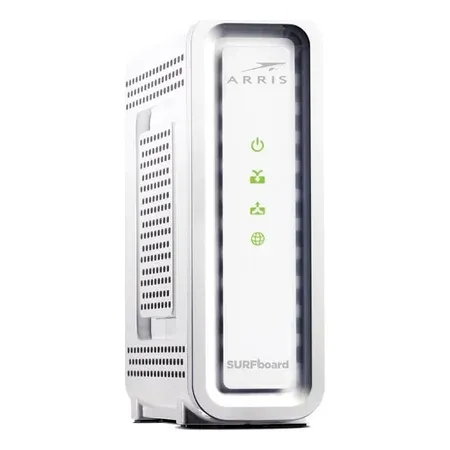
Best modem for plans up to 1 gbps
ARRIS SURFboard SB8200
A DOCSIS 3.1 cable modem with two 1 Gbps Ethernet ports, approved by Xfinity, Spectrum, and Cox.
The ARRIS SURFboard SB8200 is the safe pick for most cable plans. It’s DOCSIS 3.1, rated by ARRIS for plans up to 1 Gbps, and on the approved lists for Xfinity, Spectrum, and Cox. It has more than 20,000 Amazon ratings at 4.4 stars, and at about $146 it pays for itself in about ten months against a $15 rental fee.
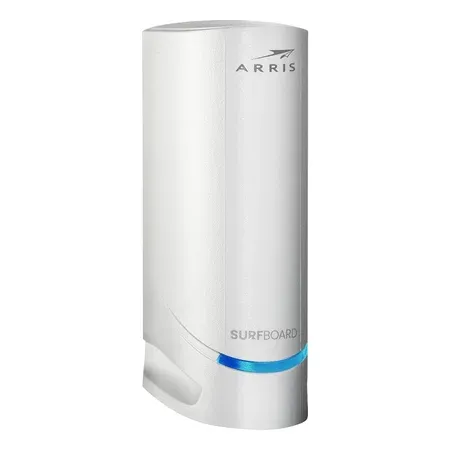
Best modem for multi-gig plans
ARRIS SURFboard S34
DOCSIS 3.1 with a 2.5 Gbps Ethernet port for plans up to 2.5 Gbps, plus support for faster upload tiers.
The ARRIS SURFboard S34 is the one to get if your plan is faster than 1 Gbps. Its 2.5 Gbps Ethernet port passes along the full speed of plans up to 2.5 Gbps, and it supports the newer upload channels cable providers are switching on. Cox certifies it for its 2 Gig plan, and it’s on Spectrum’s approved list. Pair it with a router that has a 2.5 Gbps WAN port.
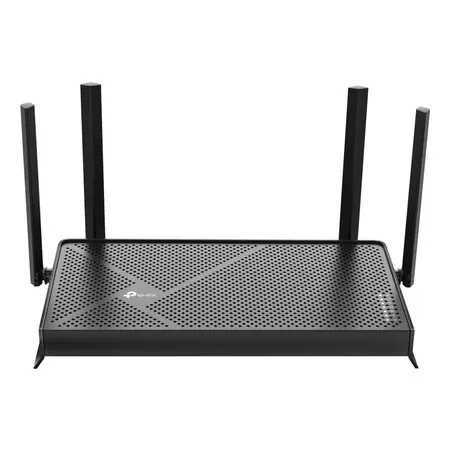
Best budget router
TP-Link Archer BE230
A dual-band Wi-Fi 7 router with two 2.5 Gbps ports and three 1 Gbps LAN ports for about $80.
The TP-Link Archer BE230 is a cheap way to get Wi-Fi 7 and multi-gig ports. It’s dual-band (2.4 and 5 GHz), so it skips the 6 GHz band, but its two 2.5 Gbps ports mean it won’t bottleneck a multi-gig modem or fiber connection. It’s a good fit for an apartment or a smaller home. For a larger home, a mesh system covers more ground. See our eero vs. Orbi comparison and our guide to the best mesh Wi-Fi systems.
Best modem-router combo
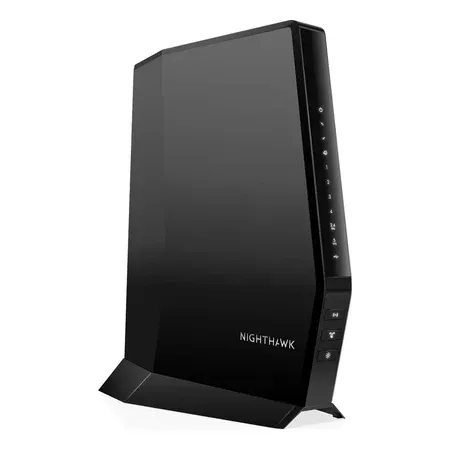
NETGEAR Nighthawk CAX30
A DOCSIS 3.1 modem and Wi-Fi 6 router in one box, covering about 2,000 sq. ft.
If you want to replace a rented gateway with one box you own, the NETGEAR Nighthawk CAX30 combines a DOCSIS 3.1 modem with AX2700 Wi-Fi 6. NETGEAR certifies it for Xfinity plans up to 800 Mbps and Spectrum and Cox plans up to 1 Gbps, so it isn’t for multi-gig plans. NETGEAR now sells an updated CAX30S with the same speed ratings. A separate modem and router is still the more flexible setup, since you can upgrade the Wi-Fi later without touching the modem.
How Often to Replace Them
Modems last until your provider’s plans outgrow them or it stops supporting the DOCSIS version. Routers need more attention, because they’re your network’s front door. NETGEAR suggests reviewing a router after about four to five years, and replacing it once the maker stops releasing security updates. In May 2025 the FBI warned that end-of-life routers, which no longer get security patches, are a target for attackers, and said routers from 2010 or earlier likely don’t get updates anymore. If your router is that old, replace it.
Modem vs. Router FAQ
Can I use a router without a modem?
Only with fiber service that hands off Ethernet, like Google Fiber, where the provider’s ONT does the modem’s job. With cable, DSL, or 5G, the router needs a modem or gateway in front of it to get online.
Can I use a modem without a router?
Yes, but only one device can connect, by Ethernet, and you won’t have Wi-Fi or the router’s firewall. It’s fine for testing your speed, not for everyday use.
Does a better router make my internet faster?
It can’t make your plan faster, but it can make your Wi-Fi faster. If you pay for 1 Gbps and only get 200 Mbps on Wi-Fi in the bedroom, a newer router or mesh system can close that gap. If speeds are slow even with a laptop plugged into the modem, the problem is the modem or the provider.
Is Wi-Fi 7 worth it?
For a new router, yes, since prices start around $80. Wi-Fi 7 adds wider channels in the 6 GHz band (on tri-band models) and lets devices use several bands at once. You’ll only see the full benefit with Wi-Fi 7 phones and laptops, but the router also works with every older device.