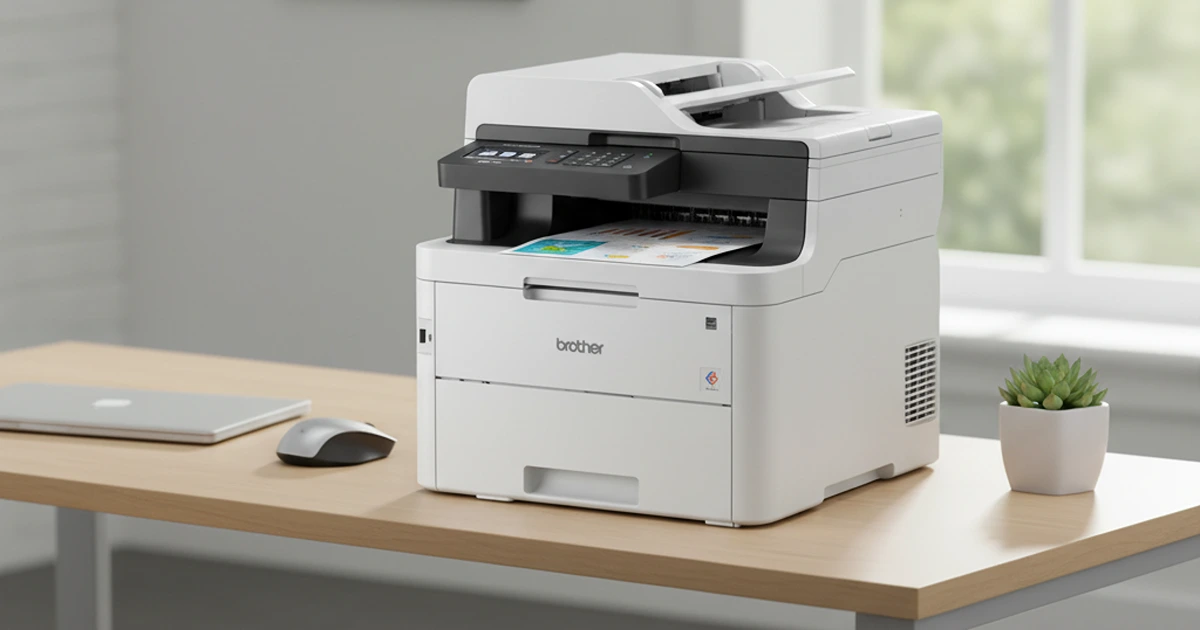

The least frustrating home printer is the one matched to what actually leaves the output tray. Infrequent black-text printing favors laser technology, mixed school and office work can justify a color all-in-one, and archival photographs demand a specialist whose ink and paper costs bear little resemblance to either.
We compared print and scan quality, speed, duplex behavior, consumable yield, connectivity, software restrictions, maintenance, and current ownership feedback. Running cost and idle behavior matter more than a low purchase price, so estimate monthly pages and decide whether color, scanning, and an automatic document feeder are genuine needs.
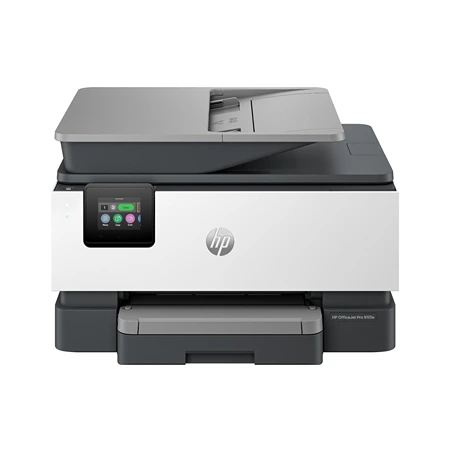
HP OfficeJet Pro 9125e
Best Overall Option
A versatile all-in-one color inkjet printer with fast printing, scanning, and copying, ideal for home offices and family use.
One machine can cover homework packets, color handouts, signed forms, and copies when it is the HP OfficeJet Pro 9125e. It is a four-function color inkjet with automatic two-sided printing and an automatic document feeder, aimed at a busy household or small office rather than occasional single-page use.
HP rates it at up to 22 black and 18 color pages per minute in its standard office measurement. Text is crisp for an inkjet, charts and graphics are vivid on appropriate paper, and photos are respectable rather than lab-grade. Ink can smear if handled before dense output dries, and plain paper cannot deliver coated-photo-paper results.
The 250-sheet input tray reduces refills, while the touchscreen and HP software support Wi-Fi, Ethernet, USB, mobile printing, and scanning workflows. Network setup is usually straightforward, but printer apps and account prompts add complexity that a direct USB laser printer avoids. The screen is bright yet small enough that some controls feel cramped.
Subscribe to Product Bible
Stay updated with the latest product reviews, buying guides, and expert recommendations. Fresh advice on the best things we've researched, tested, and reviewed, sent to your inbox weekly.
Want to know more about how we handle your data or opt out of marketing emails? Check out our Privacy Policy. If you have any questions, we're always here to help.
Consumable policy requires careful reading. HP Instant Ink is an optional page-based subscription, while HP+ enrollment can add benefits alongside an ongoing internet requirement and use of original HP cartridges. Terms, trial periods, and eligible supplies change, so do not activate a program until its cancellation and cartridge consequences are understood.
The 9125e makes sense when color and scanning happen often enough to keep an inkjet active. Long idle periods can lead to cleaning cycles and wasted ink, and cartridge costs vary sharply with yield and coverage. For a household printing mixed material every week, its speed and broad feature set outweigh those complications; text-only users should choose laser simplicity.
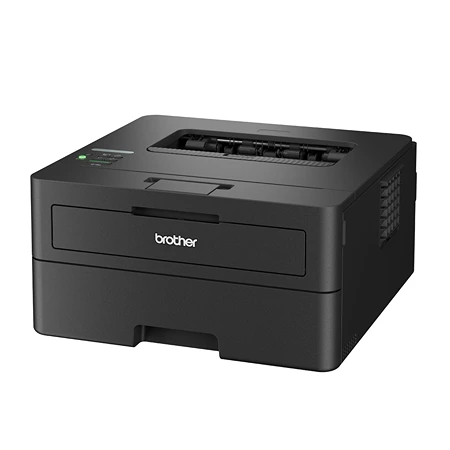
Brother HL-L2460DW
Best Budget Option
A fast, reliable, and affordable monochrome laser printer that delivers sharp text and low running costs for everyday home printing.
Weeks of inactivity are unremarkable to the Brother HL-L2460DW, which is why a monochrome laser remains such a strong home default. Toner does not dry in print-head nozzles, and the printer wakes to produce sharp forms, labels, returns, and school documents without an ink-cleaning ritual.
Brother rates the U.S. model at up to 36 letter-size pages per minute, with automatic duplex printing and a 250-sheet tray. A single-line display is functional rather than friendly, but physical controls make common jobs possible without a phone. Output is fast and text-focused; grayscale photographs and graphics show the limitations of an inexpensive mono engine.
Wi-Fi, Ethernet, Wi-Fi Direct, and USB cover most home arrangements, and AirPrint, Mopria, and Brother’s mobile software reduce platform friction. Wired Ethernet is especially useful when Wi-Fi printers have been unreliable. Initial network entry on the small display can be tedious, so temporary app or cable setup may be easier.
Standard and high-yield toner options affect cost per page, while the drum is a separate consumable rather than part of every cartridge. That separation can lower long-term waste but creates another replacement interval to track. Starter toner contains less than a full retail cartridge, a common source of surprise after purchase.
There is no scanner, copier, fax, or color output, and envelopes or unusual media need more hands-on feeding. Those omissions are the point: fewer mechanisms keep the footprint and price reasonable. Pair it with a phone scanning app if documents are digitized only occasionally; buy an all-in-one if multi-page scans are routine.
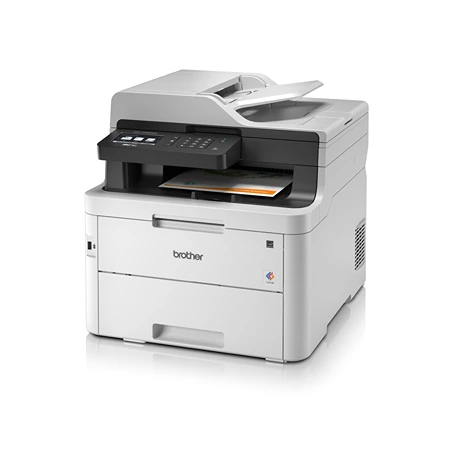
Brother MFC-L3780CDW
Best Upgrade Option
A fast, full-featured color laser all-in-one printer with duplex printing, scanning, and wireless connectivity for home or office use.
Color documents without inkjet maintenance are the reason to accept the size and price of the Brother MFC-L3780CDW. This LED color all-in-one prints, copies, scans, and faxes, with a document feeder designed for two-sided office workflows. It belongs on a dedicated table, not a shallow bookshelf.
Output is rated up to 31 pages per minute in both color and black, and automatic duplexing keeps reports compact. Text and business graphics look strong, with consistent color after long idle periods. Photographs remain visibly printer-like: tonal subtlety, gloss, and borderless presentation cannot match a good photo inkjet.
The automatic document feeder can scan both sides in one pass, a meaningful advantage for contracts and records. A large touchscreen, USB, Wi-Fi, Ethernet, and mobile protocols make it flexible across a small office. Scan color and fine image detail are adequate for documents but less compelling for artwork or photographic archiving.
Four toner cartridges, a drum, belt, and waste-toner box create substantial consumable expense and storage. High-yield supplies lower per-page cost, yet a complete replacement set can approach the printer’s sale price. Yield standards assume limited page coverage, so graphics-heavy work consumes color faster than the headline numbers imply.
This is an upgrade for volume and reliability, not a way to make color printing cheap. Its speed, duplex scanning, secure networking features, and resistance to clogging suit a real home office. A family printing a few colorful pages each month will spend less and sacrifice less space with an inkjet.
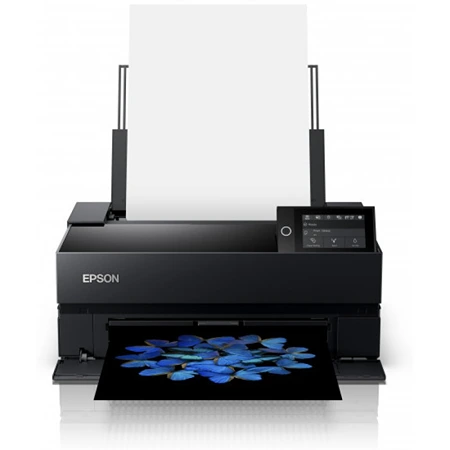
Epson SureColor P700
Best Photo Printer
A professional photo printer that delivers gallery-quality color and black-and-white prints with exceptional detail and tonal accuracy.
The Epson SureColor P700 is a photographic darkroom replacement, not a deluxe office printer. Its ten-color UltraChrome PRO10 pigment system includes dedicated photo and matte black channels, producing rich color and particularly nuanced monochrome output without manually switching black inks.
It prints cut sheets up to 13 inches wide, supports borderless sizes, thick fine-art media, and rolls with the appropriate feed arrangement. Panorama length and specialty-media support create genuine creative flexibility. Feed paths are sensitive to paper thickness, curl, and settings, so expensive sheets reward patient loading rather than a large unattended stack.
Color management determines whether the hardware reaches its potential. Epson’s driver and Media Installer handle first-party profiles well, while third-party papers need the correct ICC profile and media configuration. Soft proofing, a calibrated monitor, and controlled viewing light matter as much as the printer once output becomes professional.
Subscribe to Product Bible
Stay updated with the latest product reviews, buying guides, and expert recommendations. Fresh advice on the best things we've researched, tested, and reviewed, sent to your inbox weekly.
Want to know more about how we handle your data or opt out of marketing emails? Check out our Privacy Policy. If you have any questions, we're always here to help.
Each of the ten cartridges holds 25mL, not an “extra-large tank,” and a complete set is costly. Initial charging consumes part of the supplied ink, maintenance cycles use more, and infrequent operation can lead to nozzle checks and cleaning. Owners should print regularly and include wasted ink and premium paper in every cost estimate.
The touchscreen, Wi-Fi, Ethernet, and USB make operation modern, but driver installation and custom media can still be fussy. The P700 is justified for photographers who need control, longevity, and repeatable gallery-size output at home. Anyone wanting inexpensive snapshots or ordinary documents should use a simpler dye printer or a reputable print lab.
Before buying, calculate a year rather than a printer. Include cartridges or toner, drums and maintenance parts, paper, subscriptions, and the cost of supplies consumed during cleaning. Also confirm that current operating systems and mobile devices support the connection method you intend to use.
Printers last longer when used within their design. Keep inkjets active, store paper dry, avoid bargain consumables when color accuracy or warranty matters, and install firmware deliberately after reading what it changes. The right machine should make its ordinary jobs boringly reliable rather than turning every print into technical support.