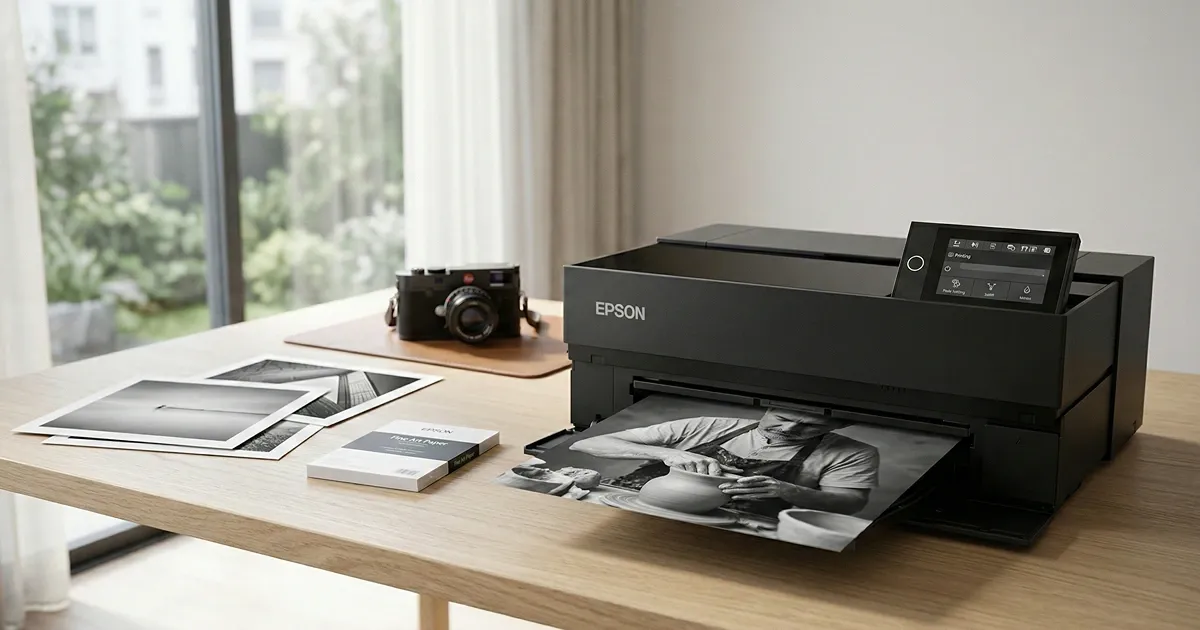
A photo printer is the final step of your digital-darkroom workflow, capable of transforming your images from ideas into tangible, gallery-worthy art pieces that can last a lifetime. Whether you are a hobbyist looking to frame your favorite shots or a professional preparing prints for exhibition, having a dedicated photo printer at home gives you full control over every detail, from paper selection to color accuracy. The results you can achieve today rival what was once only possible in professional print labs.
For photography enthusiasts who want professional-quality prints without leaving home, the key is finding a printer that pairs long-lasting pigment inks with versatile media handling. The best photo printers can accommodate a wide range of paper types and sizes, from standard glossy sheets to fine art media, and produce output with the tonal depth and sharpness your work deserves. In this guide, we will walk through the top options across different categories and budgets to help you find the right photo printer for your needs. Our photo size chart lists standard print sizes from wallet to 24 x 36 inches and the pixels each one needs.
Best overall
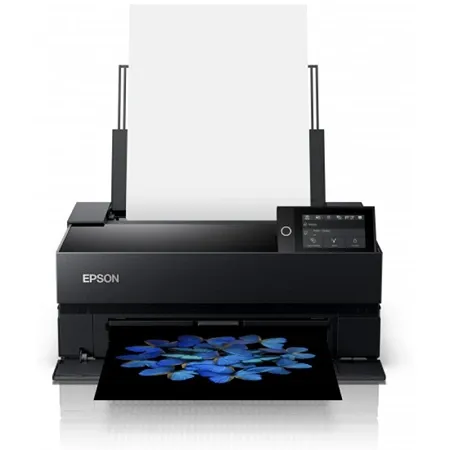
Epson SureColor P700
A professional photo printer that delivers gallery-quality color and black-and-white prints with exceptional detail and tonal accuracy.
The Epson SureColor P700 is a 13 inch photo printer designed for photographers and artists who demand consistent, gallery quality output in both color and black and white. It delivers prints with excellent color accuracy, refined contrast, and fine detail that closely mirror calibrated on screen images. Skin tones appear natural and lifelike, while monochrome prints show a smooth tonal range without unwanted color casts, making it well suited for portraiture, fine art, and exhibition work.
At the core of its performance is Epson’s pigment ink system, which produces deep blacks, subtle gradations, and long lasting results suitable for archival display. The printer uses ten individual 25 mL cartridges, each costing more than $41 to replace, resulting in a per milliliter cost of about $1.67. While the ink investment is significant and a full replacement set exceeds half the price of the printer, the larger cartridges tend to last longer than those found in many entry level photo printers, helping offset long term operating costs for regular users.
The P700 supports a wide range of media, accommodating sheets up to 13 inches wide and media thicknesses up to 1.5 mm. It handles glossy, metallic, and textured fine art papers with equal competence, producing rich results across different surfaces. The printer also accepts roll paper, enabling panoramic prints up to 129 inches long, which is particularly valuable for landscape photographers and exhibition displays. Although the primary paper feed can require careful handling, especially with certain glossy sheets or roll media, the final print quality remains consistently impressive across paper types.
A 4.3 inch tilting color touchscreen streamlines operation and maintenance. The interface allows users to change paper types, adjust sizes, and perform routine tasks with clear graphic instructions. During printing, the display shows the image in progress, offering useful visual confirmation. The printer also features a transparent window and interior lighting that reveal the print as it emerges, a detail that is not essential for productivity but adds a satisfying visual element to the process.
Connectivity options include USB, Ethernet, and Wi Fi, providing flexibility for both studio and home environments. Wireless printing is convenient, though it is typically slower than using a wired connection, a common trait among photo printers in this class. The P700 integrates smoothly with Adobe Photoshop and Lightroom, and Epson Print Layout software is available as a standalone application or plug in. Epson’s software includes printer specific terminology and settings that can help ensure correct configuration and reduce wasted paper.
Despite its relatively compact footprint for a 13 inch photo printer, the P700 remains a substantial piece of equipment. It measures 20.3 by 14.5 by 7.3 inches and weighs nearly 28 pounds, and additional clearance is needed for the extended output tray and rear paper handling. Setup and driver installation can be time consuming, and wireless configuration may require patience. Routine maintenance such as firmware updates and nozzle checks is part of ownership, particularly if the printer sits idle for extended periods.
Some operational quirks are worth noting. Paper feeding can be inconsistent with certain media, sometimes requiring single sheet loading or manual guidance for roll paper. The printer ships with partially filled starter cartridges, which may lead to early low ink warnings and the need for a costly replacement set sooner than expected. Even with these considerations, the Epson SureColor P700 remains a dependable choice for photographers who prioritize print fidelity, media flexibility, and professional grade results in a desktop format.
Best budget
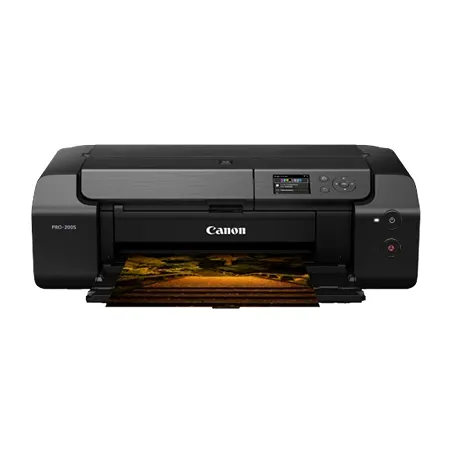
Canon Pixma PRO-200S
An affordable 13-inch photo printer delivering vibrant color, fast output, and reliable performance across glossy and fine art papers.
The Canon Pixma PRO-200S is a 13 inch photo printer aimed at photographers who want vibrant output and dependable performance at a more accessible price point. It produces bold, eye catching prints with strong contrast and saturated color that can make images feel lively and dynamic. While its color reproduction tends to be warmer and more saturated than the original file, this character can be appealing for certain subjects such as landscapes, travel photography, and decorative prints.
Color output is a defining trait of the PRO-200S, with punchy tones that stand out on glossy and luster papers. Skin tones can appear slightly warmer than intended, and those seeking strict color accuracy may need to adjust their workflow accordingly. Despite this tendency, the printer delivers pleasing results across a wide range of media, producing smooth gradients and sharp detail on both glossy and fine art surfaces.
The printer uses an eight color dye based ink system that emphasizes vibrancy and smooth tonal transitions. Dye inks do not offer the same archival longevity as pigment based alternatives, though prints can still last for decades when properly displayed and protected from ultraviolet exposure. The individual 12.6 mL cartridges are smaller than those found in some pigment ink printers, but the per milliliter cost is lower at about $1.27, and with fewer cartridges to replace, operating costs remain relatively manageable for a printer in this class.
Performance is another strength, particularly for users who produce prints in volume. The PRO-200S is capable of producing high quality prints at speeds that are noticeably faster than many competing photo printers, which can make a meaningful difference when printing multiple copies or large format images. It also demonstrates reliable paper handling, with both rear and front feeds pulling media smoothly and with fewer issues on glossy stock, making it well suited for batch printing.
Media support includes sheets up to 13 by 19 inches, along with compatibility across a broad range of paper types and finishes. The printer maintains consistent quality on everything from high gloss photo paper to textured fine art media. Its dependable feed system reduces the need for manual adjustments, which can be especially beneficial for users who frequently print multiple copies or switch between paper types.
The control interface relies on a small 3 inch non touch LCD screen paired with physical buttons, which feels dated compared with modern touch driven designs. Navigation remains straightforward, though the interface lacks the immediacy and visual clarity found on larger touchscreens. Canon’s Professional Print and Layout software is available as a standalone application or plug in, offering printer specific controls and tools such as pattern prints that help evaluate tone and lighting effects in black and white work.
Connectivity includes USB, Ethernet, and Wi Fi, allowing flexible placement in both home and studio environments. Wireless performance is generally reliable and supports convenient printing from multiple devices. The Canon Pixma PRO-200S balances cost, speed, and vibrant output in a way that makes it a practical option for photographers who prioritize bold color and efficient production over strict archival longevity.
Best upgrade
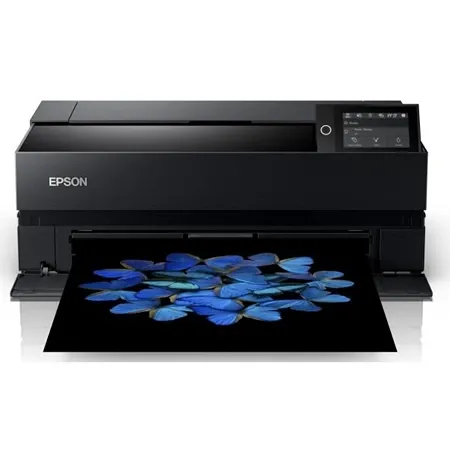
Epson SureColor P900
A 17-inch pigment photo printer delivering exceptional detail, wider media support, and gallery-quality color and black-and-white prints.
The Epson SureColor P900 is a wide format photo printer designed for photographers and artists who want to produce large, exhibition quality prints without sacrificing precision or media flexibility. Capable of printing up to 17 inches wide, it delivers the same refined color accuracy, deep blacks, and smooth tonal transitions found in smaller professional models, while expanding the creative possibilities that come with larger output sizes. Its prints maintain excellent detail and contrast, making it well suited for gallery display, portfolio work, and commercial presentation.
At the heart of the P900 is Epson’s pigment ink system, which produces long lasting prints with strong resistance to fading when properly displayed. The printer uses large 50 mL ink cartridges that cost nearly $50 each, resulting in a per milliliter cost of about 97 cents. Although the initial ink investment is significant, the larger cartridges reduce the frequency of replacements and support consistent output for high volume printing. The pigment formulation ensures stable color and neutral black and white output suitable for archival purposes.
The P900 supports a broad range of media, from glossy and metallic photo papers to textured fine art stocks and handmade papers. It handles sheets up to 17 inches wide and can print panoramic images up to 129 inches long when equipped with the optional roll feed adapter. This capability allows for dramatic vertical displays and expansive landscape prints. The roll system does not include an automatic cutter, so trimming must be done manually, but the flexibility of roll media simplifies the handling of long prints compared with oversized flat sheets.
Paper handling is generally dependable across the main, front, and optional roll feeds. The front feed is designed for thick media and operates at a slower pace to ensure careful handling of heavyweight papers. The rear feed can occasionally pull multiple sheets at once, particularly with certain paper types, so feeding single sheets may help avoid wasted materials when using expensive media. Despite these minor considerations, the printer maintains consistent output quality across a wide range of paper surfaces.
A large color touchscreen provides clear access to printer controls, maintenance tasks, and paper settings. The interface simplifies routine operations and offers visual guidance that reduces setup errors. The printer’s design includes a transparent window and interior lighting that allow users to observe prints as they emerge, adding a visual dimension to the printing process while also providing a practical view of progress.
Connectivity options include USB, Ethernet, and Wi Fi, offering flexible integration into both studio and home workflows. Wireless printing performs at speeds comparable to wired connections, allowing users to place the printer where it best fits their workspace without sacrificing efficiency. Epson’s software ecosystem includes a dedicated print layout application that provides printer specific controls and helps ensure accurate configuration across different media and print settings.
The P900 requires a thoughtful setup process, including driver installation, firmware updates, and occasional maintenance such as nozzle checks and head cleanings, particularly if the printer is used infrequently. Its size and weight reflect its wide format capabilities, and adequate clearance is necessary for paper handling and output trays. Despite these considerations, the Epson SureColor P900 offers a compelling balance of large format versatility, archival print quality, and professional features for those seeking greater impact from their photographic work.
Choosing a photo printer ultimately comes down to how you balance print quality, media flexibility, operating costs, and the scale at which you plan to work. Advances in ink technology, color management, and connectivity have made it possible to achieve professional results from a home or small studio environment, but each model demands a different level of investment in both time and maintenance. Understanding your priorities, whether that means archival longevity, vibrant color output, or efficient high volume production, will help ensure that your printer becomes a reliable part of your creative workflow rather than a source of frustration.
It is also worth considering the long term ecosystem surrounding a printer, including ink pricing, paper compatibility, software support, and the physical space required for operation. A well chosen printer should align with how and how often you print, as well as the types of images you create and display. By focusing on these practical factors instead of headline specifications alone, photographers can select a tool that supports their work today while remaining adaptable to future projects and evolving creative goals.