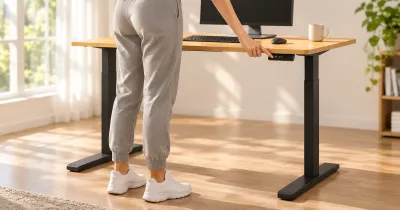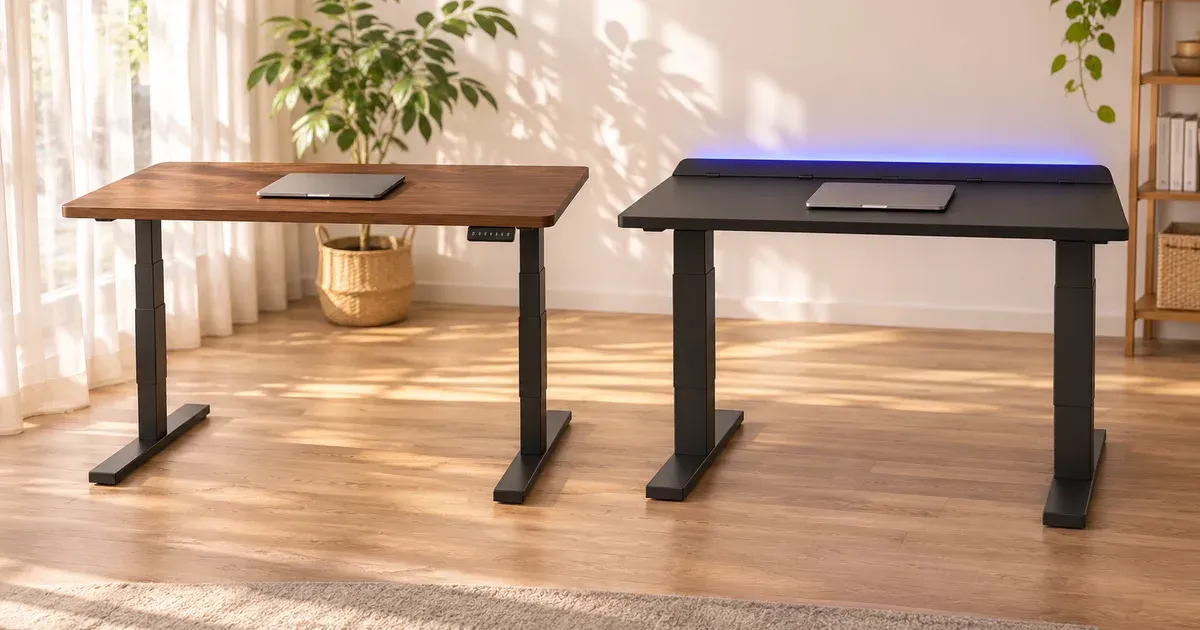
The short answer: buy the UPLIFT V3 for a work desk and the Secretlab Magnus Pro for a clean gaming setup. The V3 lifts 355 pounds against 265, moves at 2 inches per second against 1.2, goes 3 inches lower, costs less, and has a 15-year warranty. The Magnus Pro’s case is cable management: a metal desk with a power cable running inside one leg, a full-length covered cable tray, and magnetic accessories that snap to the top.
I use an UPLIFT V3 as my everyday desk, so the UPLIFT side comes from my own setup. The Secretlab side comes from Secretlab’s specifications.
UPLIFT V3 vs. Secretlab Magnus Pro
| Spec | UPLIFT V3 | Secretlab Magnus Pro |
|---|---|---|
| Price | $759 at 60 x 30 | $899 at 59.1 x 27.6 |
| Sizes | 42 to 80 in. wide; 24 or 30 in. deep | 59.1 x 27.6; XL 70 x 31.5 |
| Height range | 22.6 to 48.7 in | 25.6 to 49.2 in |
| Lift capacity | 355 lb | 265 lb |
| Speed | 2 in. per second | 1.2 in. per second |
| Noise | Under 48 dB | Under 50 dB |
| Desktop | Laminate, bamboo or solid wood | Powder-coated metal over MDF |
| Presets | 4 with the Advanced keypad ($29) | 3, on a panel built into the desk edge |
| Power | Optional power grommets and surge protector | Power cable routed inside the left leg |
| Cable management | FlexMount Cable Manager and 10 wraps included | Full-length rear tray with a hinged cover included |
| Warranty | 15 years, including the desktop | Up to 5 years; 2 years on electronics |
| Returns | 30 days, free | 49 days; buyer pays return shipping |
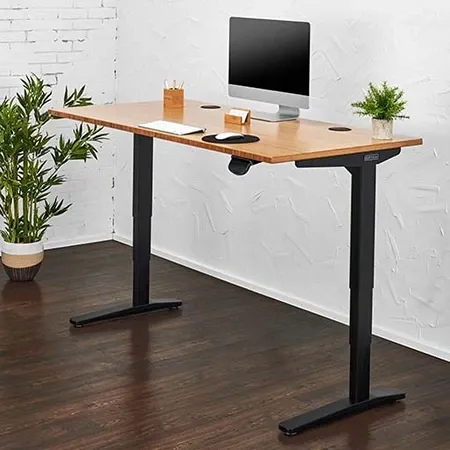
Best for a work desk
UPLIFT V3 Standing Desk
A 355-pound dual-motor desk that moves at 2 inches per second, with a 15-year warranty.
The Secretlab Magnus Pro is sold direct by Secretlab.
Cable Management: The Magnus Pro’s Reason to Exist
The Magnus Pro is built to hide wires. Its power cable runs inside the left leg to an outlet at the top, so the whole desk needs one cord to the wall. A tray runs the full width of the rear edge under a hinged cover. The top is powder-coated metal, so Secretlab’s magnetic cable anchors, sheaths, headphone hanger and desk mat stick to it.
The UPLIFT V3 takes a different route. It includes the FlexMount Cable Manager, a tray under the desk, and ten cable wraps, and UPLIFT sells power grommets that put outlets and USB ports in the desktop. My V3 has powered grommets and an under-desk surge protector, and the underside is tidy. But cables still run down a leg to the wall unless you add a channel, and the Magnus Pro’s setup is cleaner out of the box.
Lift Capacity and Speed
The V3 lifts 355 pounds. The Magnus Pro’s limit is 265 pounds. A gaming PC, two or three monitors and speakers fit within either.
The V3 is noticeably faster: 2 inches per second against about 1.2. From sitting to standing, that’s roughly 9 seconds against 15.
Height Range
The V3 runs from 22.6 to 48.7 inches and the Magnus Pro from 25.6 to 49.2. By the elbow-height math in our desk height calculator, the V3 suits seated users from about 4 feet 9 inches and the Magnus Pro from about 5 feet 5 inches. At the top they’re half an inch apart, and both suit standing users to about 6 feet 6 or 7 inches.
The Metal Top
The Magnus Pro’s metal surface is its signature and its limit. It can’t be drilled for a grommet or a cable hole, and the rear tray cover takes a few inches off the usable depth. Reviewers also report that some standard clamp-on monitor arms don’t fit the rear edge, so check the clamp dimensions before buying one.
The V3’s tops are conventional. Monitor arms clamp to the back edge, grommet holes pass cables through, and accessories bolt to mounting points on the frame. I use a monitor arm and a clip-on cup holder on mine.
Stability and Assembly
My V3 feels planted for typing and video calls, with a little front-to-back movement above about 40 inches if I type hard or lean on it. Reviewers describe the Magnus Pro as solid for a two-leg desk, with slight movement when raised, and very heavy. Both are two-person jobs to flip. My V3 took a few hours to assemble; reviewers put the Magnus Pro at about an hour.
Price, Warranty and Returns
The Magnus Pro is $899 at 59.1 by 27.6 inches. A V3 with a 60-by-30-inch laminate top is $759, or $788 with the four-preset keypad.
UPLIFT covers the V3’s frame, motors, electronics and desktop for 15 years. Secretlab covers the Magnus Pro for up to 5 years, with 2 years on the control panel and control box.
Secretlab gives you 49 days to return the desk, at your cost for shipping. UPLIFT gives 30 days, with free returns for parcel orders from the contiguous U.S.
Which Should You Buy?
- Buy the UPLIFT V3 if this is a desk for work, you want a size other than 59 or 70 inches, you’re under about 5 feet 5 inches, you want to use any monitor arm, or you care about the warranty.
- Buy the Magnus Pro if hidden cables and a matte metal look are the point, and you’ll use Secretlab’s magnetic accessories.
Read my full UPLIFT V3 review, or see the best standing desks.
UPLIFT V3 vs. Secretlab Magnus Pro FAQ
Is the Secretlab Magnus Pro worth it?
It’s worth it for its cable management: a power cable inside the leg, a covered full-length tray and magnetic accessories. As a standing desk it’s slower than the UPLIFT V3, lifts less, and has a shorter warranty.
How much weight can the Secretlab Magnus Pro hold?
265 pounds. The UPLIFT V3 lifts 355 pounds.
What is the Secretlab Magnus Pro’s height range?
25.6 to 49.2 inches. The UPLIFT V3’s is 22.6 to 48.7 inches.
Can you use a monitor arm on the Secretlab Magnus Pro?
Reviewers report that some standard clamp-on arms don’t fit its rear edge, which has the cable tray cover. Check the clamp dimensions first.
Which has the better warranty?
UPLIFT. The V3 is covered for 15 years, including the motors, electronics and desktop. The Magnus Pro is covered for up to 5 years, with 2 years on its electronics.
Is the UPLIFT V3 good for gaming?
Yes. It lifts 355 pounds, comes in tops up to 80 inches wide and 30 inches deep, and takes monitor arms and power grommets.