
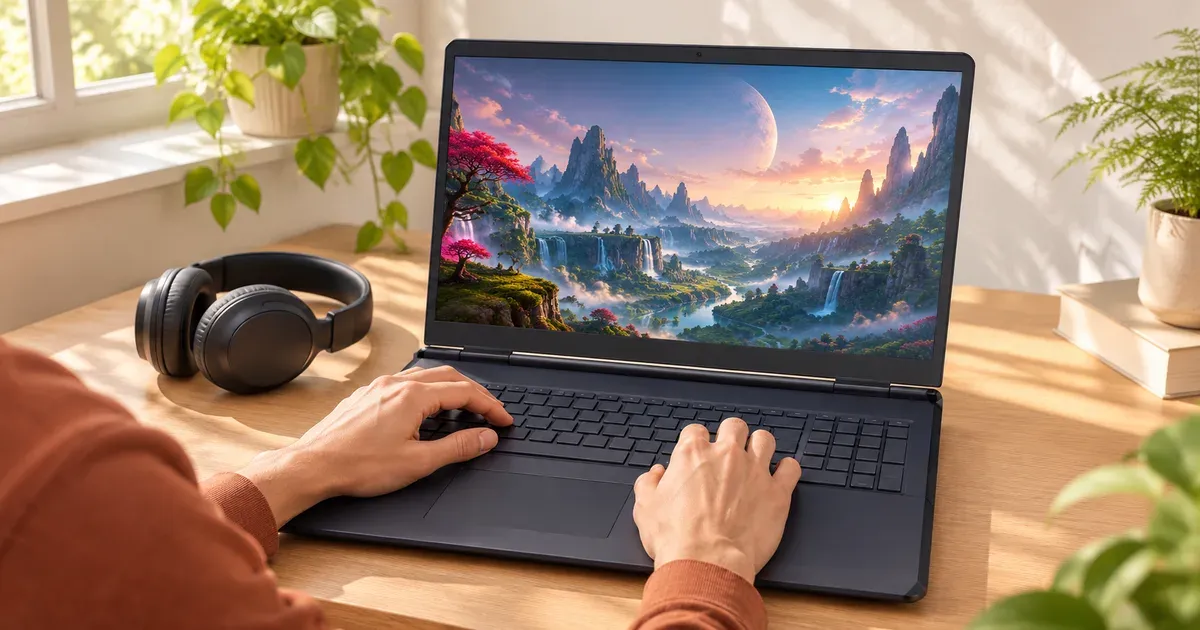
The short answer: the ASUS TUF Gaming A18 (2025) with an RTX 5070 is the quietest gaming laptop that still plays AAA games well. In independent testing running Cyberpunk 2077 at Ultra, it measured about 33 dB(A) in Silent mode at roughly 88 fps. That’s almost the same frame rate as its Performance mode (about 91 fps at 45 dB(A)) and Turbo (about 92 fps at 55 dB(A)). Its secret is size: an 18-inch chassis with an efficient 8-core Ryzen 7 260 has a lot of room to move heat slowly. No powerful gaming laptop is silent under load, but the right model and settings get close.
Why Some Gaming Laptops Are Quieter
Fan noise tracks how much heat the laptop has to remove and how much room it has to do it:
- Lower power limits. A GPU at 85 W makes far less heat than one at 175 W. The Alienware 16 Aurora caps its GPU at 85 W and CPU at 45 W; HP’s OMEN Transcend 14 and OMEN 16 Slim run an RTX 5070 at 60 W.
- Bigger chassis. 18-inch laptops have larger fans that can spin slower for the same airflow.
- Efficient CPUs. 8-core Ryzen 7 260 or Core Ultra H chips throw off less heat than 24-core HX chips.
- Fan modes. Every maker ships a silent or quiet mode: ASUS Silent, Alienware Stealth Mode, Lenovo Quiet. Independent testing of the TUF A18 shows how much it matters: about 21 dB less in Silent than Turbo for about 4% fewer frames.
The Quietest Gaming Laptops
| Laptop | GPU (max power) | CPU | Why it’s quiet | Price (Nov 20) |
|---|---|---|---|---|
| ASUS TUF Gaming A18 (2025) | RTX 5070 | Ryzen 7 260 | ~33 dB(A) gaming in Silent mode (independent test); 18” chassis | asus.com |
| Alienware 16 Aurora | RTX 5050 / 5060 / 5070 (up to 85 W) | Core 7 240H / Core 9 270H (45 W) | Low power limits; Stealth Mode (F7) switches to Quiet Mode | from $1,197.99 (Amazon) |
| Alienware 16X Aurora | RTX 5060 to 5070 Ti (up to 115 W) | Core Ultra 7 270HX Plus (55 W) | Stealth Mode (F7) | $1,699.99 RTX 5060 (Amazon) |
| Alienware 16 / 18 Area-51 | RTX 5070 Ti to 5090 (175 W) | Core Ultra 9 290HX Plus | Dell claims up to 15% quieter from directional airflow, quad fans | from $3,899.99 (Dell) |
| ASUS ROG Zephyrus G16 (2026) | RTX 5060 to 5090 (115–160 W) | Core Ultra 9 386H | 0dB Ambient Cooling turns the fans off for light tasks in Silent mode; ASUS says under 35 dBA | asus.com |
| HP OMEN Transcend 14 / OMEN 16 Slim | RTX 5070 (up to 60 W) | Core Ultra 9 285H | Lowest GPU power in an RTX 5070 laptop | hp.com |
| ASUS TUF Gaming 16 (2026) | RTX 5050 / 5060 / 5070 (85 W) | Core i5/i7 or Ryzen 7 | Capped GPU power | asus.com |
The Picks
Quietest for AAA gaming: ASUS TUF Gaming A18 (2025)
ASUS markets this one for “whisper-quiet fans”, and independent measurements back it up. The tested configuration (FA808UP) pairs a Ryzen 7 260 with an RTX 5070 and an 18-inch 2560×1600 240 Hz IPS-level panel with G-Sync, a MUX switch and Advanced Optimus. It charges from a 240 W adapter. The trade-off is size: it’s an 18-inch machine meant for a desk.
Quiet on a budget: Alienware 16 Aurora
Dell limits the 16 Aurora to 85 W for the GPU and 45 W for the CPU, 115 W combined. Its Stealth Mode key (F7) switches it to Quiet Mode in one press. With a 96 Wh battery and a 120 Hz 2560×1600 screen, it’s a calm all-rounder rather than a frame-rate machine.
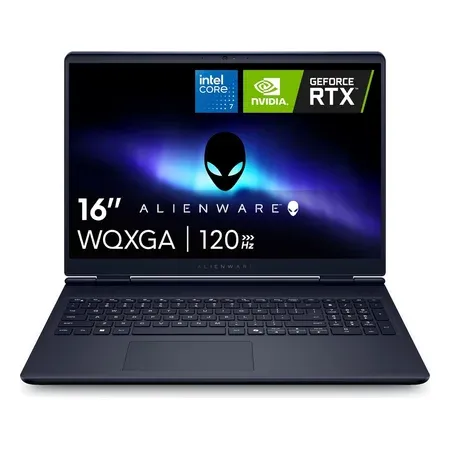
Quiet on a budget
Alienware 16 Aurora, RTX 5060
RTX 5060 capped at 85 W, Core 7 240H, Stealth Mode, 16-inch 2560x1600 120 Hz, 96 Wh. $1,339.99 sold by Amazon on Nov 20.
Quiet with an OLED: Alienware 16X Aurora
The 16X Aurora adds a 240 Hz OLED and a higher 115 W GPU limit, with the same F7 Stealth Mode to drop into Quiet Mode. The RTX 5060 version was $1,699.99 on Amazon.
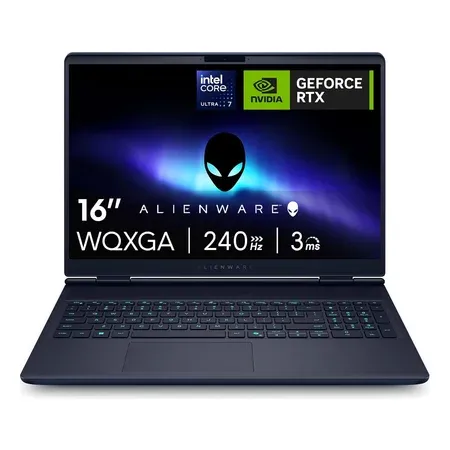
Quiet with a 240 hz OLED
Alienware 16X Aurora, RTX 5060
Stealth Mode quiet profile, RTX 5060 up to 115 W, Core Ultra 7 270HX Plus, 16-inch 240 Hz OLED. $1,699.99 sold by Amazon on Nov 20.
Quietest for everyday use: ASUS ROG Zephyrus G16 (2026)
For a laptop that’s silent when you’re not gaming, ASUS’s 0dB Ambient Cooling switches all fans off during light work in Silent mode. ASUS says that mode keeps fan noise under 35 dBA for simple tasks and turns the fans back on only when temperatures rise. The G16 uses a vapor chamber, three fans and liquid metal, and the efficient Core Ultra 9 386H.
Quietest at the high end: Alienware Area-51
If you need an RTX 5080 or 5090, a big cooler helps more than anything. Dell says the Area-51’s directional airflow makes it up to 15% quieter. It uses quad fans, up to 7 heat pipes and a vapor chamber 4x larger on the 18-inch model. Expect any 175 W laptop to be loud in its top mode; run it in a balanced or quiet profile with a frame cap.
How to Make Any Gaming Laptop Quieter
- Use the quiet or silent fan profile in your maker’s app (Armoury Crate, Alienware Command Center, Legion Space, OMEN Gaming Hub). You often lose only a few percent of frames.
- Cap your frame rate at your screen’s refresh rate or lower, with Nvidia’s frame limiter or in-game settings. The GPU stops rendering frames you can’t see.
- Turn on DLSS. Rendering fewer pixels means less heat for the same frame rate.
- Undervolt if your laptop allows it, to cut heat at the same clock speed.
- Raise the back of the laptop and keep the intake vents clear. Never game on a bed or sofa.
- Clean the fans every year or two. Dust buildup makes fans spin faster.
Quiet Gaming Laptop FAQ
What is the quietest gaming laptop?
Among laptops with independent gaming noise measurements, the ASUS TUF Gaming A18 (2025) with an RTX 5070, at about 33 dB(A) in Silent mode while running Cyberpunk 2077 at Ultra.
Why are gaming laptops so loud?
They move 100–300 W of heat out of a thin chassis, which takes fast fans. Performance and Turbo modes push power, and fan speed, as high as they go.
Does silent mode hurt gaming performance?
Less than you’d think. In independent testing of the TUF A18, Silent mode delivered about 96% of Turbo’s frame rate at a fraction of the noise.
Is a thin gaming laptop quieter?
Not necessarily. Thin laptops have smaller fans that spin faster. Lower-power thin models, like 60 W RTX 5070 versions, are quieter because they make less heat.
How loud is a gaming laptop in dB?
Roughly 33–45 dB(A) in quiet or balanced modes and 50–55 dB(A) or more in turbo modes while gaming, depending on the model.




