
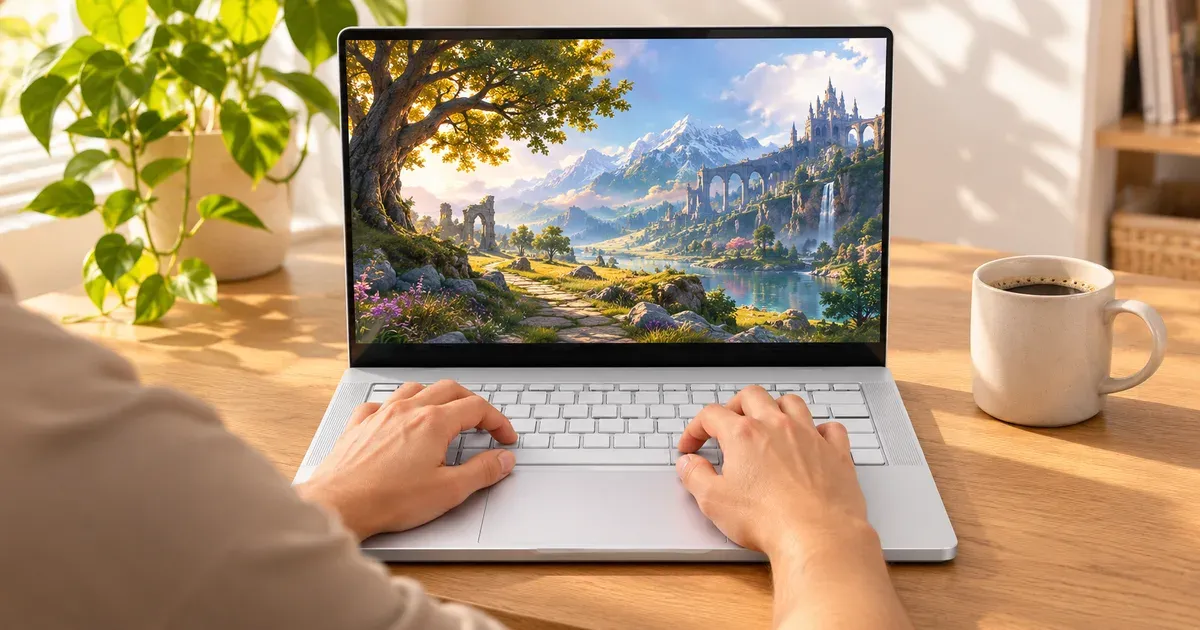
The short answer: the Zephyrus G14 is still the best 14-inch gaming laptop, but the 2026 Intel model is only worth it if you need an RTX 5070 Ti or 5080 in a 3.3 lb laptop. It packs a 3K 120 Hz OLED, up to an RTX 5080 at 130 W, and a 73 Wh battery into a 14-inch body. The catch is price: the 2026 G14 with an RTX 5070 Ti was $3,599.99 at the ASUS Store on November 20, 2026, and its memory is soldered. If an RTX 5060 or 5070 is enough, a discounted 2025 G14 or the 2026 AMD version is the smarter buy.
Prices checked November 20, 2026, at the ASUS Store.
2026 Zephyrus G14 Versions
ASUS split the 2026 G14 into two models. Check the model number before you buy.
| G14 (2026) GU405, Intel | G14 (2026) GA403, AMD | |
|---|---|---|
| CPU | Intel Core Ultra 9 386H (16 cores) | AMD Ryzen AI 9 465 (10 cores) |
| GPU (max power, Manual mode) | RTX 5060 115 W, 5070 115 W, 5070 Ti 130 W, 5080 130 W | RTX 5060 only, 100 W |
| Display | 14” 2880x1800 OLED, 120 Hz, G-Sync | 14” 2880x1800 OLED, 120 Hz |
| MUX switch | Yes + Advanced Optimus | Yes + Advanced Optimus |
| Memory | 32 or 64 GB LPDDR5X-8533, soldered | 32 GB LPDDR5X-7500, soldered |
| SSD slots | 1 M.2 (single-sided drives only) | 1 M.2 |
| Battery | 73 Wh | 73 Wh |
| Charger | 250 W barrel; USB-C PD | 200 W barrel; USB4 PD |
| Weight | 3.31–3.48 lb | 3.31 lb |
| ASUS Store, Nov 20 | GU405AR-XB96 (RTX 5070 Ti, 32 GB): $3,599.99; RTX 5080 adds $1,200 | — |
In Turbo mode the GU405’s GPU runs at 105–115 W; the 130 W figure needs Manual mode in Armoury Crate.
Is It Worth the Price?
| Laptop | GPU | Price on Nov 20, 2026 |
|---|---|---|
| Zephyrus G14 (2026) GU405 | RTX 5070 Ti | $3,599.99 (ASUS Store) |
| Zephyrus G14 (earlier model) | — | $2,349.99 sale (ASUS Store) |
| Razer Blade 16 (2026) | RTX 5070 Ti | $3,499.99 (Amazon) |
| Zephyrus G16 (2026) | RTX 5070 Ti | $3,699.99 (ASUS Store) |
For $100 less, the Razer Blade 16 gives you a bigger 240 Hz OLED with the same GPU class. The G14’s case is its size: nothing else puts an RTX 5070 Ti in a 14-inch, 3.3 lb laptop you can charge over USB-C.
Best 14-inch gaming laptop
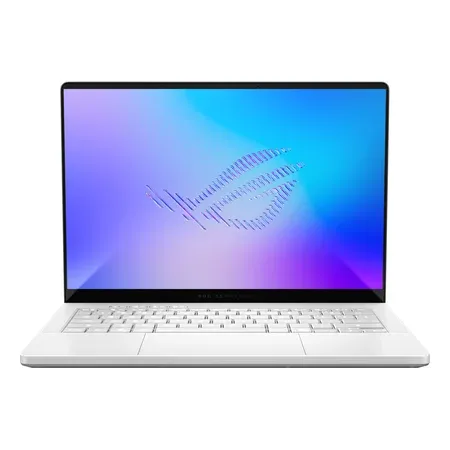
ASUS ROG Zephyrus G14 (2026) GU405AR-XB96
Core Ultra 9 386H, RTX 5070 Ti (130 W Manual), 32 GB soldered, 3K 120 Hz OLED, 73 Wh. $3,599.99 at ASUS on Nov 20, 2026.
Amazon’s 2026 G14 listings on November 20 were all from third-party resellers at or above ASUS’s price, so the box links to the ASUS Store.
What Owners Say
Recurring themes from G14 owners on Reddit, ASUS’s ROG forums and retailer reviews:
- Fans under load. The fans get loud while gaming, even in Performance mode; Turbo adds noise for a small gain. Many owners install the open-source G-Helper to set quieter fan curves.
- Armoury Crate. Some 2025 owners reported freezes and blue screens when the laptop switched GPUs automatically, and MUX switching problems. Setting the GPU mode manually, or using G-Helper, are the usual workarounds.
- Coil whine. Some units whine faintly under load or when charging stops at an 80% limit; ASUS’s position is that some coil whine is normal.
- Praise: the size, the OLED, the build, and battery life for a gaming laptop.
Soldered RAM and Other Trade-Offs
- Buy the memory you’ll need. ASUS’s spec page says “no expansion possible.” 32 GB is enough for gaming in 2026.
- One SSD slot, and ASUS specifies single-sided drives.
- 120 Hz. The OLED is sharp and fast, but esports players who want 240 Hz should look at the 16-inch G16.
Free Accident Coverage
Like other new ASUS laptops in the US, the G14 gets one year of free accidental damage protection if you register it with ASUS within 60 days. Laptops bought at Best Buy, refurbished or open-box don’t qualify. One claim per year. See gaming laptop warranties by brand.
Who Should Buy a Zephyrus G14
- Buy the 2026 GU405 if you want the fastest 14-inch gaming laptop and will pay for an RTX 5070 Ti or 5080.
- Buy a discounted 2025 G14 or the 2026 GA403 if an RTX 5060 or 5070 is enough. Check the exact model number and GPU on the listing.
- Skip it if you want 240 Hz, upgradeable RAM or the most performance per dollar; a 16-inch laptop gives you all three.
More options: Zephyrus G14 vs. Razer Blade 14 and are Razer Blade laptops worth it?
Zephyrus G14 FAQ
Is the Zephyrus G14 good for gaming?
Yes. The 2026 GU405 runs up to an RTX 5080 at 130 W in Manual mode, and the 3K 120 Hz OLED suits single-player games well.
Can you upgrade the RAM in the Zephyrus G14?
No. The 2026 G14’s LPDDR5X memory is soldered, and ASUS says no expansion is possible. You can replace the single M.2 SSD with a single-sided drive.
Is the 2026 G14 Intel or AMD?
Both. The GU405 uses an Intel Core Ultra 9 386H with up to an RTX 5080; the GA403 uses an AMD Ryzen AI 9 465 with an RTX 5060 only.
Can the Zephyrus G14 charge over USB-C?
Yes. It ships with a 250 W (Intel) or 200 W (AMD) barrel charger, but also charges over USB-C, which is handy for travel at lower power.
How heavy is the Zephyrus G14?
The 2026 models weigh 3.31 to 3.48 lb (1.50 to 1.58 kg), depending on configuration.




