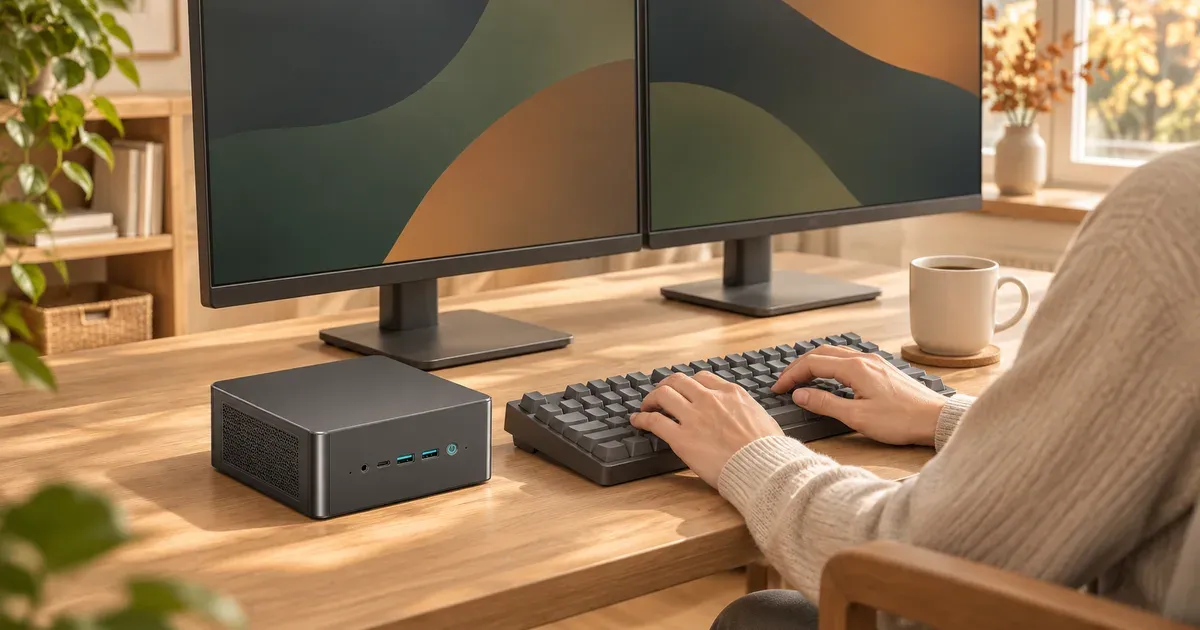
The short answer: the Mac mini M6 with 24GB of memory is the best mini PC for programming, if you’re happy on macOS. It was $1,199 on Amazon on November 22, 2026 ($1,299 at Apple). Its 12-core CPU is fast for web, mobile and backend work, it’s nearly silent, and it’s the only way to build iOS and macOS apps with Xcode. Get 24GB instead of the 16GB base model: Docker, an IDE, a database and a browser fill 16GB quickly, and Mac memory can’t be added later.
For Windows or Linux, the Minisforum UM890 Pro ($1,009 with 32GB and 1TB) is the balanced pick, with RAM slots up to 96GB and four-display support. If you compile big codebases or run several VMs, the Minisforum MS-A2 has a 16-core, 32-thread Ryzen 9 9955HX. On a budget, the GMKtec M6 Ultra is $679.99 with 32GB and 1TB. For a business-grade Intel box, the ASUS NUC 16 Pro (up to Core Ultra X9, two 2.5GbE ports, up to 128GB on its socketed-RAM models, 3-year warranty) is covered in the best Intel mini PCs.
Programming Mini PCs Compared
| Mini PC | CPU | Cores / threads | RAM | Displays | Price, Nov. 22 |
|---|---|---|---|---|---|
| Mac mini M6 (24GB) | Apple M6 | 12 cores | 24GB unified (32GB max) | 3 | $1,199 (Amazon) |
| Minisforum UM890 Pro | Ryzen 9 8945HS | 8 / 16 | 32GB DDR5, 96GB max | 4 | $1,009 (Amazon) |
| Minisforum MS-A2 | Ryzen 9 9955HX | 16 / 32 | 32GB DDR5, 96GB max | 3 outputs | $1,329 (Amazon) |
| GMKtec M6 Ultra | Ryzen 5 7640HS | 6 / 12 | 32GB DDR5, 128GB max | 3 | $679.99 (Amazon) |
| Framework Desktop | Ryzen AI Max+ 395 | 16 / 32 | 64 or 128GB, soldered | 4 | $1,959 (64GB DIY, frame.work) |
Best Overall: Mac mini M6 (24GB)
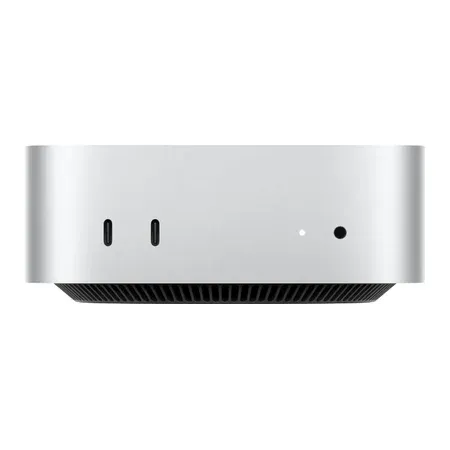
Best mini PC for programming
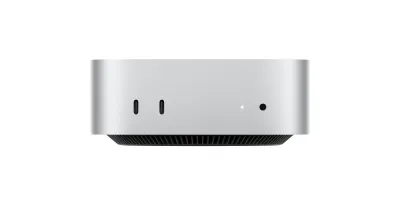
Apple Mac mini (2026), M6, 24GB, 512GB
12-core M6, 24GB unified memory, 512GB SSD, three Thunderbolt 4 ports, 2.5Gb Ethernet and Wi-Fi 7. $1,199 on Amazon.
The M6’s CPU has 12 cores (two of Apple’s new “super” cores, four performance and six efficiency cores). macOS gives you a Unix shell, Homebrew and native ARM builds of most developer tools, and Xcode for Apple platforms. The Mac mini has 2.5Gb Ethernet, Wi-Fi 7, three Thunderbolt 4 ports and support for three displays.
Two things to plan around. Docker on a Mac runs Linux containers in a VM, and x86-only images run under emulation, which is slower. And the 512GB SSD fills up with containers, simulators and node_modules, so consider 1TB when you configure it at Apple. The M5 Pro model ($1,549 on Amazon) adds three CPU cores and 307GB/s of memory bandwidth for heavy builds.
Best for Windows and Linux: Minisforum UM890 Pro
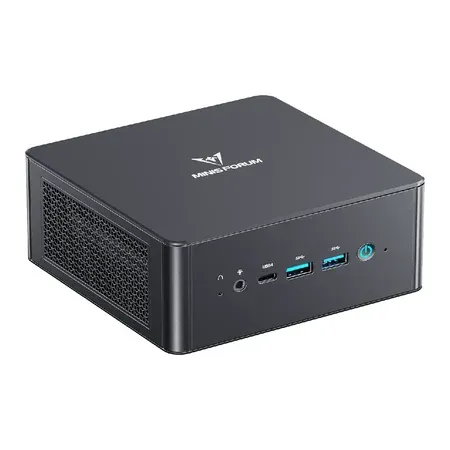
Best for windows and linux
Minisforum UM890 Pro, Ryzen 9 8945HS, 32GB, 1TB
8-core Ryzen 9 8945HS, two SO-DIMM slots up to 96GB, two M.2 slots, two 2.5GbE, four-display support. $1,009.
The UM890 Pro is a good all-round dev box. Its 8-core, 16-thread Ryzen 9 8945HS runs Linux or WSL builds well, its two SO-DIMM slots take 96GB for VMs and Docker, and two M.2 slots let you dual-boot Windows and Linux from separate drives. It drives four displays through two USB4 ports, HDMI 2.1 and DisplayPort 1.4, and has two 2.5GbE ports. The barebone version (no RAM, SSD or OS) is $463 on Amazon.
Best for Big Builds and VMs: Minisforum MS-A2
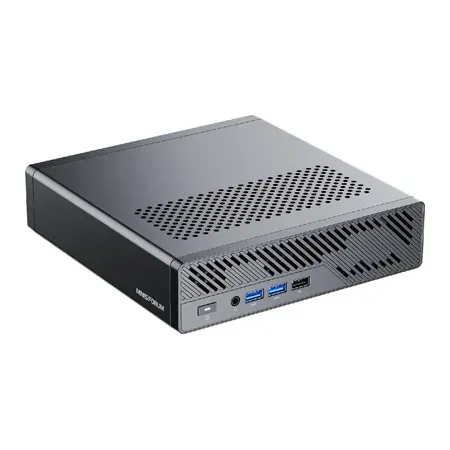
Best for compiling and VMs
Minisforum MS-A2, Ryzen 9 9955HX, 32GB, 1TB
16 cores and 32 threads, 96GB RAM ceiling, three M.2 slots, 2x 10G SFP+ and 2x 2.5GbE. $1,329 on Amazon.
Compile times scale with cores, and the MS-A2’s Ryzen 9 9955HX has 16 full Zen 5 cores. It’s also a good host for Kubernetes clusters and VMs, with 96GB of RAM capacity, three M.2 slots and 10G networking. Its graphics are a basic two-CU Radeon 610M, which is fine for an IDE and terminals on up to three outputs but not for GPU work.
Best Budget: GMKtec M6 Ultra
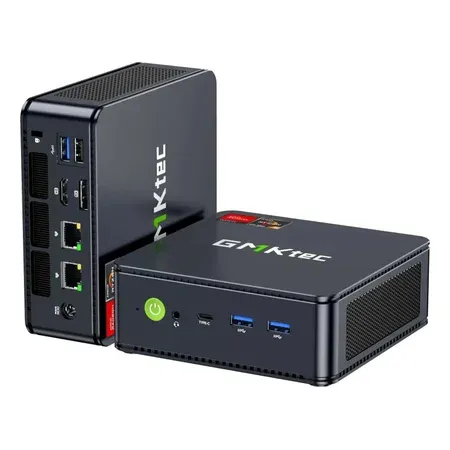
Best budget dev box
GMKtec M6 Ultra, Ryzen 5 7640HS, 32GB DDR5, 1TB SSD
6-core Ryzen 5 7640HS, two SO-DIMM slots up to 128GB, two M.2 slots, USB4 and dual 2.5GbE. $679.99.
The M6 Ultra has a 6-core, 12-thread Ryzen 5 7640HS, 32GB of DDR5 in two slots (GMKtec rates it for 128GB), two M.2 slots, USB4, HDMI 2.0, DisplayPort and two 2.5GbE ports. It drives three displays. It’s plenty for web development, scripting and a few containers. GMKtec’s warranty is the shortest here: 1 year on the whole unit plus 2 years on RAM, SSD and adapter.
For Linux and Local AI Work: Framework Desktop
The Framework Desktop is a 4.5-liter Mini-ITX machine with a 16-core Ryzen AI Max+ 395 and up to 128GB of soldered memory. It suits developers who run local models next to their code. The 64GB DIY Edition is $1,959 on frame.work, sold in pre-order batches. See the best mini PCs for running local LLMs.
What Matters for Programming
RAM before CPU. An IDE, a browser, Docker and a database use more memory than CPU. Buy 24GB or more on a Mac, 32GB on a Windows or Linux box, and 64GB or more if you run VMs or local models.
Cores for builds. Compiling C++, Rust or large Java projects scales with cores. The MS-A2’s 16 cores and the Framework Desktop’s 16 cores are the fastest here.
Displays. Two or three monitors are normal for developers. Every pick drives at least three; the UM890 Pro and Framework Desktop drive four.
Your target platform. iOS and macOS development needs a Mac. Linux server work is simplest on x86 Linux. Windows and .NET work runs on any of the PCs.
Programming Mini PC FAQ
What is the best mini PC for programming?
The Mac mini M6 with 24GB ($1,199 on Amazon on November 22, 2026). On Windows or Linux, the Minisforum UM890 Pro ($1,009 with 32GB and 1TB).
Is 16GB of RAM enough for programming?
For web development without Docker, yes. With Docker, VMs or large IDEs, get 24 to 32GB.
Is a Mac mini good for software development?
Yes, and it’s required for iOS and macOS apps. x86-only Docker images run under emulation on Apple silicon, which is slower than on an x86 mini PC.
What’s the best mini PC for compiling code?
The Minisforum MS-A2 with the 16-core Ryzen 9 9955HX ($1,329 with 32GB and 1TB on Amazon).
Can I run Linux on these mini PCs?
Yes. The Minisforum, GMKtec and Framework machines use standard x86 hardware. The Mac mini runs macOS only. See the best mini PCs for Linux.