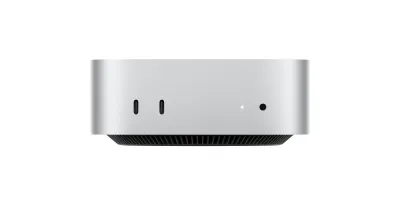
The short answer: the System76 Meerkat is the best mini PC for Linux if you want it to work out of the box, and the ASUS NUC 15 Pro is the best one to install Linux on yourself. The Meerkat ships with Pop!_OS 24.04 or Ubuntu 24.04 installed, from a company that supports Linux on its own hardware; it was $949 on System76’s site on November 22, 2026 (down from $999 through November 23).
If you install Linux yourself, pick a mini PC whose Wi-Fi and Ethernet are Intel parts. The NUC 15 Pro’s Intel Core Ultra chip, Intel I226 2.5GbE and Intel Wi-Fi 7 card all use drivers that ship in the mainline Linux kernel. The Core Ultra 7 255H model with 32GB and 1TB was $1,359.99 on Amazon on November 22, 2026, and ASUS covers its NUCs for 3 years.
For more performance per dollar, the Minisforum UM890 Pro (Ryzen 9 8945HS, $1,009 with 32GB and 1TB) uses AMD graphics with open-source drivers. For a cheap always-on Linux server, the Beelink EQ14 ($379) has an Intel N150, Intel Wi-Fi and two Intel 2.5GbE ports. If you want Linux preinstalled, Beelink sells its SER9 Pro HX 370 with Ubuntu, and Framework sells its newest Framework Desktop prebuilt with Fedora.
Linux Mini PCs Compared
| Mini PC | CPU / GPU | Ethernet | Wi-Fi | RAM | Price, Nov. 22 |
|---|---|---|---|---|---|
| System76 Meerkat | Core 3 100U to Core Ultra 7 255H | up to 2x Intel 2.5GbE | Wi-Fi 7 | up to 96GB, 2 slots | $949 (System76) |
| ASUS NUC 15 Pro (255H) | Core Ultra 7 255H / Arc 140T | Intel I226 2.5GbE | Intel BE201 (Wi-Fi 7) | 32GB, 2 slots, 96GB max | $1,359.99 (Amazon) |
| Minisforum UM890 Pro | Ryzen 9 8945HS / Radeon 780M | 2x 2.5GbE | Wi-Fi 6E | 32GB, 2 slots, 96GB max | $1,009 (Amazon) |
| Beelink EQ14 | Intel N150 | 2x Intel I226-V 2.5GbE | Intel AX101 (Wi-Fi 6) | 16GB, 1 slot | $379 (Amazon) |
| Beelink SER9 Pro HX 370 (Ubuntu) | Ryzen AI 9 HX 370 / Radeon 890M | 2.5GbE | Wi-Fi 6 | 32GB soldered | $1,169 (Beelink) |
| Framework Desktop | Ryzen AI Max+ 395 / Radeon 8060S | 5GbE | Wi-Fi 7 (AMD RZ717) | 64 or 128GB soldered | $1,959 (64GB DIY) |
Best With Linux Preinstalled: System76 Meerkat
System76 builds Linux computers and its own Linux distribution, Pop!_OS, and the Meerkat is its mini PC. It ships with Pop!_OS 24.04 LTS (with the COSMIC desktop) or Ubuntu 24.04 LTS, with drivers already set up. CPU options are the Core 3 100U, Core Ultra 5 225H, Core 7 240H and Core Ultra 7 255H. It takes up to 96GB of DDR5 in two slots and has two M.2 slots (one is PCIe 5.0 on the Core Ultra models), for up to 16TB. It takes 4.5 inches square of desk space and comes with a VESA mount. As on other Intel mini PCs, Arc graphics need both memory slots filled.
System76 offers 1-, 2- or 3-year warranties, a 30-day return window and support from its own staff. It sells the Meerkat only on system76.com, where it was $949 on November 22, 2026, a holiday price that System76 says runs through November 23.
Best to Install Linux Yourself: ASUS NUC 15 Pro
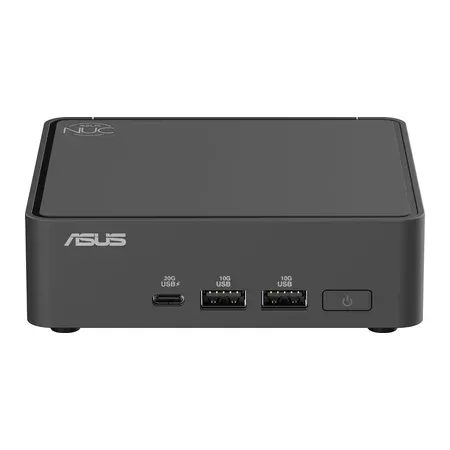
Best to install linux yourself
ASUS NUC 15 Pro, Core Ultra 7 255H, 32GB, 1TB (NUC15CRHU7)
Intel CPU, graphics, 2.5GbE and Wi-Fi 7 throughout, two Thunderbolt 4 ports and a PCIe 5.0 SSD slot. $1,359.99.
The NUC line (Intel’s until ASUS took it over in 2024) has long been the default Linux mini PC because everything inside is Intel. The NUC 15 Pro uses an Intel I226-V 2.5GbE controller (I226-LM on vPro models) and an Intel BE201 or BE202 Wi-Fi 7 card. It has two Thunderbolt 4 ports, two HDMI 2.1 ports, two SO-DIMM slots (96GB max) and an M.2 2280 slot that runs at PCIe 5.0 with Core Ultra chips, plus an M.2 2242 slot.
The listing above is the tall NUC15CRH chassis, sold by a third-party seller. ASUS’s own store lists NUC 15 Pro models starting at $579. Note that Intel Arc graphics need both memory slots filled; with one stick, the iGPU runs as basic “Intel Graphics.”
Best AMD Pick: Minisforum UM890 Pro
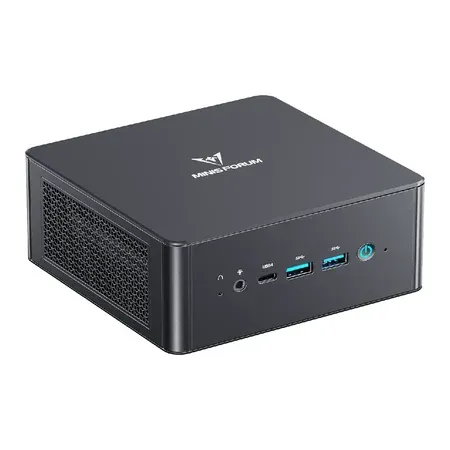
Best AMD mini PC for linux
Minisforum UM890 Pro, Ryzen 9 8945HS, 32GB, 1TB
8-core Ryzen 9 8945HS with Radeon 780M, two M.2 slots for dual-boot, two 2.5GbE, OCuLink and four-display support. $1,009.
AMD’s Radeon graphics use the open-source amdgpu and Mesa drivers that ship with every major distribution, so the UM890 Pro’s Radeon 780M works without proprietary drivers. Its two M.2 slots make it easy to keep Windows on one drive and Linux on the other. It has two USB4 ports, HDMI 2.1, DisplayPort 1.4 and an OCuLink port. Its Wi-Fi card sits in a standard M.2 2230 slot, so you can swap in an Intel card if the stock card gives you trouble.
Best Cheap Linux Server: Beelink EQ14
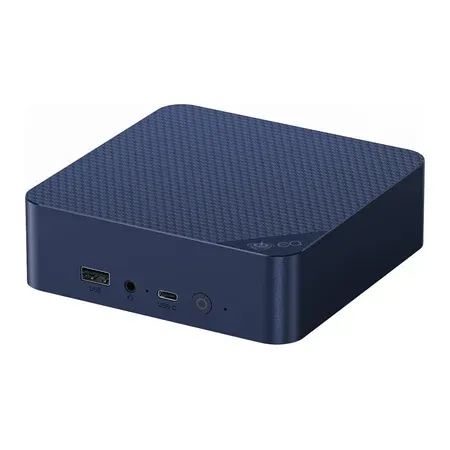
Best cheap linux server
Beelink EQ14 Mini PC, Intel N150, 16GB DDR4, 500GB SSD
Intel N150 with Intel AX101 Wi-Fi and two Intel I226-V 2.5GbE ports. Built-in power supply. $379 on Amazon.
For a home server, a NAS head, a Docker host or a Pi-hole, the EQ14 is the low-risk choice: Intel CPU, Intel AX101 Wi-Fi and two Intel I226-V Ethernet ports. It has two M.2 slots, 16GB of RAM (Intel’s limit for the N150) and Beelink’s 3-year warranty.
Best Sold With Ubuntu: Beelink SER9 Pro HX 370
Beelink sells the SER9 Pro with the Ryzen AI 9 HX 370 only as an “OpenClaw & Local LLM” listing that ships with Ubuntu, or Ubuntu plus Windows. It has 32GB of soldered LPDDR5X, two M.2 PCIe 4.0 slots, USB4, HDMI and DisplayPort, and a 2.5GbE port. It was $1,169 with 1TB on Beelink’s store. Beelink sells several of its 2026 models this way, as separate Ubuntu listings.
Best for Linux Power Users: Framework Desktop
The Framework Desktop is a 4.5-liter Mini-ITX PC with a Ryzen AI Max+ 395, 5GbE, two USB4 ports and up to 128GB of soldered memory. Framework sells its new Max+ PRO 495 version as a prebuilt with Fedora 44 installed, which tells you who it’s for. AMD’s ROCm documentation for these Strix Halo chips calls for Linux kernel 6.18.4 or later (or the Ubuntu kernels it lists) to use the large GPU memory settings, so run a current distribution. The 64GB DIY Edition is $1,959 on frame.work.
What Matters for Linux
Wi-Fi and Ethernet chips. These cause most Linux problems on cheap mini PCs. Intel Wi-Fi cards (AX101, AX200, AX210, BE200, BE201) and Intel I226 Ethernet have mature in-kernel drivers. Check the spec sheet for the exact chip, and prefer Ethernet if the Wi-Fi is an unfamiliar brand.
Graphics. Intel and AMD integrated graphics use open-source drivers that ship with the kernel and Mesa. NVIDIA graphics (in gaming mini PCs) need NVIDIA’s driver.
New chips need new kernels. Brand-new platforms (Ryzen AI Max, Intel Panther Lake) work best on recent kernels. Fedora and Ubuntu’s newest releases get there first; LTS releases can lag.
Secure Boot and BIOS. Most mini PCs ship with Secure Boot on. Mainstream distributions boot with it on; others may need it off.
Linux Mini PC FAQ
What is the best mini PC for Linux?
The System76 Meerkat if you want Linux preinstalled and supported ($949 on November 22, 2026). If you install Linux yourself, the ASUS NUC 15 Pro, because its CPU, graphics, 2.5GbE and Wi-Fi 7 are all Intel parts with mainline drivers. The Core Ultra 7 255H model with 32GB and 1TB was $1,359.99 on Amazon on November 22, 2026.
Do Beelink and Minisforum mini PCs work with Linux?
Yes. They use standard Intel and AMD chips. Check the Wi-Fi card model; if it causes trouble, use Ethernet or swap the M.2 Wi-Fi card. Beelink also sells some models with Ubuntu installed.
Is AMD or Intel better for Linux on a mini PC?
Both work well. Intel mini PCs more often use Intel Wi-Fi and Ethernet. AMD’s Radeon graphics have strong open-source drivers.
Which mini PCs come with Linux preinstalled?
System76 sells the Meerkat with Pop!_OS or Ubuntu. Beelink sells Ubuntu “OpenClaw” versions of the SER9 Pro, SER9 Max, SER10 Max, GTi14 Ultra, GTi15 Ultra and GTR9 Pro. Framework sells the Framework Desktop PRO 495 prebuilt with Fedora 44.