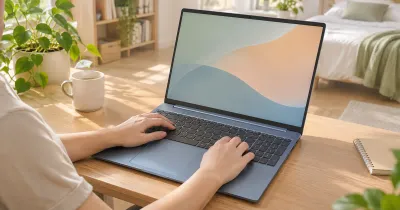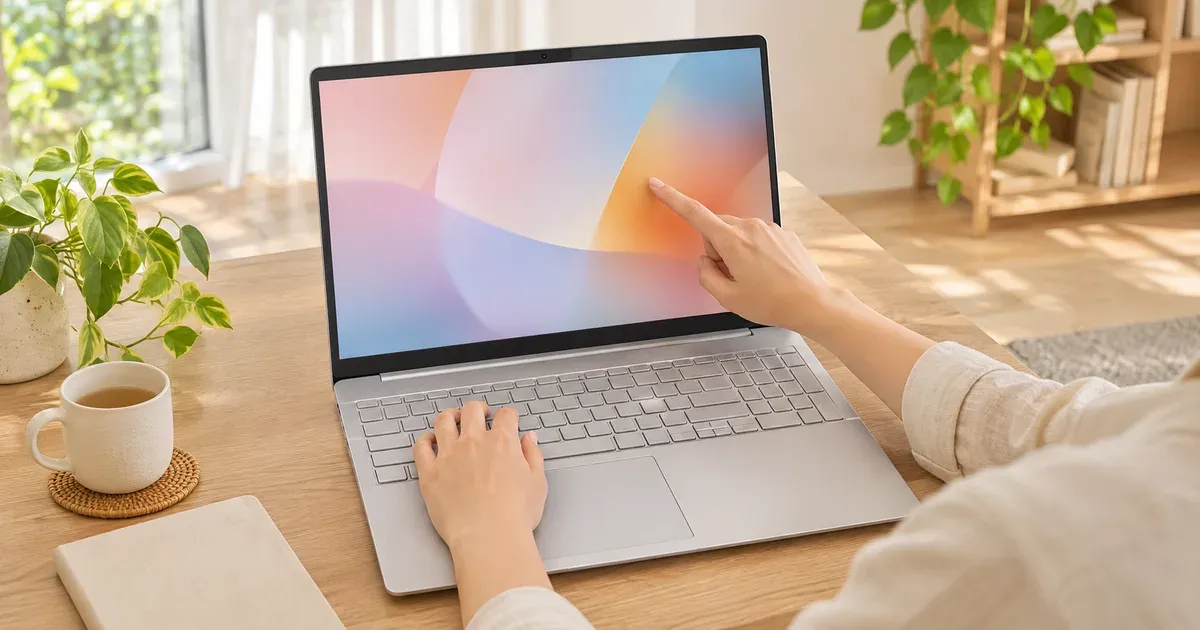
The best budget touchscreen laptop is the HP OmniBook 3 16 (16-bv0099nr) at $649 on Amazon: a 16-inch 1920x1200 touchscreen, a Ryzen AI 5 430, 16GB, 512GB and a backlit keyboard. Under $500, the Lenovo IdeaPad Slim 3i Gen 10 (83K4000QUS) has a 15.3-inch touchscreen for $499.99 on lenovo.com, with a free memory slot. For the best touch display at a budget price, the Dell XPS 13 at $549.99 on dell.com has a 13.4-inch 2560x1600, 500-nit, 120Hz touchscreen and weighs 2.2 lb. Prices are from November 23, 2026.
Budget Touchscreen Laptops Compared
| Laptop | Touchscreen | CPU | RAM | Storage | Weight | Battery (maker claim) | Backlit | Price (Nov 23, 2026) |
|---|---|---|---|---|---|---|---|---|
| HP OmniBook 3 16 (16-bv0099nr) | 16” 1920x1200 | Ryzen AI 5 430 | 16GB | 512GB | 3.61 lb | up to 19 h 30 min | Yes | $649 (Amazon) |
| Lenovo IdeaPad Slim 3i Gen 10 (83K4000QUS) | 15.3” 1920x1200 IPS, 300 nits | Core 5 210H | 8GB soldered + 1 free SODIMM, max 24GB | 512GB | from 1.59 kg (3.5 lb) | 50 or 60 Wh; 14.5 or 17 h video at 150 nits | Optional | $499.99 (Lenovo) |
| Dell XPS 13 (DX13260) | 13.4” 2560x1600, 500 nits, 30–120Hz | Core 5 320 | 8GB LPDDR5x, fixed | 256GB | 2.2 lb | 52 Wh; up to 20 h | Yes | $549.99 (Dell) |
| Acer Aspire Go 16 (AG16-71PT-783C) | 16” 1920x1200 IPS | Core 7 150U | 16GB DDR5 | 512GB | — | — | — | $699 (Amazon) |
| Microsoft Surface Laptop 13-inch (1st Ed.) | 13” 1920x1280 | Snapdragon X Plus (8-core) | 8GB, fixed | 256GB UFS | 2.7 lb | up to 23 h local video | — | $699.99 (Amazon), $849.99 (Microsoft) |
| Acer Chromebook Plus 514 (CB514-5HT-33RD) | 14” WUXGA IPS, matte | Core i3-1315U | 8GB LPDDR5 | 256GB SSD | — | up to 17 h | Yes | $499.99 (Amazon) |
What to Check in a Budget Touchscreen
- Brightness and finish. Touchscreens are usually glossy and reflect light. 300 nits is the floor for indoor use; the XPS 13’s 500 nits copes better near windows.
- Hinge. A regular clamshell tips back when you tap the top of the screen. If you’ll touch it a lot or use a pen, see best budget 2-in-1 laptops.
- Memory. Touch adds nothing to performance. Pick 16GB or a model with a free slot.
- Windows on Arm. The Surface Laptop runs Snapdragon. Microsoft says games with kernel anti-cheat, some antivirus and devices without Arm64 drivers won’t work.
1. HP OmniBook 3 16 (16-bv0099nr): Best Budget Touchscreen Laptop
This fixed-configuration OmniBook 3 has a 16-inch 1920x1200 touchscreen, AMD’s Ryzen AI 5 430 (a 50 TOPS NPU, so it’s a Copilot+ PC), 16GB, a 512GB SSD and a backlit keyboard. HP’s listing claims up to 19 hours 30 minutes and lists an FHD camera with HDR. It weighs 3.61 lb. It was $649 sold by Amazon.
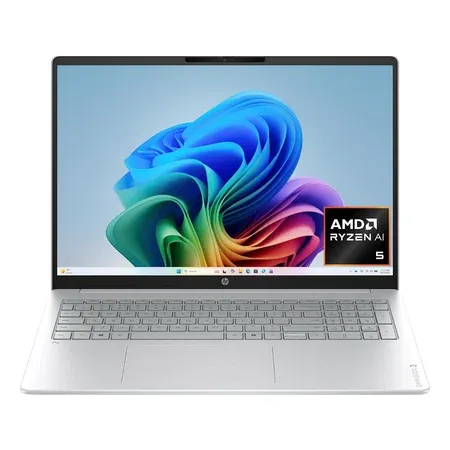
Best budget touchscreen laptop
HP OmniBook 3 16 Touch (Ryzen AI 5 430, 16GB, 512GB)
16-inch 1920x1200 touchscreen, backlit keyboard, HP claims up to 19 h 30 min. $649 sold by Amazon on November 23, 2026.
2. Lenovo IdeaPad Slim 3i Gen 10: Best Touchscreen Under $500
The 83K4000QUS has a 15.3-inch 1920x1200 touchscreen at 300 nits and a Core 5 210H. Its 8GB is soldered, but there’s a free DDR5 SODIMM slot (24GB maximum per Lenovo’s PSREF). Lenovo quotes 14.5 hours of video for the 50 Wh battery and 17 hours for the 60 Wh one, at 150 nits. It was $499.99 on lenovo.com (Lenovo’s “Est Value” of $999.99 isn’t a real list price). Some retailer versions of the Slim 3 ship in Windows 11 S mode or with 128GB UFS storage, so check the listing.
3. Dell XPS 13 (DX13260): Best Touchscreen Display
Dell revived the XPS line in 2026, and the base XPS 13 was $549.99 on November 23 (Dell’s “Lowest Price of the Year” tag). Its 13.4-inch 2560x1600 touchscreen reaches 500 nits and varies from 30 to 120Hz. It weighs 2.2 lb, has a 52 Wh battery (Dell claims up to 20 hours) and a backlit keyboard. The trade-offs are 8GB of soldered memory, 256GB of storage and only two Thunderbolt 4 ports.
4. Acer Aspire Go 16 Touch: Best 16GB Touchscreen on Amazon
The AG16-71PT-783C has a 16-inch 1920x1200 IPS touchscreen, a Core 7 150U (a 2024 “Core Series 1” chip, not Core Ultra), 16GB of DDR5 and a 512GB SSD for $699 sold by Amazon. It’s a good fit for families who want a big touchscreen and plenty of memory.
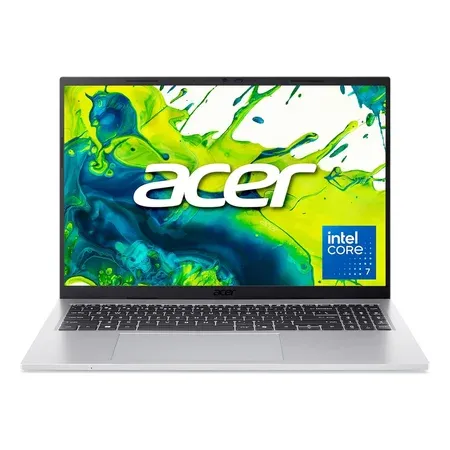
Best 16GB touchscreen on amazon
Acer Aspire Go 16 Touch (Core 7 150U, 16GB, 512GB)
16-inch 1920x1200 IPS touchscreen, 16GB DDR5, 512GB SSD. $699 sold by Amazon on November 23, 2026.
5. Microsoft Surface Laptop 13-inch: Best Premium Feel for Less
The 13-inch Surface Laptop (1st Edition) has a 1920x1280 touchscreen, a Snapdragon X Plus and a 2.7 lb body. Microsoft claims up to 23 hours of local video. The $699.99 Amazon version has 8GB, and Microsoft says Copilot+ PC features need 16GB, so this model doesn’t get them. Microsoft’s own price was $849.99 on sale.
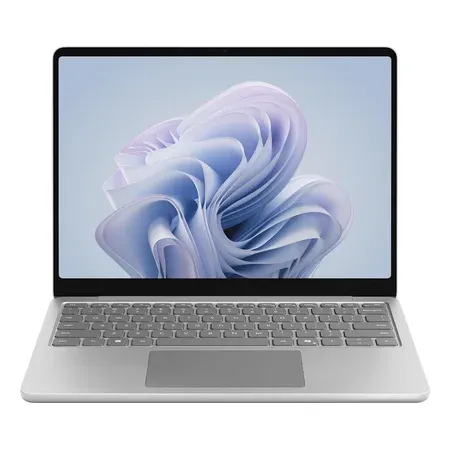
Best premium feel for less
Microsoft Surface Laptop 13-inch (Snapdragon X Plus, 8GB, 256GB)
13-inch 1920x1280 touchscreen, 2.7 lb, up to 23 h video (Microsoft). $699.99 sold by Amazon on November 23, 2026.
6. Acer Chromebook Plus 514: Best Touchscreen Chromebook
The CB514-5HT-33RD has a 14-inch WUXGA matte touchscreen, a Core i3-1315U, 8GB and a 256GB SSD, plus a backlit keyboard. Acer’s listing claims up to 17 hours. Google’s Auto Update Expiration date for the CB514-5HT is June 2033. It was $499.99 sold by Amazon. More options are in best budget Chromebooks.
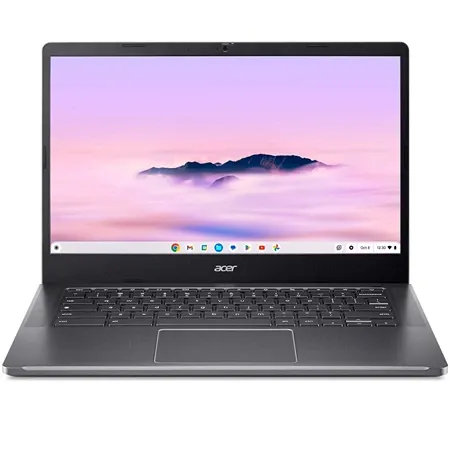
Best touchscreen chromebook
Acer Chromebook Plus 514 (CB514-5HT, Core i3-1315U, 8GB, 256GB)
14-inch WUXGA touch, backlit keyboard, updates to June 2033. $499.99 sold by Amazon on November 23, 2026.
FAQ
Is a touchscreen laptop worth it?
If you scroll, sign documents or zoom photos with your fingers, yes. Most budget touchscreens are glossy, so they reflect more light.
Do touchscreen laptops have worse battery life?
Not noticeably. The processor, screen brightness and battery size matter far more. The XPS 13 touch has a 52 Wh battery and a 20-hour Dell claim.
What’s the cheapest good touchscreen laptop?
The Lenovo IdeaPad Slim 3i Gen 10 at $499.99 on lenovo.com, with a 15.3-inch touchscreen and a free memory slot.
Can I use a pen on a touchscreen laptop?
Only if the maker lists pen support for that model. For pen use, a 2-in-1 is the better choice.
Sources
- HP OmniBook 3 laptops
- Lenovo PSREF: IdeaPad Slim 3 15IRH10R and lenovo.com product page
- Dell XPS 13 DX13260
- Intel Core 7 150U specifications
- Microsoft Surface Laptop 13-inch (1st Edition) and Surface Laptop store page (Copilot+ footnote)
- Google Chromebook Auto Update policy
- Microsoft: Windows Arm-based PCs FAQ