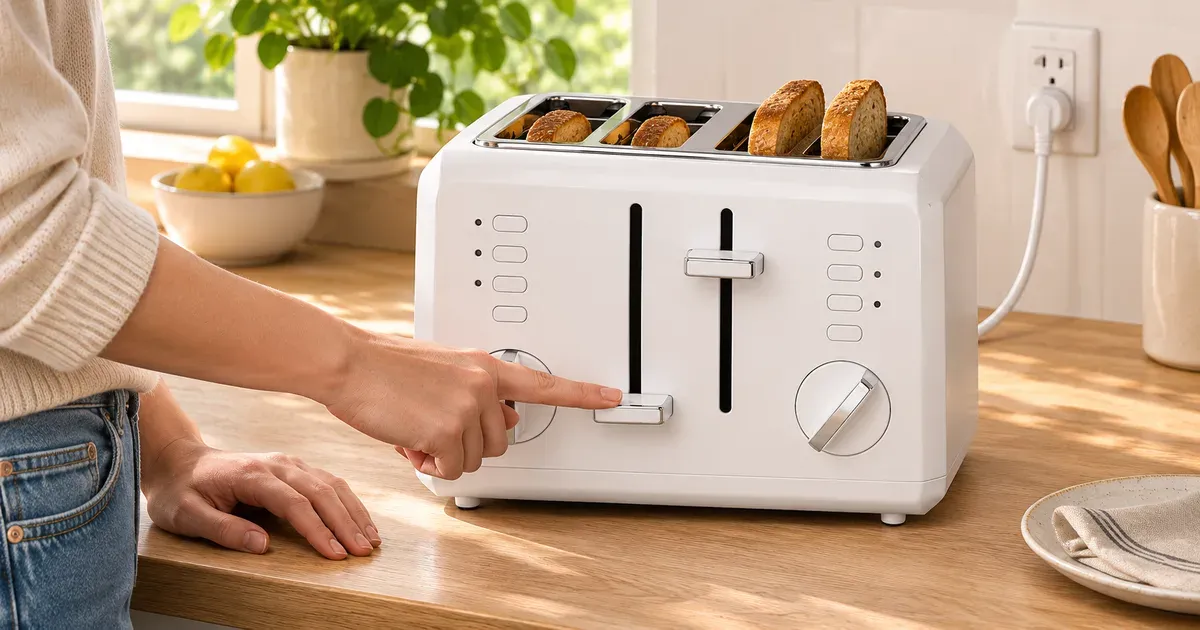
The short answer: check power first. On many toasters the lever is held down electrically, so it won’t latch unless the toaster is plugged into a live outlet. Hamilton Beach’s manual says it plainly: “The bread lifter will not latch down unless the toaster is plugged in.” If the outlet works, unplug the toaster, let it cool, empty the crumb tray and shake out crumbs or stuck food. If the lever still won’t hold, the latch or the part that holds it has failed, and it’s a warranty or replacement job.
Step-by-Step Fix
- Make sure the outlet has power. Plug a lamp or phone charger into the same outlet. Kitchen counter outlets are GFCI-protected; if the GFCI has tripped, press its RESET button (on that outlet or another one on the same circuit). Check the breaker panel too.
- Plug the toaster in directly, not through a power strip or timer. Hamilton Beach’s manual says its toaster “is not intended to be operated by means of an external timer or separate remote control system.”
- Unplug and let it cool. Hamilton Beach and Breville both say not to dislodge food while the toaster is plugged in.
- Empty the crumb tray. Drop down or slide out the tray, discard the crumbs, and replace it. Breville says not to use the toaster without the crumb tray in place.
- Turn the toaster upside down over a trash can and shake. Both Hamilton Beach and Breville give this step for crumbs and food lodged in the slots. Never poke inside with a knife or fork: Breville warns that metal utensils can “damage the heating elements as well as lead to electrocution.”
- Check the bread. Breville says bread shouldn’t be “so thick or long that it will jam or wedge the bread carriage” or stick up above the slots. Try the lever with the slots empty.
- Try the lever again, plugged in, with the slots empty. If it now holds, crumbs, food or the bread size were the problem.
If the lever still springs back up on a working outlet with nothing in the slots, the latch mechanism has failed. Don’t open the toaster: makers say repairs must be done by the manufacturer or a qualified service agent.
Motorized Toasters With No Lever
Breville’s Die-Cast Smart Toasters (BTA820, BTA830, BTA840), Cuisinart’s CPT-525 and CPT-545 and Revolution’s R180 Connect Plus lower the bread with a motor. If one of these won’t lower or stops partway:
- Breville Die-Cast: if bread jams, “all the buttons and the LED toasting progress indicator will flash and the elements will turn off.” Unplug the toaster, let it cool completely, then carefully ease the bread out.
- Breville, carriage stuck down mid-cycle: pressing TOAST|CANCEL cancels the cycle and moves the carriage to the raised position.
- Revolution: check the bread thickness; its manuals say not to toast food more than 1 inch thick.
Common Causes at a Glance
| Symptom | Likely cause | Fix |
|---|---|---|
| Lever won’t latch at all, no heat | No power: unplugged, tripped GFCI or breaker, bad outlet | Test the outlet; reset the GFCI or breaker |
| Lever latches only sometimes | Crumbs or debris around the latch | Unplug, cool, empty tray, shake upside down |
| Lever won’t go fully down | Bread too thick or long, or food stuck in the slot | Try with empty slots; use thinner slices |
| Lever pops up early or won’t hold on a working outlet | Failed latch or holding mechanism | Warranty claim or replace |
| Toaster trips the GFCI when you press the lever | Leakage to ground: crumbs, moisture or a damaged cord | Clean and dry it; if it keeps tripping, stop using it |
For breaker trips with other appliances running, see toaster and microwave on the same circuit.
Warranty or Replace?
| Brand | US toaster warranty |
|---|---|
| Cuisinart | 3-year limited |
| Black+Decker | 2-year limited |
| Revolution | 2-year limited (authorized sellers only) |
| Breville | 1-year limited |
| KitchenAid | 1-year, Hassle-Free Replacement |
| Hamilton Beach | 1-year; owner pays shipping both ways |
| Smeg, Dualit, Oster | 1 year |
Inside the warranty period, contact the maker before trying anything beyond cleaning. Several makers replace rather than repair: Oster’s warranty is replacement only, Revolution replaces rather than repairs, and KitchenAid ships a replacement. Dualit’s Classic is the exception built for repair: its elements and timers are sold as spare parts. More in how long a toaster should last.
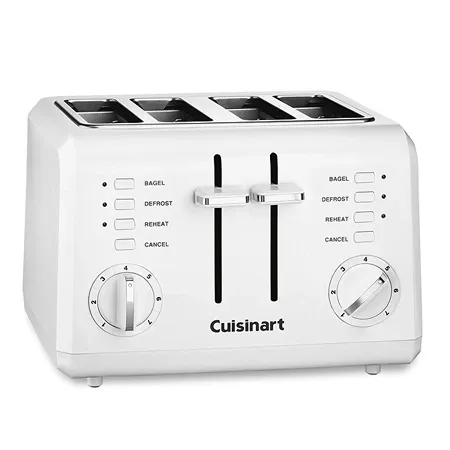
Replacement with a 3-year warranty
Cuisinart CPT-142P1 4-Slice Compact Toaster
Four 1.5-inch slots, two 7-setting dials, bagel, defrost and reheat; Cuisinart's 3-year limited warranty is the longest among current major brands.
Toaster Lever FAQ
Why won’t my toaster lever stay down?
Usually because the toaster has no power: many toasters hold the lever down electrically, and Hamilton Beach’s manual says the lever “will not latch down unless the toaster is plugged in.” Next most common: crumbs or food in the mechanism, or bread that’s too thick.
How do I fix a toaster lever that pops back up?
Test the outlet, reset a tripped GFCI, then unplug the toaster, let it cool, empty the crumb tray and shake it upside down. If the lever still won’t hold on a working outlet with empty slots, the latch has failed.
Can I hold the toaster lever down by hand?
No. A lever that won’t latch is a malfunction, Hamilton Beach says not to operate an appliance after it malfunctions, and Breville not to leave the toaster unattended. The outside also gets hot.
Is it safe to stick a fork in a toaster to fix the lever?
No. Breville and Hamilton Beach both say never to insert utensils; unplug it and shake crumbs or food out instead.
Why does my toaster lever stay down but not heat?
The lever latched but the elements aren’t getting power, or an element has broken. Unplug it and stop using it; that’s a warranty repair or replacement.
Sources
- Hamilton Beach 22633 use and care guide (PDF)
- Breville BTA820/830/840 instruction manual (PDF)
- Revolution Cooking support and R180 Connect Plus manual (PDF)
- Cuisinart CPT-525 Motorized Digital Toaster
- EC&M: kitchen GFCI requirements in the 2023 NEC
- Warranty terms: Breville, Dualit, Oster, Revolution, KitchenAid (PDF), Black+Decker (PDF)