
The ASUS ROG Swift PG27UCDM is worth it at $898.99 if you want a 27” 4K 240Hz OLED that also docks a laptop: it has DisplayPort 2.1, 90W USB-C and ASUS’s 36-month warranty including burn-in. That was Amazon’s price on November 23, 2026 (ASUS Store: $899). If you only game on a desktop PC, it’s not the best value. The Alienware AW2725Q, also a 27” 4K 240Hz QD-OLED with a 3-year warranty, was $599.99 at Dell, and ASUS’s own ROG Strix XG27UCDMG was $749 on Amazon.
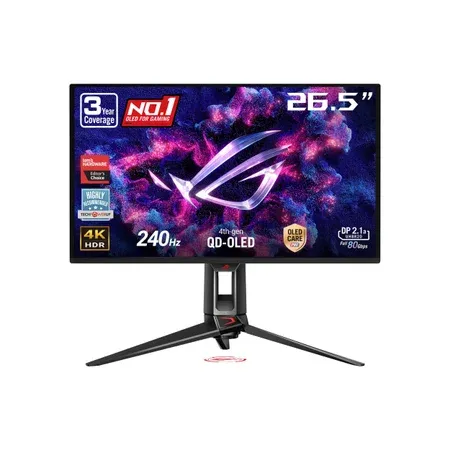
Worth it for a 4K OLED that docks a laptop
ASUS ROG Swift PG27UCDM
$898.99 on Amazon on Nov. 23, 2026 (list $1,099). 4K QD-OLED, 240Hz, DP 2.1, USB-C 90W, 36-month burn-in cover.
The Short Answer
| Situation | Verdict |
|---|---|
| Laptop and desktop on one 4K OLED | Worth it ($898.99) for the 90W USB-C |
| Desktop gaming only | Alienware AW2725Q ($599.99 at Dell) or XG27UCDMG ($749) |
| Want the longest burn-in warranty | PG27UCDM: 36 months including burn-in |
| Want a full height-adjustable stand | ASUS lists tilt only; consider the Samsung G80SH |
| Want 32 inches | PG32UCDM Gen 3, $999 at ASUS Store |
PG27UCDM Specs
| ASUS ROG Swift PG27UCDM | |
|---|---|
| Size / resolution | 26.5” 3840x2160 |
| Panel | Tandem QD-OLED (per ASUS’s spec page) |
| Refresh | 240Hz |
| HDR | VESA DisplayHDR True Black 400, Dolby Vision |
| Ports | DisplayPort 2.1, 2x HDMI 2.1, USB-C 90W |
| Stand | Tilt (as listed by ASUS) |
| Warranty | 36 months including burn-in |
| Price (Nov. 23, 2026) | $898.99 Amazon (list $1,099); $899 ASUS Store |
The Warranty
ASUS covers its OLED monitors for 36 months including burn-in, except for a named 24-month list (PG27AQDM, PG34WCDM, PG42UQ, PG48UQ, PG49WCD, PQ22UC, MQ13AH, MQ16AH, PA27DCE, PA32DC). The PG27UCDM isn’t on that list. Samsung’s OLED pages say burn-in is “covered within warranty” without printing the length, and LG’s OLED warranty is 2 years without naming burn-in. See OLED monitor burn-in warranties.
How It Compares
| PG27UCDM | ROG Strix XG27UCDMG | Alienware AW2725Q | Samsung G80SH 27” | Samsung G70SH 27” | |
|---|---|---|---|---|---|
| Panel | 4K QD-OLED | 4K Tandem QD-OLED (Amazon listing) | 4K QD-OLED | 4K QD-OLED | 4K OLED |
| Refresh | 240Hz | 240Hz | 240Hz | 240Hz | 165Hz |
| HDR | True Black 400, Dolby Vision | — | True Black 400, Dolby Vision | TrueBlack 400, HDR10+ Gaming | TrueBlack 400 |
| DisplayPort | 2.1 | — | 1.4 DSC | 2.1 UHBR20 | 1.4 |
| USB-C | 90W | — | 15W | 98W | — |
| Stand | Tilt | — | Height, pivot, swivel, tilt | Height 120mm, tilt, swivel, pivot | Height, tilt, swivel, pivot |
| Burn-in warranty | 36 months | ASUS OLED policy | 3 years (Dell QD-OLED) | Within warranty, length not printed | same |
| Price (Nov. 23, 2026) | $898.99 Amazon | $749 Amazon | $599.99 Dell | $799.99 Samsung | $649.99 Amazon |
The Samsung G80SH is the closest match on paper: 4K 240Hz, DP 2.1 UHBR20, 98W USB-C and a full stand for $799.99 at Samsung, $100 less. What it doesn’t give you is a printed warranty length. The Alienware AW2725Q costs $299 less with a 3-year burn-in term but drops to DP 1.4 with compression and 15W USB-C.
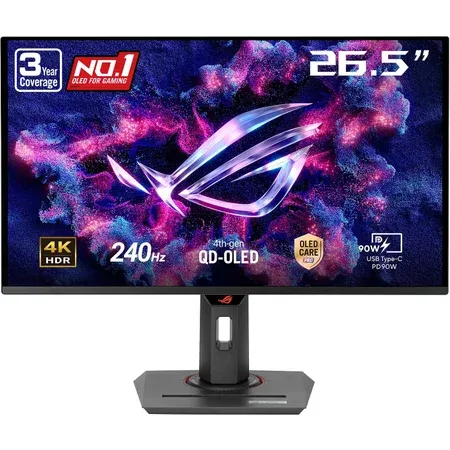
Cheaper 27-inch 4K ROG
ASUS ROG Strix XG27UCDMG
$749 on Amazon on Nov. 23, 2026 (list $899). Amazon lists it as a 27-inch 4K 240Hz Tandem QD-OLED with G-Sync.
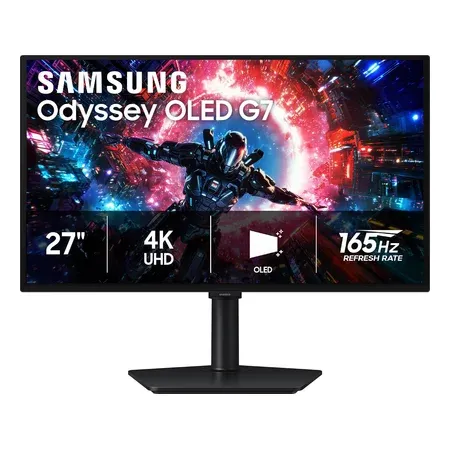
Cheapest 27-inch 4K OLED
Samsung Odyssey OLED G7 (G70SH)
$649.99 on Amazon on Nov. 23, 2026 (list $999.99). 27-inch 4K OLED, 165Hz, TrueBlack 400, DP 1.4, HDMI 2.1.
What Owners Report
On Amazon, the PG27UCDM had 4.5 stars from 239 reviews on November 23, 2026. Amazon’s review summary notes that some units stopped working after the first day, which is a reason to test it right away while the return window is open. The XG27UCDMG had 4.6 stars from 94 reviews, with mixed comments on its proximity sensor.
For the 32” version, see our ASUS ROG Swift 4K OLED review. For the brand overall, read are ASUS ROG monitors good, and for Samsung’s alternative, is the Odyssey OLED G8 worth it.
FAQ
Does the PG27UCDM have DisplayPort 2.1?
Yes. ASUS lists DisplayPort 2.1, two HDMI 2.1 ports and USB-C with 90W charging.
Does ASUS cover burn-in on the PG27UCDM?
Yes. ASUS covers OLED monitors for 36 months including burn-in, and the PG27UCDM isn’t on its 24-month exception list.
Is the PG27UCDM good for a MacBook?
Its USB-C port charges at up to 90W and carries the 4K signal, so a MacBook connects over one cable. The PG27UCDM has no Thunderbolt.
What’s the difference between the PG27UCDM and PG27UCWM?
The PG27UCDM uses a QD-OLED panel ($899); the PG27UCWM uses LG’s Tandem RGB WOLED with a 480Hz 1080p mode ($1,199).